Habilita notificaciones de nuevos chats
Para mantenerte informado sobre nuevas conversaciones, puedes activar varios tipos de notificaciones.
Por ejemplo, puedes recibir correos electrónicos cada hora, notificaciones web push o mensajes en el chatbot SendPulse Notifications para acceder y responder rápidamente en los chats.
Para recibir las notificaciones en tu correo sobre el último chat abierto, selecciona la opción correspondiente en Configuración de notificaciones.
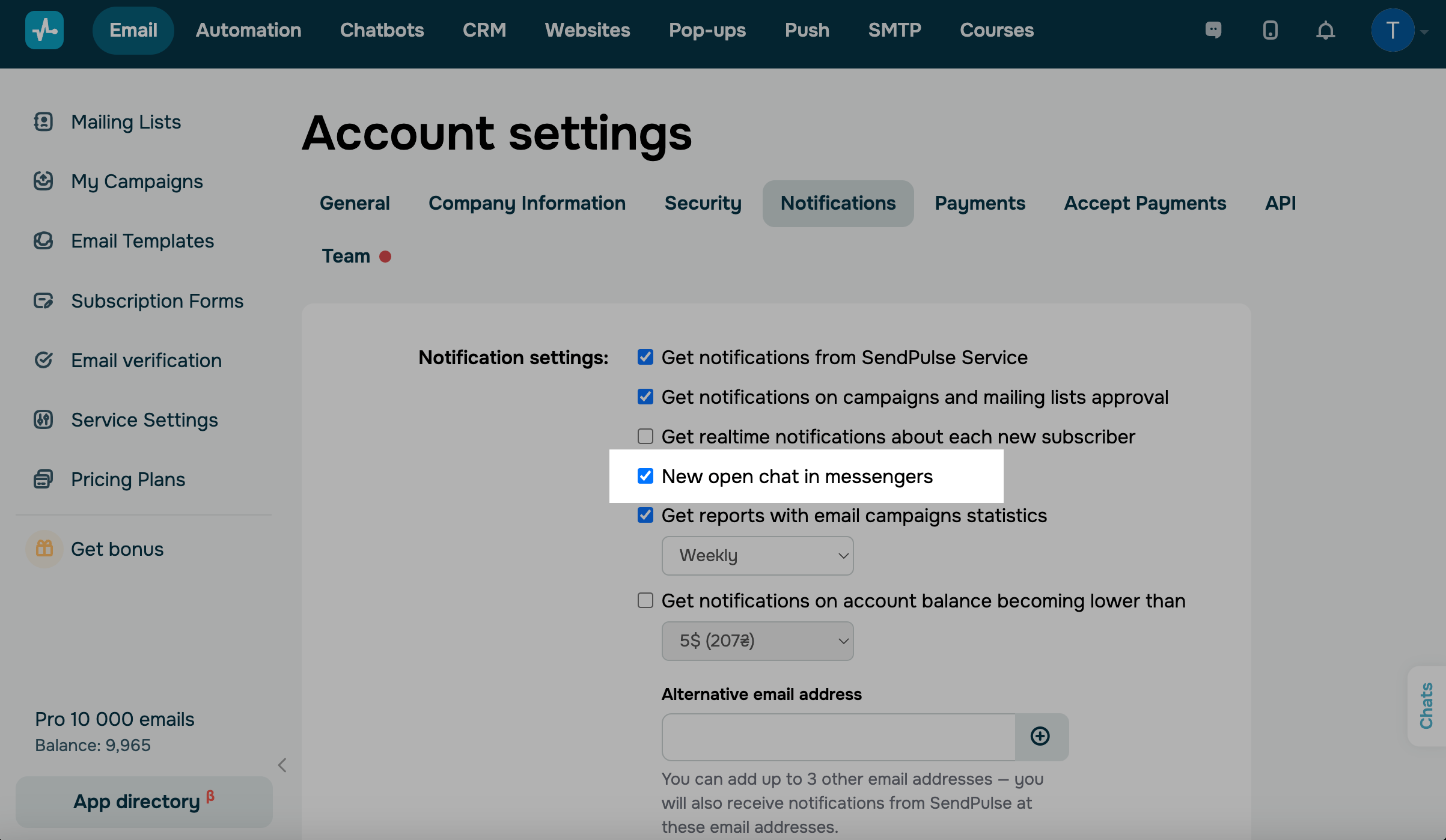
La notificación se envía como máximo una vez cada hora con el último mensaje del suscriptor.
Web push
También puedes recibir notificaciones web push sobre nuevos chats abiertos. Para ello, activa las notificaciones de SendPulse en el navegador y selecciona la opción Nuevo chat abierto en mensajería en la configuración de la cuenta de SendPulse, en la pestaña Notificaciones.
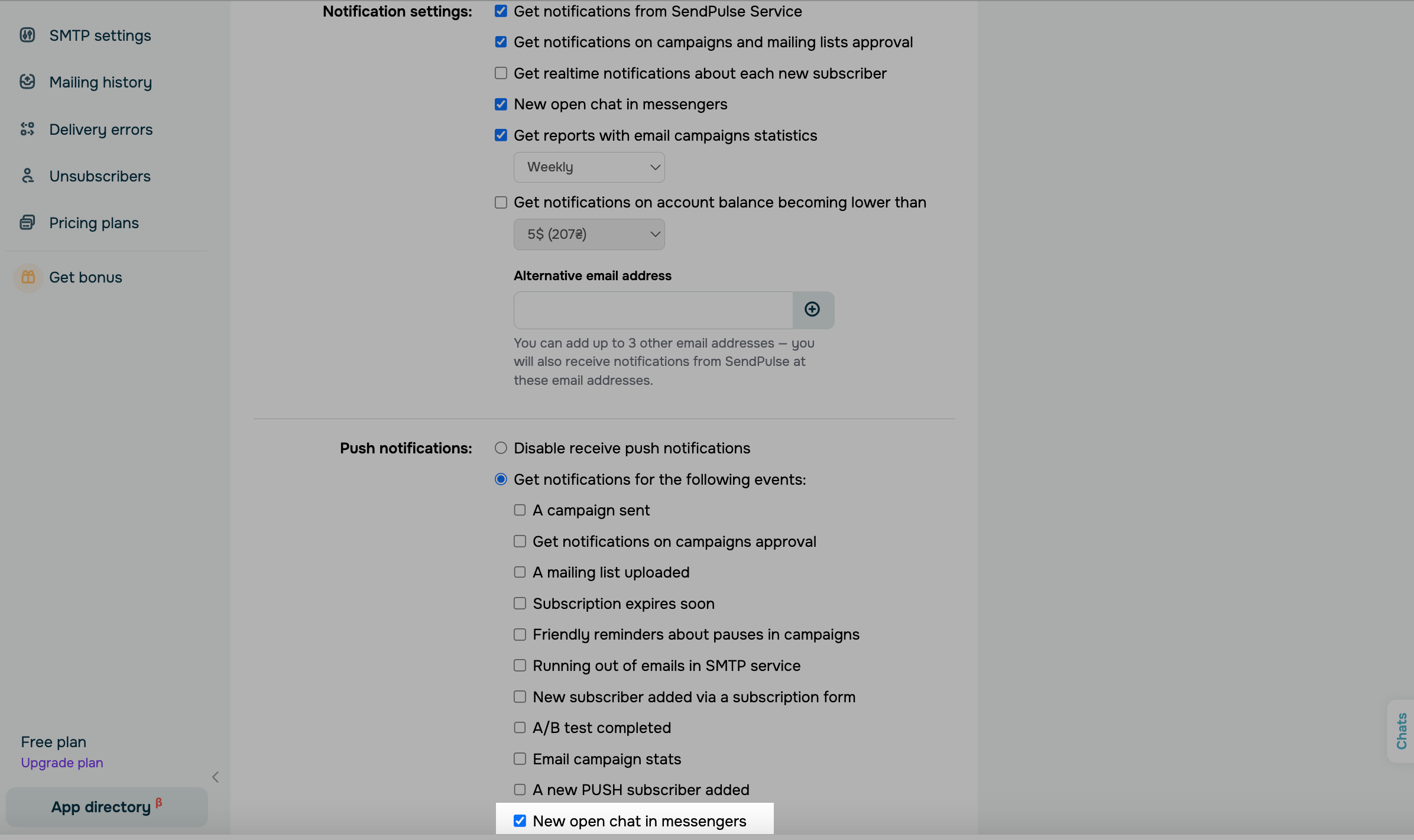
Al hacer clic en la notificación web push sobre el nuevo chat, accederás inmediatamente a este chat en tu cuenta de SendPulse.
El bot de notificaciones de SendPulse
También es posible recibir notificaciones a través del bot SendPulse Notifications. Para ello, habilita las notificaciones del bot en la configuración de tu chatbot, y suscríbete al bot SendPulse Notifications.
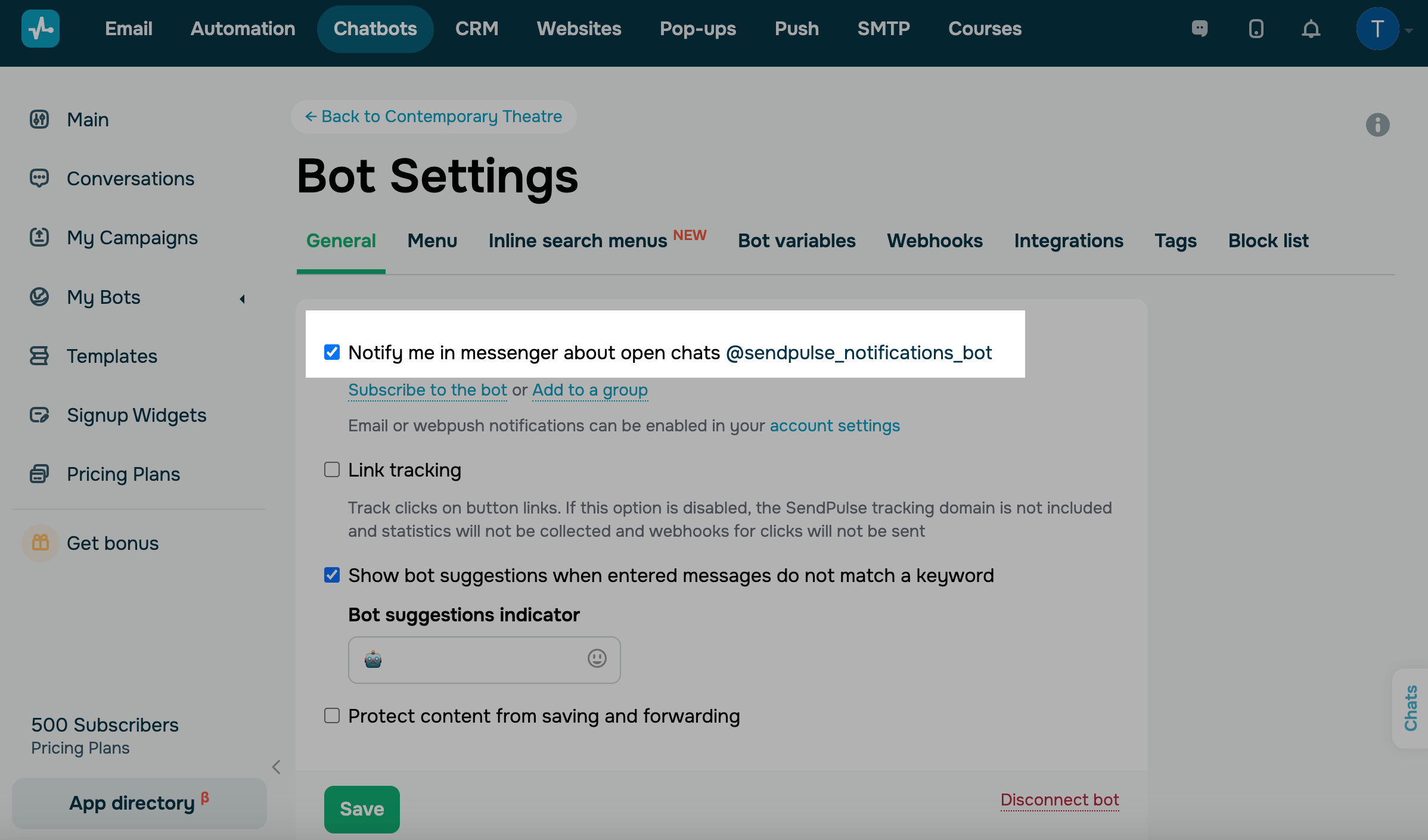
Si un suscriptor envía un mensaje a tu chatbot por sí solo, en lugar de hacerlo a través de un disparador específico, y aparece un chat abierto, puedes enviar tu respuesta de inmediato utilizando el bot SendPulse Notifications.
Leer también: Cómo utilizar el bot SendPulse notifications.
 Última actualización: 01.07.2025


o