View segments
Segments show groups of contacts in your mailing list based on selected conditions. Use them to identify audiences such as recently added subscribers, active readers, or contacts who have not interacted with recent campaigns.
In this article, we will talk about how to view segments in your mailing list.
Go to your mailing list > Segments tab.
Existing segments
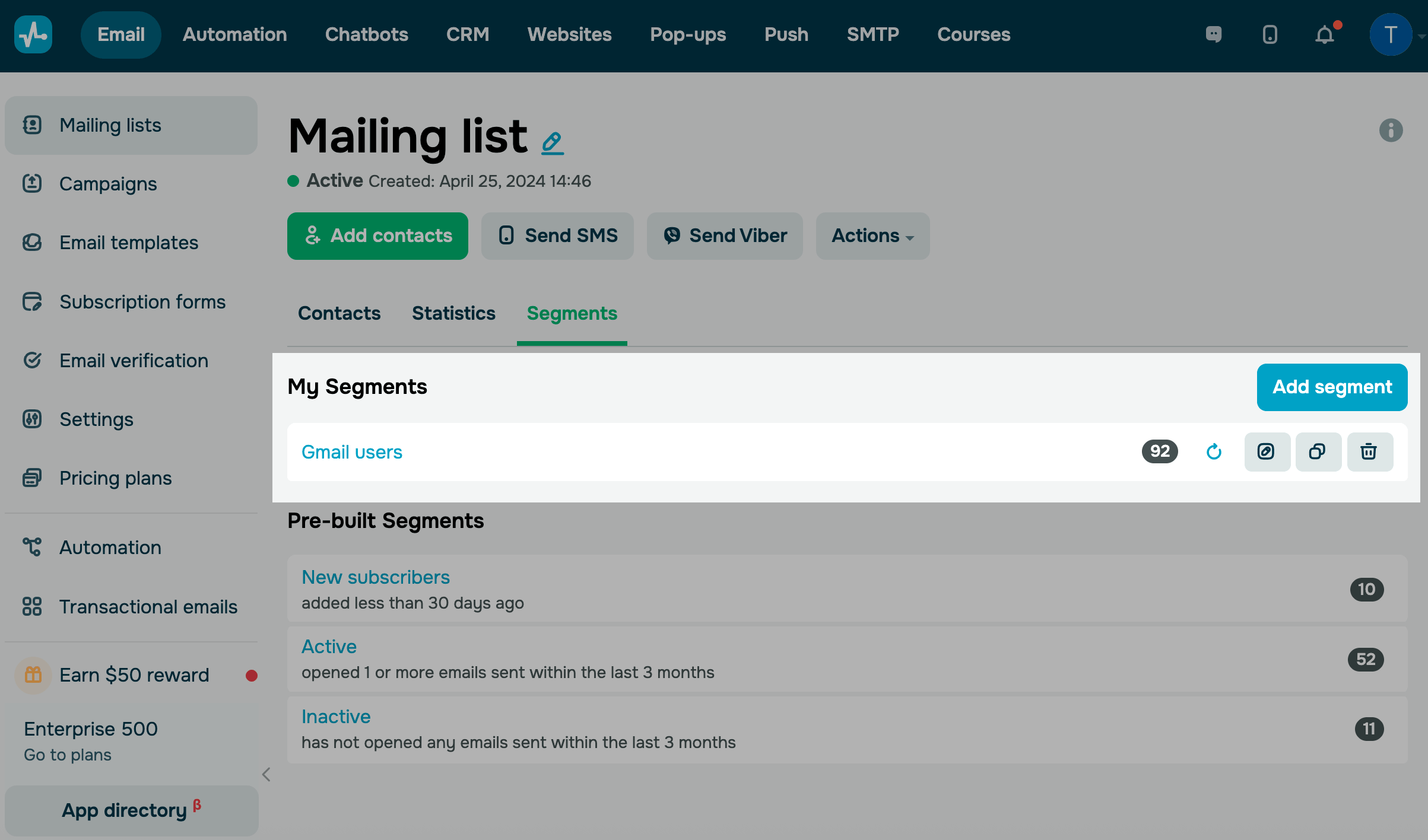
In the My segments section, you can see all segments created in your current mailing list.
Next to each segment name, there is a number showing how many contacts belong to that segment. To refresh the list and find all contacts that match the segment criteria, click the arrow on the right.
You can also manage your segment: edit, copy, or delete it.
To view the full list of contacts in a segment, click its name.
If needed, manage contacts in the segment using actions.
Pre-built segments
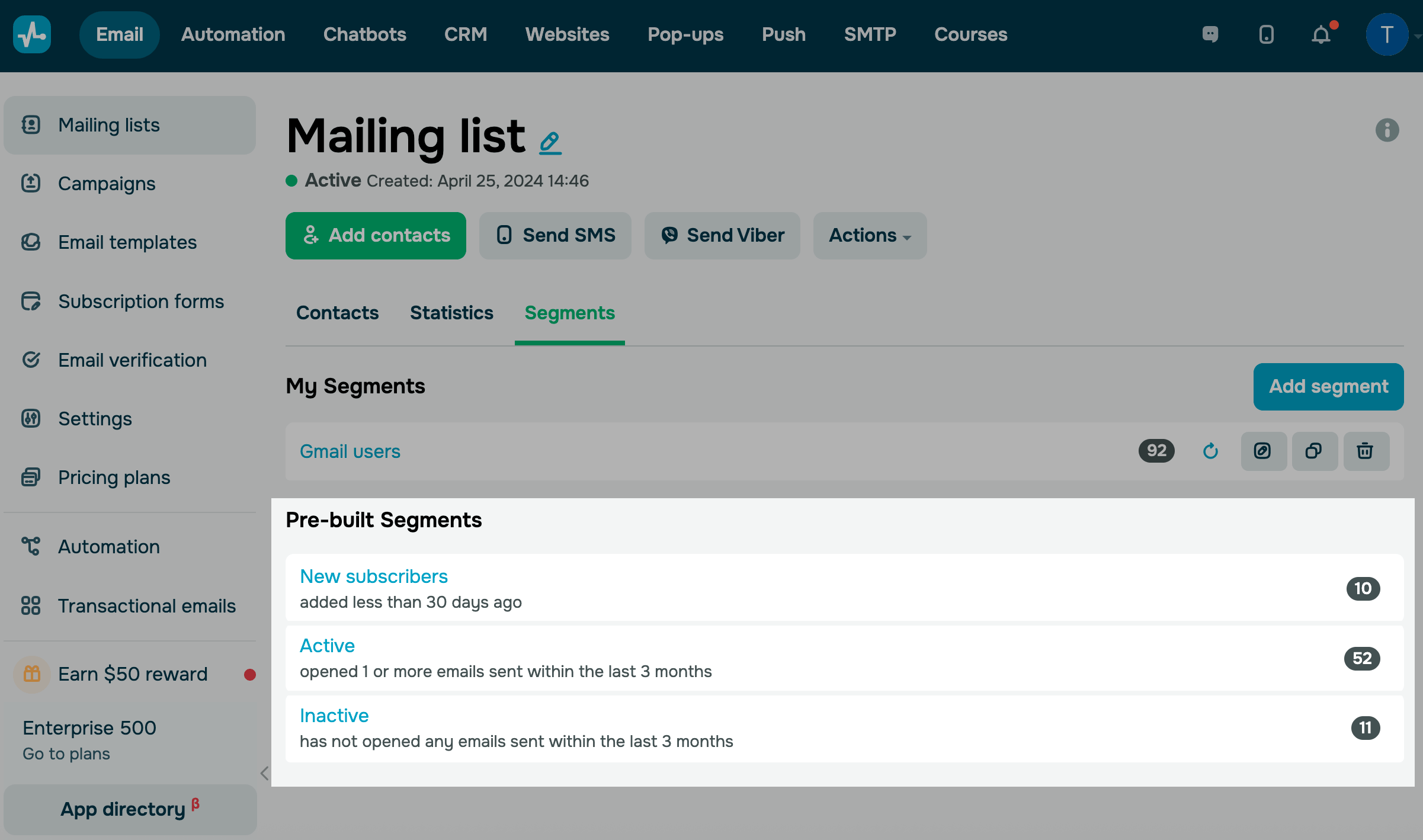
In the Pre-built segment section, you can see available segment templates that you can create and use.
Select the desired segment.
| New subscribers | Will select all subscribers added within the last 30 days. |
| Active | Will select all subscribers who opened emails from the last five campaigns sent in the last three months. |
| Inactive | Will select all subscribers who have not opened any of the last five campaigns sent in the last three months. |
 Last Updated: 05.03.2026





or