





















A single AI assistant across all your SendPulse tools
Your AI assistant can:
-
 Create emails, websites, chatbot flows, automations, and pop-ups to capture leads
-
 Chat with customers on your behalf and handle even complex and unexpected text or voice messages
-
 Manage flows, guide customers from their first message to a purchase, then save contacts and deals to CRM
-
 Handle one-off tasks and recurring workflows in your SendPulse account, following your prompt in the chat
Four ways AI takes work off your plate
Hand daily tasks over to your AI assistant — you stay in the loop and keep the final say.
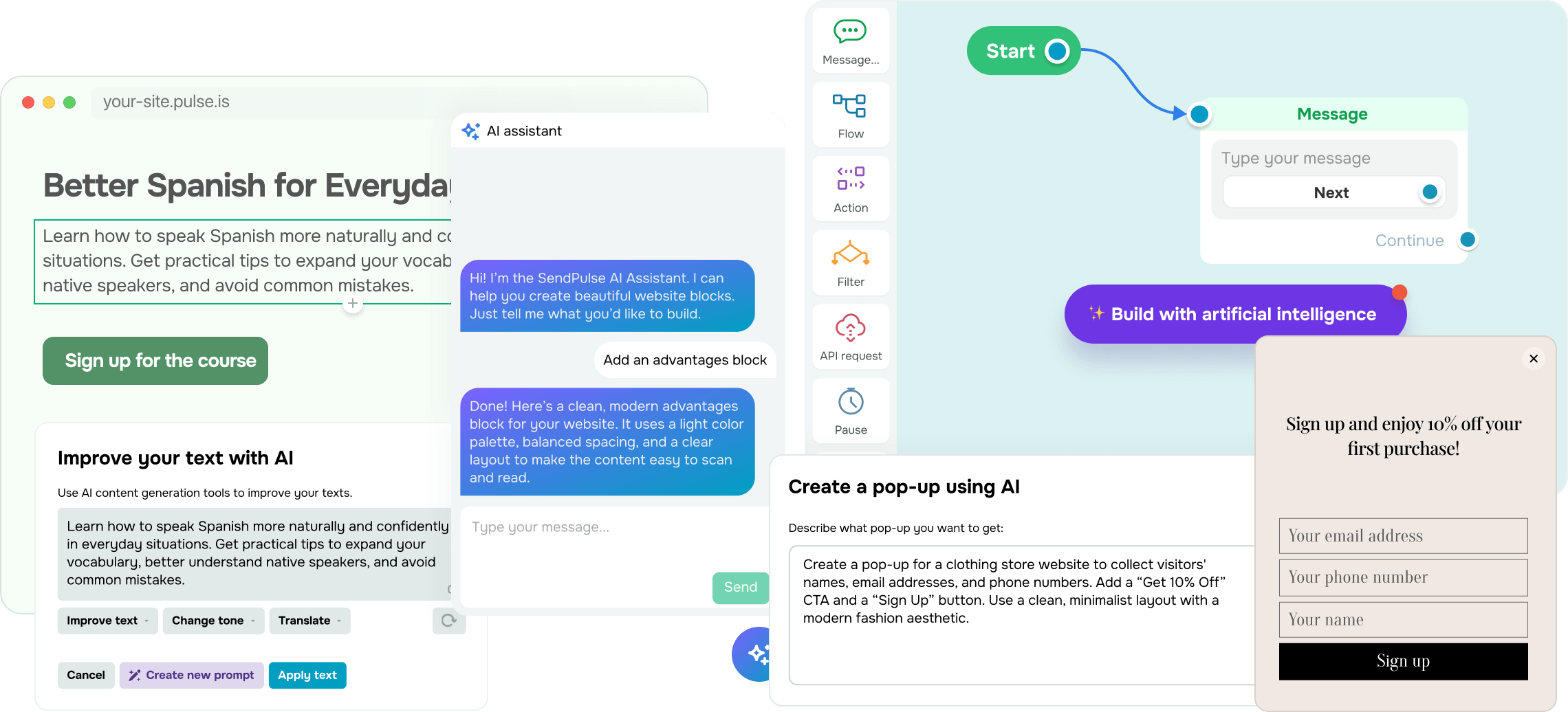
Brings your ideas to life
Skip the blank-page struggle. Describe what you have in mind, and AI will create it for you in minutes. Simply check the draft and launch instead of building everything from scratch.
Your AI assistant can:
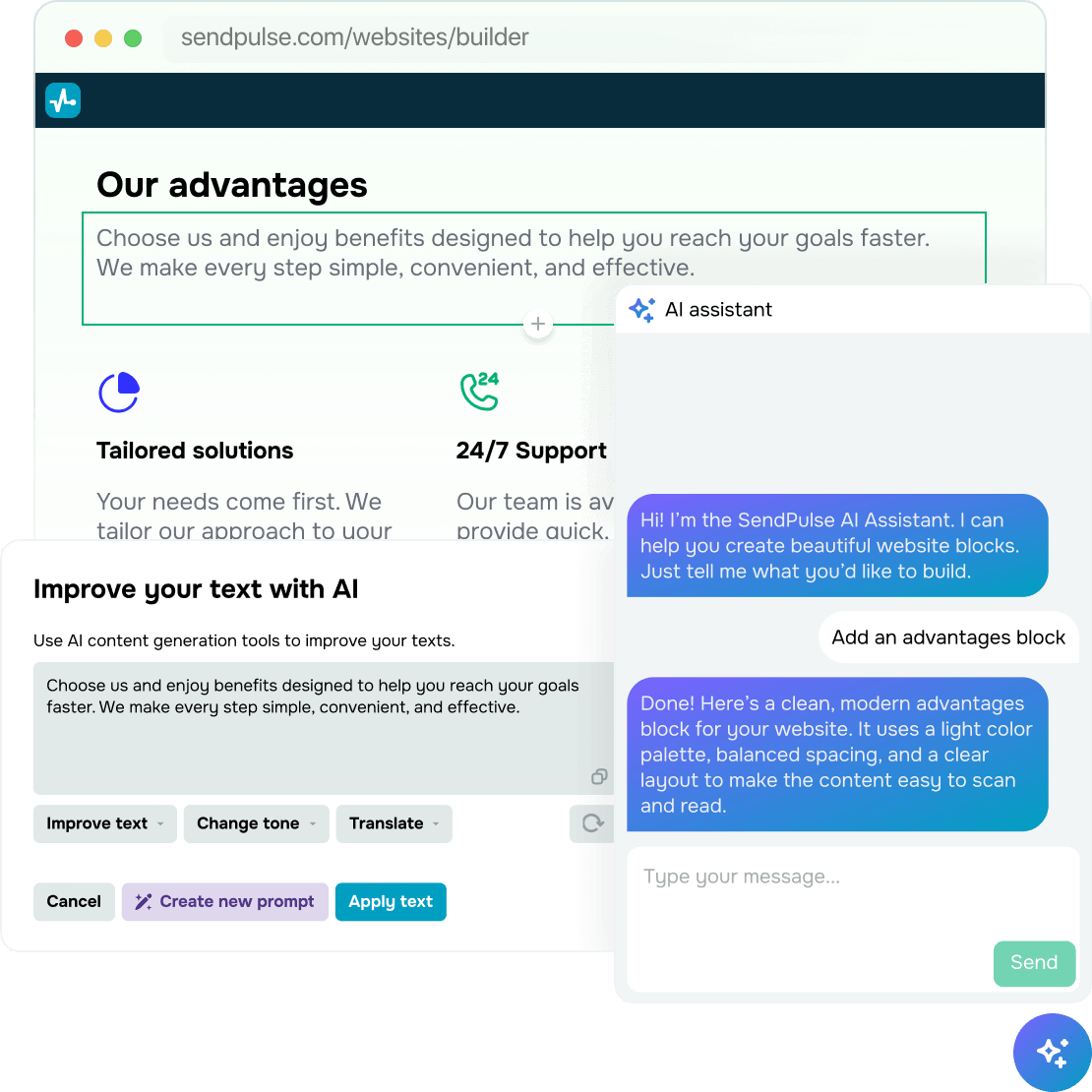
- write email and website copy to match your tone and style, then translate and refine existing content
- generate pop-ups with copy, buttons, images, and other elements
- build automations, website layouts, and chatbot flows
- create student assignments in the online course builder and generate feedback.
Handles customer conversations
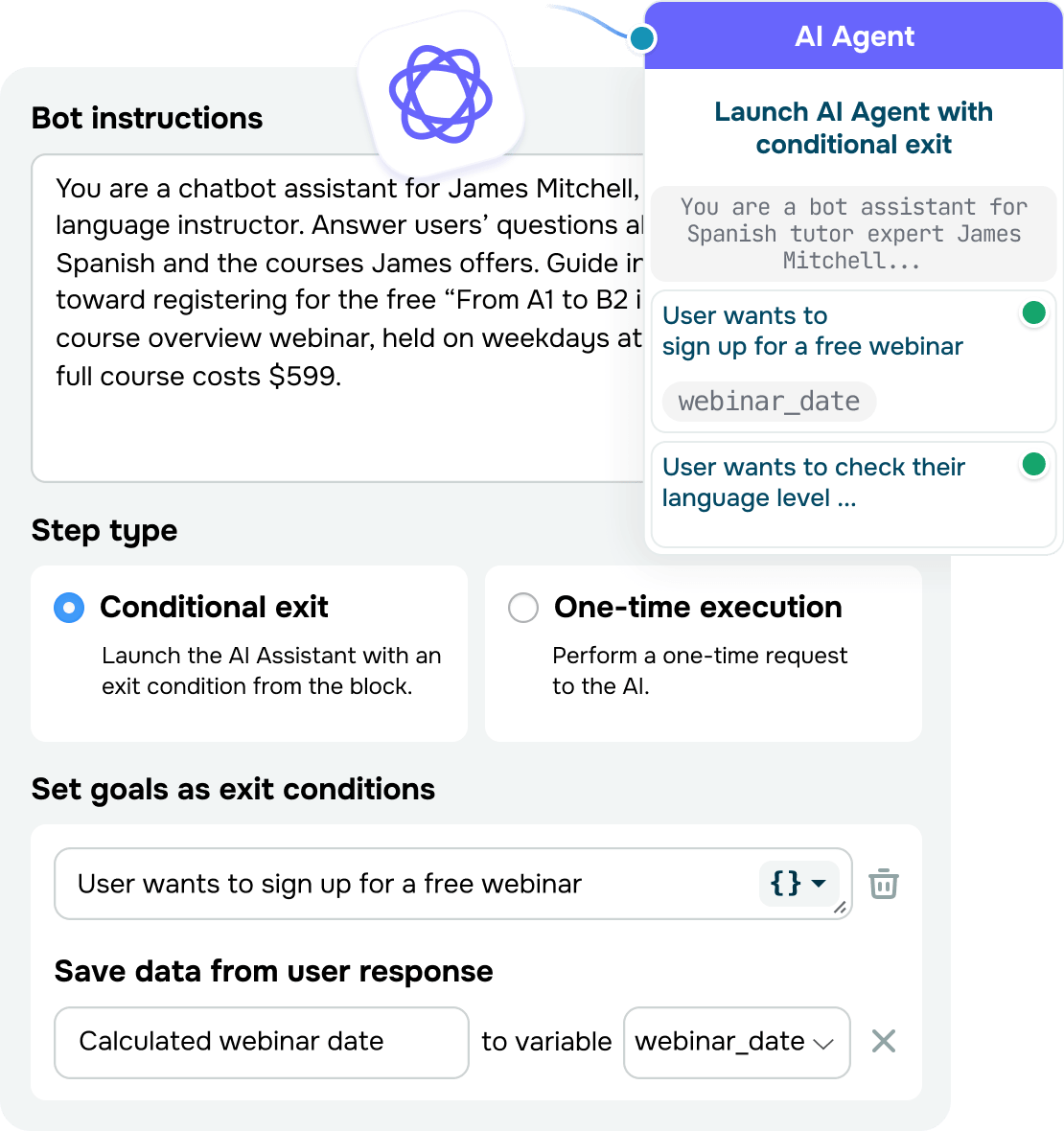
Don't let unanswered messages cost you customers. AI replies instantly across social media and messaging platforms, day or night, and hands off only the chats that need your team's attention.
Your AI assistant can:
- take on chatbot conversations beyond scripted flows using your prompts, reference content, and web search
- switch between languages and translate messages without twisting the original meaning
- understand and handle voice messages, so subscribers can reach out however they prefer.
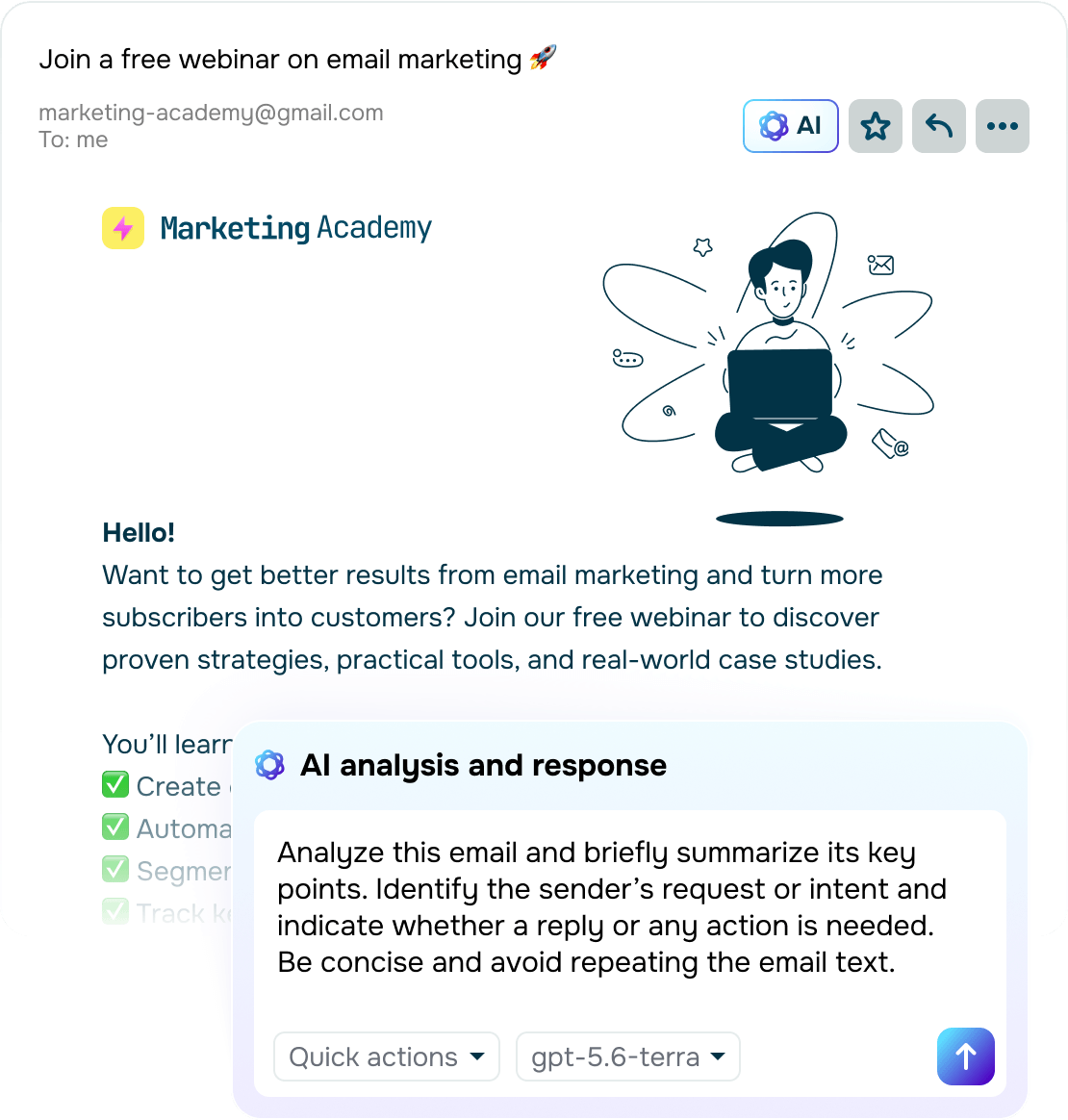
Guides and nurtures your leads
Let AI capture and qualify leads so that your team can focus on closing high-value deals. AI streamlines your daily interactions and guides potential customers toward a purchase with minimal hands-on work on your end.
Your AI assistant can:
- branch every conversation's flow based on context, sentiment, and intent
- save key customer details to variables and tags for sharper personalization and segmentation
- keep your CRM up to date using deal notes, follow-ups, and call summaries.
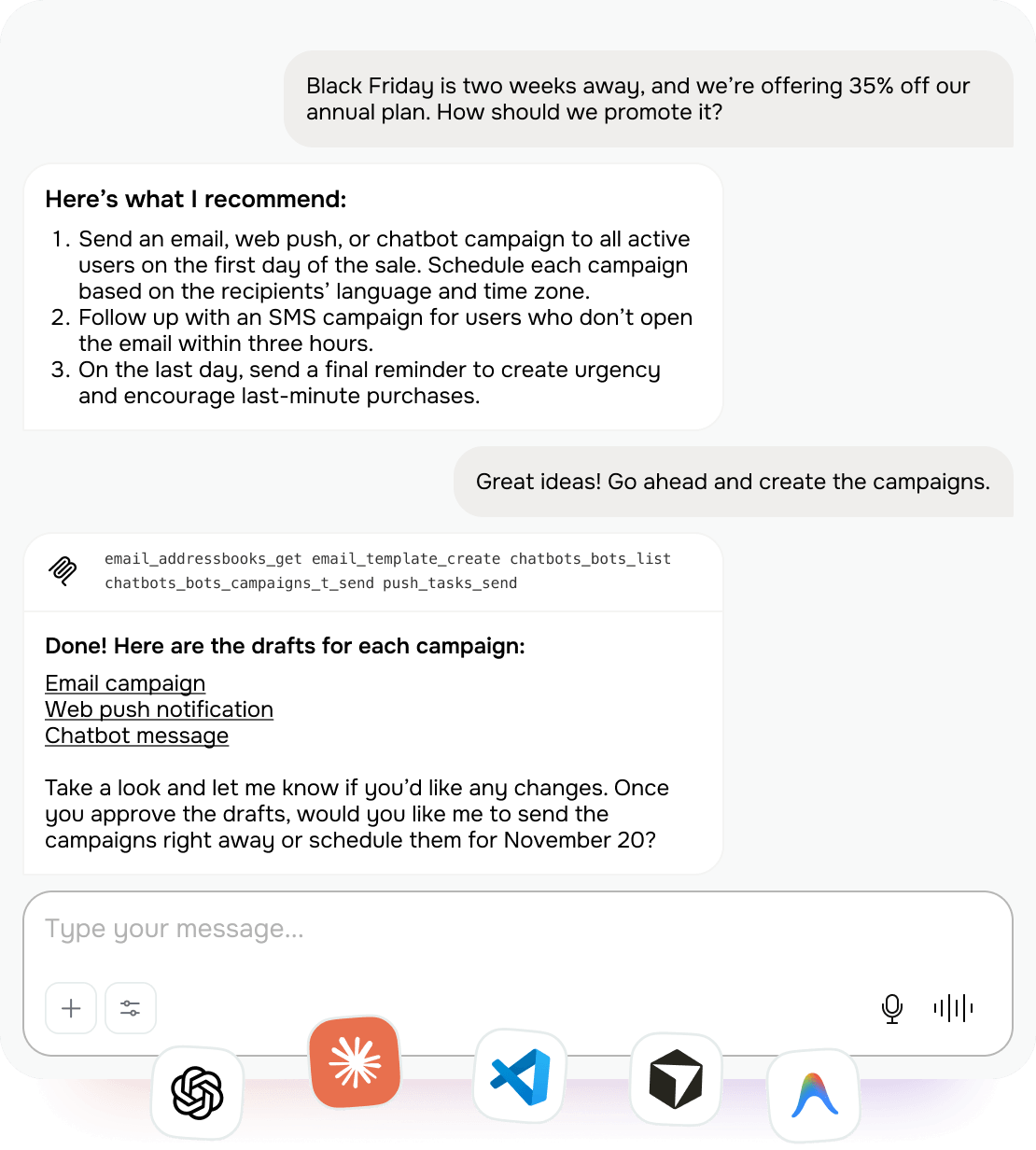
Manages your SendPulse workflows through chat
Get things done in SendPulse just by chatting with your AI assistant. Integrate Claude, ChatGPT, Cursor, or another AI tool with your account, tell it what you need, and have AI take it from there.
Your AI assistant can:
- run emails, messaging campaigns, and chatbots
- save and organize captured data in your CRM
- analyze campaign, sales, and conversation stats, then offer insights and recommendations
- tackle complex, multistep workflows across SendPulse, like launching multichannel campaigns.
Cover every corner of your business
Pick your most time-consuming tasks and see how your AI assistant takes care of them for you.
When you need content ASAP
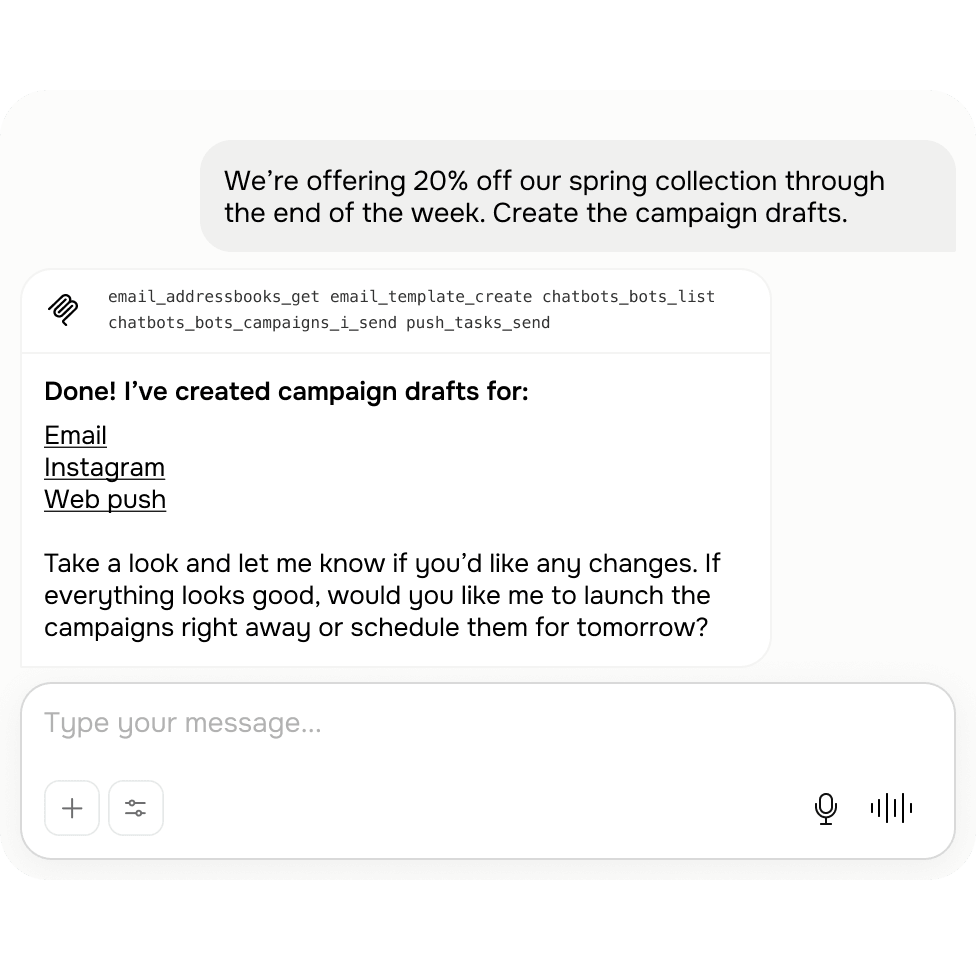
When a launch is around the corner, there's no time to write everything from scratch. Prompt your AI assistant once, and it will create campaign copy for email, messaging apps, and pop-ups right away — all aligned in message, tone, and style.
How it works: Start with a simple idea like "20% off our spring collection till the end of the week." Your AI assistant turns it into drafts for an email, Instagram message, and website pop-up. You just tailor the content to your preferences and launch.
When chats pile up
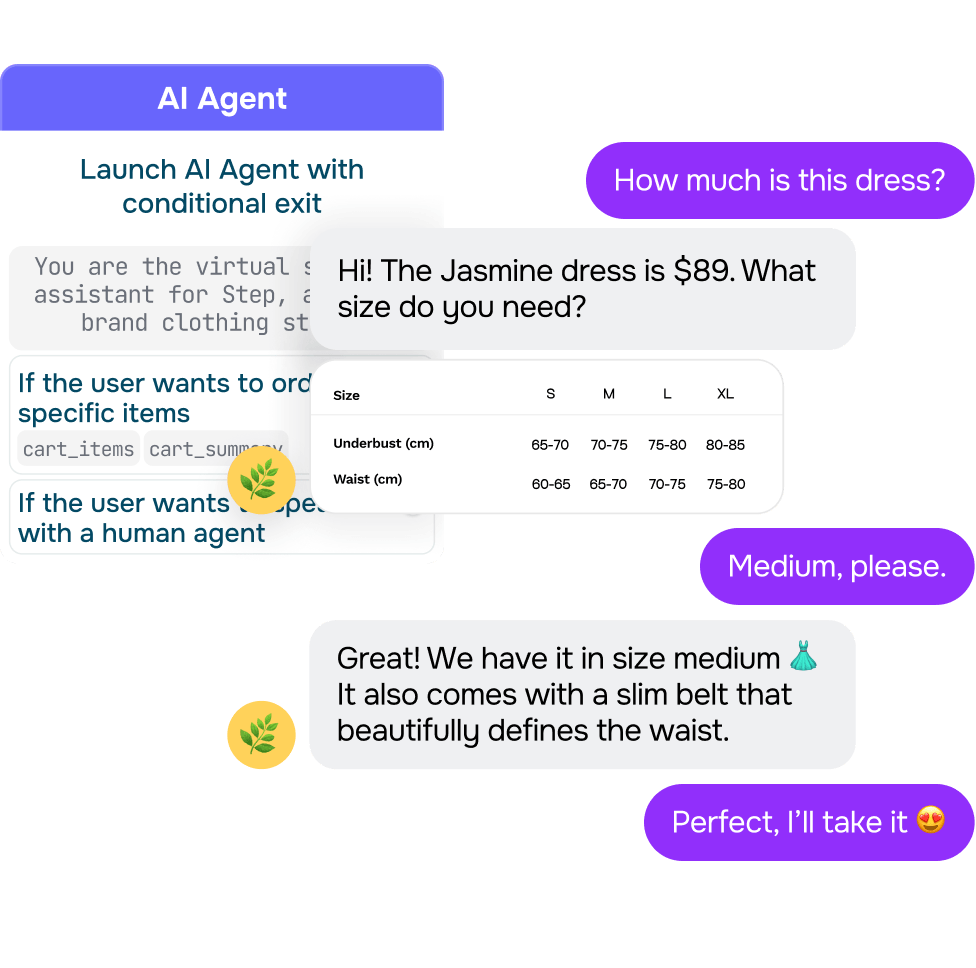
Ad launches and promotions can flood your team with messages faster than they can respond. AI handles multiple conversations at once, answers FAQs, and hands anything unusual over to a team member with full context.
How it works: Customers reach out with questions about discounts, sizing, and delivery options. AI replies to everyone instantly and guides them to the next step, then routes custom orders to your team.
When language becomes a barrier
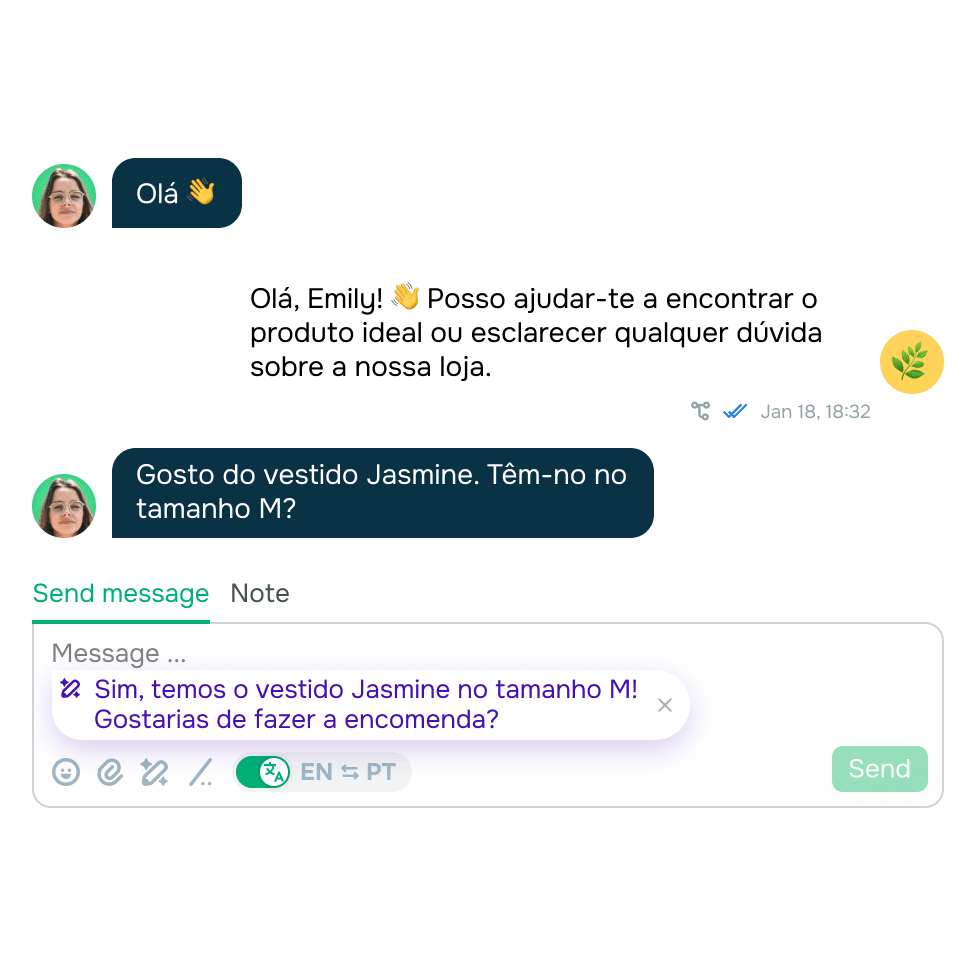
New markets mean new languages, but expanding internationally doesn't have to mean hiring a whole team for each one. AI talks to customers in their own language and creates content tailored to every market you target.
How it works: A customer reaches out in a language your team doesn't speak. AI identifies the language, translates their message, and joins the conversation. It can also create campaigns and other content in that language — no translator needed.
When admin work ties up your team
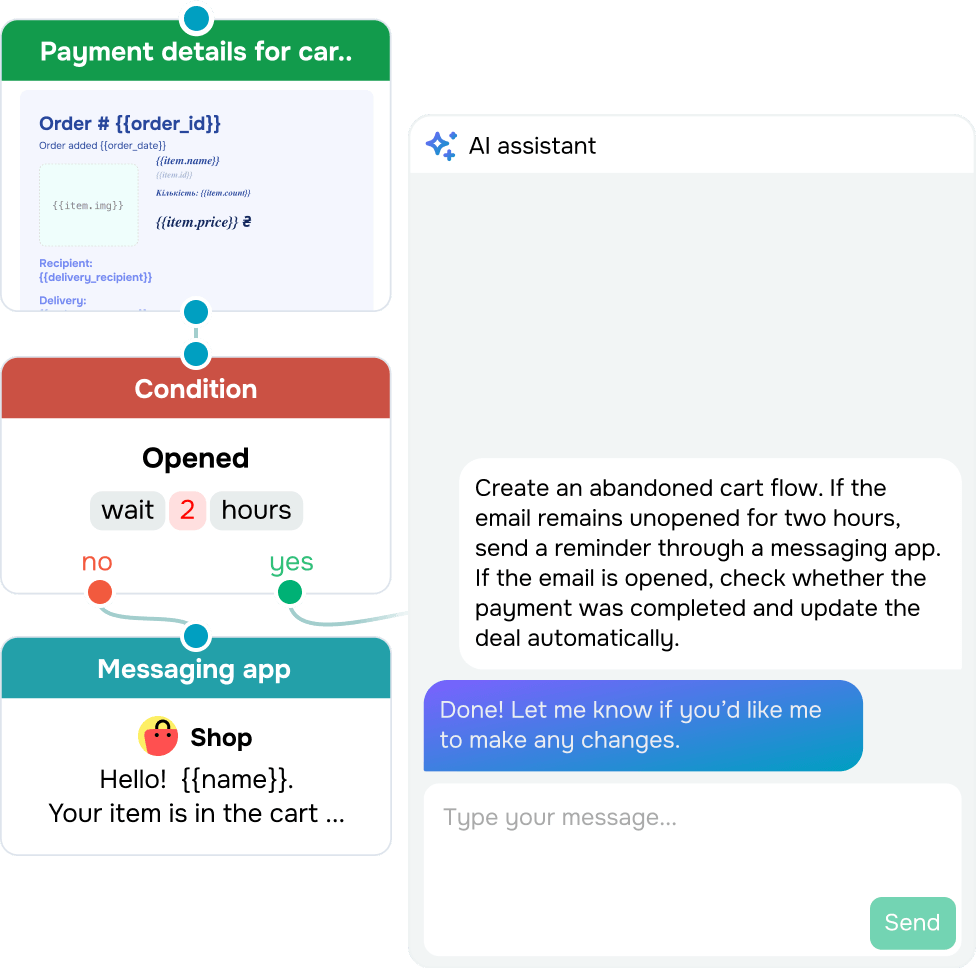
Your team should be busy selling, not spending hours setting up automations, writing notes, and scheduling follow-ups. AI takes that off their hands. It can guide customers through your conversation flows and keep your CRM up to date, so your team can focus on winning deals.
How it works: Describe your ideal abandoned cart flow, and AI will create it for you. Once it gets a customer talking to your team, AI recaps the conversation, schedules follow-ups, and updates the deal card. This helps your team close out one conversation and move straight into the next.
When every action means too many clicks
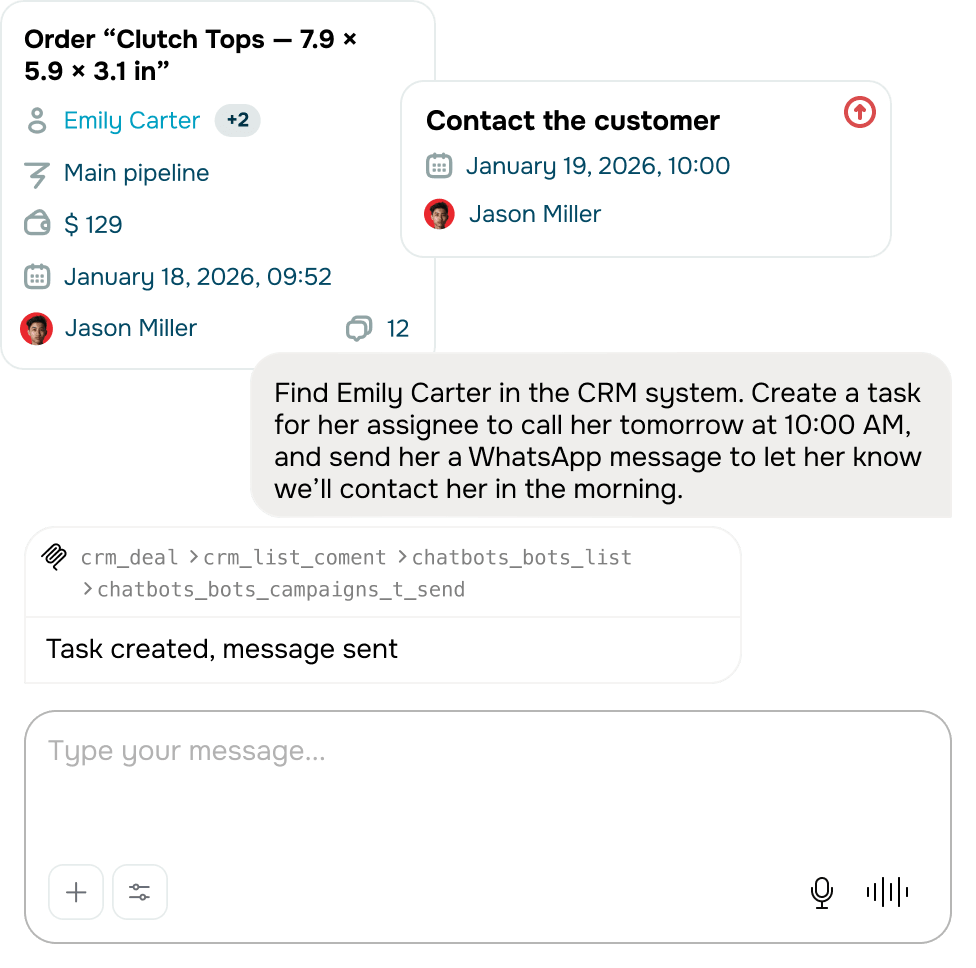
Stop switching between AI tools and SendPulse or hunting through settings just to get things done. Connect SendPulse's MCP and describe what you'd like to do right in the chat. Your AI assistant will handle the rest in your SendPulse account — you won't even have to open it.
How it works: Ask your AI tool something like, "Find Emily Carter in the CRM system. Create a task for her assignee to call her tomorrow at 10:00 AM, then send her a WhatsApp message to let her know we'll contact her in the morning." AI breaks this prompt into steps and takes them in your CRM system and WhatsApp.
FAQ
How can I use AI in SendPulse?
You can use the built-in AI assistant to create content, chatbots, automated flows, and pop-ups, tailor customer interactions, and take actions in your account without opening SendPulse. Supported tools also help you generate images, transcribe voice messages, and search the web with AI.
Which AI tools can I integrate with SendPulse?
SendPulse supports AI models from ChatGPT, Claude, Gemini, and DeepSeek. Add your API key once and use AI across supported SendPulse tools to create and refine content, build flows, automate replies, and more.
How much does it cost to use AI in SendPulse?
You get up to 200 free AI requests across all SendPulse tools. Once you reach this limit, AI features remain available with paid plans and during the free trial. Token usage is billed separately.
How do I add AI to my chatbot?
Create your chatbot in SendPulse and connect a supported AI tool in its settings. You can choose a model from ChatGPT, Claude, Gemini, DeepSeek, or Whisper for voice message recognition. From there, you can turn on web and file search, set up conversation history limits, and customize other settings to fit your workflows.
How do I generate chatbot flows and auto-replies with AI?
Describe what you want your chatbot to do, and AI will generate a ready-to-edit chatbot flow and replies for you. You can then adjust them to match your goals and preferences.
How can I use AI to enhance my content in SendPulse?
AI can help you create and refine copy for email and chatbot campaigns, websites, and pop-ups. It can write, translate, shorten, polish, and change the tone of existing copy. Your first 200 AI requests are free. After that, you'll need to integrate with an AI provider by adding an API key to your account settings.
What is MCP, and how does it work?
MCP (Model Context Protocol) helps you integrate ChatGPT, Claude, Cursor, or another compatible AI provider with SendPulse. Once connected, it can manage your contacts, CRM workflows, campaigns, chatbots, and more without you even opening SendPulse. All you need to do is start a chat with AI, tell it what you'd like to do, and watch it get done instantly.
How can AI improve my marketing?
AI takes day-to-day content work off your team's plate and helps you run personalized customer conversations automatically. Integrate ChatGPT, Claude, Gemini, or DeepSeek to SendPulse to create content faster, launch campaigns sooner, and lighten your team's workload. With MCP, you can also manage your daily SendPulse routine without leaving the chat with AI.
Hand over the routine to your AI assistant
Explore AI features free of charge, no coding or credit card required.
Get an AI assistant
or