Manage inactive contacts
Inactive contacts are email addresses that cannot receive your campaigns or have not interacted with your emails for a long time. Managing such contacts helps maintain a clean mailing list and control how these addresses are stored or removed.
For example, this may include recipients who unsubscribed, addresses that bounced, or subscribers who have not opened your emails for 6 months or more.
Let’s talk about how to find and manage inactive contacts.
Find inactive contacts
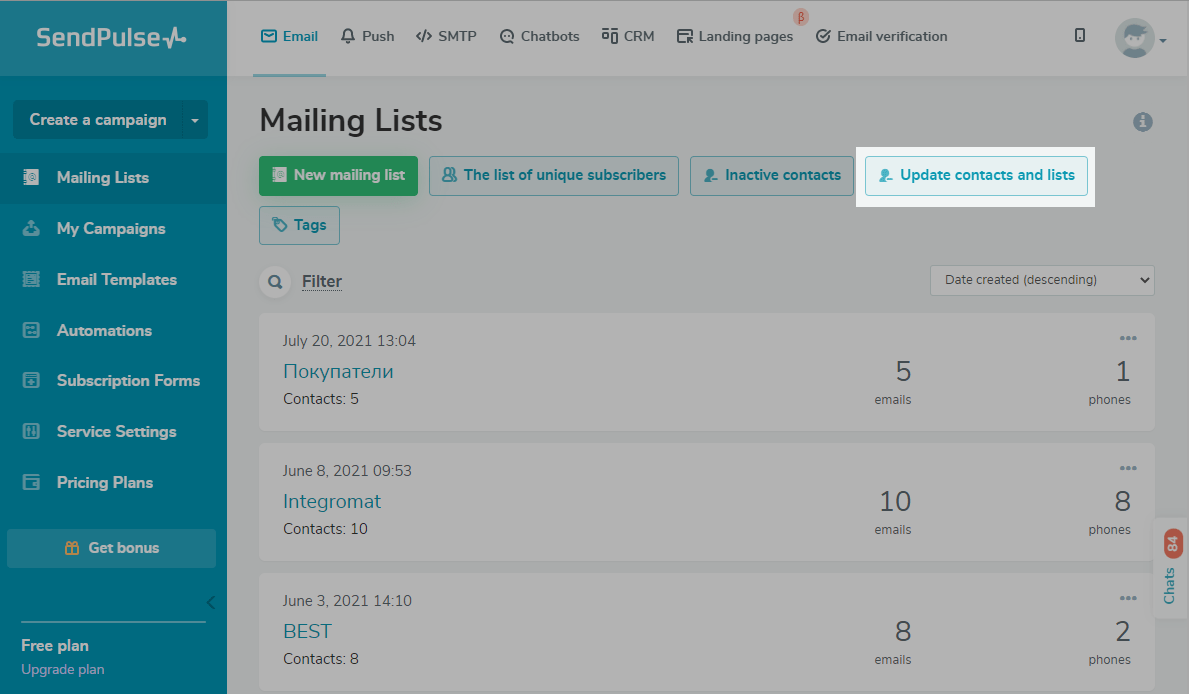
Go to the Email > Mailing lists tab and click Update contacts and lists.
Select Find inactive contacts.
Choose a mailing list from the drop-down menu:
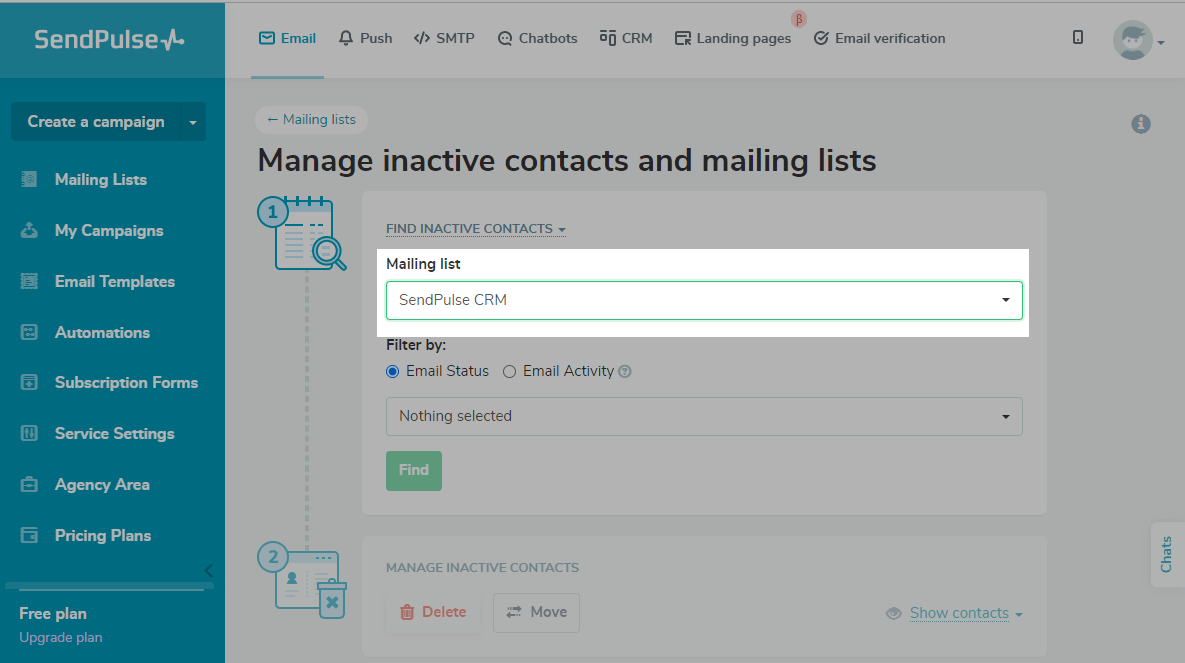
Choose the search criteria. You can filter by email status and email activity.
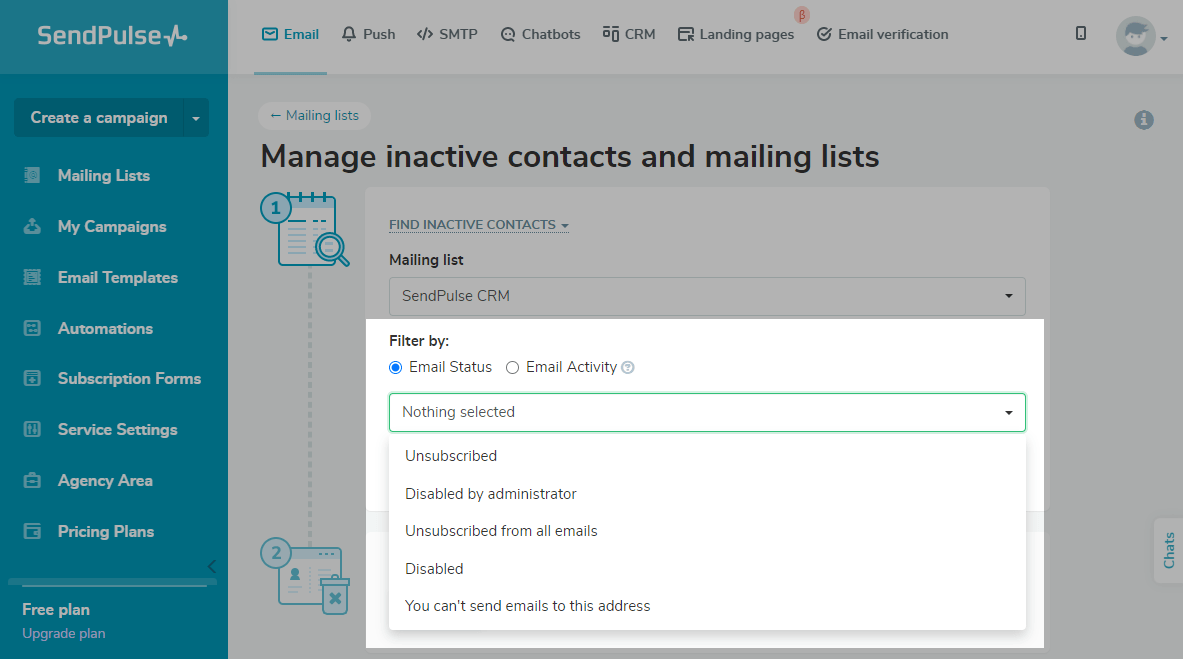
Filter by email status
Choose the status that you want to filter by:
| Unsubscribed | The contact unsubscribed from mailings (subscribers can do this by clicking on the unsubscribe link in any email, on the button in their mailbox; or by sending spam complaint) |
| Disabled by moderator, You can’t send emails to this address | Addressees that hard bounced (we received a log from the recipient’s server that the address or domain is non-existent) or repeatedly soft bounced (we received log from the recipient’s server about the recipient’s full mailbox or temporarily unavailable address) and are considered invalid |
| Disabled | You added the contact to your blacklist manually |
Filter by email activity
You can find contacts that have not opened 20 or more previous campaigns within a given timeframe.
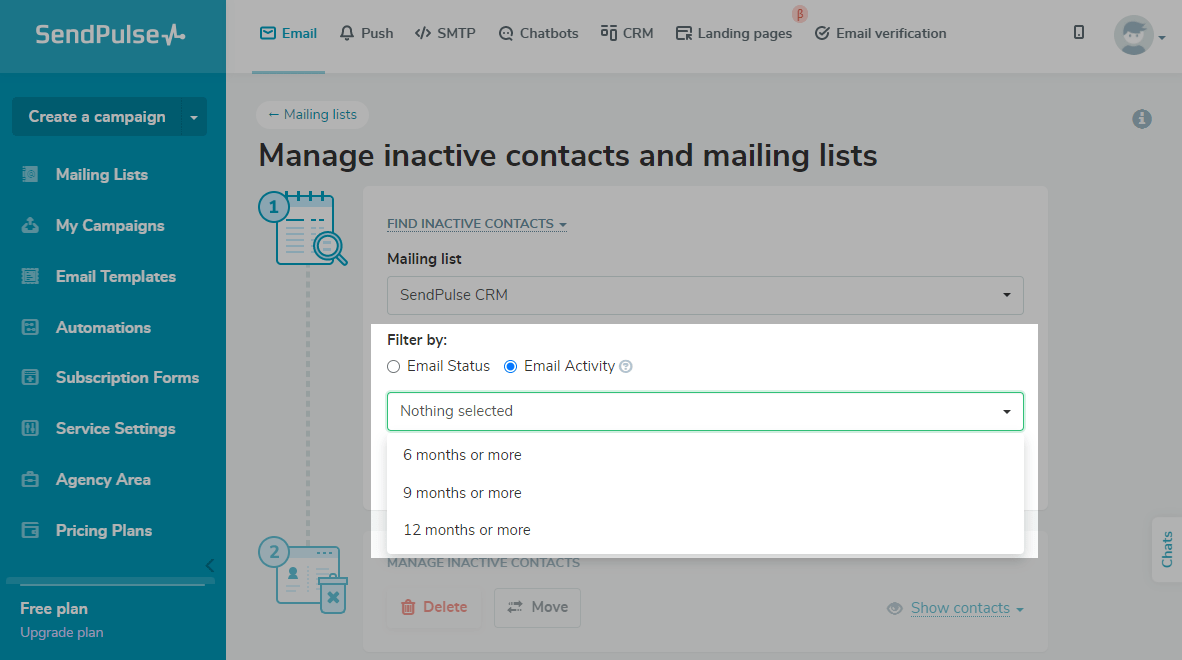
You can choose from the following timeframes:
- 6 months or more
- 9 months or more
- 12 months or more
Manage inactive contacts
After searching by one of the above criteria, you can move or delete inactive contacts.
| Delete | Delete all inactive contacts |
| Move | Move all contacts with the chosen status from their current mailing list to another mailing list if you don’t want to delete them. |
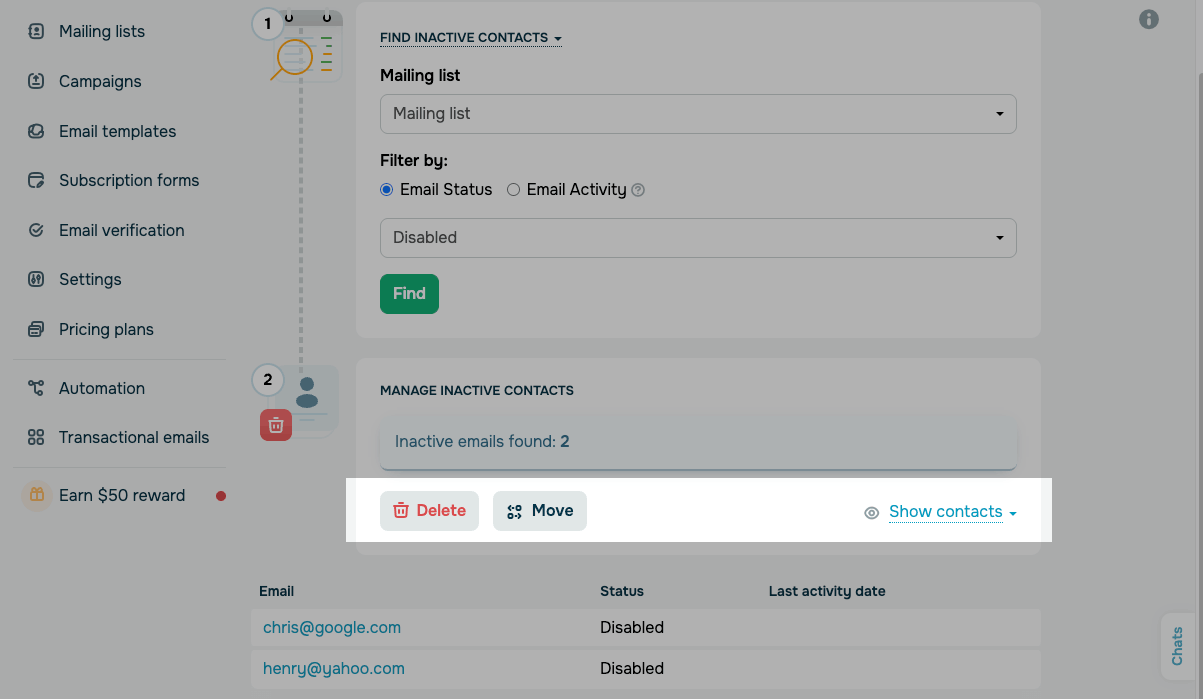
Also, you can view the list of contacts. To do so click Show contacts. There will be contacts with Email, Status, and Last activity date fields.
 Last Updated: 04.12.2023





or