Split contacts in the Action element
The Split your contacts action in Automation divides contacts at this step into two branches with different flow paths. Use it to run A/B tests — for example, send two versions of an email to different audience segments and compare performance.
SendPulse identifies contacts using the email or phone variable.
Let's talk about how to configure the Split contacts action in the Action element.
Add the Action element
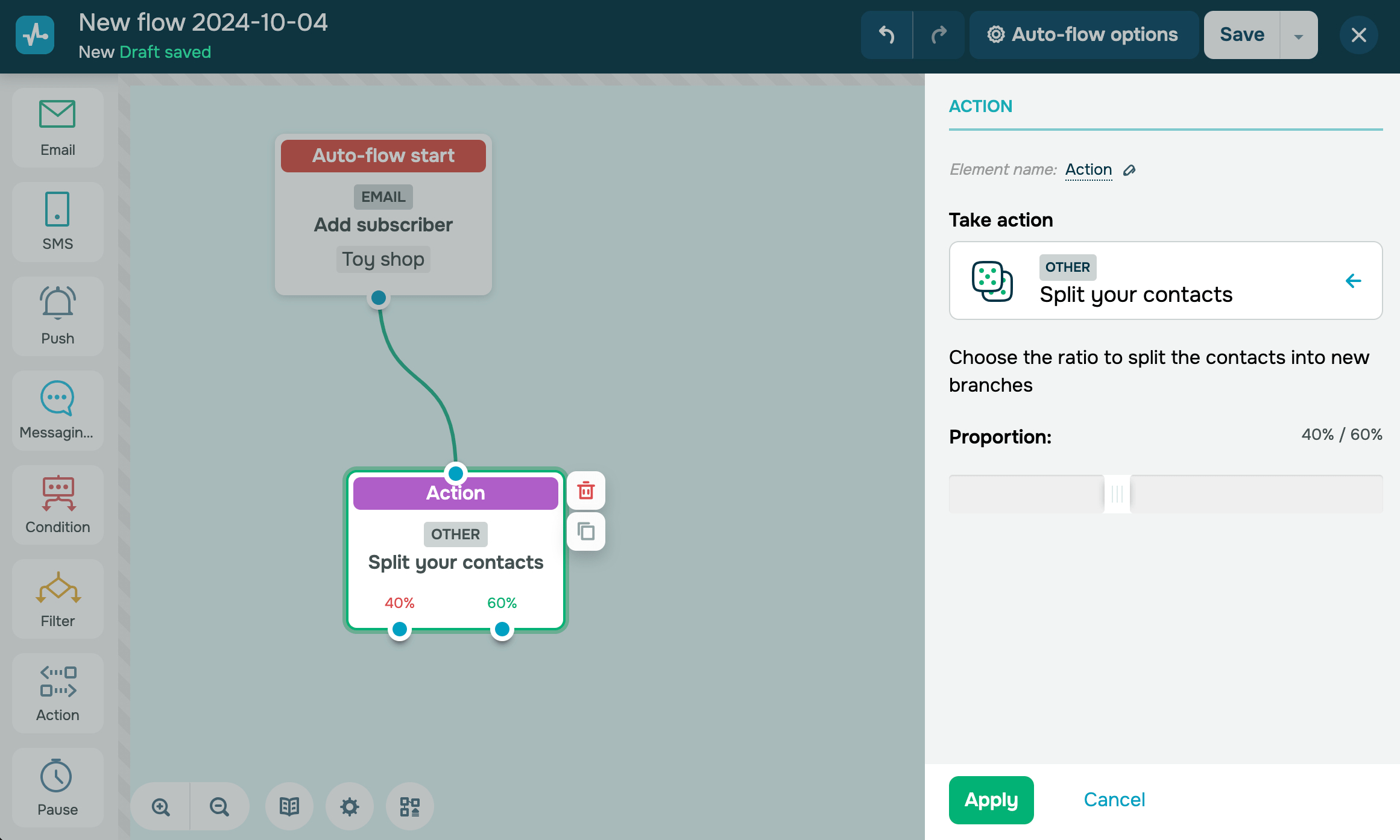
Drag the Action element to the workspace. In the settings that appear, go to the Other category and select Split contacts.
You can also rename the element to distinguish it from others in your flow. Click Element name and enter up to 253 characters. Once you save the settings, the new name appears when you hover over the element in the builder.
Set a proportion
Use the Proportion slider to distribute contacts between the two branches. The values of both branches always add up to 100%.
For example, a 40% / 60% split sends 40 out of every 100 contacts down the first branch and 60 down the second. The split is assigned randomly as each contact reaches the element.
In the workspace, the element shows the percentage of contacts assigned to each branch. This helps you check the split ratio without opening the element settings.
Build the branches
After you click Apply, the element shows two output connectors, one for each branch. Link each element to the next step in its branch, such as the Email element to a different subject line or offer.
Tip: To run a valid A/B test, keep all elements in both branches the same and change only one variable, such as the email subject line, sending time, or message content.
Read also: A/B testing in email campaigns.
Save the element
Once you set the proportion and build both branches, click Apply. The element is now ready and will randomly assign every incoming contact to one of the two branches based on the ratio you set.
After the flow runs, compare both branches in your campaign statistics to see which one performs better.
 Last Updated: 03.04.2026





or