View contact merge history
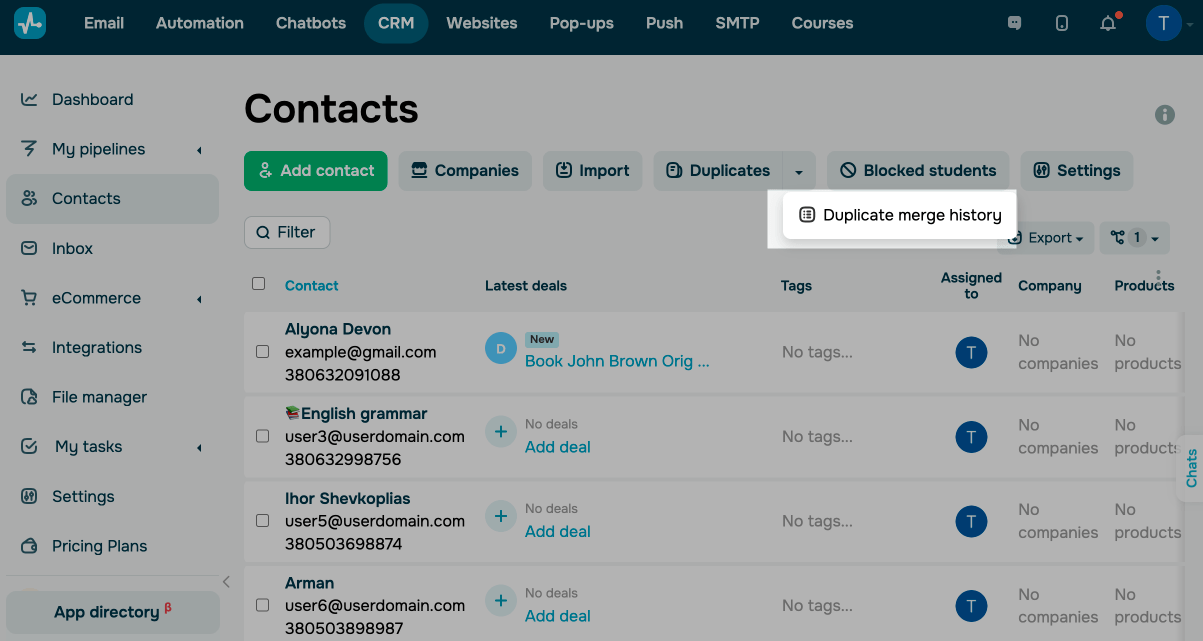
To view your duplicate merge history, go to Contacts. Next to Duplicates, click the down arrow and select Duplicate merge history.
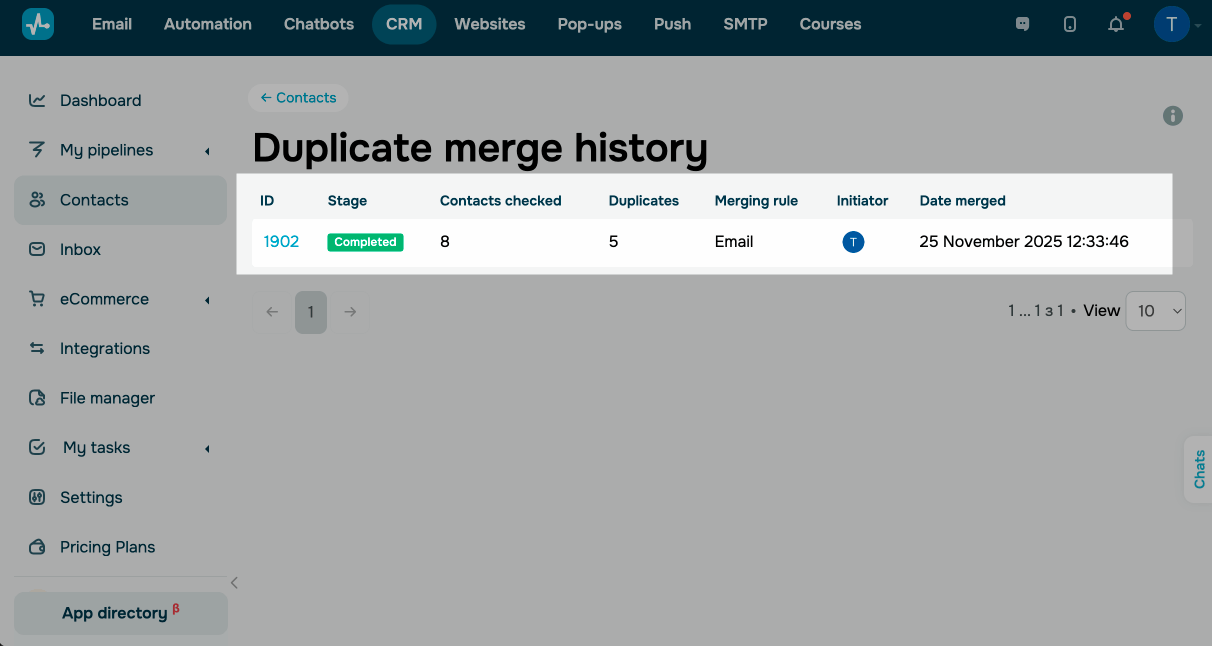
On this page, you can find records of every merge:
| ID | Merge ID. Click it to see which contacts were merged. |
| Stage | Merge status. |
| Contact checked | Number of contacts selected for the duplicate search. |
| Dublikates | Number of contacts that matched the duplicate criteria. |
| Merging rule | Rule used to detect duplicates. |
| Initiator | Team member who ran the merge. |
| Date merged | Date when the contacts were merged. |
 Last Updated: 28.11.2025





or