The Divider widget in website builder
Use the Divider widget to add a horizontal line that separates other content elements.
For example, you can place a divider between a heading and a paragraph to mark a section break, or use a dotted divider as a visual accent.
Let's talk about how to add and customize a divider.
Add the element
To add a divider, in the website builder, click Add widget and select the Divider widget.
Customize the element
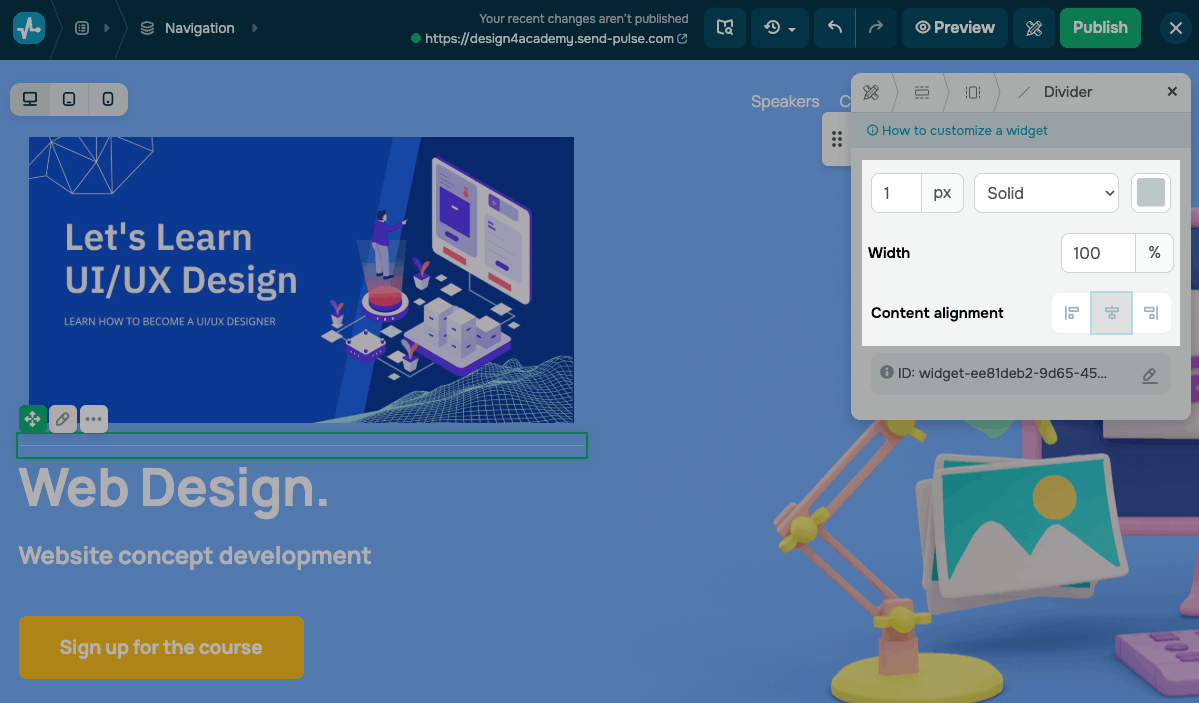
In the settings, set your divider's style:
| Thickness | Sets the divider thickness.
Enter a value in pixels. |
| Style | Sets the line style.
Options include: Solid, Dashed, or Dotted. |
| Color | Sets the divider color.
Click the icon and select a color from the color palette. |
| Width | Sets the divider width as a percentage of its container. |
| Content alignment | Aligns the divider horizontally within its container.
You can align it to the left, center, or right. |
 Last Updated: 29.05.2026




or