Use the pricing plan builder
The pricing plan builder is a tool that lets you put together a custom set of pricing plans for different SendPulse tools within a single account. If you use several tools at once, you can select the plan you need for each one and bundle them together.
Let’s talk about how to create a unique pricing plan set.
Plan builder basics
In the builder, you can:
- choose a pricing plan for each SendPulse tool;
- choose a tier — this affects pricing;
- subscribe to get billed automatically.
Once you've selected your options, the system calculates the total cost automatically.
Some tools offer more resources, including extra contacts, storage space, or dedicated SMTP IP addresses. These may be included in your plan or available as add-ons.
If you change your plan setup, such as increasing the number of subscribers or users, the cost will be recalculated accordingly.
Creating a custom pricing plan
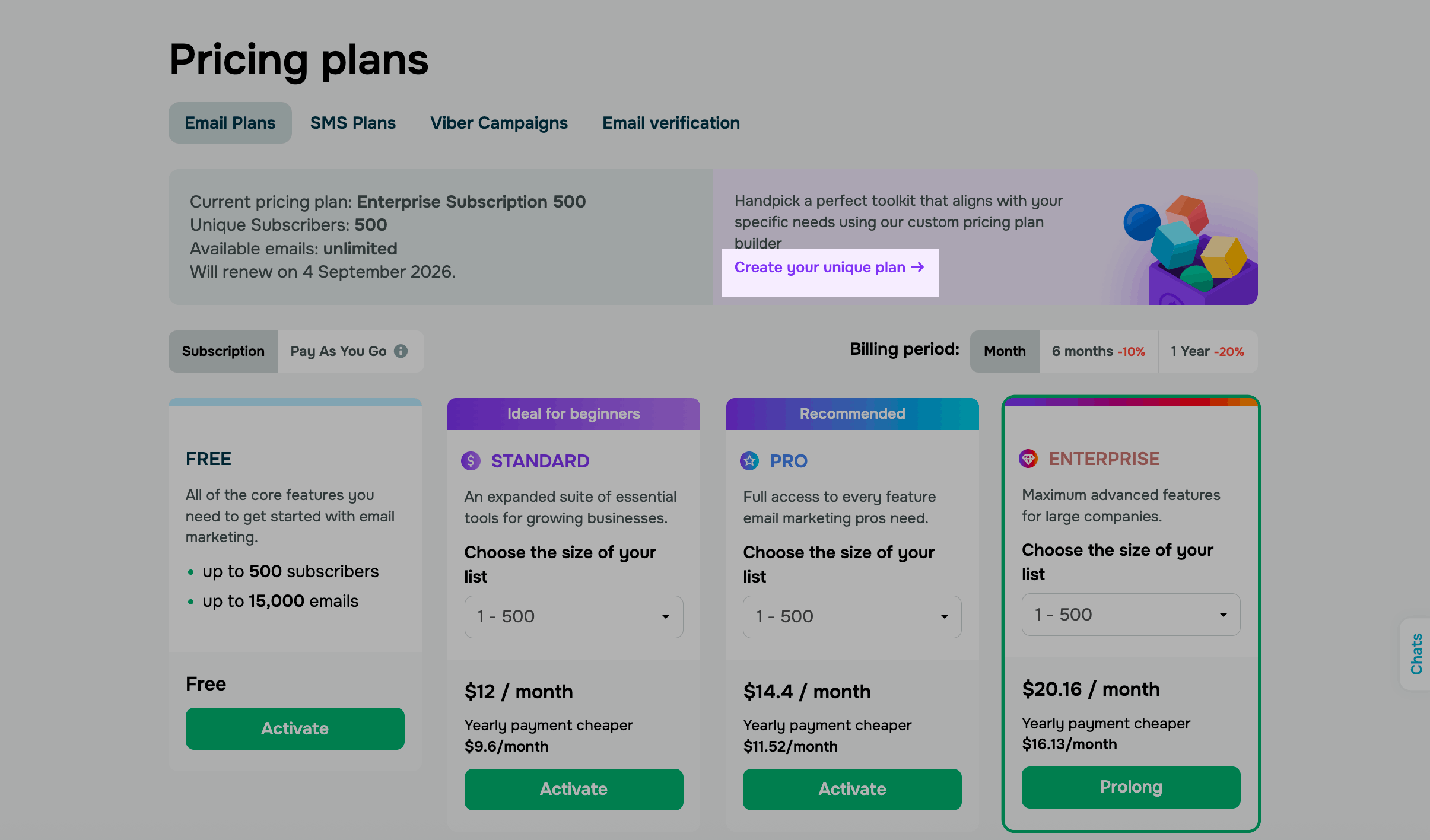
Go to any SendPulse tool in your account, open the Pricing plans tab, and click Create your unique plan. You'll be redirected to the pricing plan builder.
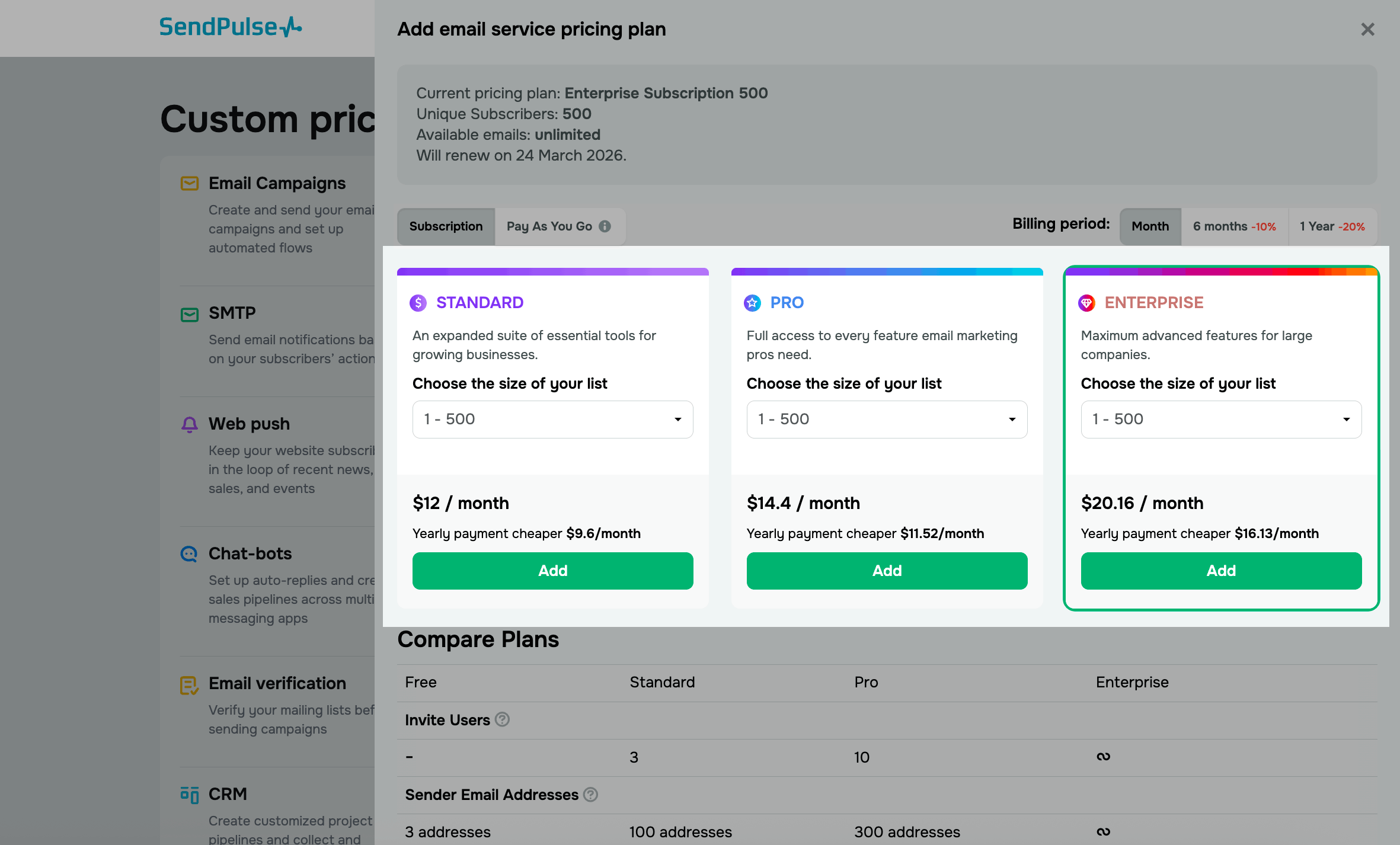
Choose the plans you need and click Add.
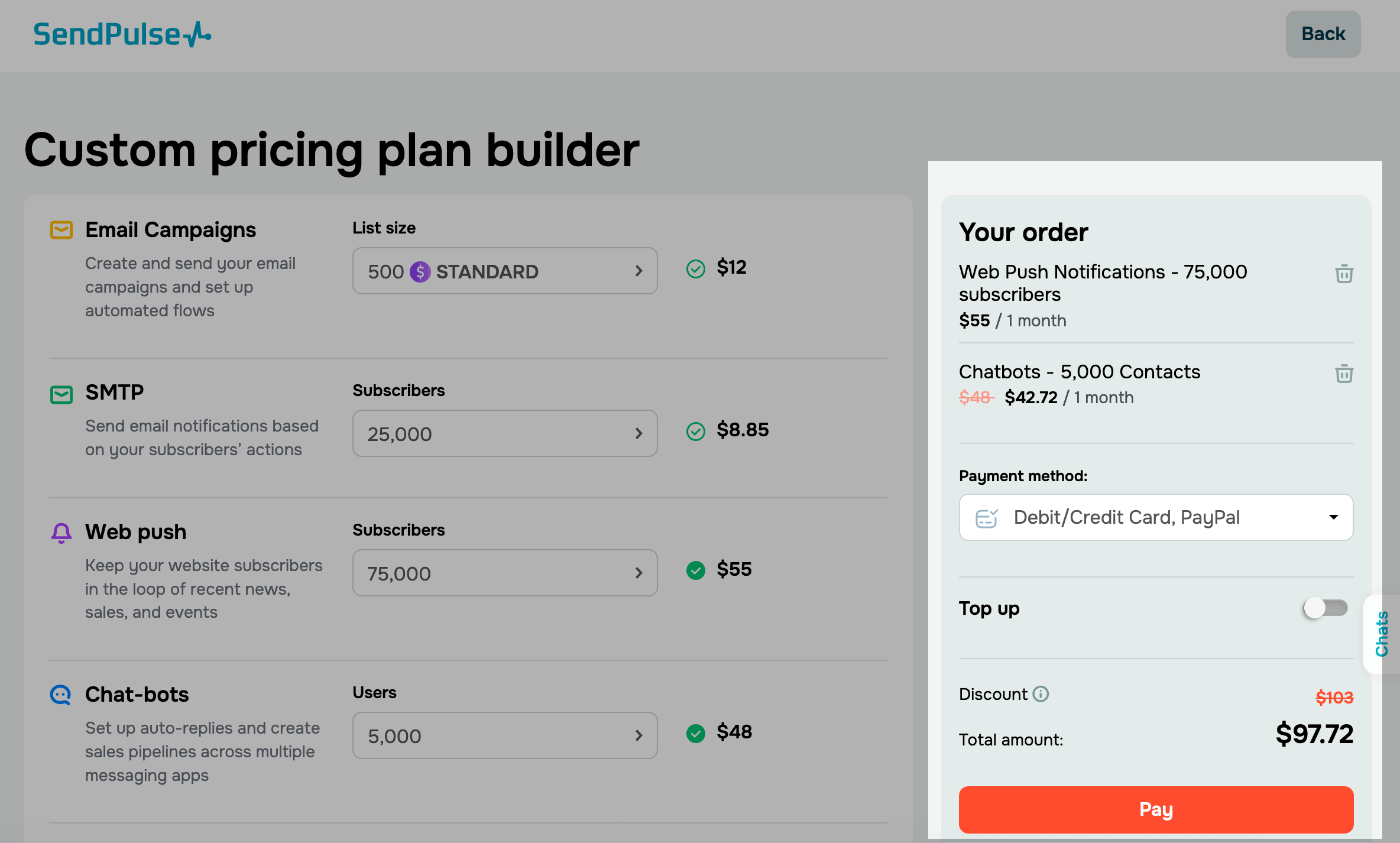
Once you set up your plan, view your order details on the right and click Pay.
You'll be redirected to the payment page, where you can pay by card or cryptocurrency.
 Last Updated: 31.03.2026





or