Free trial basics
With a free trial, you can try paid features before subscribing. You get temporary access to a paid plan and can explore it to see if it fits your needs.
Let's talk about how free trials work in SendPulse.
What is a free trial?
A free trial provides time-limited or feature-limited access to paid functionality, either at no cost or with deferred payment.
Unlike the free plan, which has no time limit, a free trial gives you access to paid features for 7 or 14 days, depending on the tool.
Discounts, coupons, or other special offers don't apply to free trials.
Once the trial ends, access to paid features is restricted or disabled.
If you don't cancel the free trial, you will be charged automatically when it ends. If you do cancel, you'll be moved back to the Free plan with limited features.
Free trial terms
All SendPulse tools offer a free trial, although some tools have specific terms.
|
The free trial lasts 7 days. The Standard plan is then activated by default. During the trial, you can add up to 500 contacts. |
|
| Chatbots | The free trial lasts 7 days. During the trial, you can add up to 500 chatbot subscribers. |
| CRM | The free trial lasts 14 days and gives you access to the Basic plan. |
| Courses | The free trial lasts 14 days and gives you access to the Pro plan for 1,000 students. |
The free trial uses the lowest-tier pricing plan for the email marketing service and chatbot builder. You can choose a different one only when you purchase a pricing plan.
Starting a free trial
To start a free trial, follow the steps below. We'll use the email marketing service as an example.
Go to Email > Pricing plans and click Activate for 7 days free.
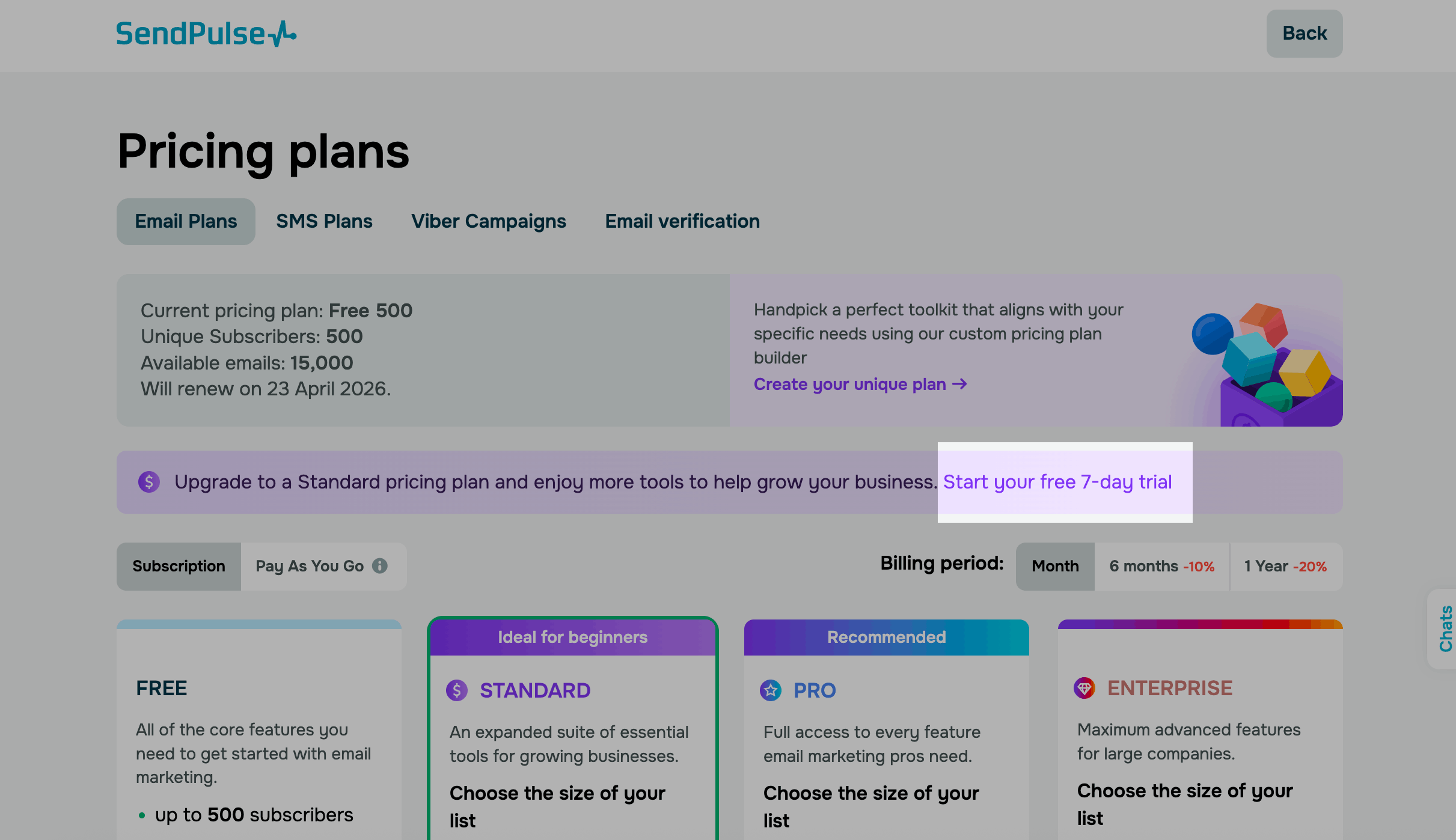
On the page, click Activate free trial.
You will see the plan cost that applies after the trial. If you do not cancel your subscription, this amount will be charged when the trial ends.
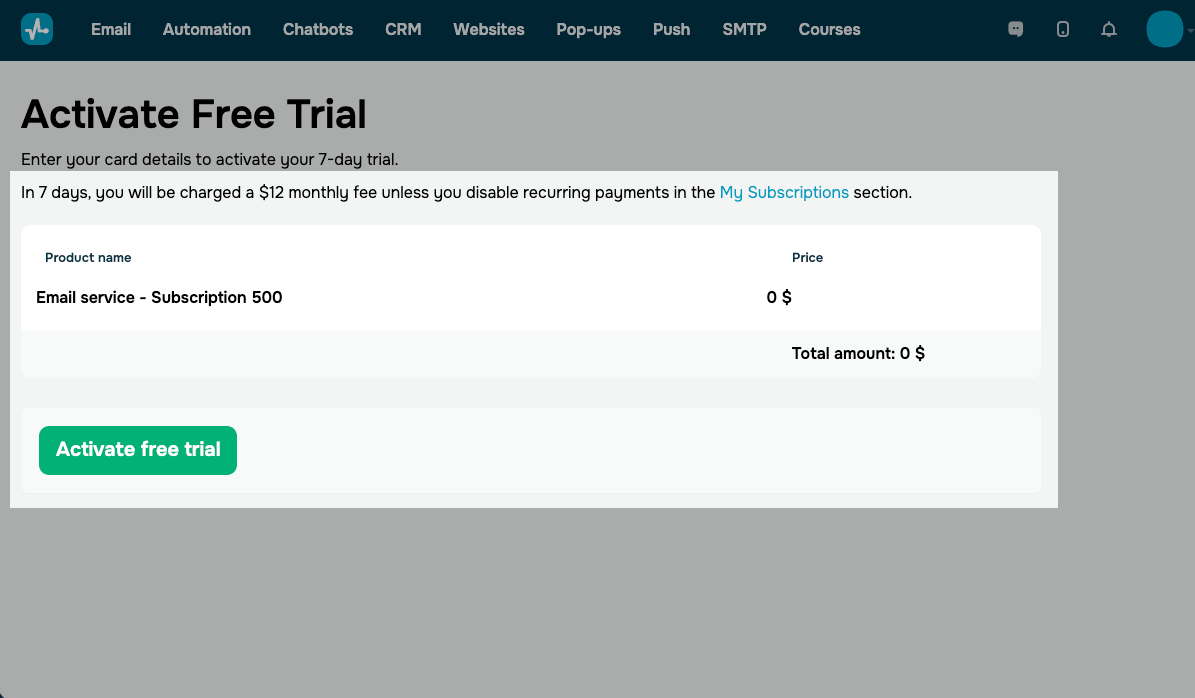
Complete the card verification — this is a standard step when submitting payment details. Your bank may temporarily charge a small amount as part of this process.
Canceling your free trial
In your account, click your profile picture in the upper-right corner and go to Payments. Select the plan you're using and click Cancel subscription.
To avoid automatic charges, make sure to cancel your subscription before the trial ends.
 Last Updated: 31.03.2026



or