View test results
Monitor test results to analyze students’ performance and learning outcomes in your course.
For example, if you run a certification program, you can analyze final test results, see who needs more support, and evaluate scores before awarding certificates.
Let’s talk about how to find and view test results.
Check test results in a course
To view test results for a specific course, go to Student answers > Tests. Click the test name to see the results.
Use the following tabs to switch between test statuses:
| Opened | Shows students who opened the test, along with their scores. |
| Passed | Shows students who passed the test, along with their scores. |
| Failed | Shows students who failed the test, along with their scores. |
To view a student’s answers, click their name.
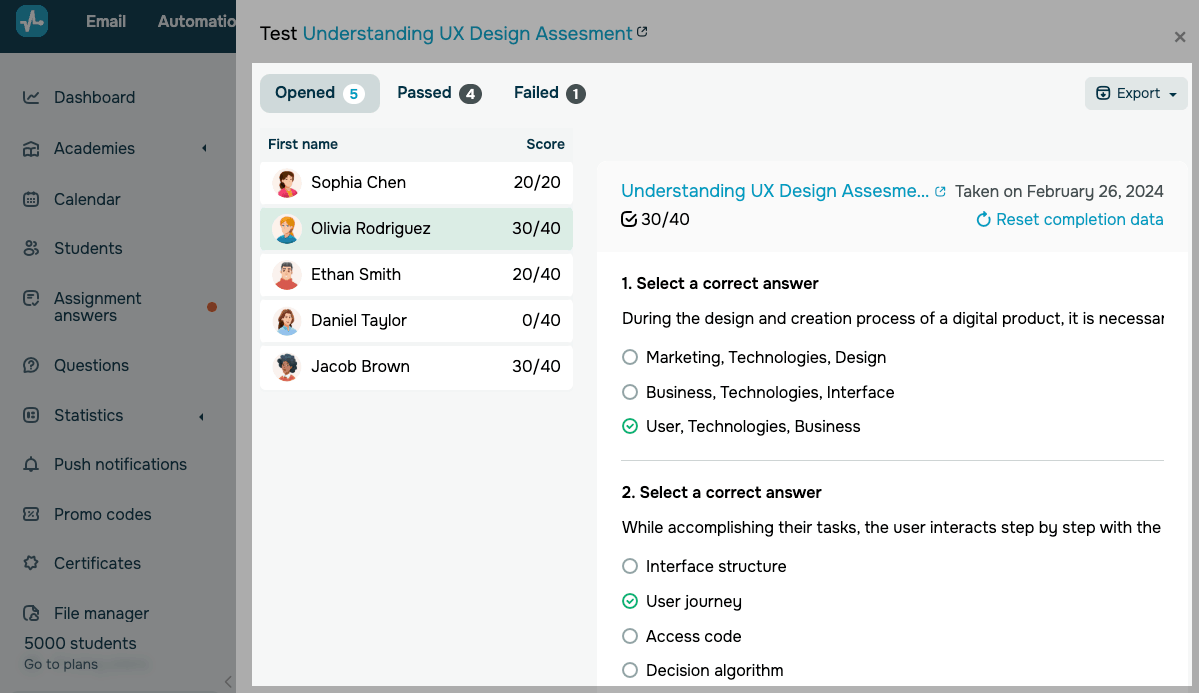
To export test results, click Export and select Export to XLSX or Export to CSV.
Check test results on a student card
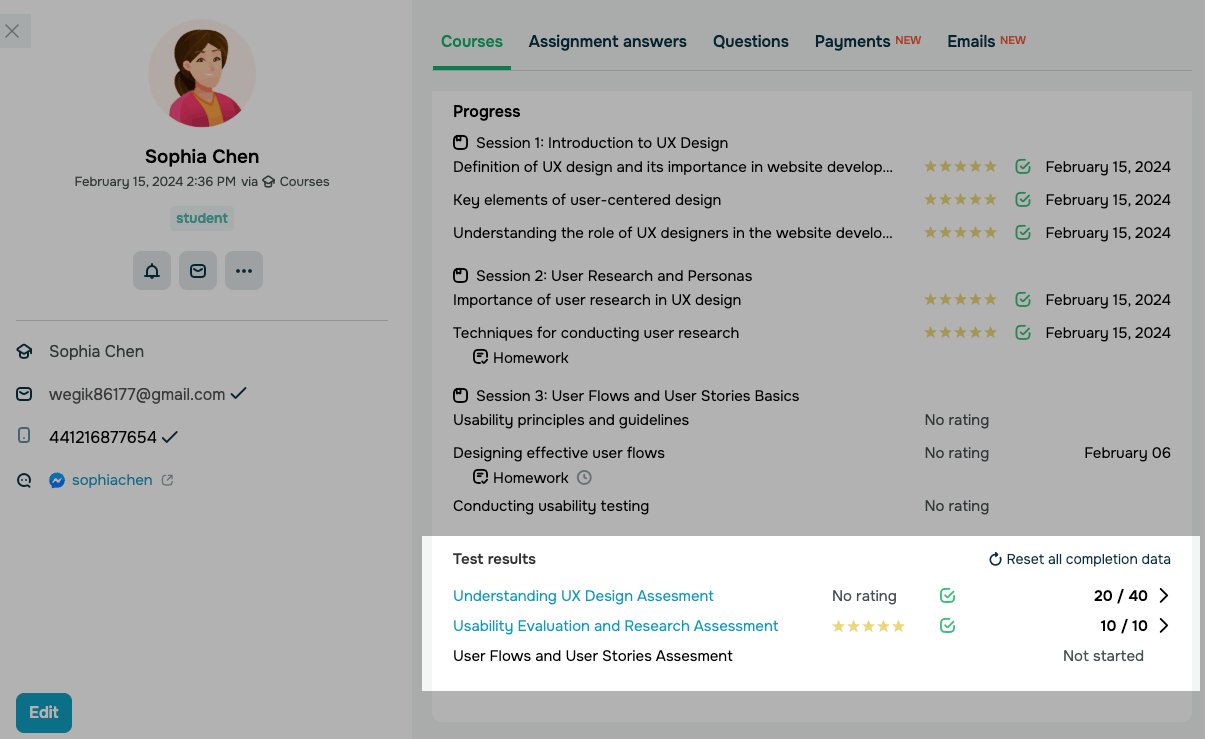
Go to Students and open a student card. Select the Courses tab. Scroll down the course section.
To review test results, choose a course.
 Last Updated: 16.02.2026





or