Send a message to another contact of the bot in the Action element
The Send a message to another contact of the bot action sends a message to a specific contact subscribed to the same chatbot. Use it to notify your team about chatbot events while keeping the list of notification recipients limited to specific people.
Let's walk you through how to set up the Send a message to another contact of the bot action.
Add the Action element
Drag the Action element to the workspace. In the settings that appear, select Send a message to another contact of the bot.
Select a chatbot subscriber and enter your message. You can use variables of the contact that goes through your flow to add their data to the message. For example, you can add the question they asked so that your team responds quickly.
Some messaging apps, including WhatsApp, may not deliver messages through the 24-hour support window immediately. In this case, your selected recipient must be online when the action is taken. There are no such restrictions for Telegram or Viber.
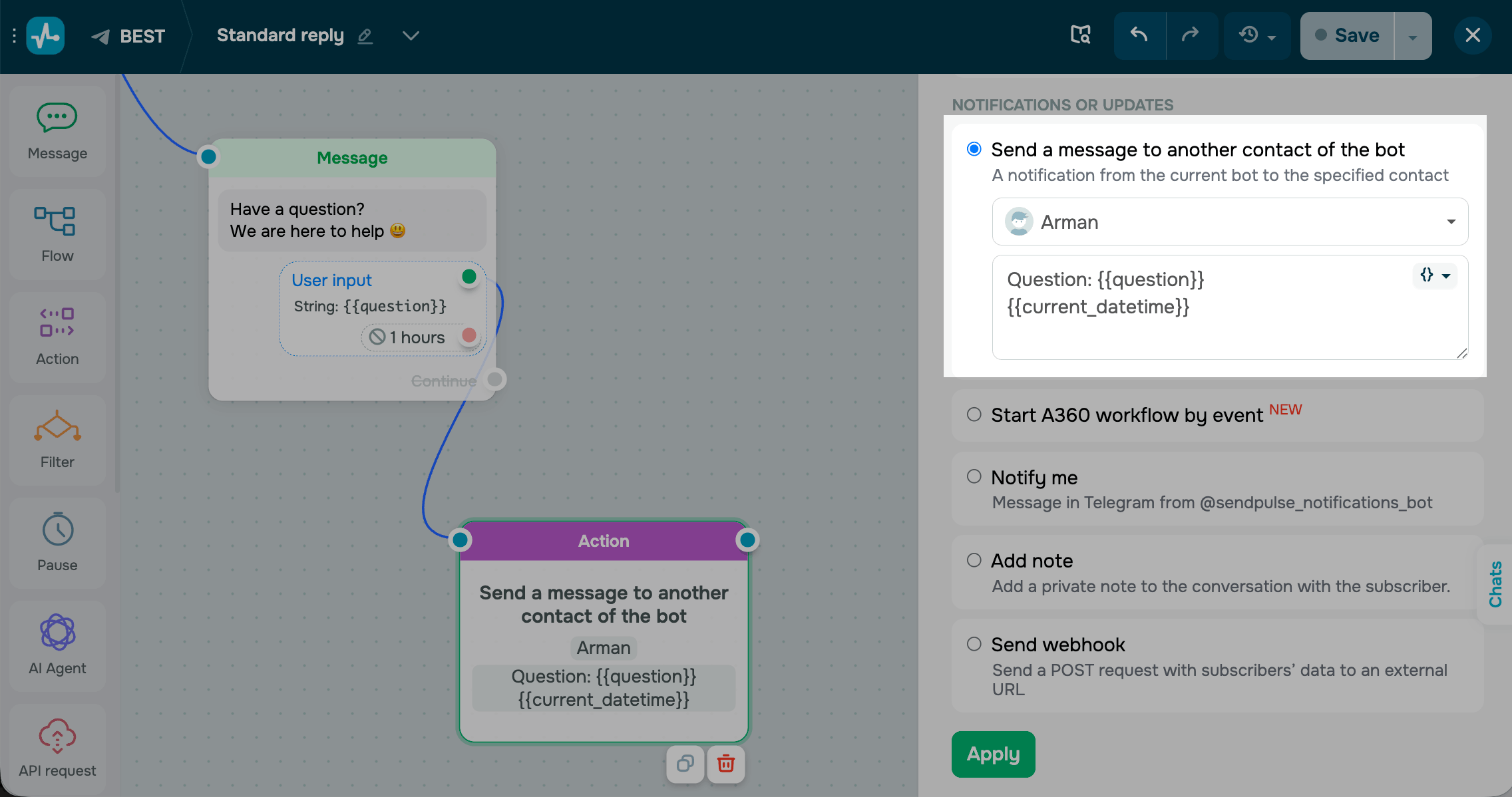
Save the element
Click Apply. The element is now ready and will send the configured message to the selected contact every time a subscriber reaches this step.
 Last Updated: 01.05.2026





or