Notify me in the Action element
The Notify me action sends a message on behalf of your chatbot to the SendPulse Notifications chatbot or to a Telegram group. Use it to notify yourself or a team member about important subscriber actions in the flow, including received payments, new leads, or other flow events.
With the SendPulse Notifications chatbot (@sendpulse_notifications_bot), you can also receive and reply to messages from subscribers. To learn more, see How to use the "SendPulse Notifications" bot.
Let's walk you through how to set up the Notify me action.
Subscribe to the bot or add it to a group
To send notifications to the SendPulse Notifications chatbot on Telegram, click Subscribe to the bot on the right. You will be redirected to the Telegram app. Then, click START in the chat window.
To send notifications to a Telegram group, like a group of team members who monitor incoming messages, add SendPulse Notifications to the group as an admin. Click Add to a group on the right, go to Telegram, and select the group from the list.
Add the Action element
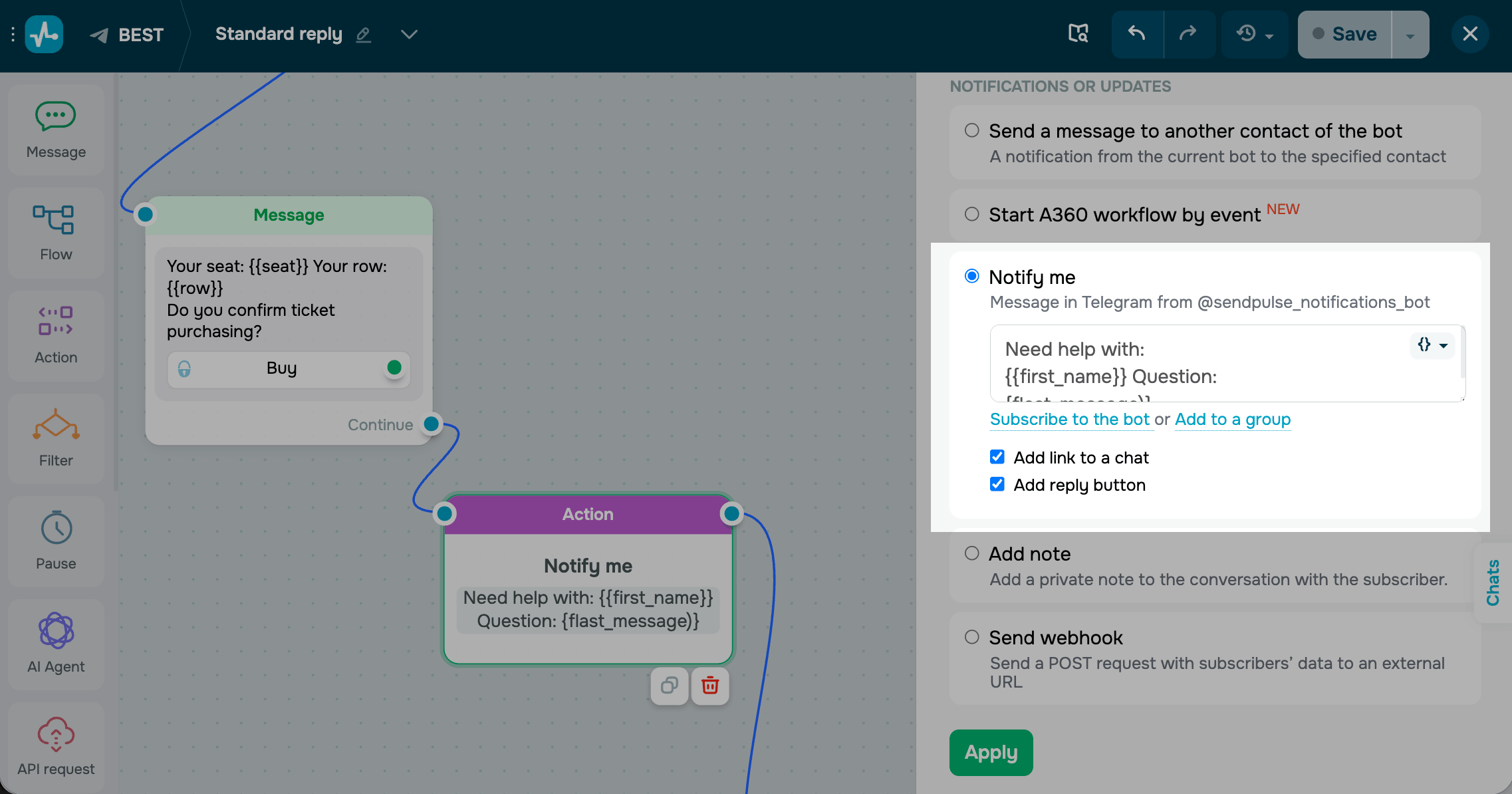
Drag the Action element to the workspace. In the settings that appear, select Notify me.
Enter the message you want to receive in the notification. You can enter up to 1,024 characters.
To add a variable, click the brackets icon in the text field and select a variable from the list. The {{last_message}} variable returns the subscriber's last message. The {{$current_datetime}} variable returns the time when their message was sent. You can also add custom variables.
To include a link to your SendPulse account in the notification, select the Add link to chat checkbox. This helps you access the subscriber's chat and reply through your chatbot.
Save the element
Click Apply. The element is now ready and will send the configured notification to the selected destination every time a subscriber reaches this step.
You can disable notifications about specific accounts directly in SendPulse Notifications. Send the Manage command in the chatbot menu. You will receive the list of accounts you are subscribed to. Click Disable for next to any account to stop receiving its notifications.
 Last Updated: 01.05.2026





or