Change your payment method
You can change your payment method whenever necessary, such as when your card is about to expire, or you want to change your card..
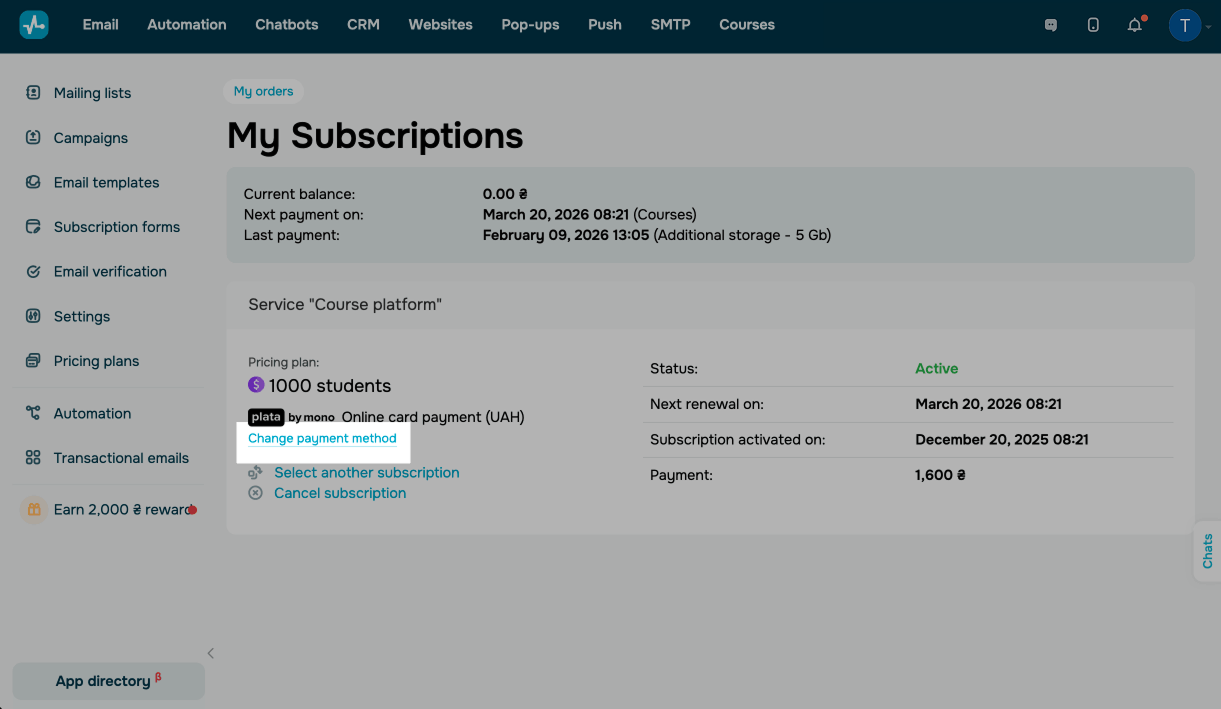
To do this, go to My orders > My subscriptions. In your subscription, click Change payment method.
Once you update it, SendPulse will process your next monthly payment using the new method. All future auto-charges for this subscription will be made using the new payment method.
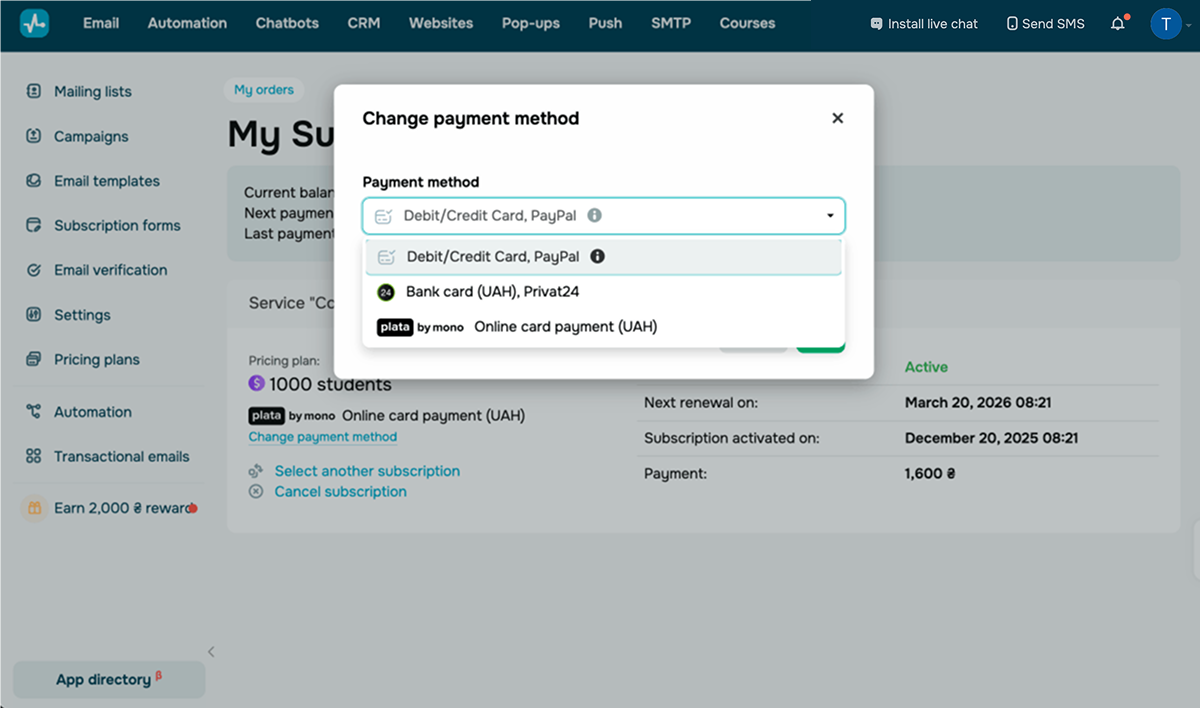
Select a new payment method and click Pay. On the next page, enter payment details for your selected method.
 Last Updated: 03.03.2026





or