Set up a video pop-up
Create a video pop-up to showcase a product overview, a quick tutorial, or a promo video. For example, you can embed a YouTube video and set it to autoplay or start playing when clicked.
Unlike the Video element, this pop-up type consists of a single video only. You can’t combine it with other elements or use it in other pop-up formats.
Create a pop-up
Go to your website, open the Pop-ups tab, and click Create pop-up. On the template page, switch to the With video tab and choose a template or click Create from scratch.
You can also change the pop-up type to Video in the builder Style > Pop-up type. To configure the appearance and content of the pop-up, navigate to the Elements tab.
Add a video
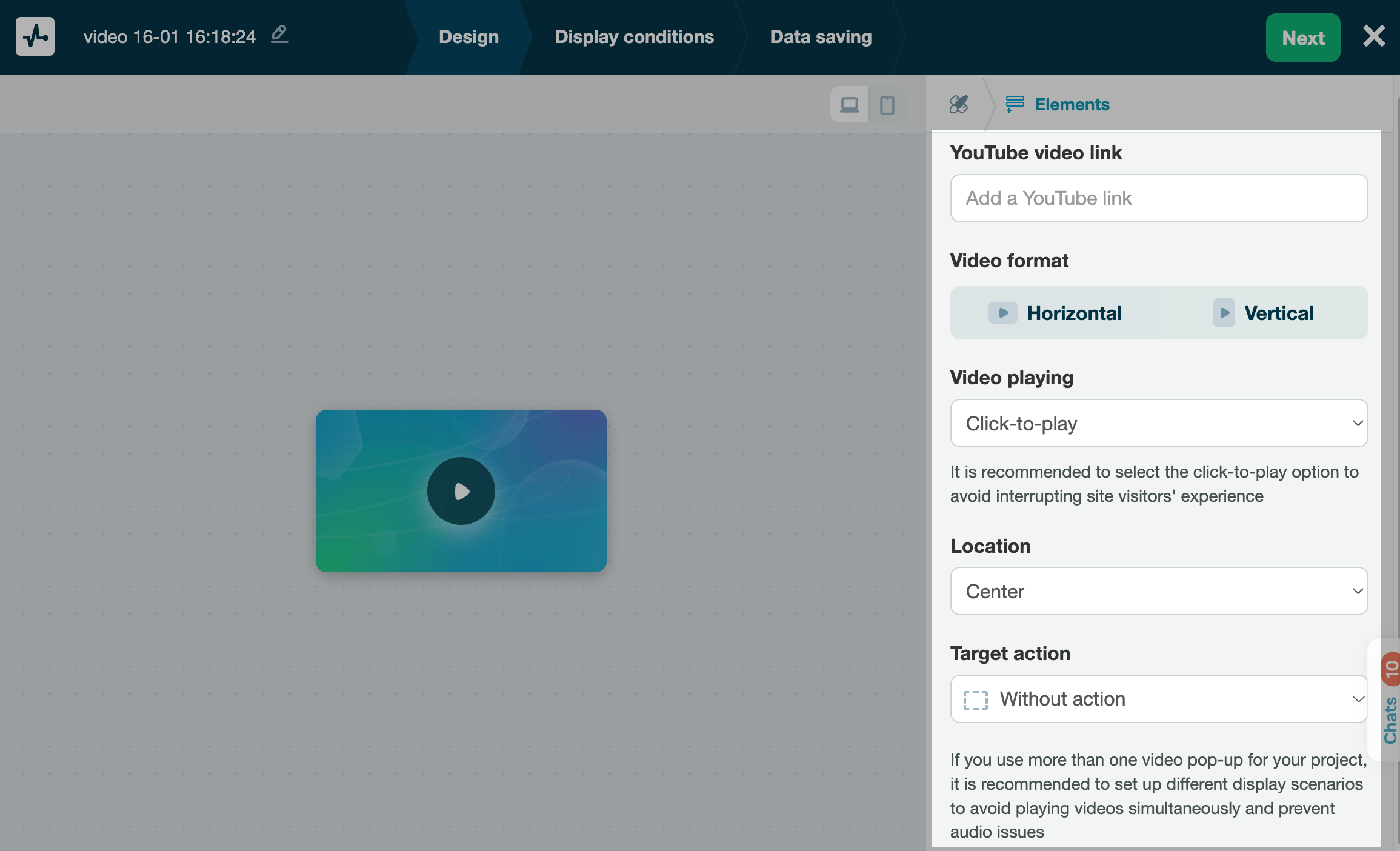
In the YouTube video link section, paste the link to your YouTube video.
Customize the appearance
In the Video format section, select how the video should appear: Horizontal or Vertical.
In the Video playback section, select a video playback scenario.
| Autoplay | Your video will start playing after any user action on your page. |
| Click-to-play | Once your page is loaded, users will see your video preview. The video will start playing when users click your pop-up.
Mobile device users need to click your video pop-up to play it. |
In the Location section, select a placement relative to the edge of the screen.
Select a target action
Select a target action.
| Without action | Your pop-up will display only the video. |
| Call to action | Aside from the video, your pop-up will also have a call-to-action button. Enter your button text, and select an action (close the pop-up or open the URL). If you have selected the second option, add a URL. |
Continue setup
After customizing your pop-up design, click Next.
In the Display conditions tab, choose when and how the widget will appear.
In the Data saving tab, select where to store subscriber data in other services.
Once you're done, click Save and publish or Save and close.
Once you finish creating, go to the Pop-ups section to preview the pop-up, track stats, and edit any settings.
 Last Updated: 13.06.2025





or