Generate an assignment using AI
With the AI assistant, you can create assignments for your students faster. Outline your requirements, and the model will generate an assignment based on the selected lessons and your prompt.
Let's talk about how to generate and improve assignments with AI.
SendPulse offers up to 200 free AI requests across all tools. To track your remaining requests or use your own AI account, add your API keys in account settings.
Learn more: Integrate ChatGPT with SendPulse tools, Integrate Claude with SendPulse tools, and Integrate Google Gemini with SendPulse tools.
Create an assignment draft
Go to the course builder and open the lesson you need. Drag the Assignment element under the lesson content or click an existing one.
In the AI homework creation section on the right, click Generate and fill in the fields:
| Lesson |
Choose the lesson whose content the AI uses to create the assignment. By default, the current lesson is selected. You can choose any other lesson from the course. |
| Text field | Enter a prompt describing the assignment, focus, and output format. |
| [Model] | Choose an AI model. By default, gpt by OpenAI is selected, but you can switch to another model or customize its settings to match your preferred writing style or course language. |
Once you add all the necessary information, click the icon.
Before you generate a reply, save your changes so that the AI model can analyze the updated content.
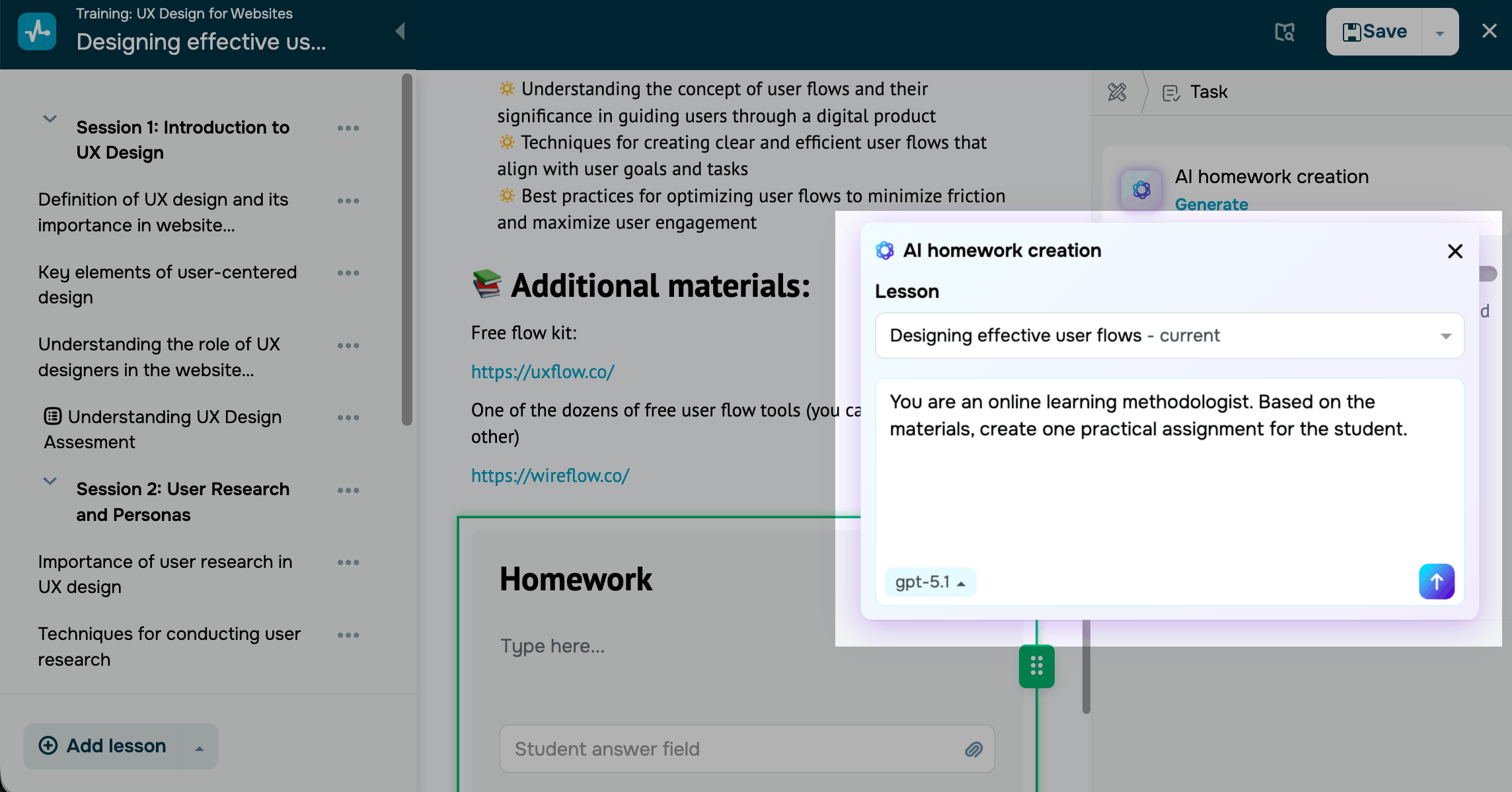
To create a clear and effective prompt, include the following:
- Role. Mention who writes the assignment: a mentor, instructional designer, or industry expert.
- Assignment type. Define the assignment type, such as a case study, practical task, or analytical essay.
- Lesson reference. State that the assignment should rely on your selected lesson's content.
- Goal. Explain what learners should achieve, such as applying a method, analyzing a case, or creating a document.
- Response format. Specify the expected output format and length, such as a 200-word text, presentation, or file link.
- Tone and complexity. Set the preferred writing style and complexity level.
Prompt sample:
You are an instructional designer. Based on the selected lessons, create an assignment for students. The assignment should help them practice identifying user needs. Response format: 200–300 words structured as "case → research method → expected insights." Tone: formal.
Apply the assignment
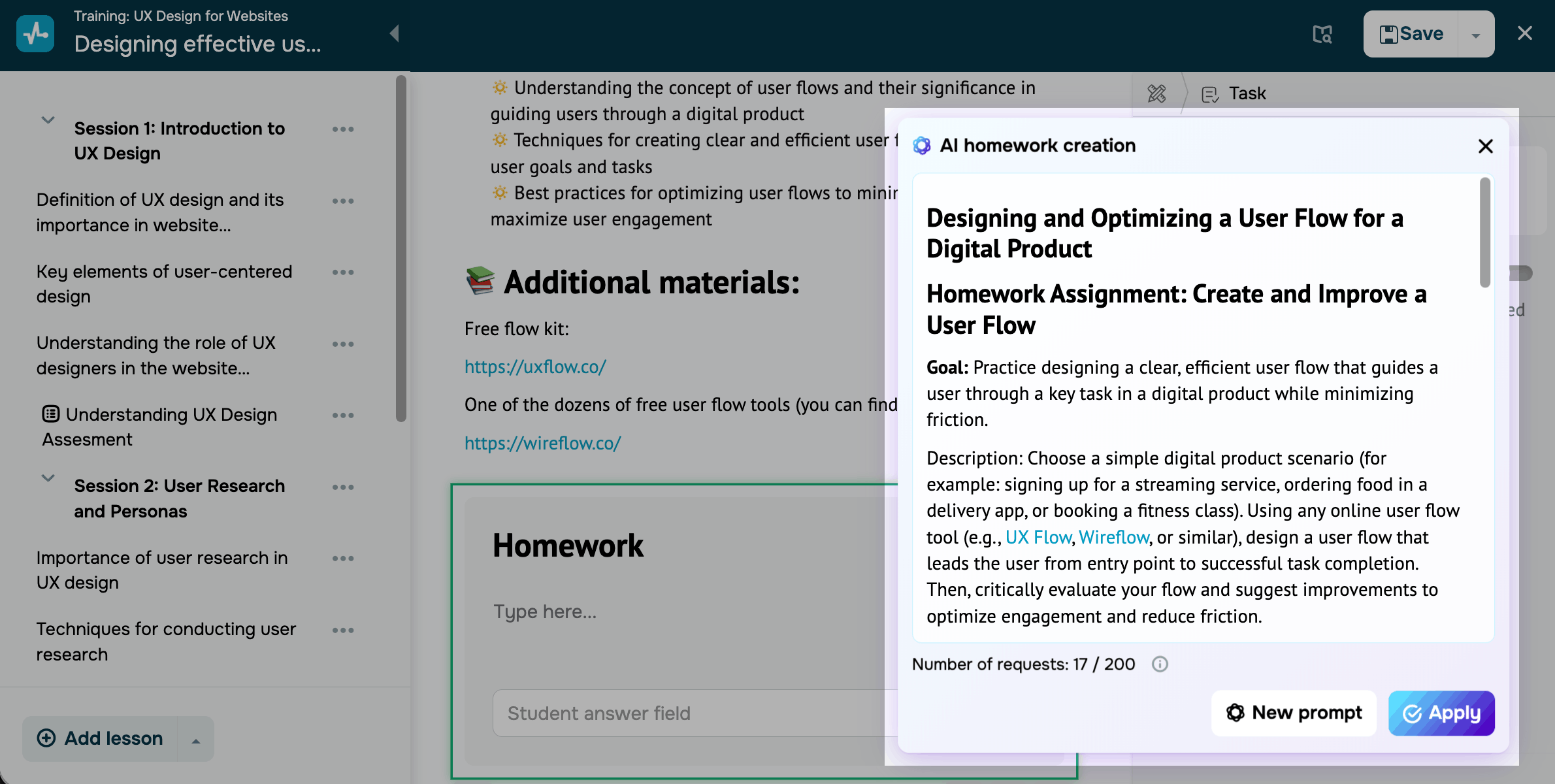
Go over the generated assignment before posting to make sure it matches your lesson content, uses clear wording, and includes a realistic workload for students. If you don't like the response, click New prompt and enter the new prompt.
Once you get the response you need, click Apply and it will be saved to your assignment.
 Last Updated: 16.05.2026




or