Launch a chatbot flow manually
You can launch a flow manually whenever you need to, instead of waiting for a trigger to start it. Decide who receives the flow and, in some cases, which element it starts from.
When you launch a flow manually, you can:
- send it to specific subscribers from your audience;
- resend it to subscribers who reached a specific element or clicked a button;
- start it from a specific element rather than from the beginning.
Here's when businesses launch flows manually:
- A support agent can send an order status flow to a customer who asks about a delivery.
- A sales rep can start a booking flow from the customer’s deal card in the CRM system.
- An online store can send a flow with early sale access to all subscribers with a specific tag.
- A beauty salon can restart a booking flow when clients choose an appointment time if their selected time slot is taken.
- A marketer can send a special offer flow to subscribers who clicked a specific button in a flow.
Let's talk about how to launch a flow manually.
In Facebook, Instagram, and WhatsApp chatbots, you can start a flow manually only within the 24-hour support window. The window resets every time a subscriber sends you a message.
Launch a flow from Audience
Go to the Audience tab and choose subscribers. Click Start flow and choose a flow from the drop-down list.
Read more: Manage chatbot subscribers.
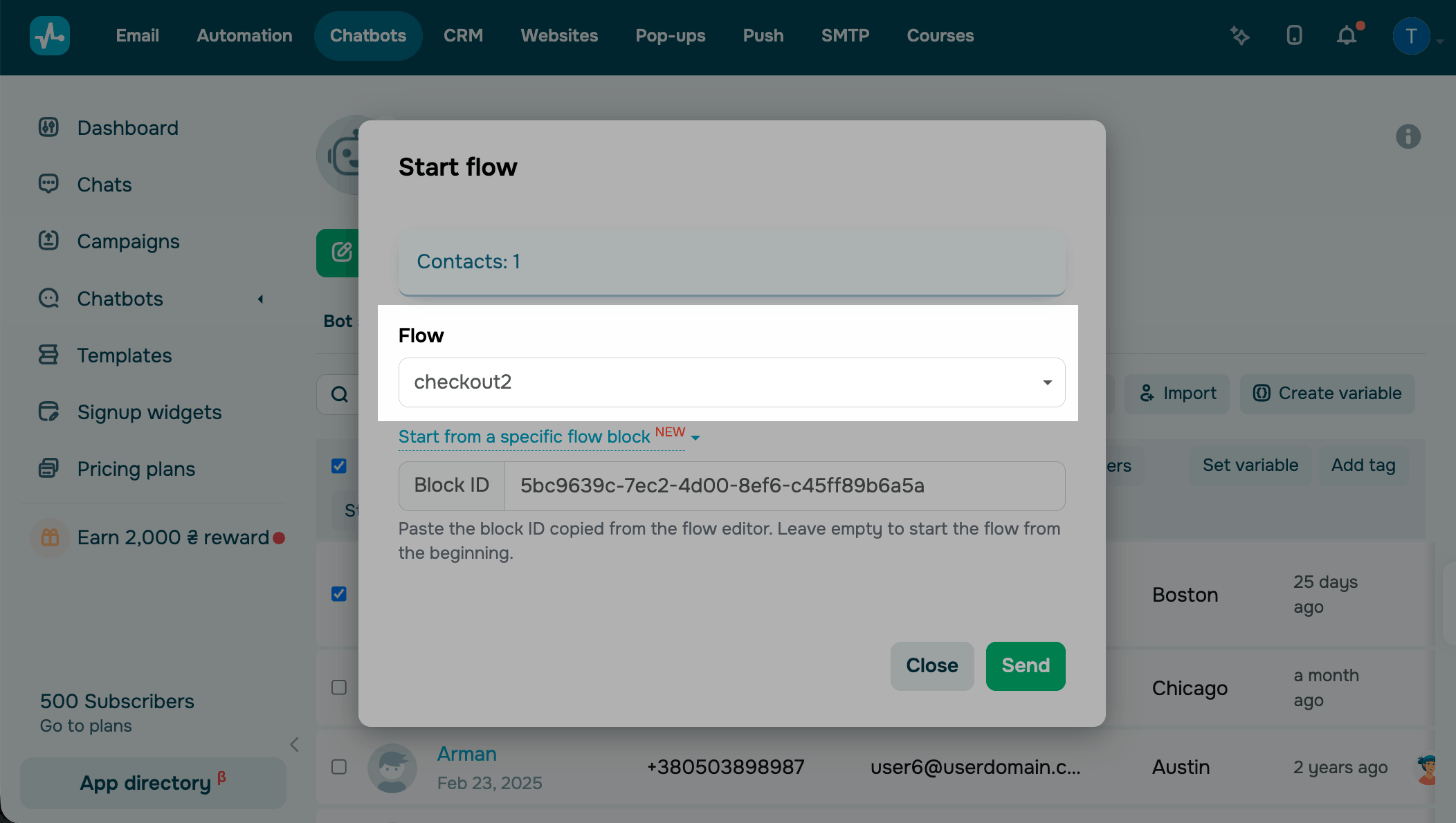
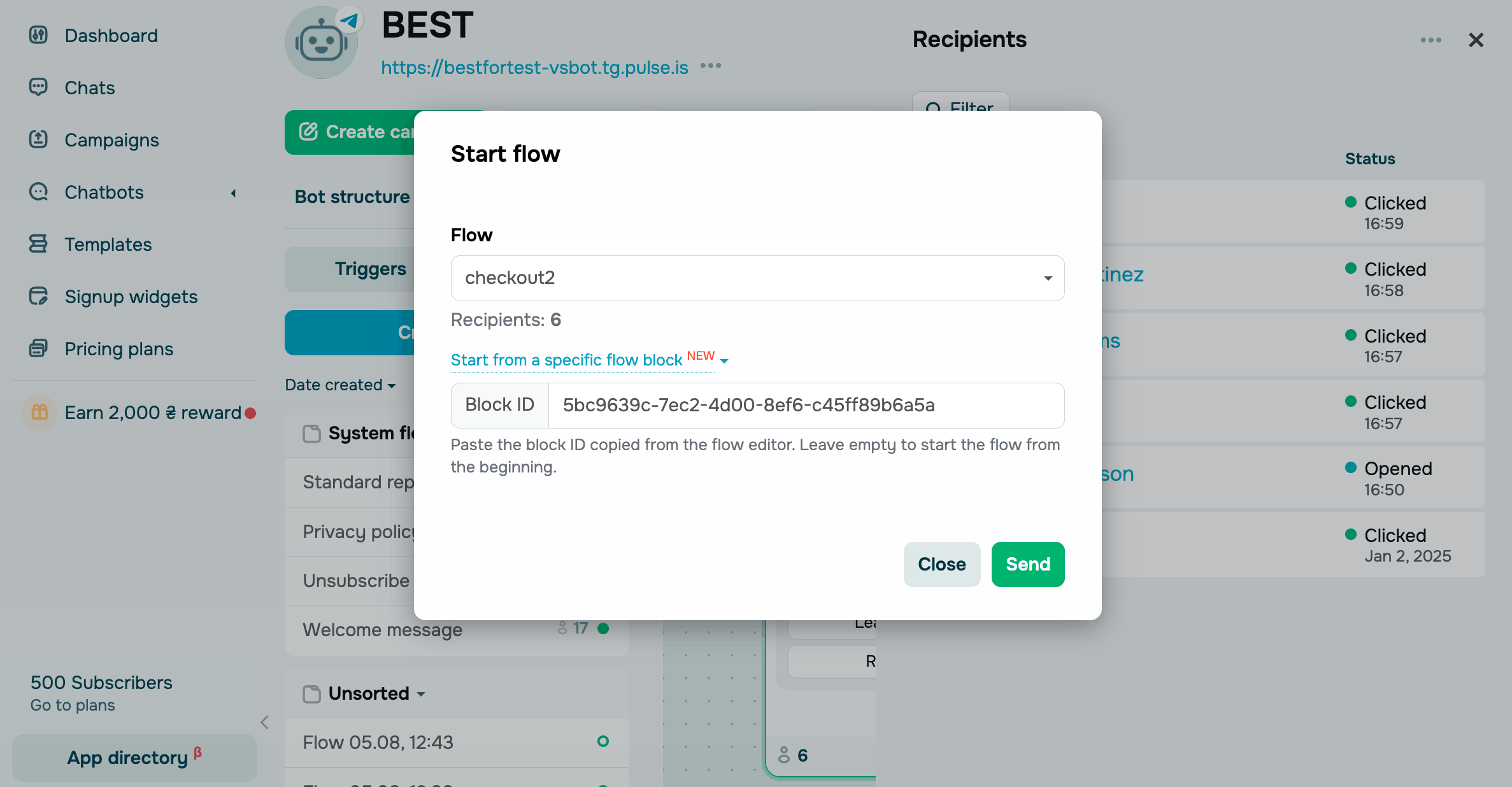
By default, a flow starts from its first element. To start it from a different element, click Start from a specific flow block and enter your Block ID, which is the ID of your target flow element.
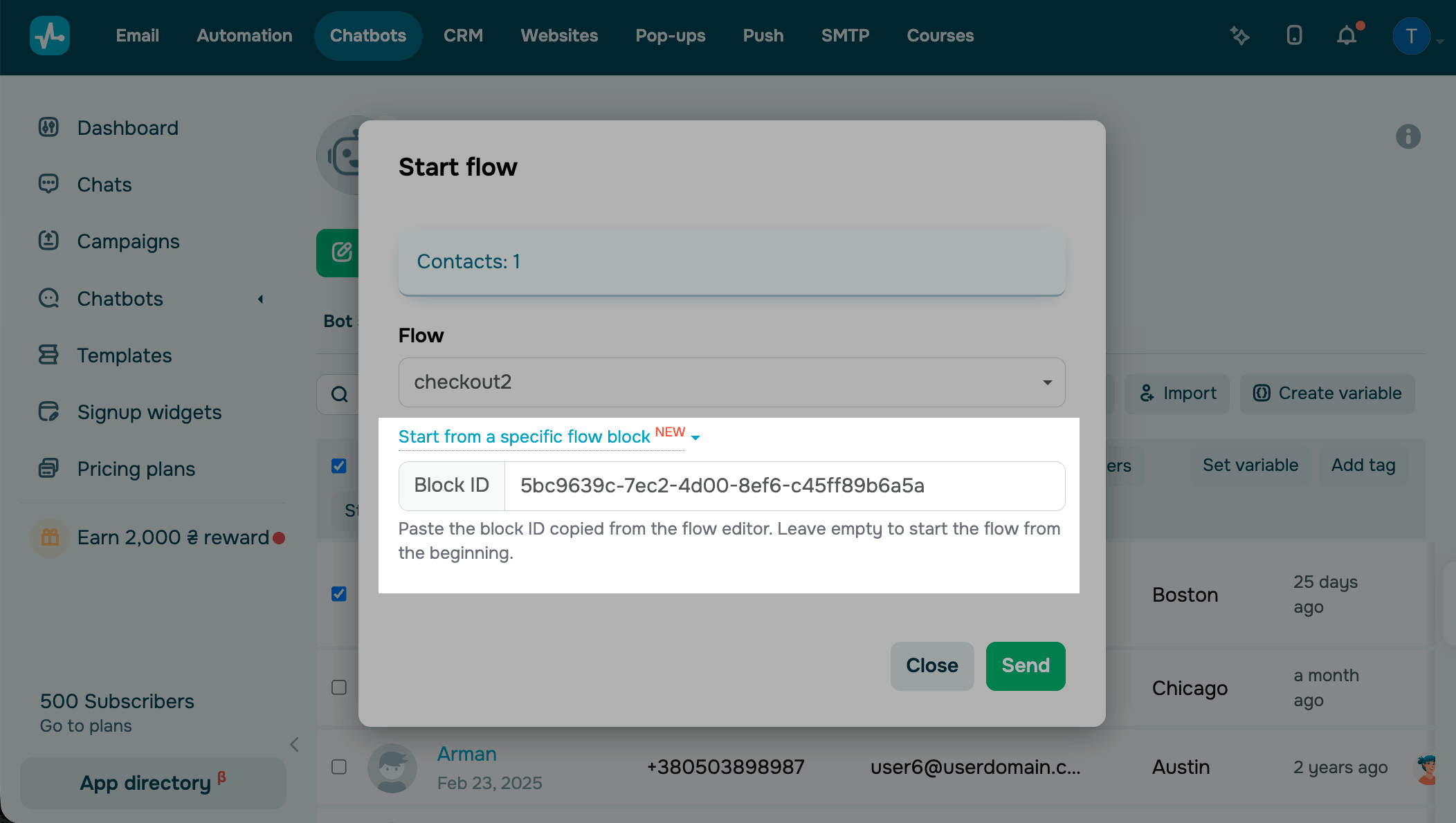
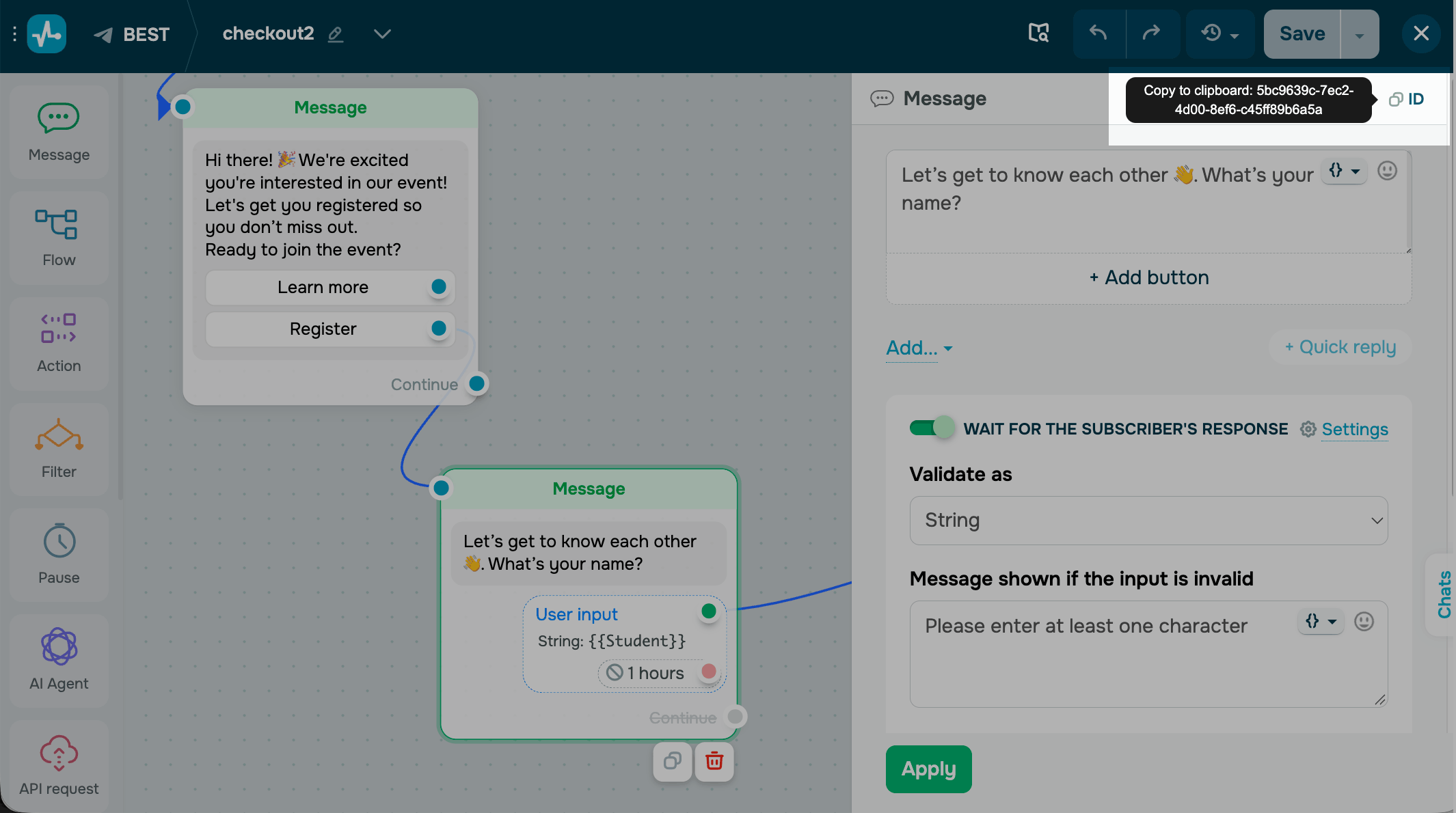
To get a Block ID, open your flow in the builder and select your target element. In the settings header, click ID to copy the Block ID. The ID button appears only after you save the flow.
Launch a flow for subscribers who reached an element
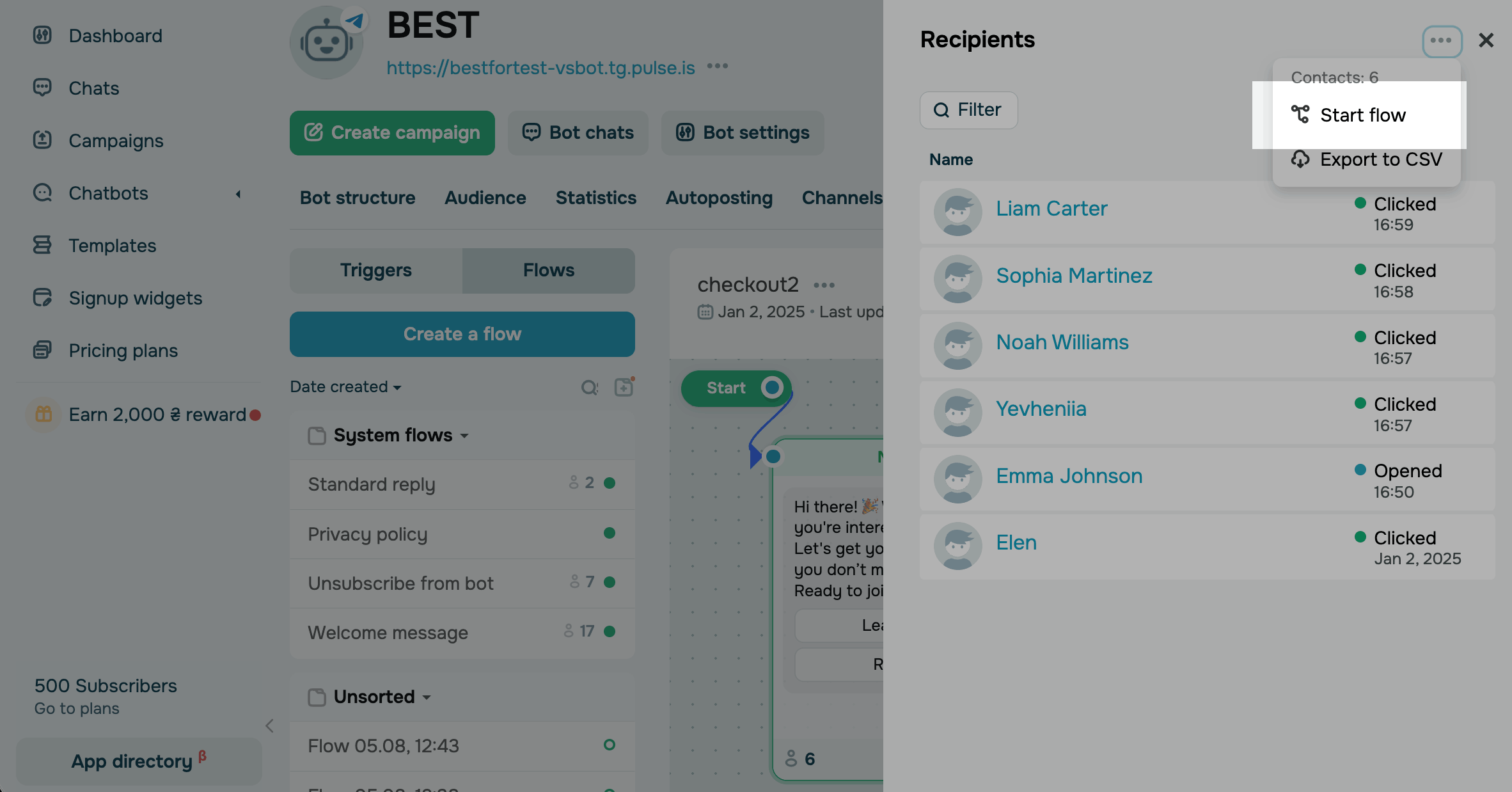
To launch a flow for subscribers who reached a specific element, go to the Bot structure tab, and in the flow preview, click the number under the element. Click the three dots icon and select Start flow.
The flow will be sent to all subscribers on the list. To segment them, click Filter and enter a subscriber name or select a date.
By default, a flow starts from its first element. To start it from a different element, click Start from a specific flow block and enter your Block ID.
Launch a flow from Chats
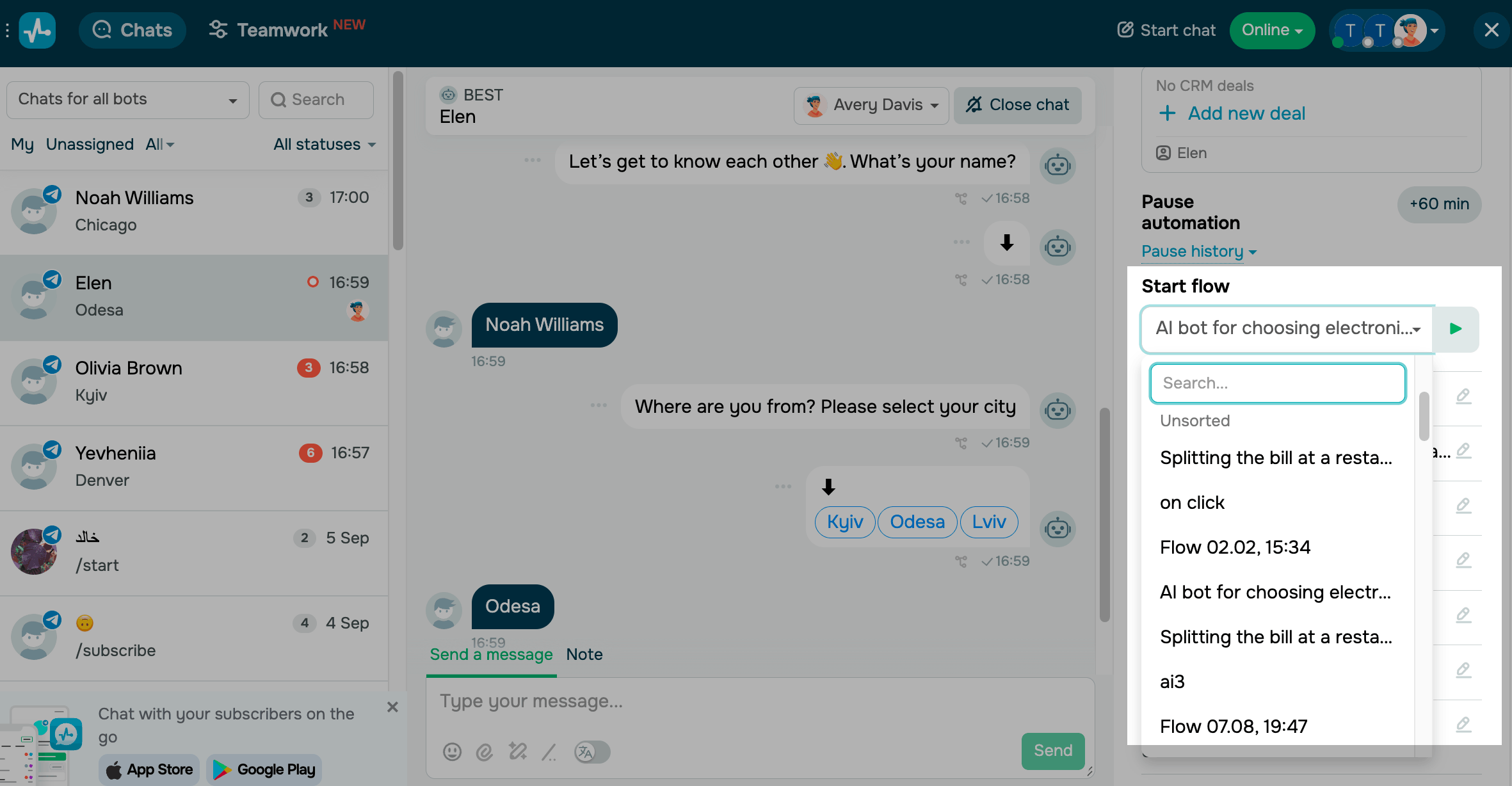
To launch a flow during a conversation, go to Chats, open a chat with a subscriber, and choose a flow in the Start flow section.
Read more: Manage automated replies.
 Last Updated: 13.10.2026


or