Send messages
To manage interactions with subscribers and step in when needed, you can send messages manually in chats.
If a subscriber gets stuck mid-flow or your chatbot can’t respond properly, a team member can intervene. They can view the chat history, send a follow-up message, share a file, or ask for clarification to keep the conversation going.
Sending a message
In the lower field, you can reply to your subscriber. Enter a text of up to 512 characters. You can make your conversation more personal and engaging by adding emoji. Also, you can attach files no larger than 20 Mb in size of any format except executable formats. To send a file, click the paperclip icon and select a file.
When typing in a message, you can also select Take over chat to assign this conversation to yourself once you send the message.
Once you create a message, click Send.
If you send a message to a subscriber manually, all automated replies in your chatbot flow will pause for 60 minutes starting from the time you sent your last message. Your subscriber can trigger flows only by clicking your chatbot buttons.
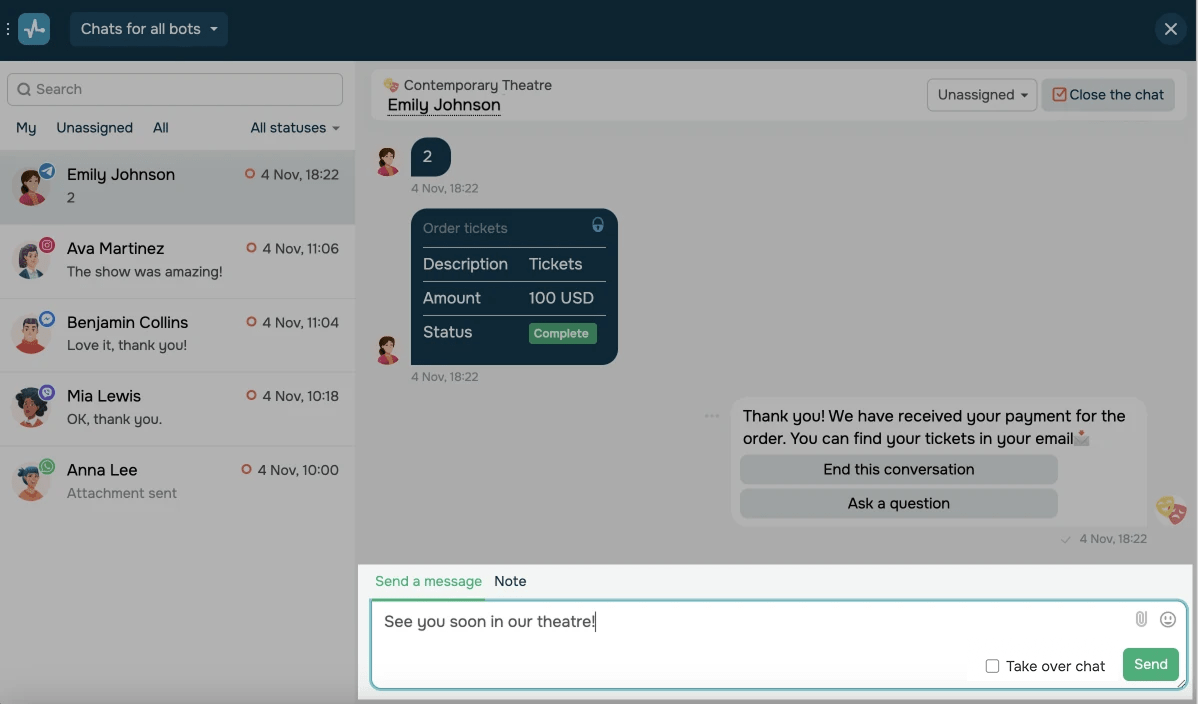
Unsent messages will be saved as drafts. On the list, a draft icon will appear next to them.
Viewing the support window countdown
You can reply to customers using different messaging apps manually.
On Instagram, the response window is set to 7 days, while other messaging apps set it to 24 hours.
Outside of the 24-hour window, you can send only pre-approved messages using categories in Facebook Messenger and templates in WhatsApp. With Viber, you can send 10,000 chatbot-initiated messages for free every month.
For Telegram, there are no response time limits.
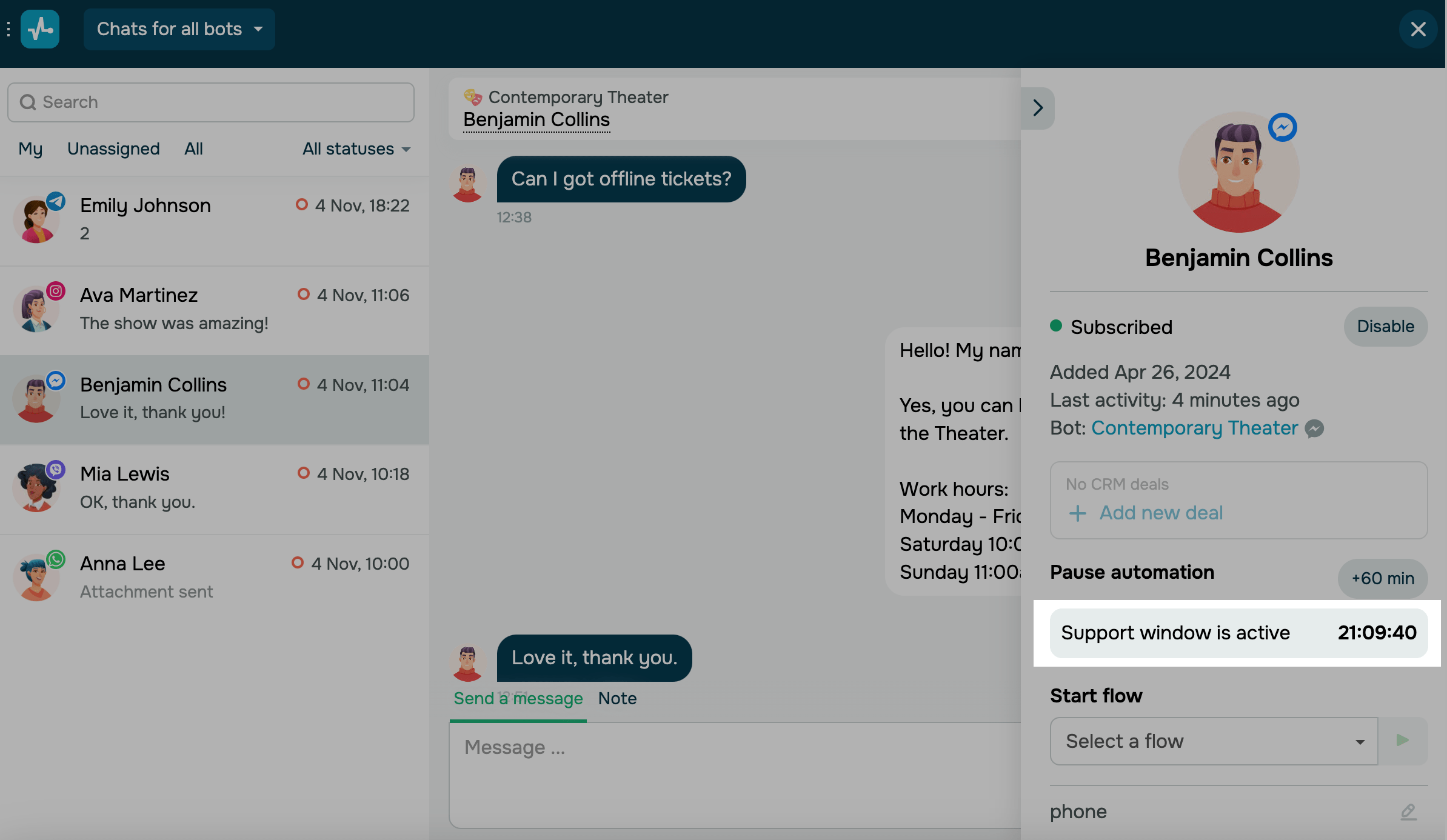
To view the remaining support window time for WhatsApp, Facebook, and Instagram chatbots, go to your subscriber’s card and check the Support window is active section.
Every time a user sends a message, the counter of the 24-hour support window will be restarted.
In Telegram and WhatsApp bot chats, you can also send reactions to subscribers’ messages and respond to specific messages.
 Last Updated: 01.07.2025




or