Enable new chat notifications
To stay informed about new conversations, you can enable multiple types of notifications.
For instance, you can get hourly emails, web push notifications, or messages in the SendPulse Notifications chatbot to quickly access and reply in chats.
To receive notifications in your email about the last open chat, select the appropriate option in the Notification settings.
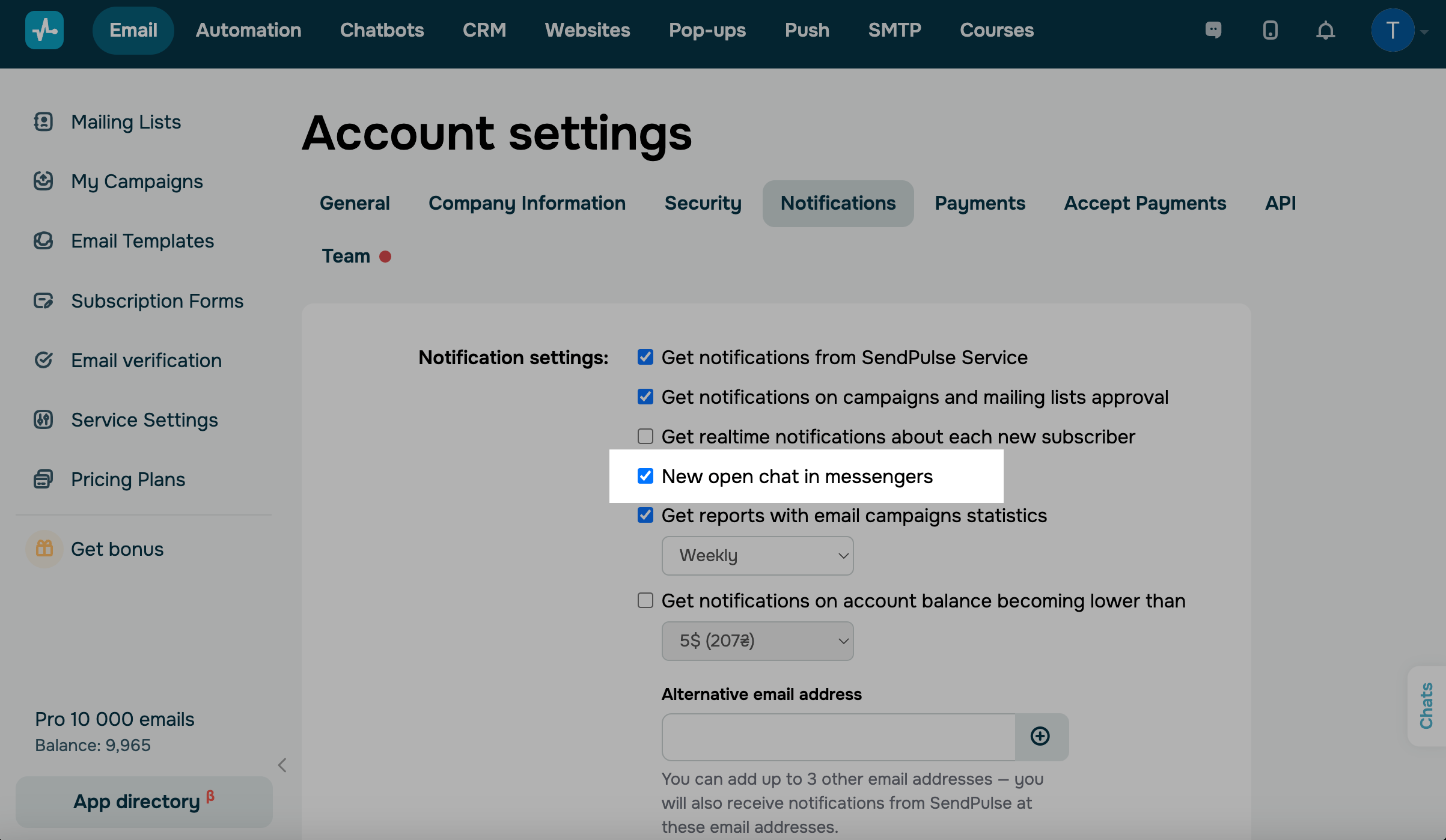
The notification is sent a maximum of once an hour with the last message from the subscriber.
Web push
You can also receive web push notifications about new open chats. To do this, allow notifications from SendPulse in the browser and select the New open dialog in messengers checkbox in the SendPulse account settings on the Notifications tab.
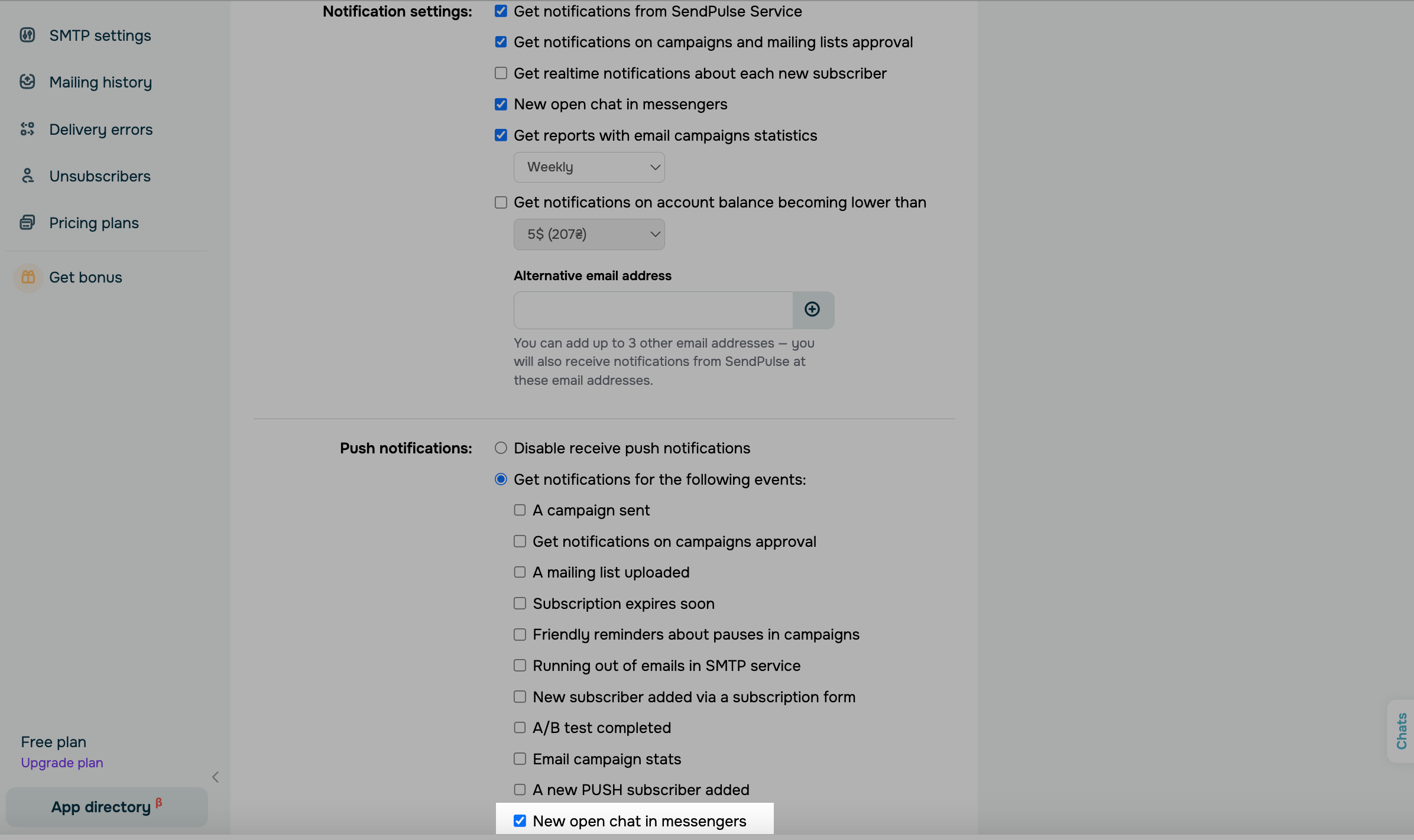
By clicking on the web push notification about the new chat, you will immediately open this chat in your SendPulse account.
The SendPulse botifications bot
You can also receive notifications via the SendPulse Notifications bot. To do this, enable bot notifications in your chatbot settings, and subscribe to the SendPulse Notifications bot.
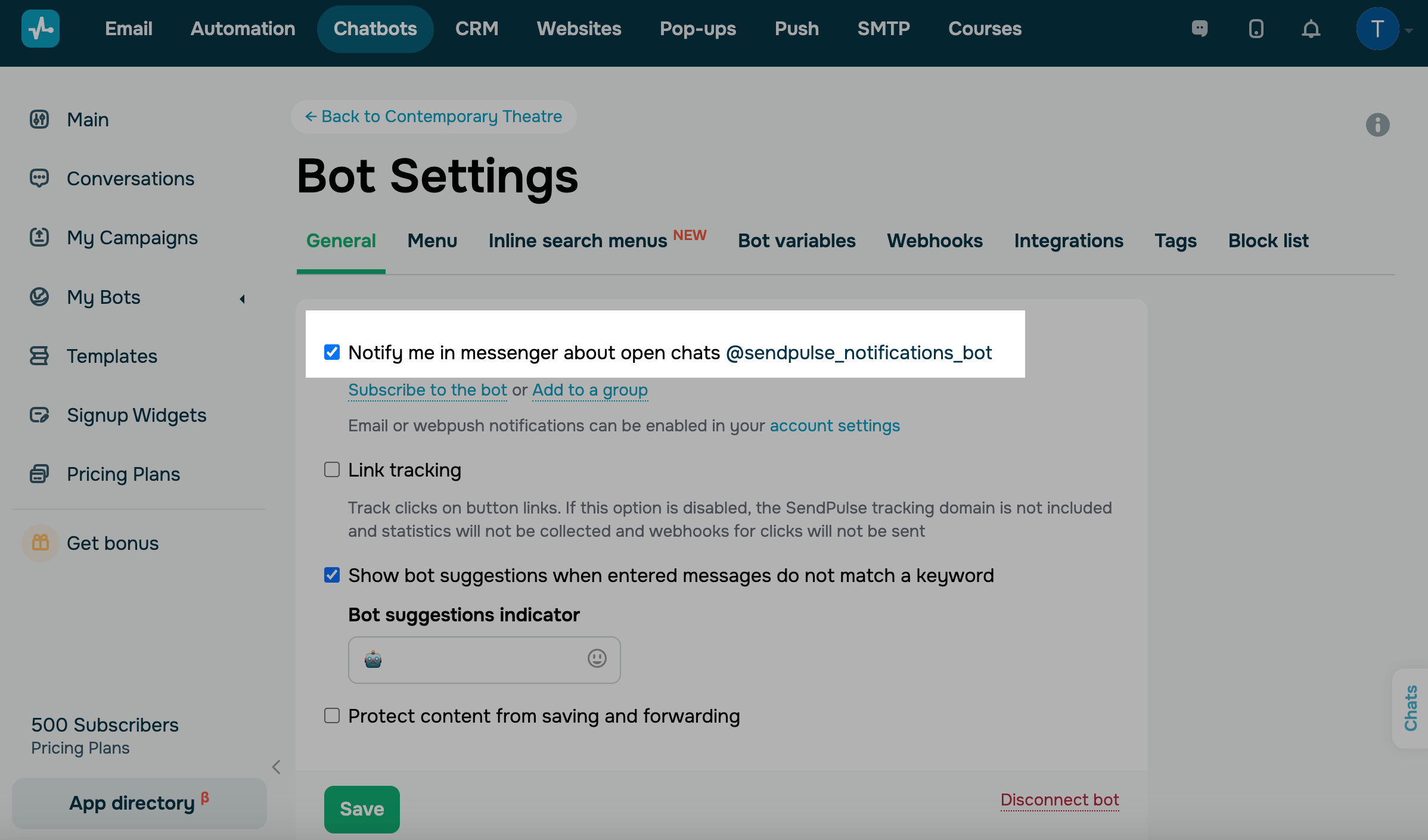
If a subscriber messages your chatbot on their own, not through a specific trigger, and an opened chat appears, you can send your reply right away using the SendPulse Notifications bot.
Read more: How to use the SendPulse notifications bot.
 Last Updated: 01.07.2025





or