Create an academy
An academy is a workspace where instructors can create and manage courses, invite students, and add other instructors.
Students can see the names and logos that academies use. You can customize student accounts in your academy across all courses. On top of that, you can also create course landing pages and edit them using the builder to add relevant content. All created courses will be hosted on your academy domain.
Your selected pricing plan determines the number of academies you can create. If you downgrade your pricing plan, you will need to choose the academies you want to keep.
To add a new academy, go to the Courses section and click Create academy.
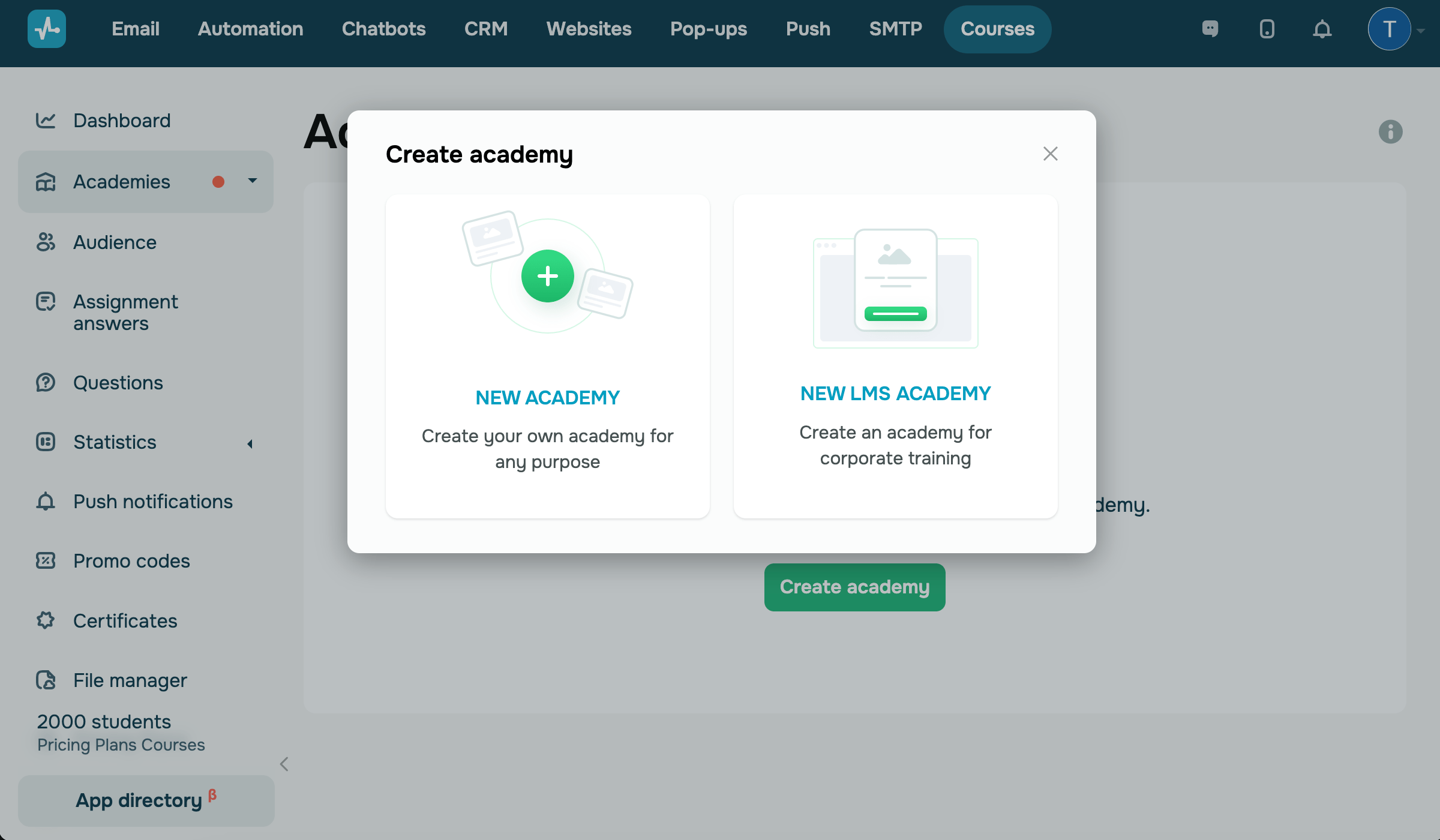
Select an academy type
Select an academy type based on your target audience (external audience or your company).
| New academy | Regular academies where you can create online courses and use website templates. |
| New LMS academy | Corporate training academies where you can create courses for your team and use login landing page templates. |
Enter your academy’s name and link
In the next modal window, fill in the fields:
| Academy name | Enter your academy name. To rename your academy, click the pencil icon next to its current name, or go to your settings, where you can also adjust how your academy name appears to students. |
| Academy URL |
Enter a unique link and add the domain that will be assigned to all courses by your academy. Select a standard SendPulse domain. Afterward, you can add a custom domain in your website settings. |
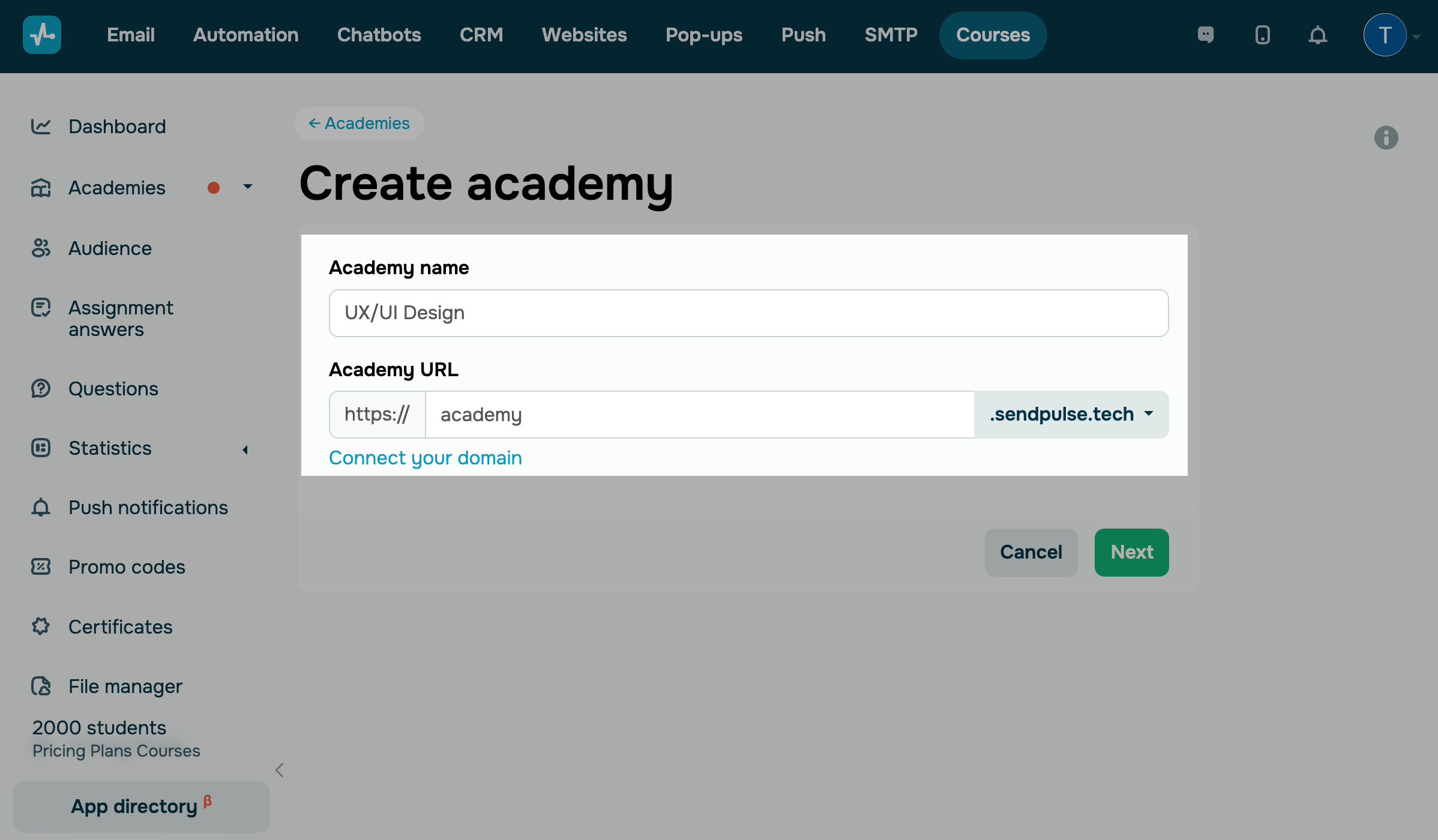
Click Next.
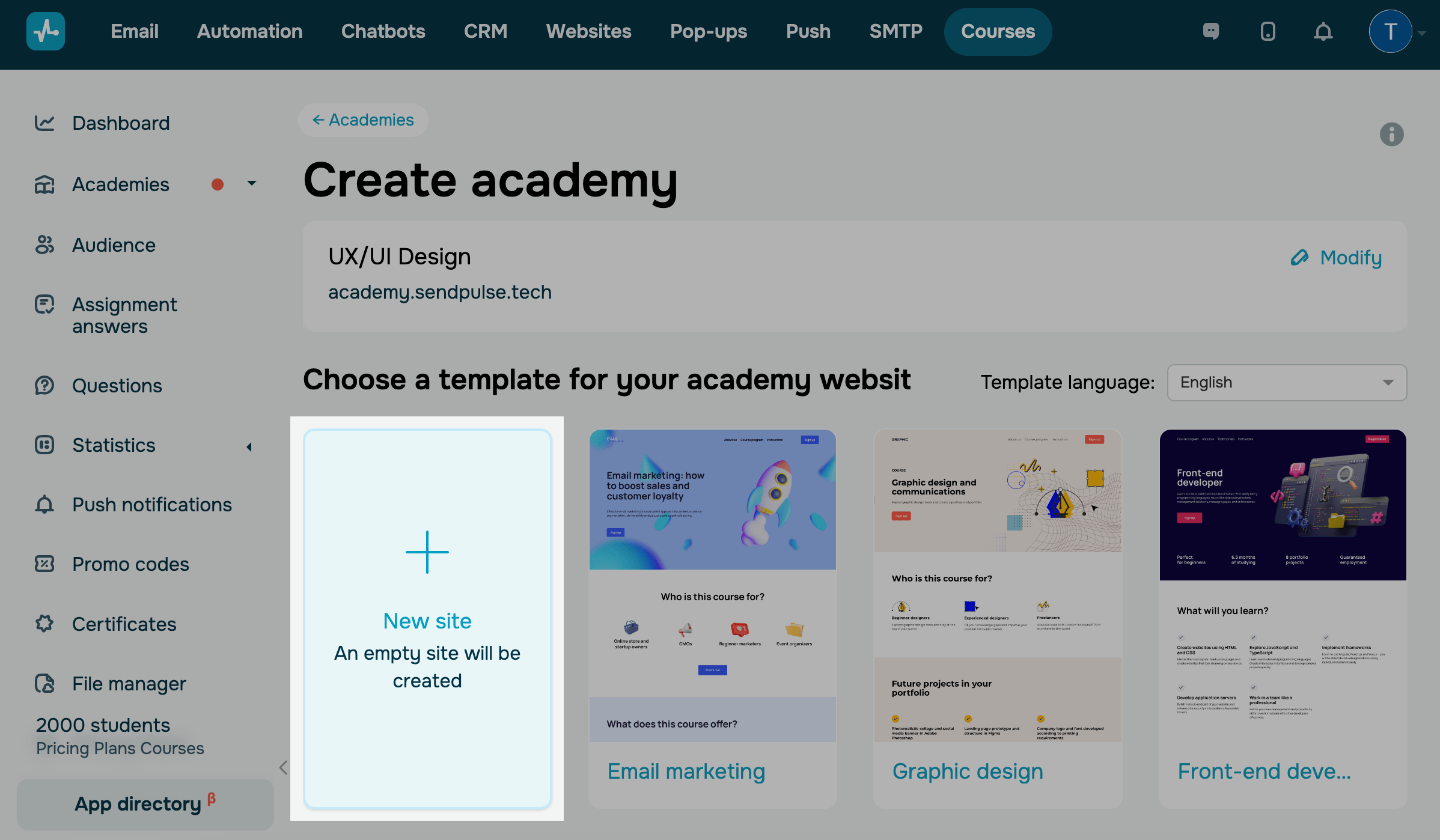
Add an academy website
Building an academy website will allow you to promote your courses and enroll students.
To build an academy website from scratch, click New site. Fill your website with content using blocks, sections, and widgets, and add the Courses login widget.
Read more: Сustomize your academy website.
You can also select a ready-made website template and customize it. Select a template language, and click a suggested template to view it. Scroll down to the bottom and click Select.
Continue setting up your academy
Once you create an academy, you will be able to customize your website and give students access to it.
Next, create courses and their registration pages, add content to them, and add instructors and students.
 Last Updated: 25.10.2024





or