Add note in the Action element
The Add note action creates a note for other team members in a chat with subscriber. The note is not visible to the subscriber.
Use it to add relevant context for your team, such as order details or the last response generated in the AI Step element. You can also add variables to personalize your note.
Let's walk you through how to set up the Add note action.
Add the Action element
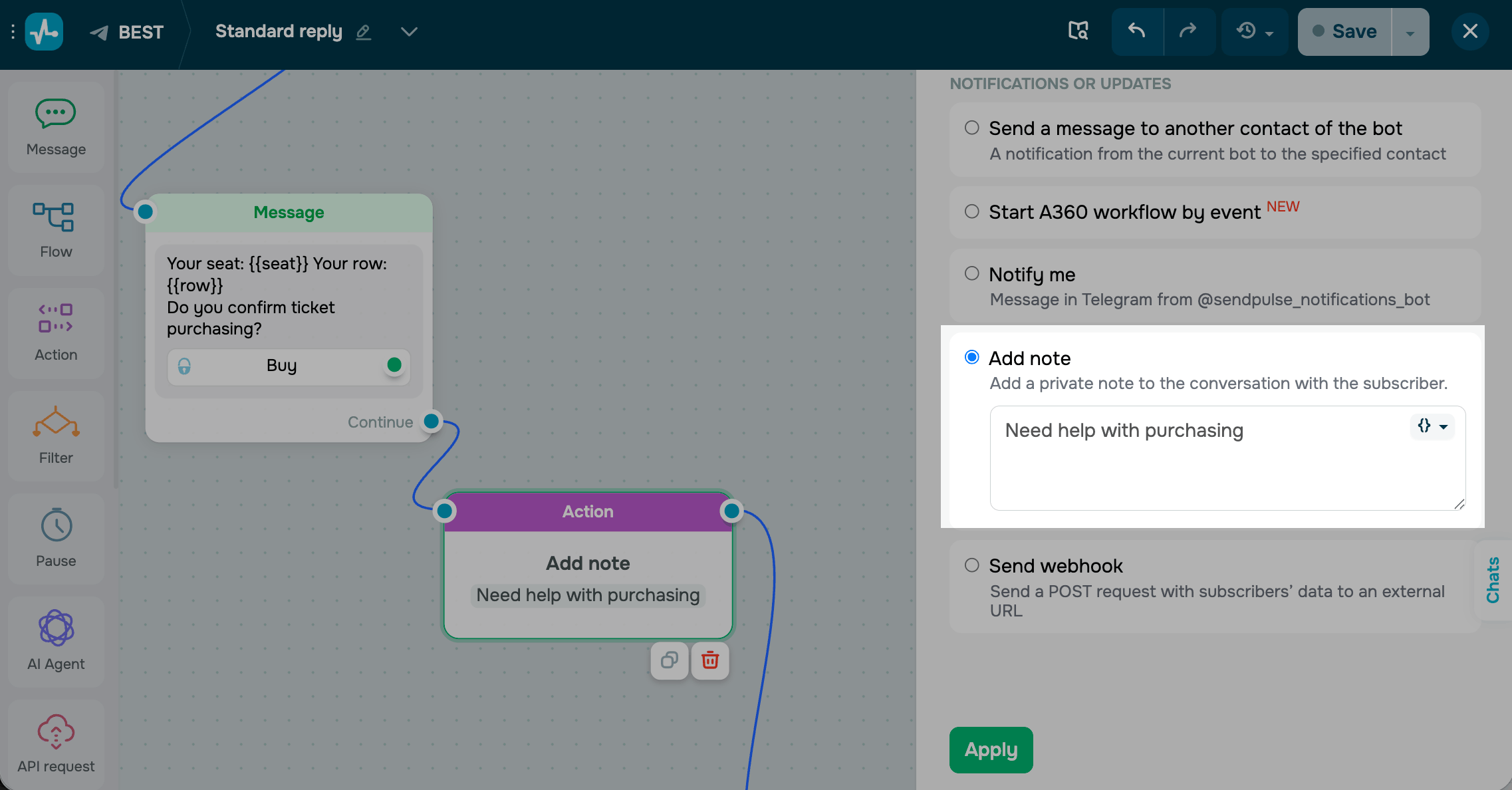
Drag the Action element to the workspace. In the settings that appear, select Add note.
Enter your note text. You can add variables to pass subscriber-specific data, including {{order_id}} and {{last_ai_response}}.
Save the element
Click Apply. The element is now ready and will add the configured note to the chat every time they reach this step.
 Last Updated: 01.05.2026





or