Reset permissions for business applications on Facebook
To enable integrations, Facebook creates a temporary token that allows applications to make changes to your page.
You get the first token when you create an Instagram or Facebook chatbot with SendPulse. The permission allows your chatbot app to send messages on behalf of your page. When the permission expires, the chatbot cannot fully operate — you will see a warning message that will indicate that you need to update your permissions.
Let's talk about two ways to update your permissions.
Regular permission update
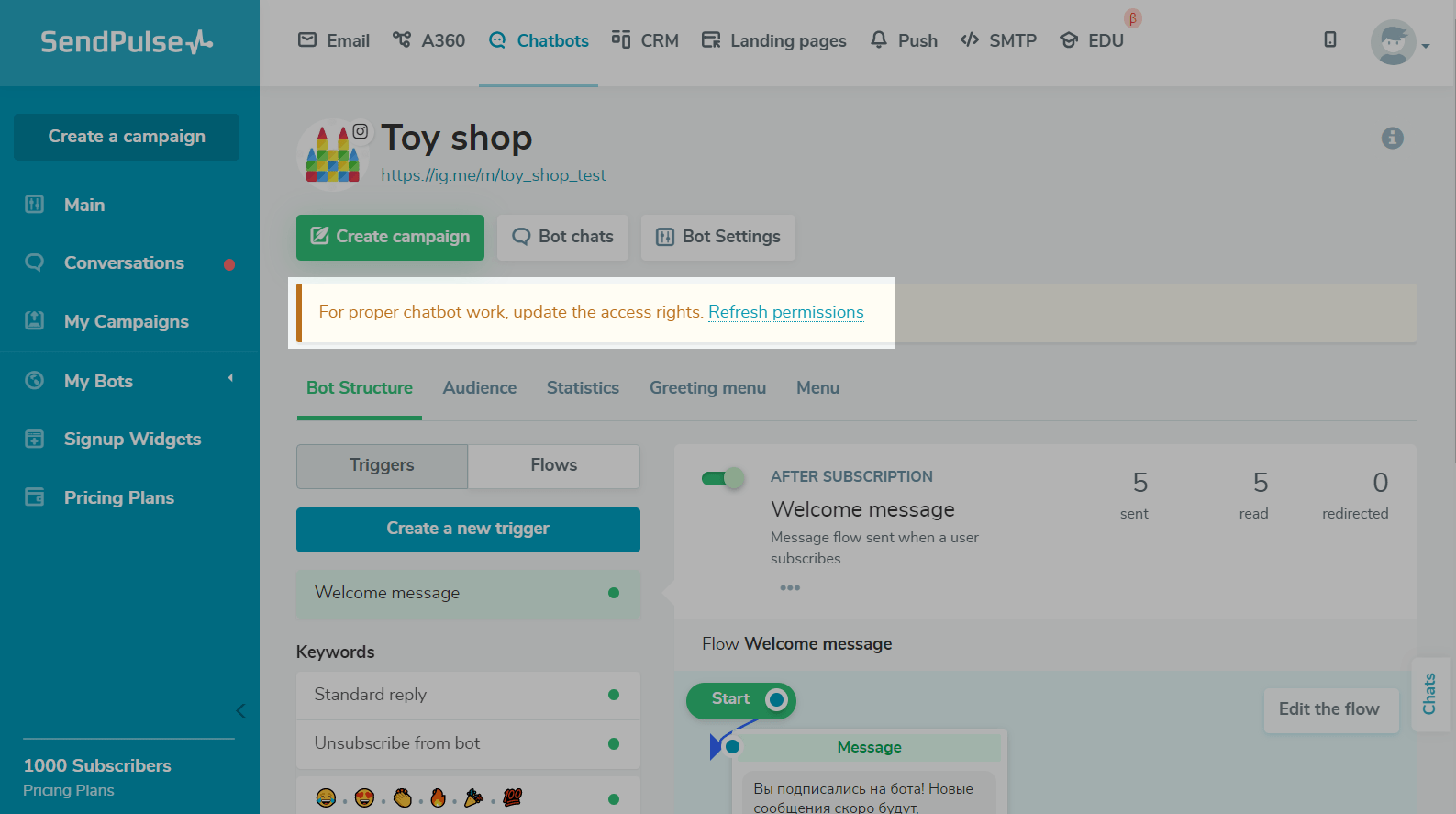
To update your token, click on the Refresh permissions link in the warning message.
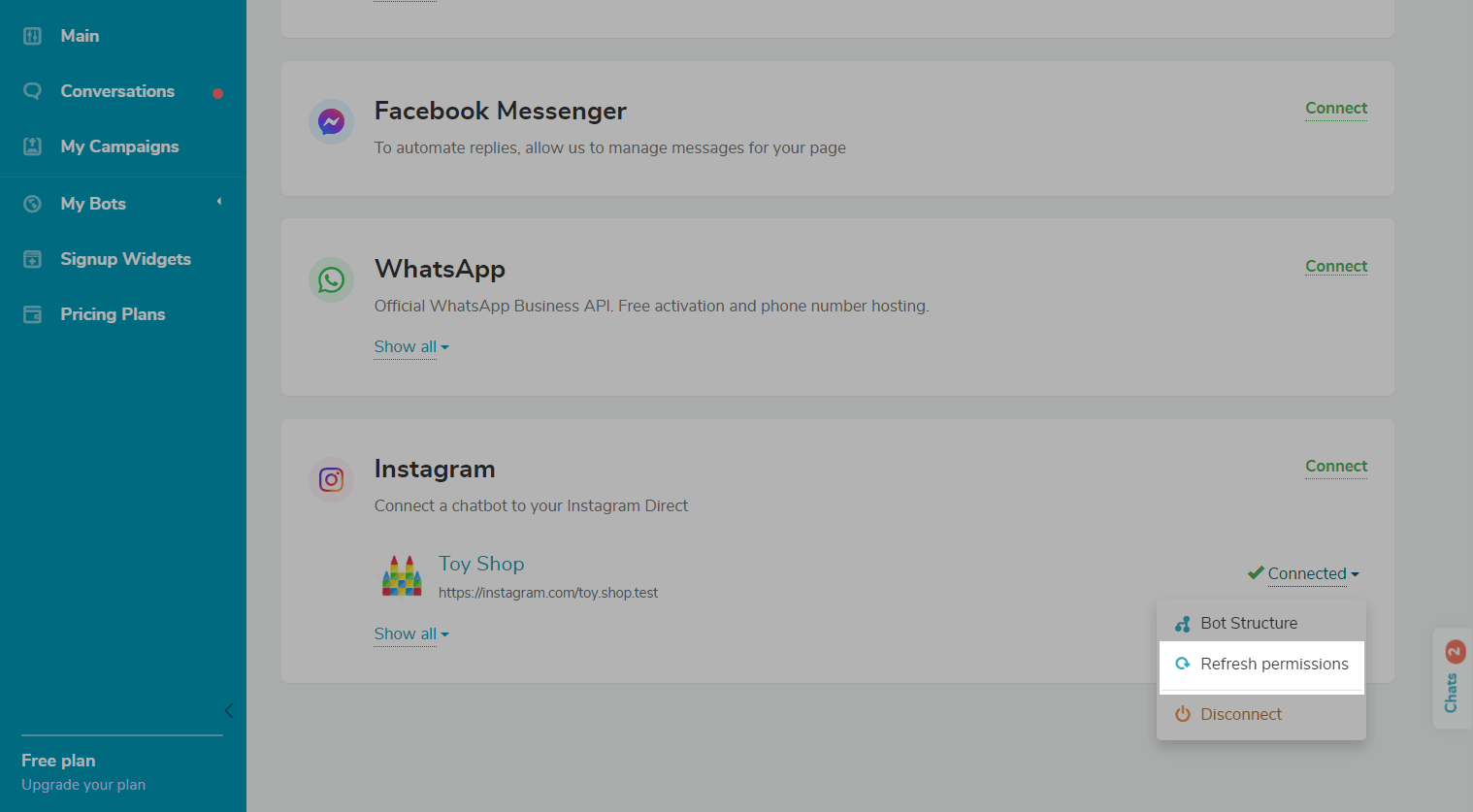
You can also update the token in the Chatbots > Manage Bots section. Find the chatbot in the list of connected bots. Select Update Permissions from the dropdown list.
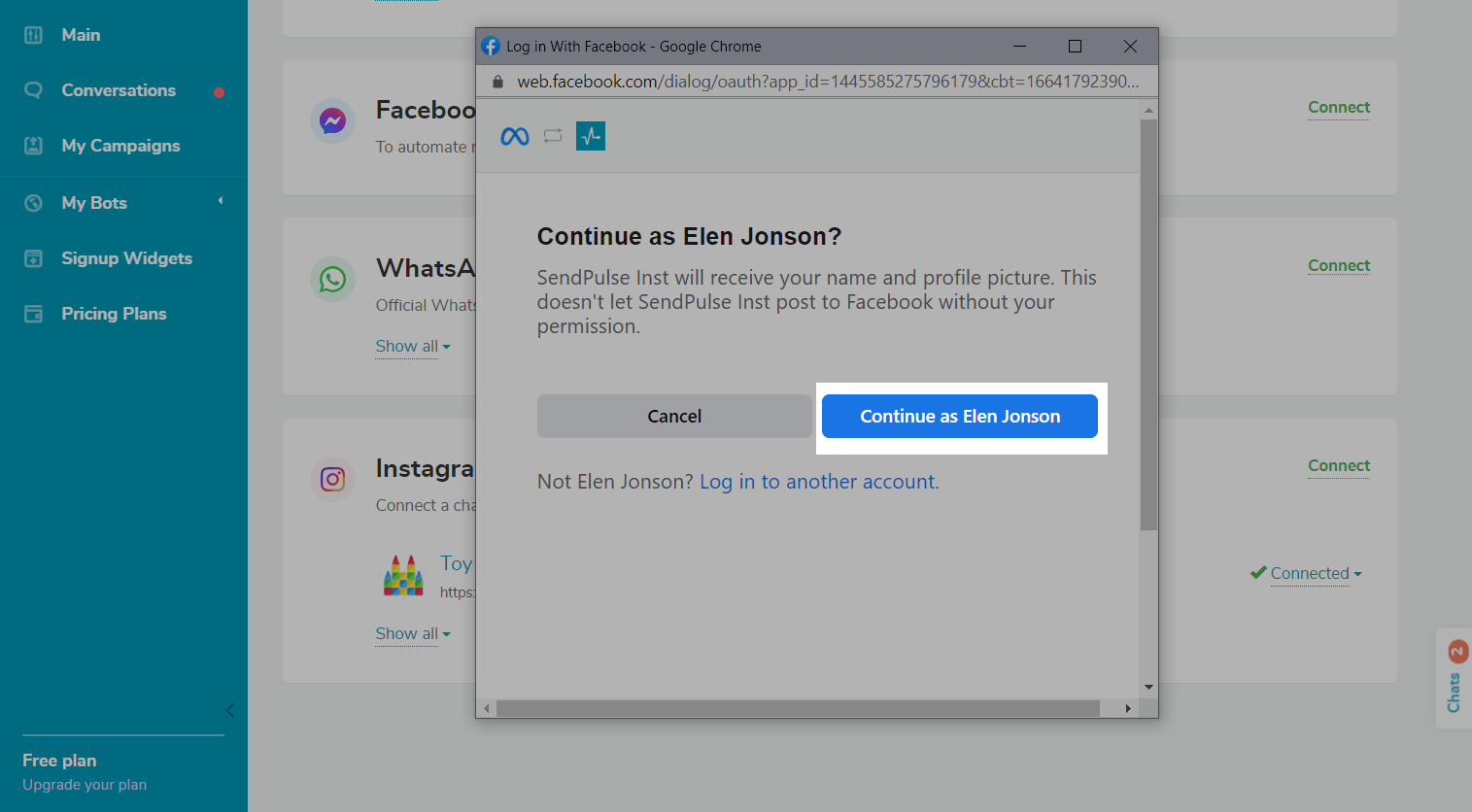
Click Continue as... or sign in to another Facebook account that is connected to your Instagram chatbot.
Once you update your permissions, you will be redirected to the bot management page.
Forced bot reconnection
If your Facebook token was not regenerated once you updated your permissions, you need to unlink your chatbot and reconnect it.
Unlink your bot in SendPulse
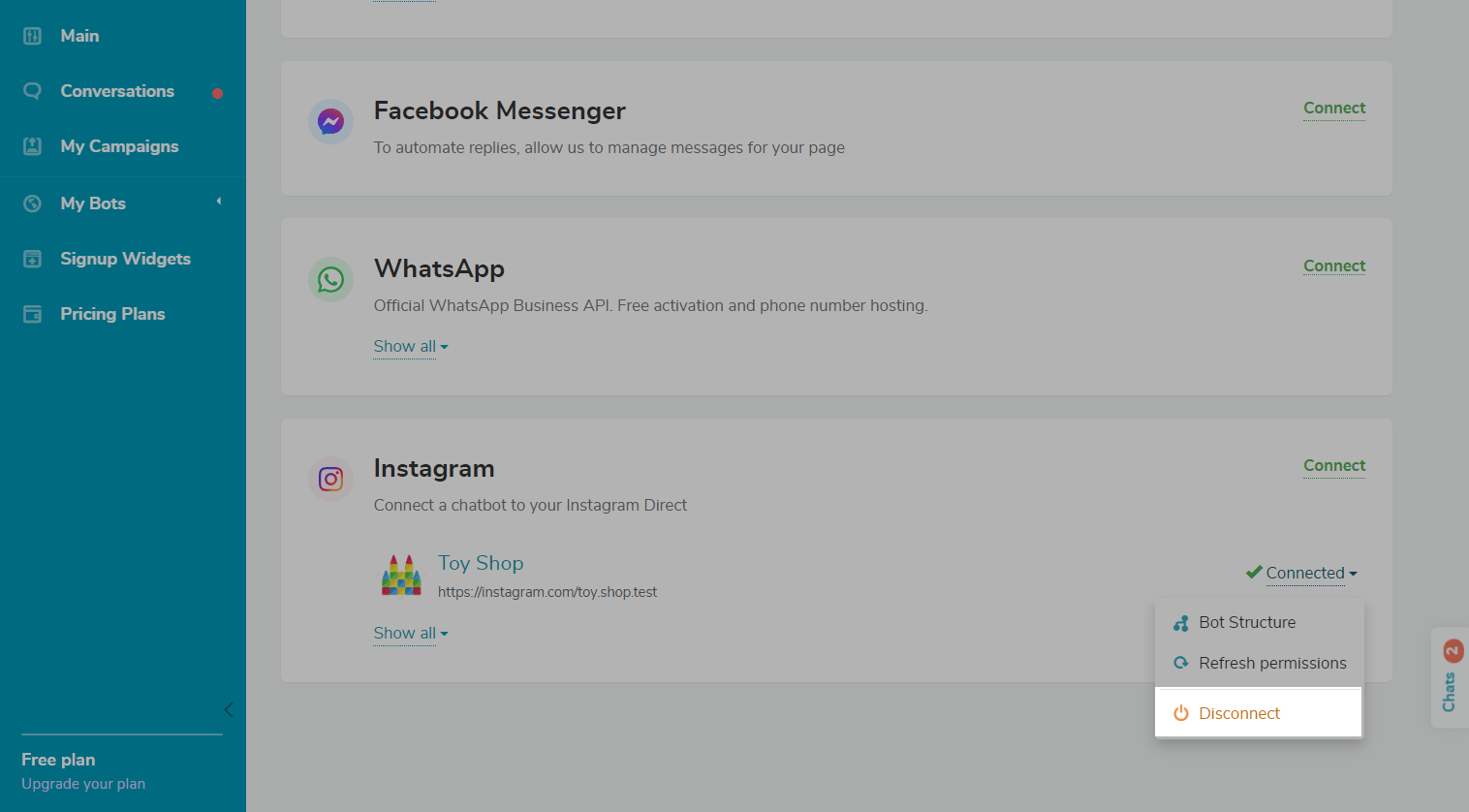
Go to Chatbots > Manage Bots. Find the desired chatbot in the list of connected bots. Select Unlink from the dropdown list.
Delete the application
Connection via Facebook Business
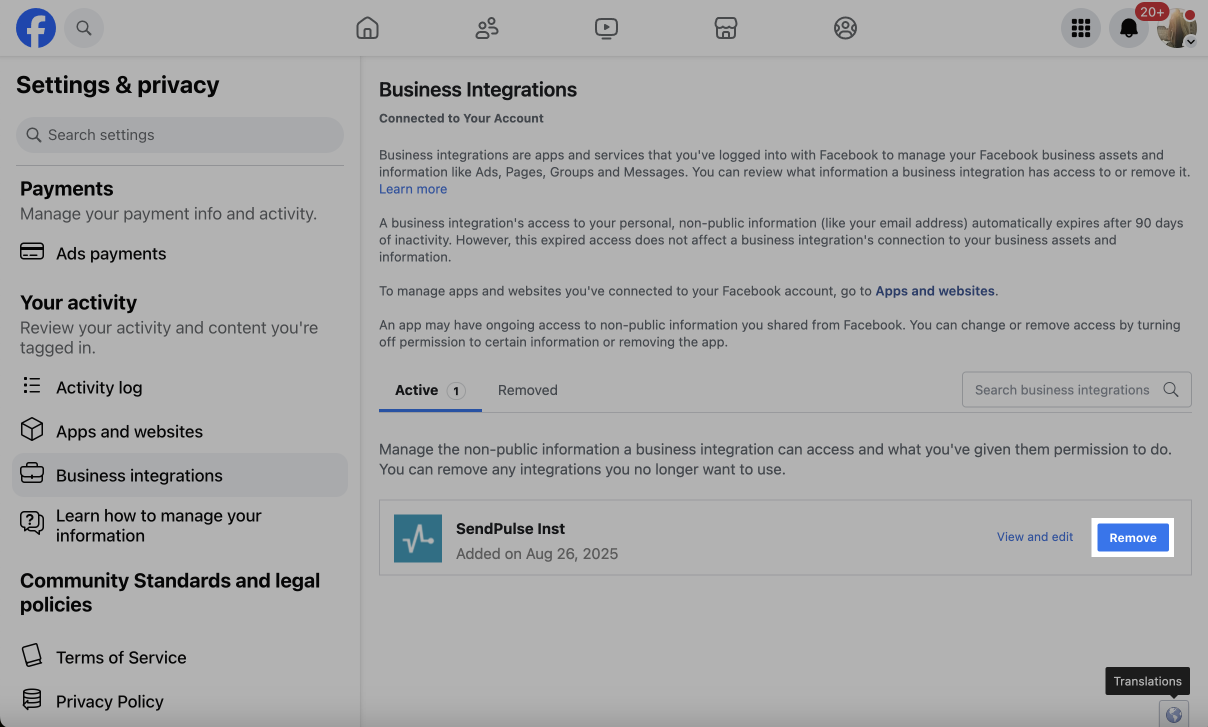
If you’ve added an Instagram chatbot through Facebook Business, go to the Business Integration setting on Facebook, select the app, and click Remove next to it.
Connection via Instagram
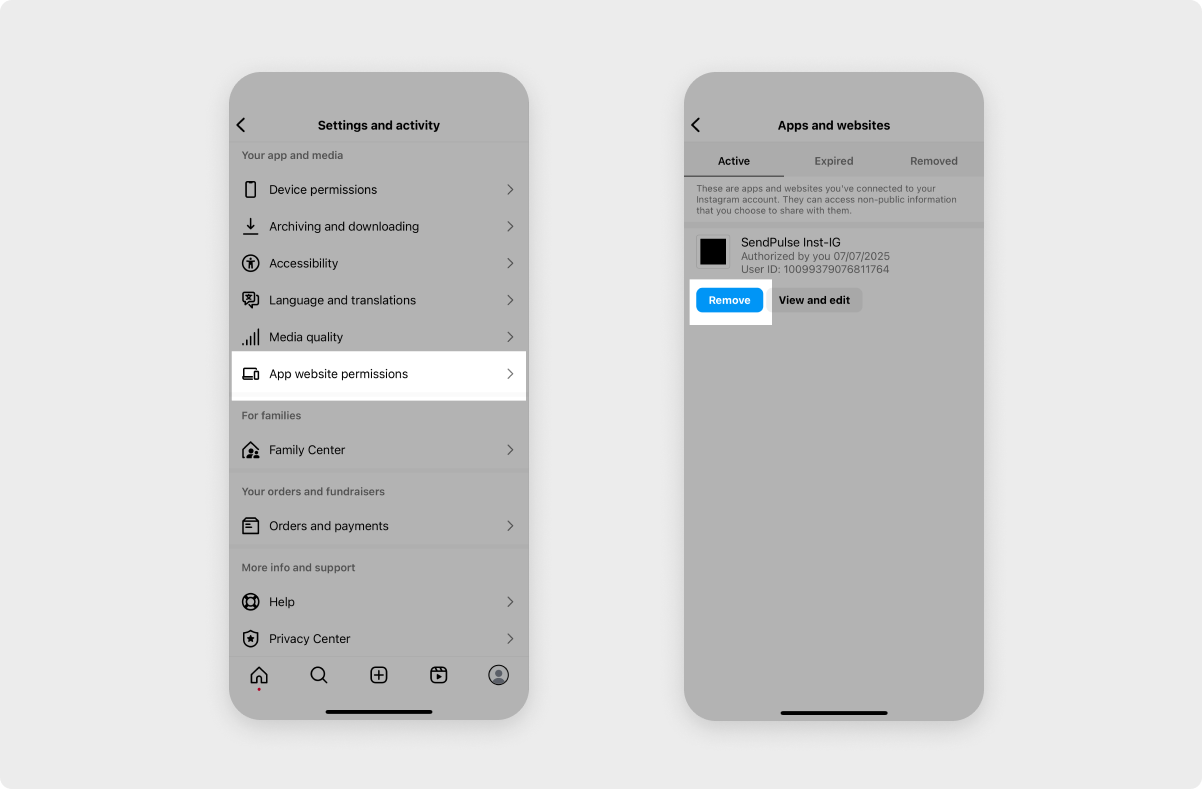
If you’ve added an Instagram chatbot directly through Instagram, in your connected Instagram account, go to Instagram settings > App websites permissions > Apps and websites. In the Active tab, go to SendPulse Inst-IG and click Remove.
Connect bot
Go back to your SendPulse account, go to the Connect Bots section, and connect the bot by following the prompts.
Read more: Connect the bot to SendPulse.
Once you reconnect the bot and update the permissions, the warning message will disappear, and the bot status will change to Active.
 Last Updated: 12.06.2024





or