Add a quick deal
You can add a quick deal directly at the desired stage (status) of the kanban board. Use it to quickly add a deal while you are communicating with a lead. This kind of deal has fewer fields to fill out.
Under the required column, click Add quick deal and fill in the fields: title, name, contact details, and the deal cost.
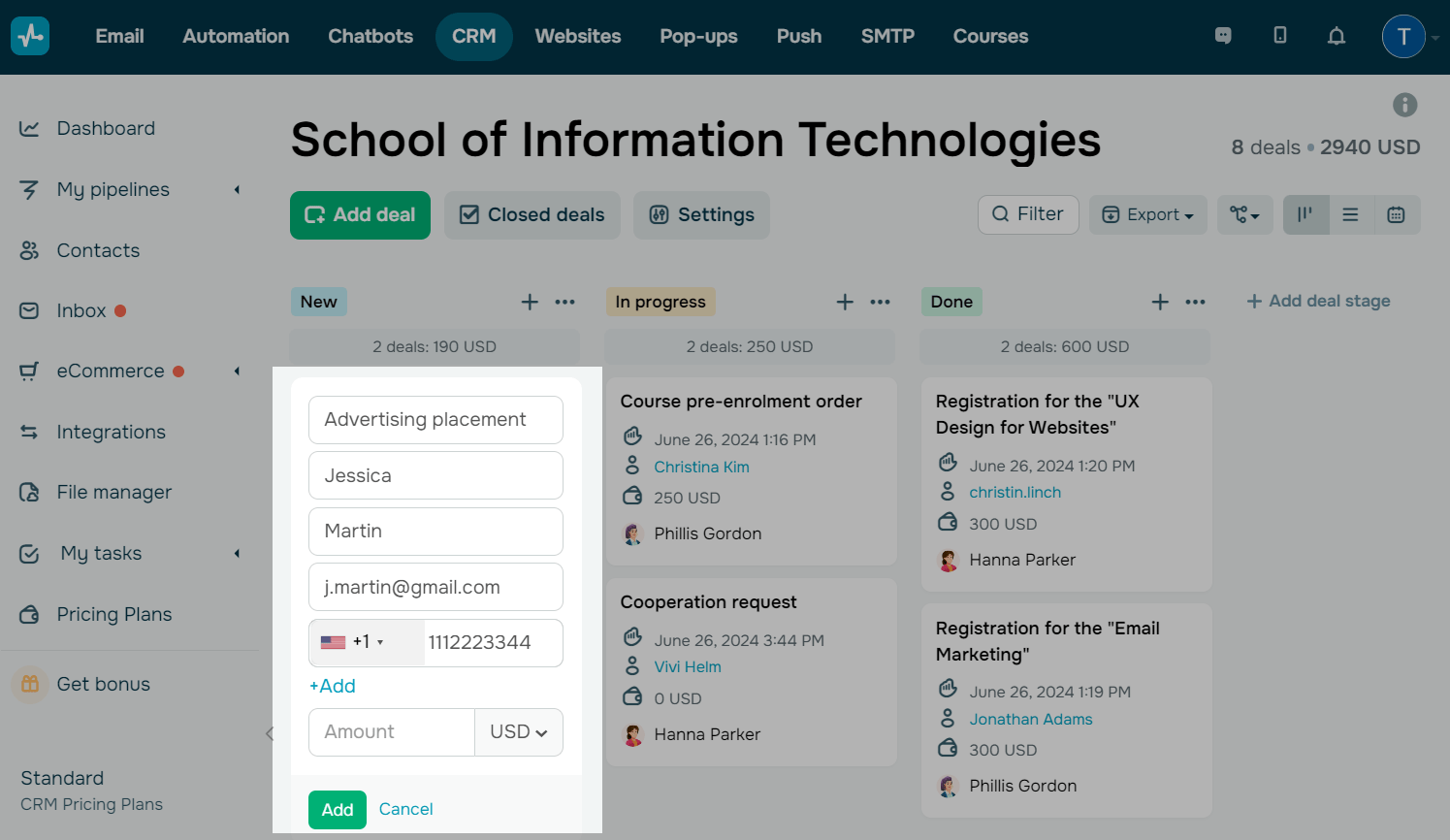
A quick deal is edited in the same way as a regular deal.
 Last Updated: 13.03.2025





or