Add expenses to your deal
You can add costs to a deal to track its expenses and see the actual profit. This helps you more accurately evaluate your team’s performance, advertising channels, and product profitability.
For example, you can add delivery costs, advertising expenses, packaging costs, contractor payments, or payment method fees.
Let’s talk about how to add and manage expenses.
Add an expense record
To be able to add expenses to a deal, turn on the Net profit calculation toggle.
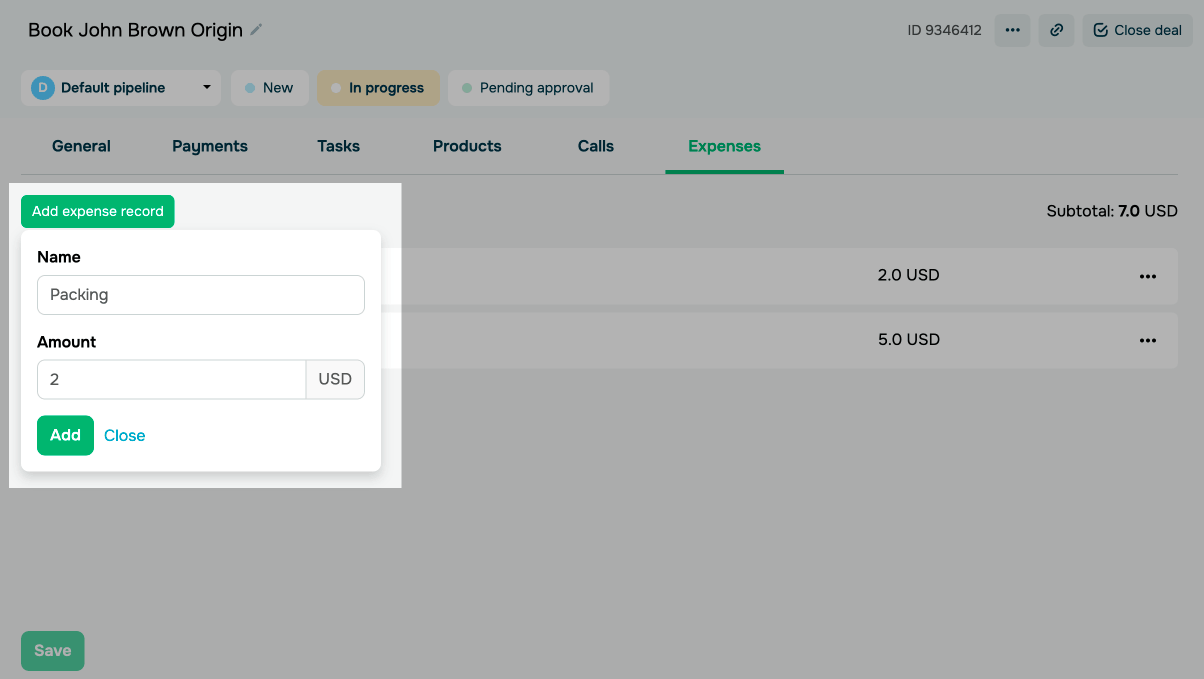
Open a deal card, go to the Expenses tab, and click Add expense record.
Enter an expense record name and amount, then click Add.
You can also select an expence record from your templates. Read more: Create and manage expense templates.
Manage your expenses
In the Expenses tab, you can view the list of added records.
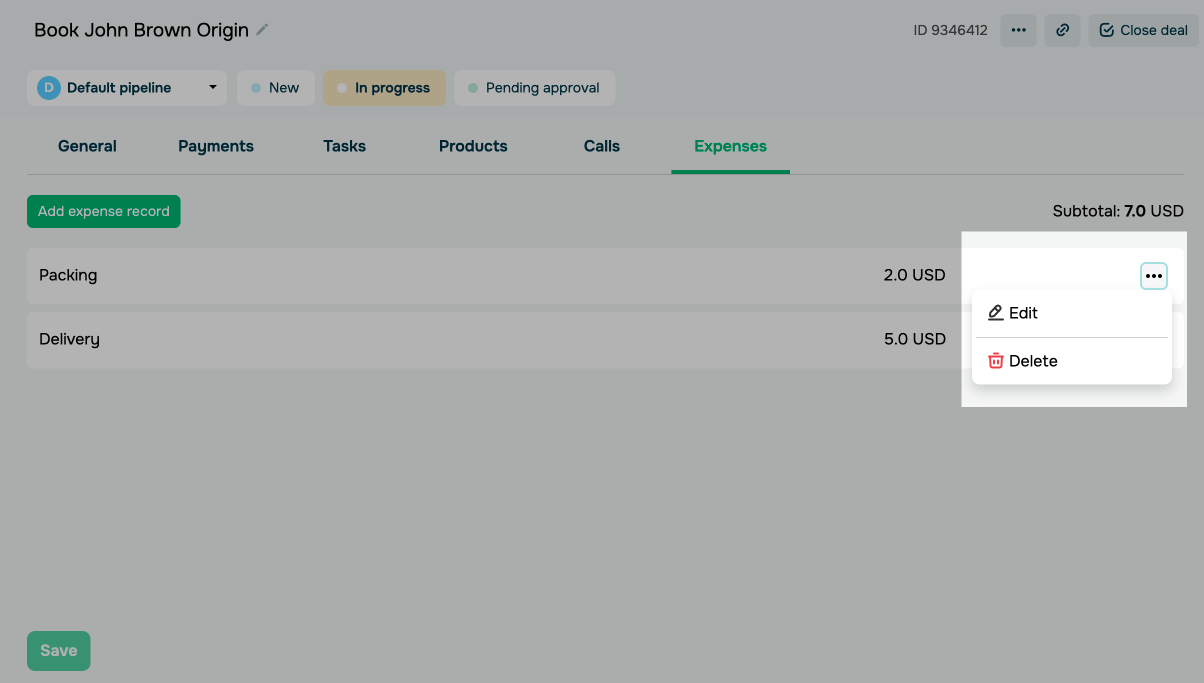
To manage an expense record, click the three dots next to it and select an action:
| Edit | Opens a window where you can edit the expense record’s name and amount. |
| Delete | Removes the expense record from your deal. |
Once you update your expense record, the net profit will be recalculated automatically.
 Last Updated: 26.02.2026




or