Unsubscribe from the bot in the Action element
The Unsubscribe from the bot action stops sending chatbot campaigns and automated flows to a subscriber. Use it when someone asks to opt out or at the end of a one-time flow, such as a post-purchase follow-up.
The subscriber stays in your audience, but they won't get any more chatbot messages.
Let's walk you through how to set up the Unsubscribe from the bot action.
Add the Action element
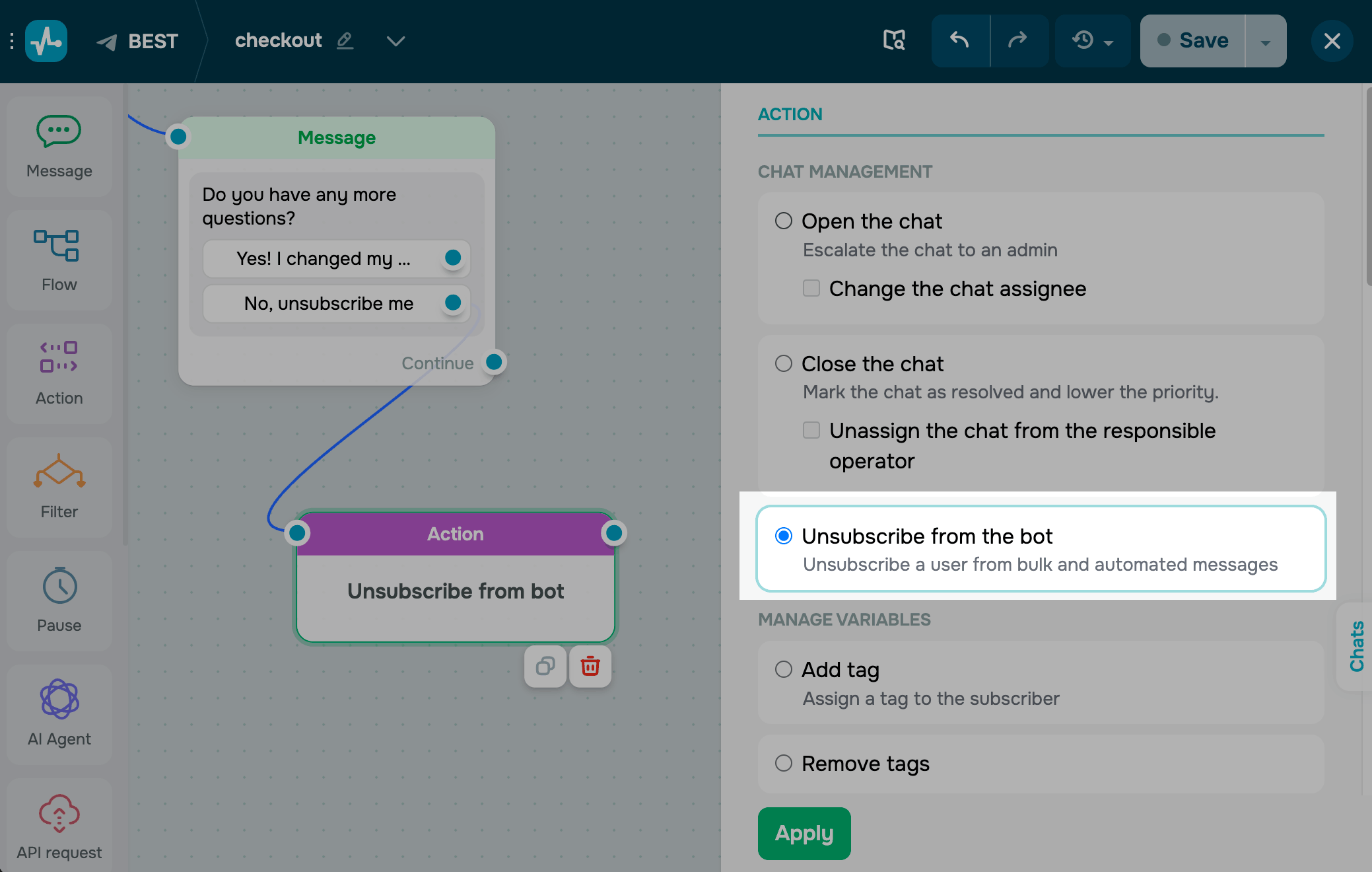
Drag the Action element to the workspace. In the settings that appear, select Unsubscribe from the bot.
Save the element
Click Apply. From now on, every subscriber who reaches this step will be unsubscribed from your chatbot.
To test the setup, run the flow and open the subscriber's profile. They should be marked as unsubscribed and skipped by future campaigns and automations.
 Last Updated: 28.04.2026


or