Install SendPulse email marketing module for opencart
This module allows you to send email campaigns to all of your customers. A significant advantage of this module is its function to maximize your email open rate. SendPulse's tools will help you increase open rates by over 60%.
Module features:
- Automatic export the data of users that are registered in a site admin panel or an online store.
- Manual export of data of users that are registered in a site admin panel or an online store.
- Automatic export of data from orders.
During export, email address, phone number, and user’s name are transmitted.
Download SendPulse Email Marketing Module for Opencart
How to Install the Plugin
Open the module
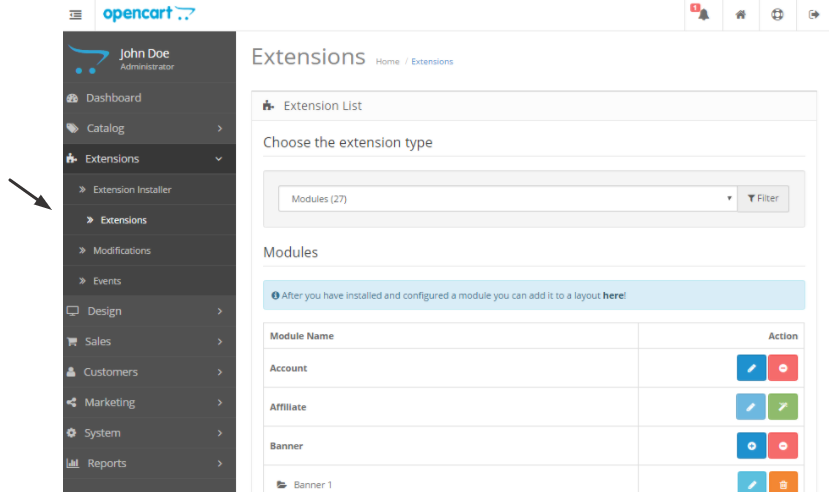
Open the item "Extensions" in the main menu and select "Modules."
Edit the module
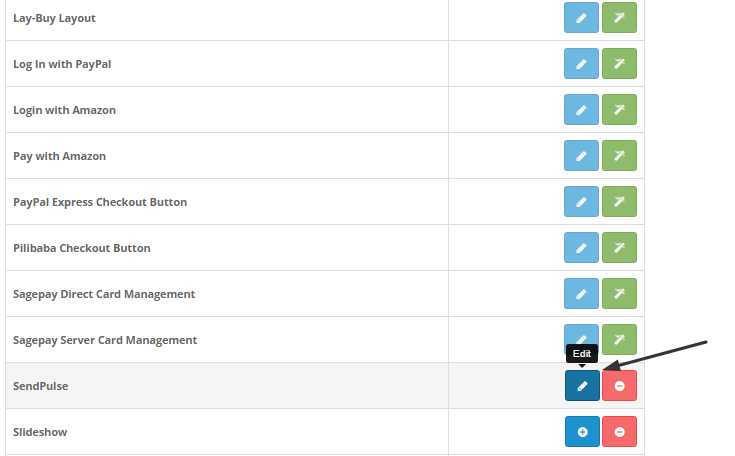
Choose "SendPulse" and Click "Edit" on the Icon Located on the Right Side.
Copy your SendPulse ID and Secret
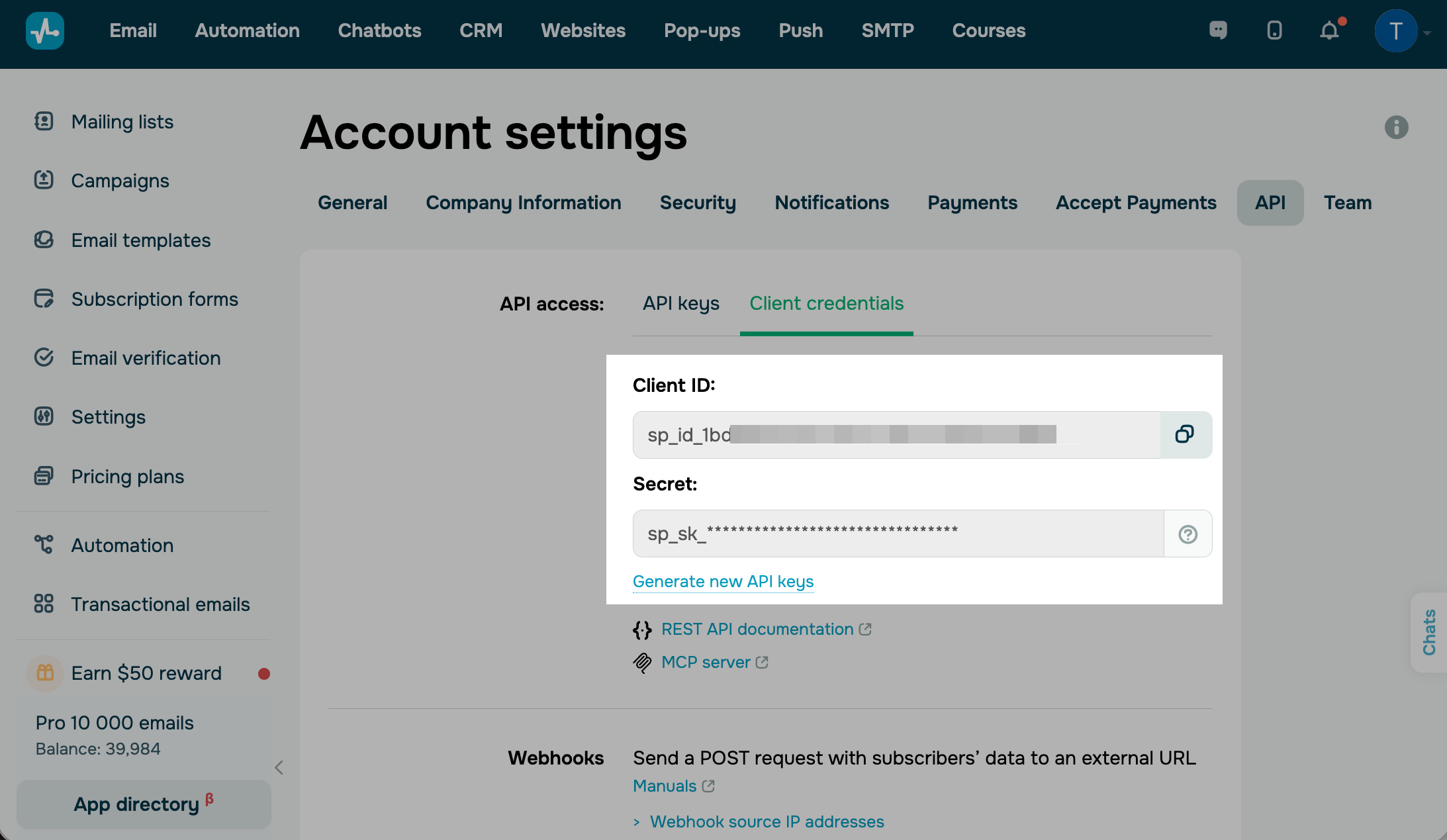
Go to your SendPulse account > Account Settings > API > Client credentials. Сlick Generate new API keys and copy your Client ID and Secret.
Note: Save your credentials locally as soon as you generate them. You won't be able to copy your Secret again later. Read more: Generate keys for integrations.
Paste ID and Secret
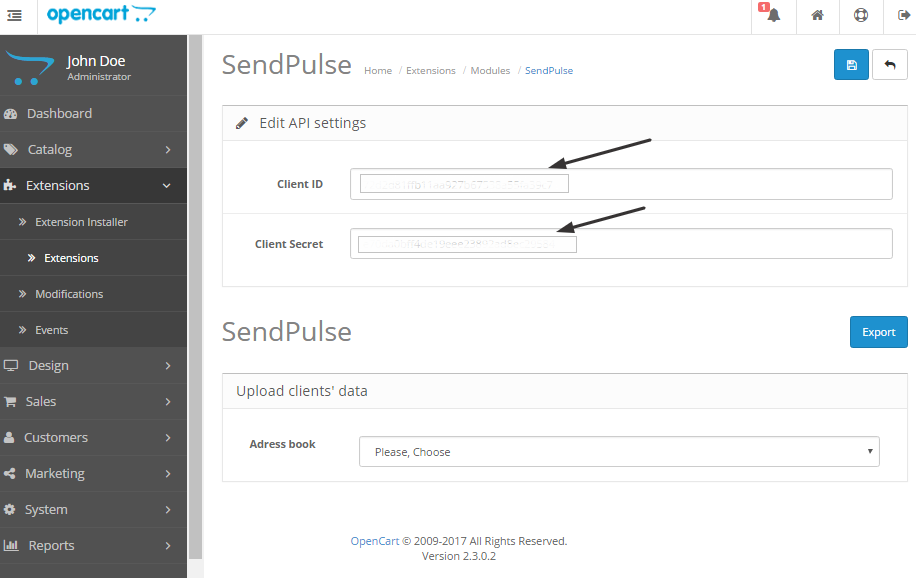
Paste ID and Secret to the "API settings" in Opencart.
Exporting Email Addresses from Opencart to SendPulse
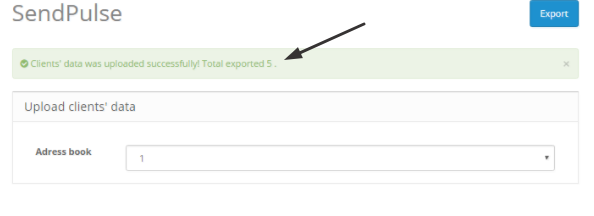
To export email addresses from Opencart to SendPulse, you should select an email list in a field "address book" and click the button "Export."
The successful result will be displayed on your computer with a notification "Clients' data was uploaded successfully." The plugin will show you the number of uploaded email addresses.
Start sending emails to your customers in Opencart with SendPulse plugin now.
 Last Updated: 14.08.2025





or