Create your own API Request preset
A custom preset is an configured API Request you save as a template and reuse in other flows. It stores the request setup, including the method, URL, headers, and body, so you do not build the same request twice.
You can create your own preset to save time on requests you send often.
You can also use external presets to create integrations with third party-tools. Read more: Use ready-made API Request presets.
Save a request as a preset
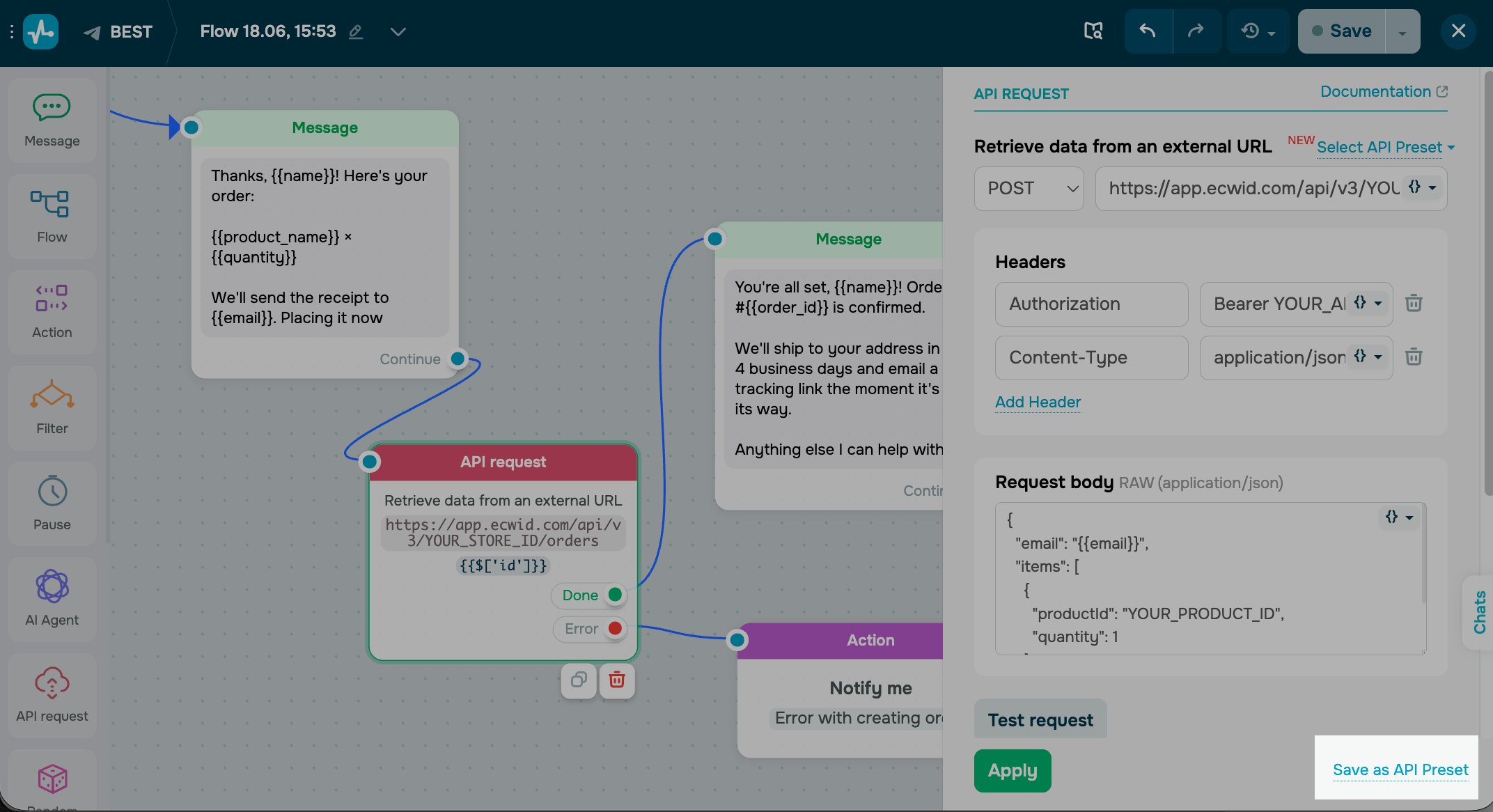
In a configured API Request element, click Save as API Preset. Saved presets are shared with your team. Everyone who can edit your flows sees them and can reuse them in other chatbot flows.
Apply a saved preset
To reuse a saved request, add an API Request element and click Select API Preset. Under My presets, choose your preset.
SendPulse fills in the saved method, URL, headers, and body. Adjust any values, then click Test request to confirm.
 Last Updated: 18.06.2026





or