Enroll in the course in the Action element
The Enroll in the course action sends a course invitation to a student when they reach this step in the flow. Once the student receives the invitation email, they can sign up for the course and start learning.
Let's walk through how to set up Enroll in the course in the Action element.
Add the Action element
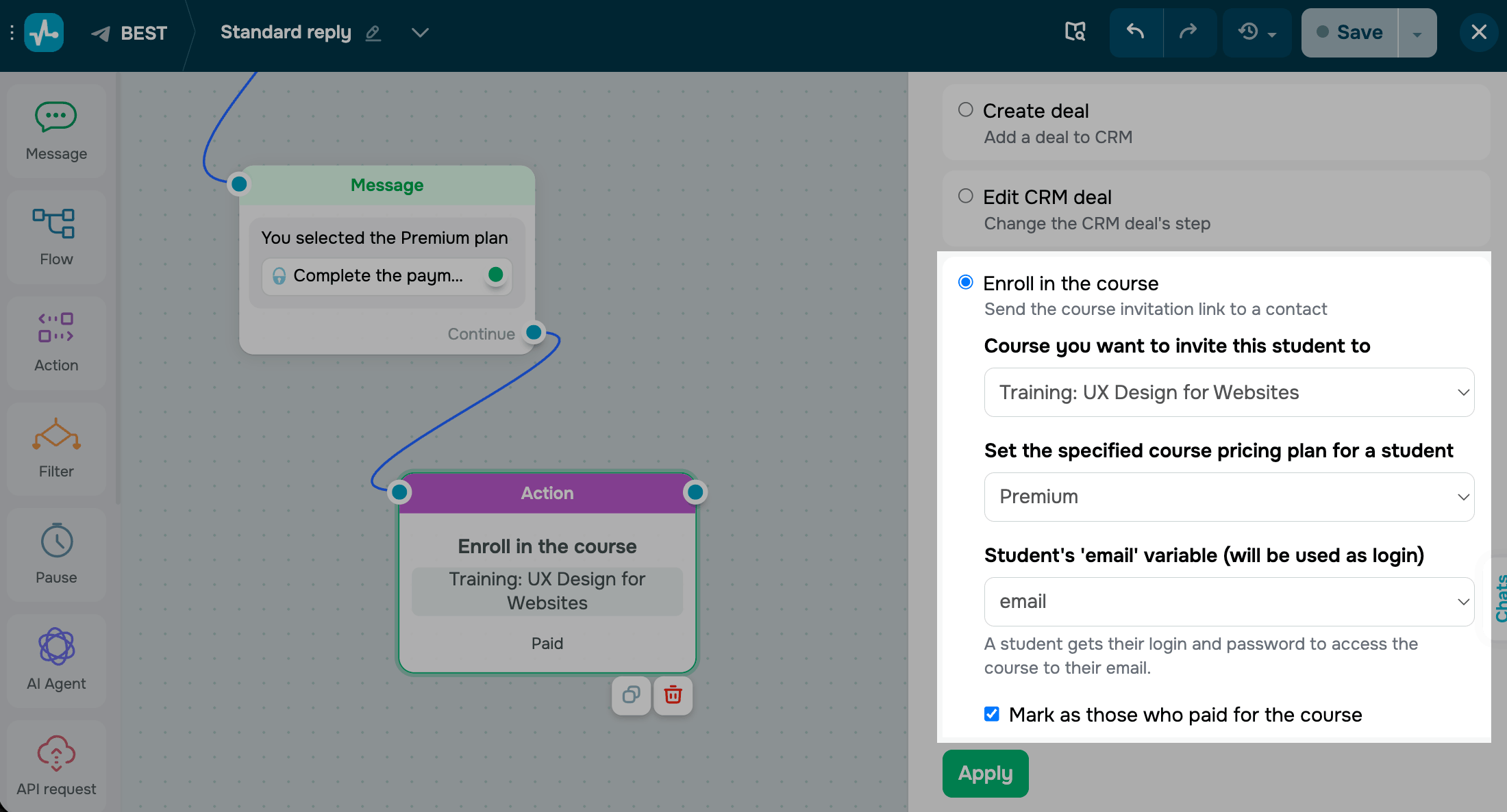
Drag the Action element to the workspace. In the settings that appear, select Enroll in the course.
Select the course you want to invite the student to, and choose a pricing plan. If you select a paid plan, you can also mark the course as paid for the student.
Select the chatbot variable with the student's email address — they will receive their account login and password at this email address.
Save the element
Click Apply. The element is now ready and will send a course invitation to the email stored in the selected variable every time a subscriber reaches this step.
To test the setup, run the flow once and open your student list — the new student should appear there.
 Last Updated: 01.05.2026





or