Delete variable in the Action element
The Delete variable action clears the current value of a subscriber's variable. Use this when you need to reset flow logic, like resetting last_order_status when someone starts a new order or clearing a survey response before a repeat round.
The variable itself stays on your list, so only the value for that specific subscriber is removed.
Let's walk you through how to set up the Delete variable action.
Add the Action element
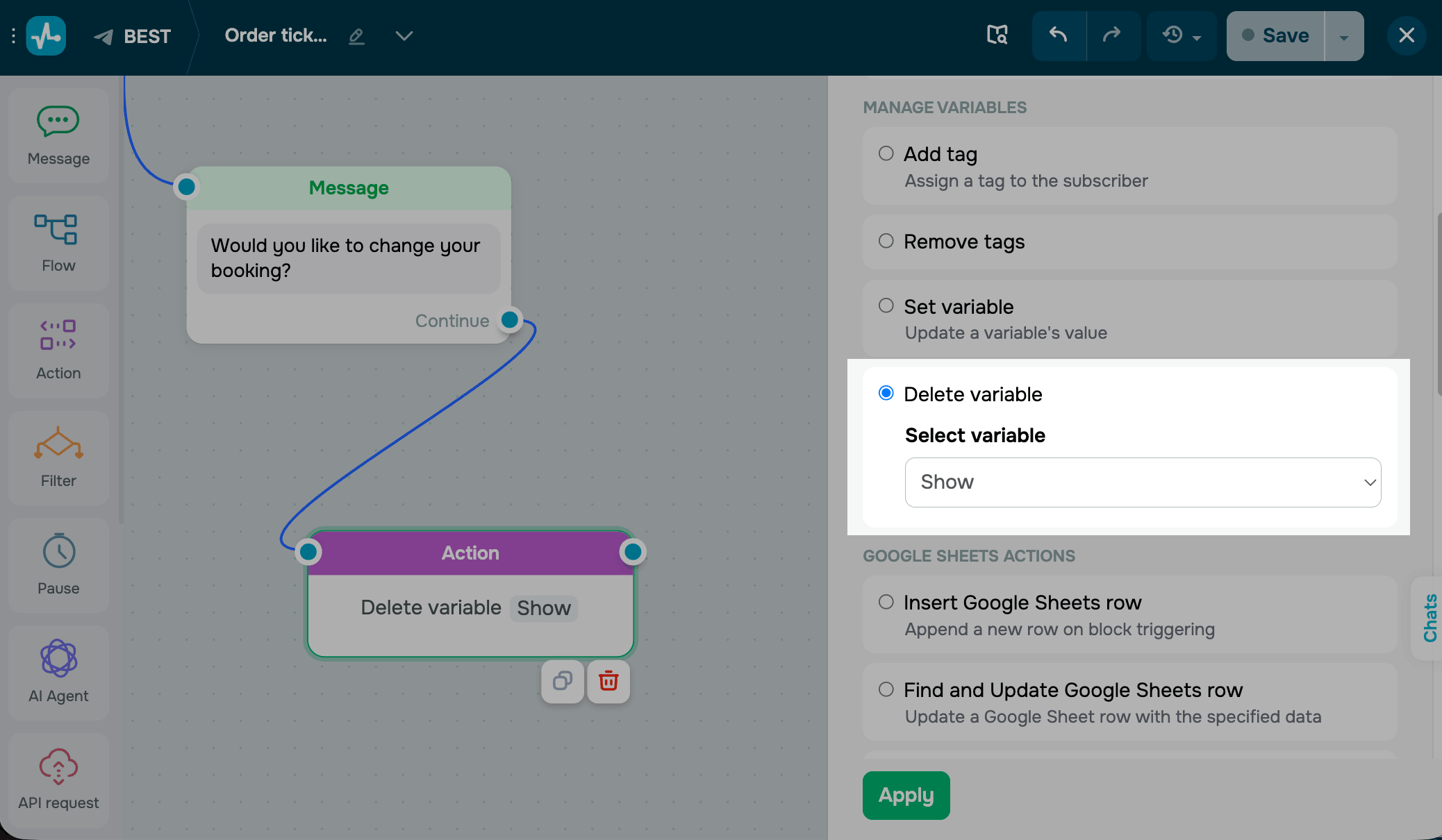
Drag the Action element to the workspace. In the settings that appear, select Delete variable.
Choose a variable from the drop-down.
Save the element
Click Apply. From now on, every subscriber who reaches this step will have this variable's value cleared.
To test the setup, run the flow and open the subscriber's profile — the variable should show up as empty.
 Last Updated: 29.04.2026





or