Renew your Viber sender name
A Viber sender name is active for one month at a time. Renewing it keeps your campaigns going out from the same name.
For example, if your online store sends order updates through Viber, enable automatic renewal to avoid campaign interruptions caused by a missed payment.
Let's talk about how to renew your sender name automatically or manually and how to reactivate a declined name.
You can renew your Viber sender name for the upcoming month until the 20th of the current month.
If you don’t renew your sender name, it will be suspended. You can reactivate your sender name up to three times per calendar year after suspension.
Renew your name automatically
To prevent sender name suspension, we recommend turning on automatic renewal and making sure your account balance has sufficient funds for the monthly payment.
Go to Email > Settings > Senders and Viber templates. Next to your sender name, click the three dots and select Enable autorenewal.
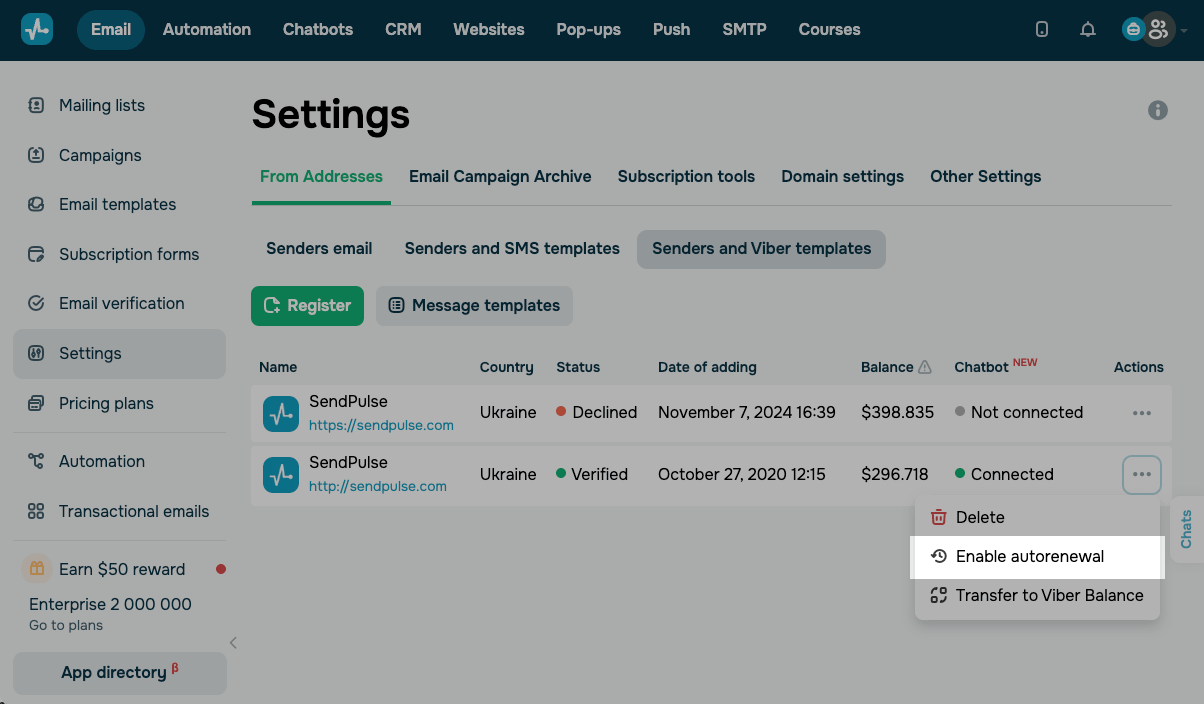
Renew your name manually
To manually renew your sender name, go to Email > Settings > Senders and Viber templates, then click Renew next to it.
Reactivate a declined sender name
If your sender name is labeled as Declined, resubmit it for moderation instead of registering a new name. A missed renewal payment is the most common reason sender names are declined.
Before you resubmit your sender name, make sure your account balance has sufficient funds for the monthly payment.
To resubmit your sender name, go to Email > Settings > Senders and Viber templates. Next to your declined name, click the three dots and select Resubmit for moderation. Confirm your submission in the dialog box.
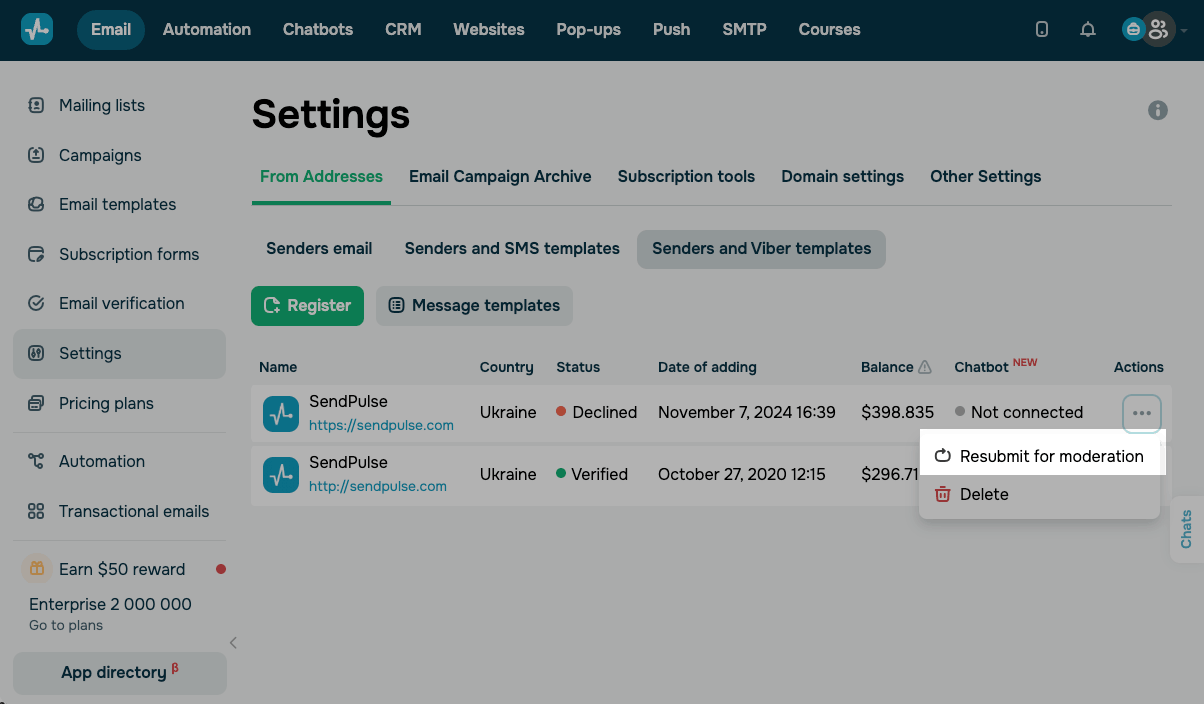
Your sender name goes back to moderation, and its decline reason no longer appears in the list.
The date in the Date of adding column stays the same. It shows when you first registered your name, not when you resubmitted it.
Viber requires unique sender names, so SendPulse blocks duplicates. If you submit the registration form with a name that already exists, a notification appears with a reminder to resubmit it instead.
If you have used all your reactivation attempts for the current calendar year, a SendPulse representative will contact you.
Once your sender name is verified, you can use it to send Viber campaigns.
 Last Updated: 28.01.2024


or