The Dice pop-up element
Use this interactive element to add a virtual die that users can roll to win a promo code after sharing their contact data.
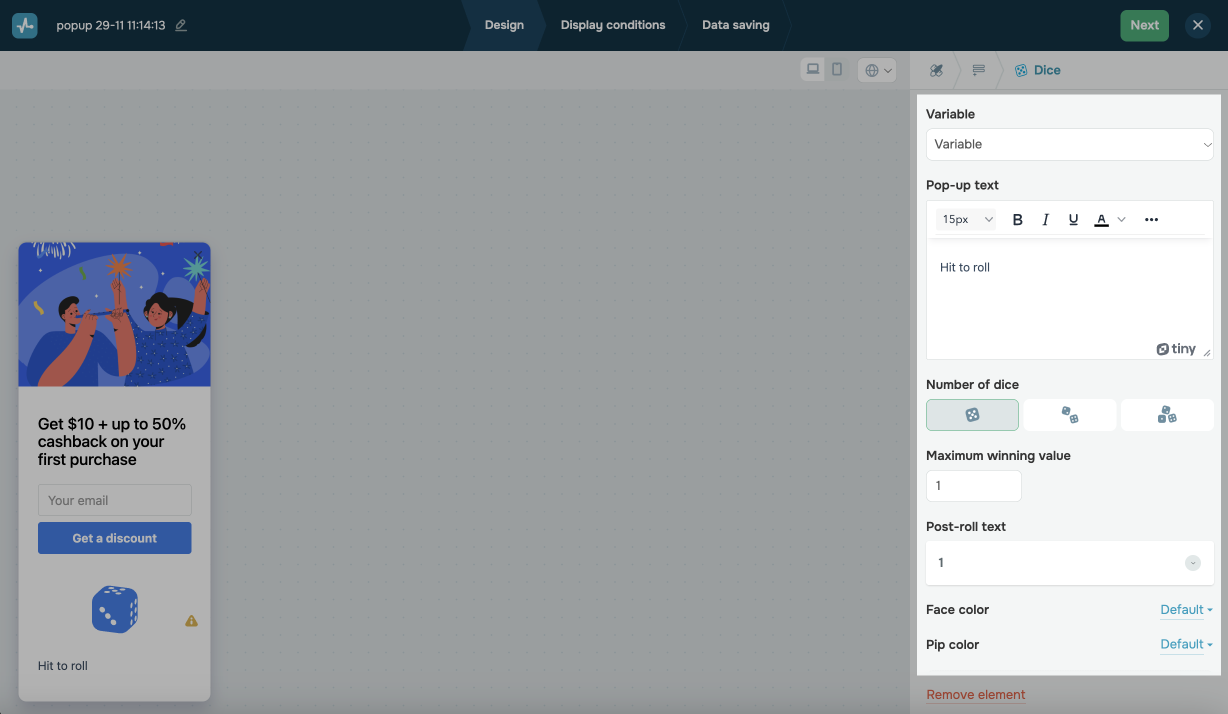
In the pop-up builder, select the Dice element and go to settings.
Choose where to save the data
Select a Variable to store the win and customer contact data or create a new one.
Customize the element
Choose game settings in the following sections:
| Pop-up text. | Enter the text appearing below your dice. You can format it using the toolbar. |
| Number of dice | Select the number of dice appearing in your pop-up. |
| Maximum winning value | Enter the maximum value that website visitors can roll. Your dice will not roll a greater value.
The maximum available value depends on the number of dice you selected (6 for one die, 12 for 2 dice, and 18 for 3 dice). |
| Post-roll text | Enter the text appearing after the roll. You can edit this text for every outcome individually. |
Customize the appearance
You can also customize the Face and Pip color of your dice or use default pop-up style settings.
 Last Updated: 16.06.2025





or