The Accordion pop-up element
Use this element to add an expandable space that can hide certain pop-up elements and save space. Users can still view your hidden elements by expanding the accordion.
In the pop-up builder, select the Accordion element and go to settings.
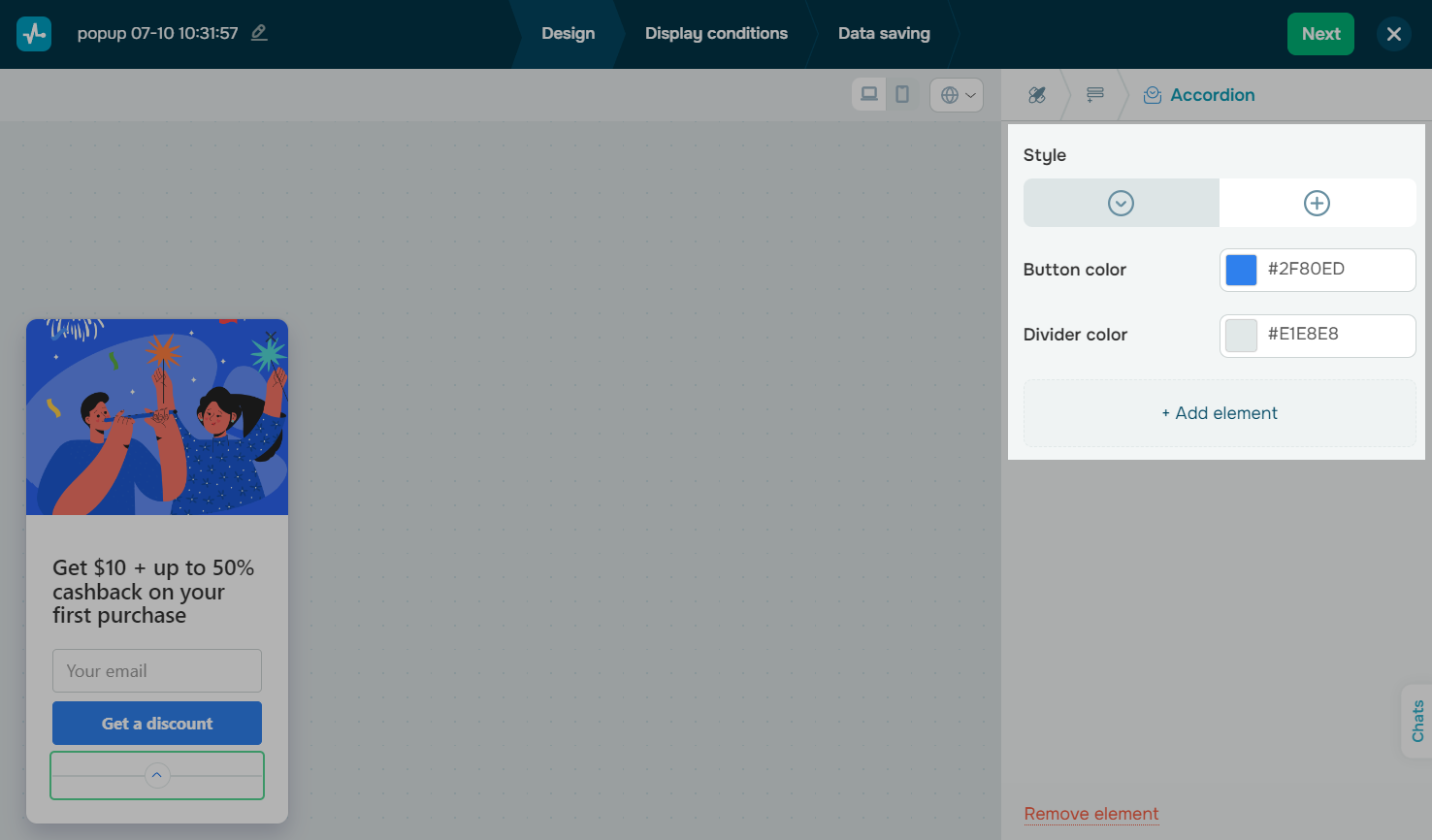
Customize the accordion
Choose settings for the element in the following sections:
| Appearance | Select an icon to open and close the accordion. |
| Button color | Set a button icon color. |
| Divider color | Set an accordion divider color. |
Add elements
To add elements you want to hide under your accordion, click + Add element. This will take you back to the Elements tab. In the Accordion section, click + Add element and select the elements you want to add.
You can also drag existing elements to the Accordion section of the Elements tab to move them to your accordion.
 Last Updated: 16.06.2025





or