Block in a group or channel in the Action element
The Block in a group or channel action blocks a subscriber in the selected Telegram group or channel when they reach this step in the flow. Use it to automate moderation, like blocking subscribers who have not paid for membership or violated a rule.
You can block a member only in groups and channels where your chatbot is an admin. You cannot block the owner of a group or channel.
Let's walk you through how to set up the Block in a group or channel action.
Add the Action element
Drag the Action element to the workspace. In the settings that appear, select Block in a group or channel.
Select a group or channel from the list.
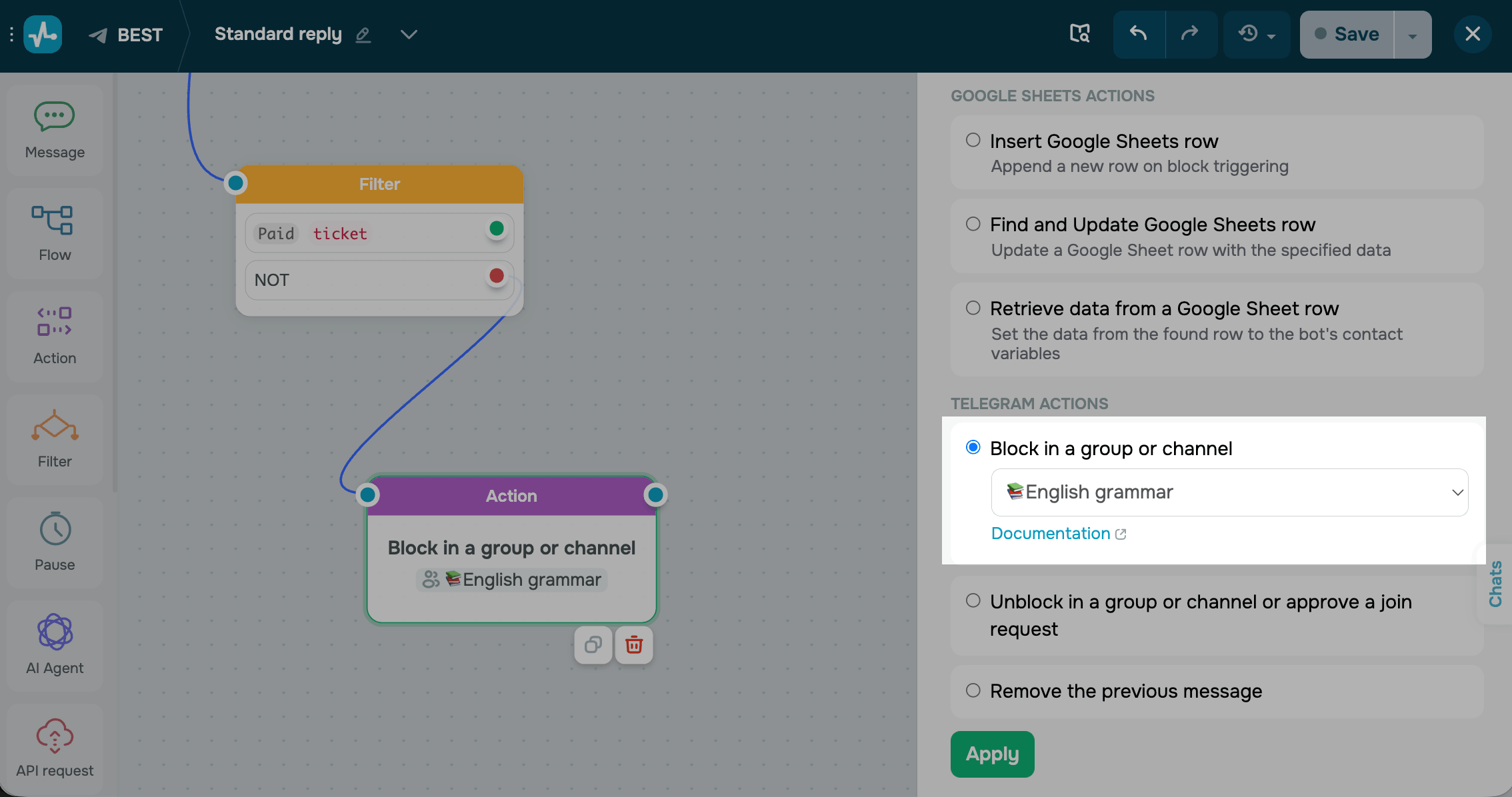
Save the element
Click Apply. The element is now ready and will block the subscriber in the selected group or channel every time they reach this step.
Blocking behavior depends on the group or channel type. To learn more about blocking in private and public groups and channels, see Block or unblock a Telegram group or channel member.
 Last Updated: 07.05.2026





or