Manage Telegram subscription payments
Use this flow pattern to grant paid access to a group or channel, and routinely check if subscribers still have active subscriptions.
For example, you can create a flow that grants access when the subscriber has an active subscription and blocks access when the subscription becomes inactive.
Let’s talk about how to build an example flow for a Telegram group subscription.
Add CRM subscription product card
Go to your flow builder, add a Message element with your CRM subscription product card.
Add a filter
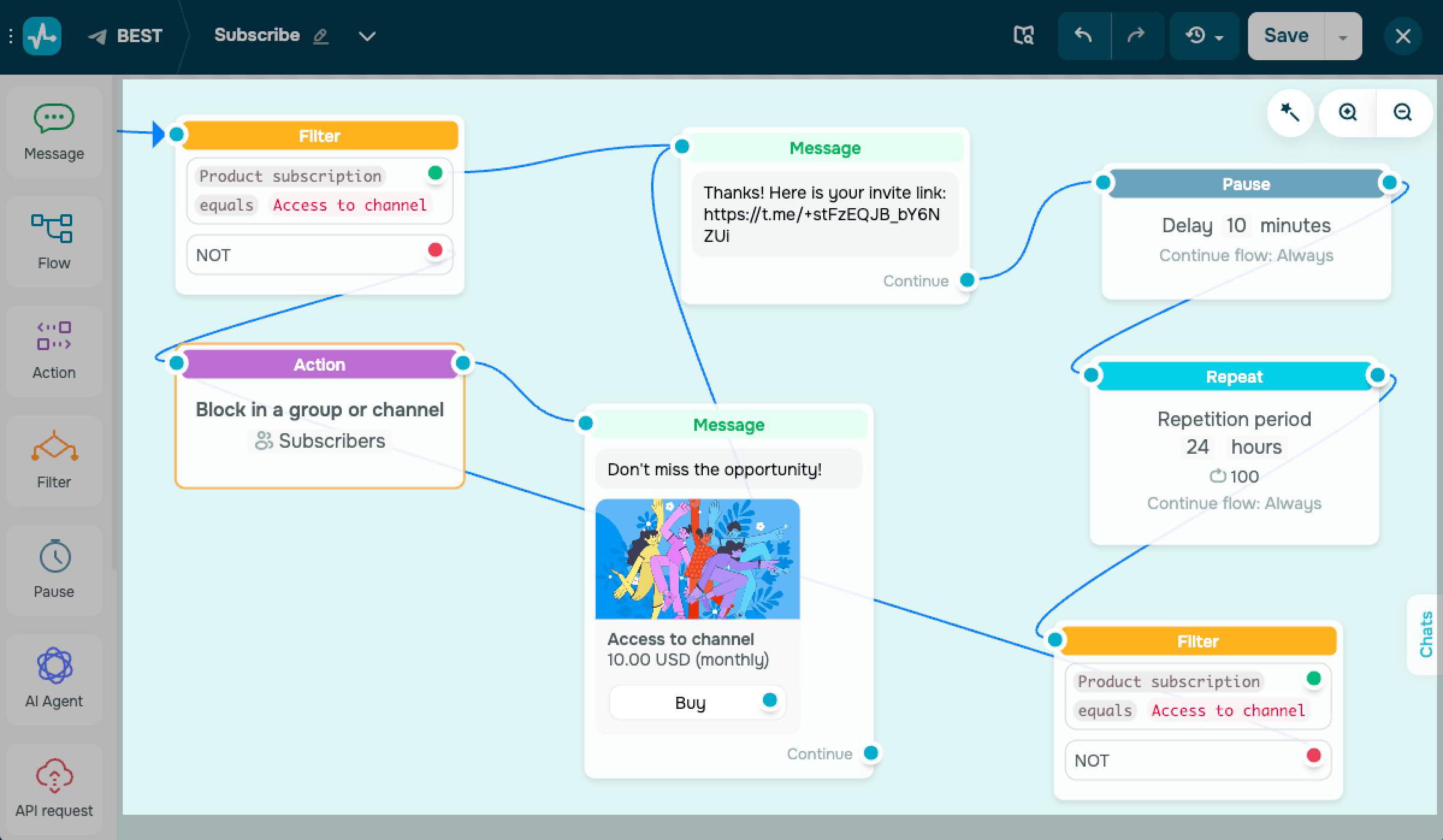
Use the Filter element to check whether the subscriber has an active subscription to your CRM product. This check decides whether the flow sends the invite link or blocks access.
Add the Filter element and select Product subscription. Select a CRM subscription product and set the status to Active.
Link the Yes branch to a message that sends the invite URL. Link that message to the Pause element and set a delay.
Add other elements
Use Pause and Repeat to run the subscription check again on a schedule. This setup helps you keep access up to date for renewals and block access after a failed subscription payment.
Link Pause to a Repeat element and set a repeat interval.
Link Repeat to the second Filter element that checks the same Product subscription condition.
Link the No branch of the first Filter element to the Action element.
In the action settings, select Block in a group or channel.
Link the action to your message with the subscription product card. Link that purchase message to the message that sends your invite link.
In the second Filter element, link the No branch to the same Action element.
 Last Updated: 24.02.2026





or