Send SendPulse chatbot events using Conversions API
Use Conversions API to send event data to Meta Ads Manager. When a user interacts with a Click to Messenger ad in Instagram, Facebook Messenger, or WhatsApp, you can track conversions through server-side requests to the Conversions API.
This helps you get accurate data on advertising campaign performance and allows Meta to recognize users for more effective ad delivery.
In this article, we’ll talk about how to send events from SendPulse-powered chatbots to Meta Ads Manager using the Conversions API.
Copy the Dataset ID
To enable the integration, you can connect an existing dataset or create a new one.
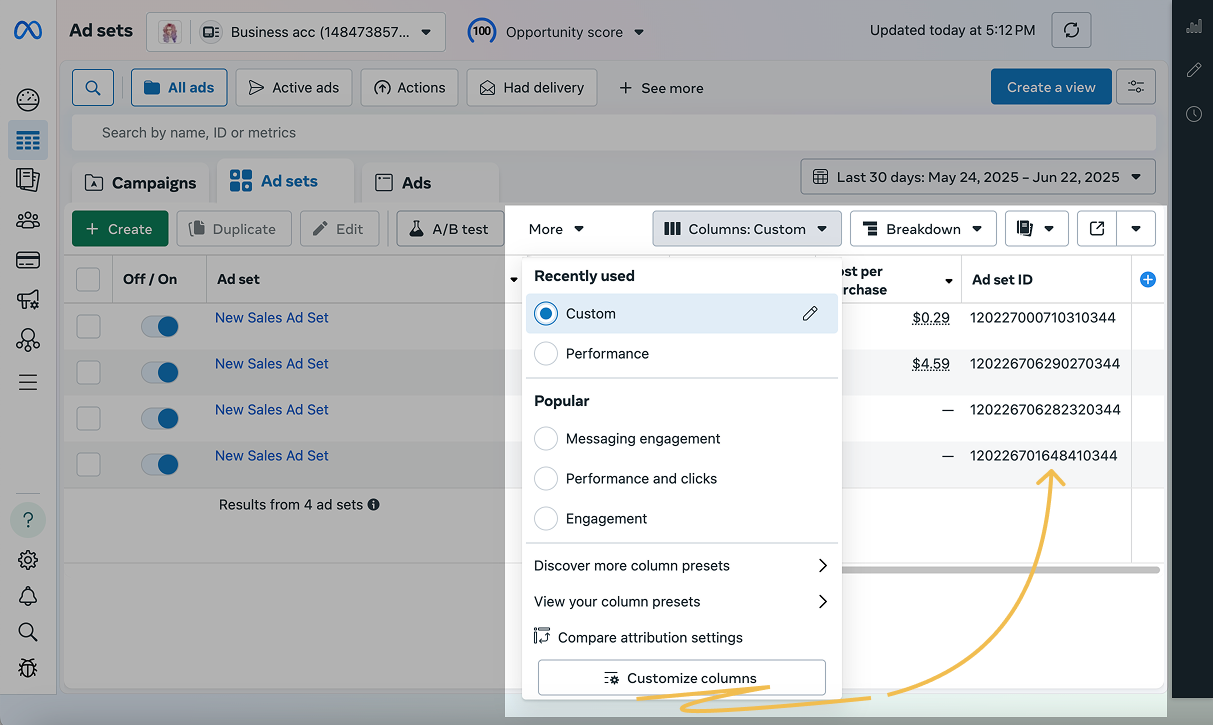
If you are connecting an existing dataset, in Meta Ads Manager, go to Columns > Customize Columns > Object names & IDs, select Ad set ID, and click Apply. The dataset ID will appear in the table in Meta Ads Manager.
If you are creating a new dataset, skip the previous step and enable the Conversions API.
Enable Conversions API
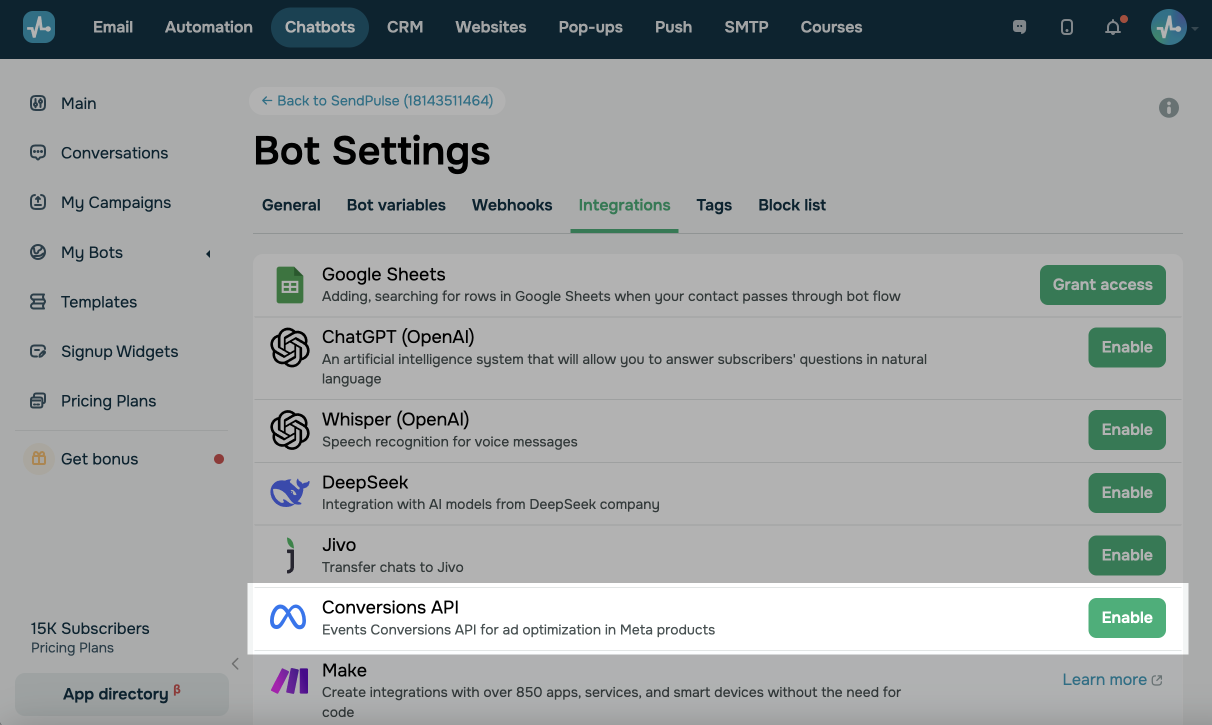
Go to the Integrations tab in your WhatsApp chatbot and click Enable next to Conversions API.
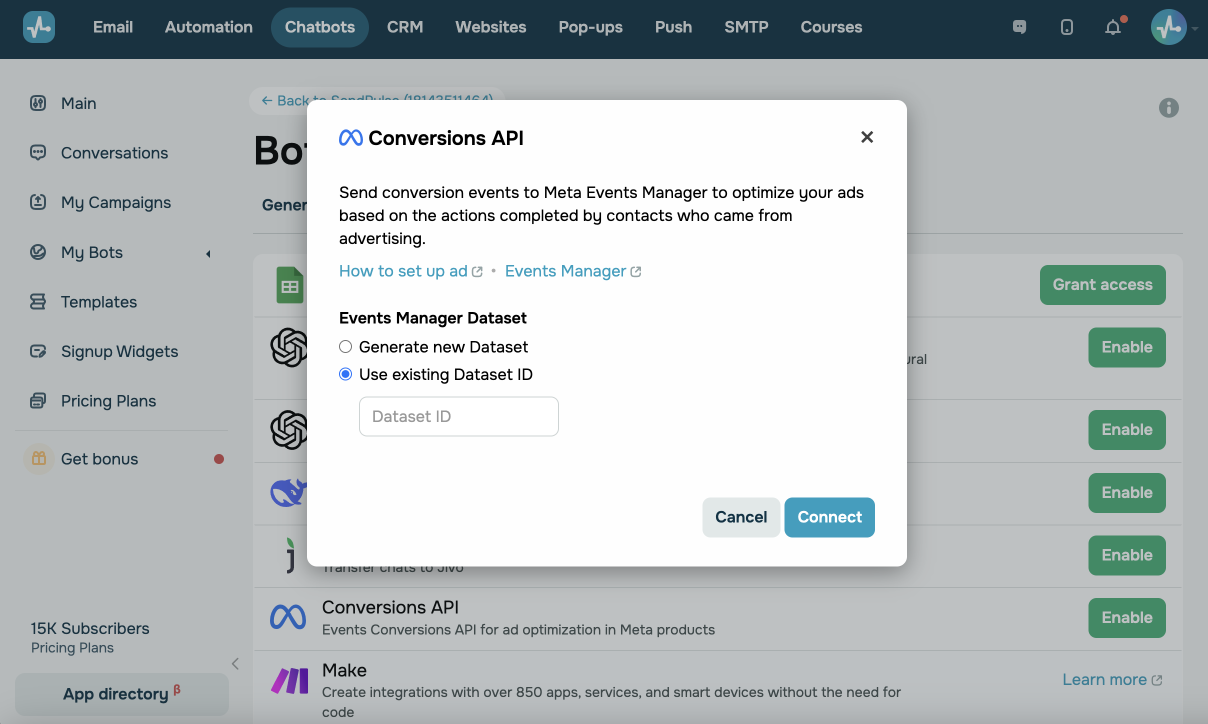
In the integration settings, create or specify the Dataset that the Conversions API will use.
| Generate new Dataset | Generate a new dataset in Meta Ads Manager linked to your chatbot. |
| Use existing Dataset ID | Copy an existing Dataset ID from Meta Ads Manager and paste it into the field below. |
Then, the Send event to Meta Ads Manager option will become available in the Goal element of the chatbot builder.
 Last Updated: 14.08.2025




or