Flodesk has become a go-to choice for many businesses thanks to its easy-to-use interface and beautiful email designs. However, when you look at the bigger picture, Flodesk might fall short in some areas that are key to reaching certain marketing goals. In this post, we’ll discuss the best alternatives to Flodesk that not only let you create stunning emails but also offer extra features your business can benefit from.
Disclaimer: The information in this post is accurate as of December 2025.
TL;DR Flodesk alternatives at a glance
Here’s a quick rundown of the best Flodesk alternatives covered in this post, along with their noteworthy features and pricing details. Click on each tool to jump to its detailed overview.
| Platform |
Free plan |
Pricing |
Unique features |
Best for |
| SendPulse |
✅ |
$ |
Multi-channel automation (email, SMS, chatbots), AI writing assistant, built-in CRM system |
Small, medium, and large businesses, eCommerce, startups, agencies, educators |
| Mailchimp |
✅ |
$$ |
AI growth assistant, seamless integrations |
Small businesses, agencies, freelancers |
| Kit |
✅ |
$$ |
Paid newsletters, direct connection of creator apps |
Bloggers, educators, podcasters, coaches |
| MailerLite |
✅ |
$ |
Free images, GIFs, and icons, editable email links |
Creators, small and medium-sized businesses |
| Brevo |
✅ |
$ |
Unlimited contact storage, dynamic content, eCommerce tools |
Small businesses, eCommerce, startups, agencies |
| Sender |
✅ |
$ |
Product picker, feedback block, eCoomerce block |
Small businesses, eCommerce, nonprofits |
Flodesk features
Before we dive into the comparisons, let’s quickly look at what makes Flodesk stand out. Here’s an overview of its most notable features and why many creators and small businesses love it:
- Intuitive email builder. Flodesk’s drag-and-drop email builder makes it easy to design visually appealing templates. You can create stylish, on-brand messages with custom fonts, image shapes, and flexible spacing.
- Conversion-focused tools. The platform offers engaging features like countdown timers, interactive polls, and shoppable product blocks.
- Automations. With Flodesk, businesses can automate every step of the subscriber journey, from welcome emails to abandoned cart reminders, and more.
- Advanced marketing features. Flodesk includes tools like subject line suggestions, resend to non-openers, and subscriber preference management.
- Personalization and segmentation. Companies can send targeted emails with deep personalization options, smart audience segmentation, and behavior-based triggers such as link clicks.
- Analytics. The analytics dashboard gives users clear insights into how every campaign and workflow performs across the email marketing funnel.
- Multiple integrations. Flodesk easily connects with popular tools and platforms, such as Canva, Shopify, Instagram, HoneyBook, Google, and Zapier.
While Flodesk is best known for its email marketing tools, it also includes a few additional features that add to its value:
- Checkouts. Flodesk allows users to sell digital or physical products, subscriptions, courses, or freebies. It supports payments, upsells, and automated delivery.
- Social integration. Flodesk connects with your social media profiles, helping you capture leads directly from platforms like Instagram and Facebook. You can also set up automatic follow-up emails for new visitors or leads.
- Link in bio. You can create a custom link-in-bio page right inside Flodesk. The builder uses a simple drag-and-drop editor, supports your brand fonts and colors, and doesn’t require a website to get started.
- High-converting forms. The platform includes a variety of form types, from pop-ups and embedded forms to countdown and video forms, plus full-page landing pages. Each one can be customized with different fields, URLs, and preferences so you collect the right information from subscribers.
Flodesk brings together many essential tools you need to run an online business. It helps marketers and entrepreneurs manage communication, sales, and growth from a single platform.

Free email marketing that scales
Use an AI assistant, pre-made templates, robust automation, and more to run impactful email campaigns without coding. Create your account and send up to 15,000 monthly emails at no cost.
Get started for free
Why look for Flodesk alternatives?
Every email marketing platform has its pros and cons, and Flodesk is no exception. Based on user feedback from G2, here are the main areas where the platform tends to fall short:
- Limited features. Users report that Flodesk offers only basic tools compared to other email marketing platforms. Key features like advanced automations or abandoned cart workflows are missing or underdeveloped.
- Limited email personalization. Flodesk’s design flexibility is limited. For instance, image sizes can’t be fully adjusted, and customization options for emails and workflows are minimal. This can make it hard to create truly unique campaigns.
- Deliverability issues. Some users report low open rates, with emails often landing in the Promotions or Spam folders.
- Slow contact management. Large mailing lists can take a long time to load, which slows down campaign setup and overall productivity.
- Account reviews. Flodesk sometimes places accounts under manual review for several days, which blocks email sending and disrupts business operations.
- Poor customer support. Users often describe support as slow and available only through email. Response times can be long, and some issues remain unresolved.
- Domain verification issues. A few users have faced difficulties verifying their email domains, which can directly affect deliverability.
- Insufficient reporting tools. Flodesk’s analytics and reporting capabilities are limited. As a result, they provide minimal insights into campaign performance.
Flodesk’s clean design and simplicity are what draw many people in, but limited automation, slower support, and deliverability challenges make it less ideal for businesses that want to scale. That’s why exploring Flodesk alternatives could be a smart choice for some users.
Top Flodesk competitors to try out
For businesses looking for a more powerful and flexible email marketing platform, there are plenty of great alternatives to Flodesk to consider. These tools differ in pricing, automation capabilities, and overall usability, but all share one goal — helping you create smarter, more effective marketing campaigns. Below, we’ll take a closer look at some of the most popular options and what makes each one worth considering.
SendPulse
G2: 4.6 ⭐ | Capterra: 4.6 ⭐
SendPulse is an all-in-one marketing platform that helps businesses automate customer communication across multiple channels, including email, SMS, and chatbots. This Flodesk alternative features a drag-and-drop email builder, a library of responsive templates, and essential tools for segmentation, personalization, and campaign analytics.
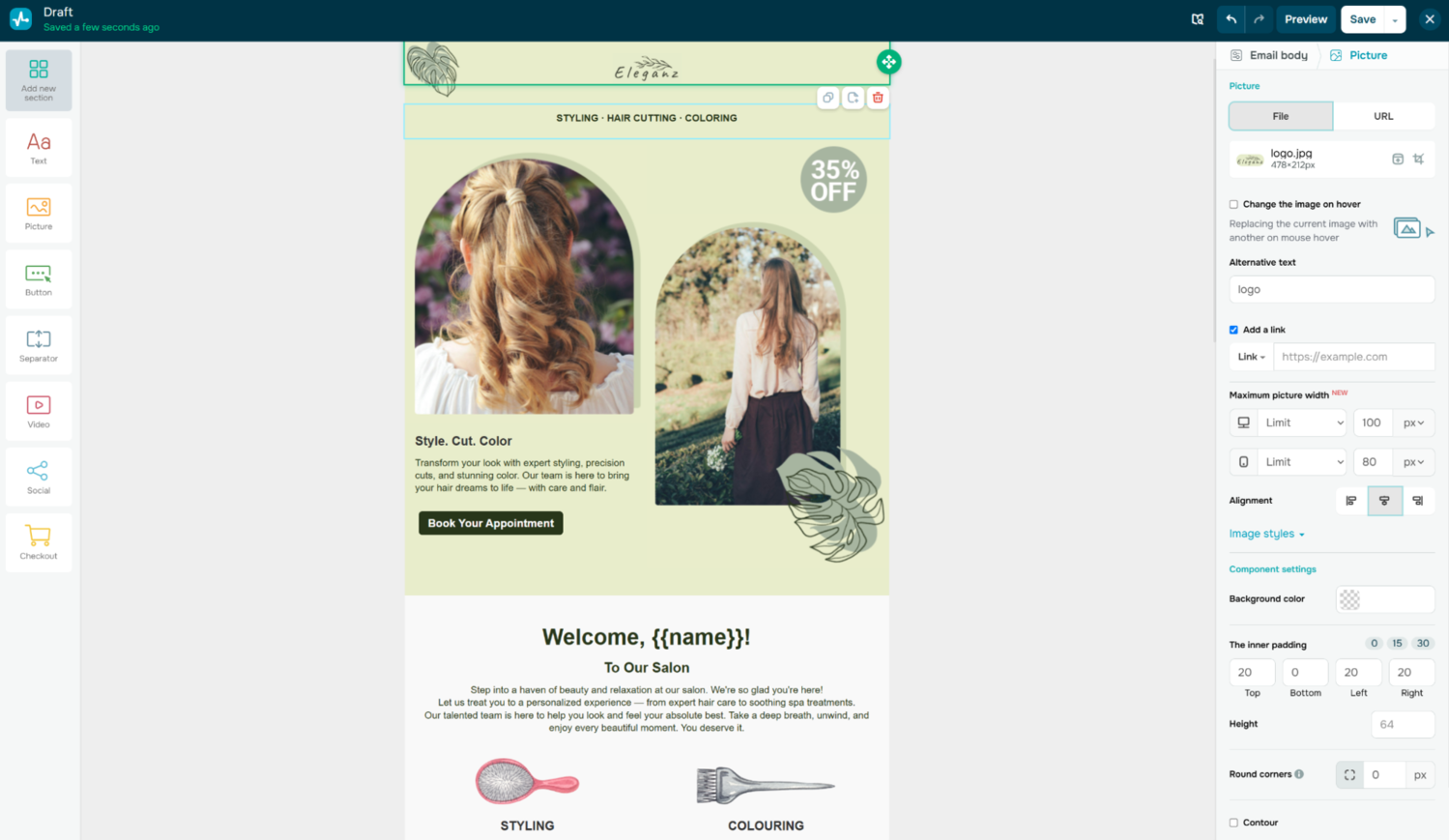 Creating a custom email template in SendPulse
What really sets this Flodesk competitor apart is its automation tools and built-in AI-powered content tools. Automation lets you build multi-channel workflows that connect email, chatbots, SMS, and web push notifications. This means you can create seamless customer journeys that automatically nurture leads and drive engagement.
SendPulse also makes automation smarter with dynamic segmentation triggers, for example, sending an email automatically when a subscriber moves between segments. On top of that, its AI writing assistant can generate new content, polish existing copy, adjust tone and style, and even translate messages into different languages.
SendPulse key features include:
- drag-and-drop builder;
- 140+ responsive email templates;
- email personalization with text, images, buttons, videos, and social media links;
- built-in spam checker for better deliverability;
- automation builder for automated multi-channel workflows;
- advanced audience segmentation by age, gender, location, behavior, and interests;
- dynamic segmentation triggers;
- AI writing assistant and auto-flow generator;
- dynamic text adjustments, such as addressing subscribers by name or preferred language;
- A/B testing;
- analytics tools, including Google Analytics integration.
Pricing. SendPulse offers a free plan that includes up to 500 subscribers and 15,000 emails per month. You’ll also get access to 5 automation flows, 1 event, and 50 automation elements. Paid plans start at $8 per month for 500 subscribers with unlimited emails, plus 10 flows, 10 events, and 70 automation elements.
⚖️ Verdict. Overall, Flodesk is a great choice for creating appealing email workflows. SendPulse, on the other hand, offers more advanced automation, multi-channel marketing, and AI-powered tools.
Take a look at the table below to compare some of the Flodesk vs SendPulse features.
| Feature category |
Flodesk |
SendPulse |
| Free plan |
✅
no email marketing |
✅
500 subscribers / 15k emails |
| Pay-as-you-go option |
❌ |
✅
starting at $40 for 10k emails |
| Template library |
✅
N/A |
✅
140+ email templates |
| AI email copy generator |
❌
only subject line suggestions |
✅
comprehensive AI writing assistant |
| Pre-built automation templates |
✅
only limited templates |
✅
pre‑built flows with Filter, Action, and Condition elements |
| Trigger types |
✅
segment-based, opt-in, purchase, cart abandonment, and time-based triggers |
✅
advanced (behavior, event, dynamic segment, webhook) |
| Advanced logic (if/else, tagging) |
✅
conditional steps with limited flexibility, segment/tag management |
✅
robust filters, conditions, and variable tagging |
| Multi-channel capabilities |
❌
email only |
✅
email, SMS, chatbots, push |

Create your free SendPulse account
Start using powerful tools to attract, engage, and retain customers — all on one platform. Sign up for free and explore what you can build.
Get started for free
Mailchimp
G2: 4.4 ⭐
Mailchimp is a powerful and user-friendly Flodesk alternative built to help businesses connect with their audiences across email and other channels. It combines intuitive design tools with smart automation to make campaign creation smooth and efficient. On top of that, Mailchimp offers advanced personalization, detailed analytics, and over 300 integrations with popular eCommerce, CRM, and social media platforms.
The platform’s built-in Intuit Assist uses natural-language prompts to generate subject lines, body copy, or even full email drafts that reflect your brand voice.
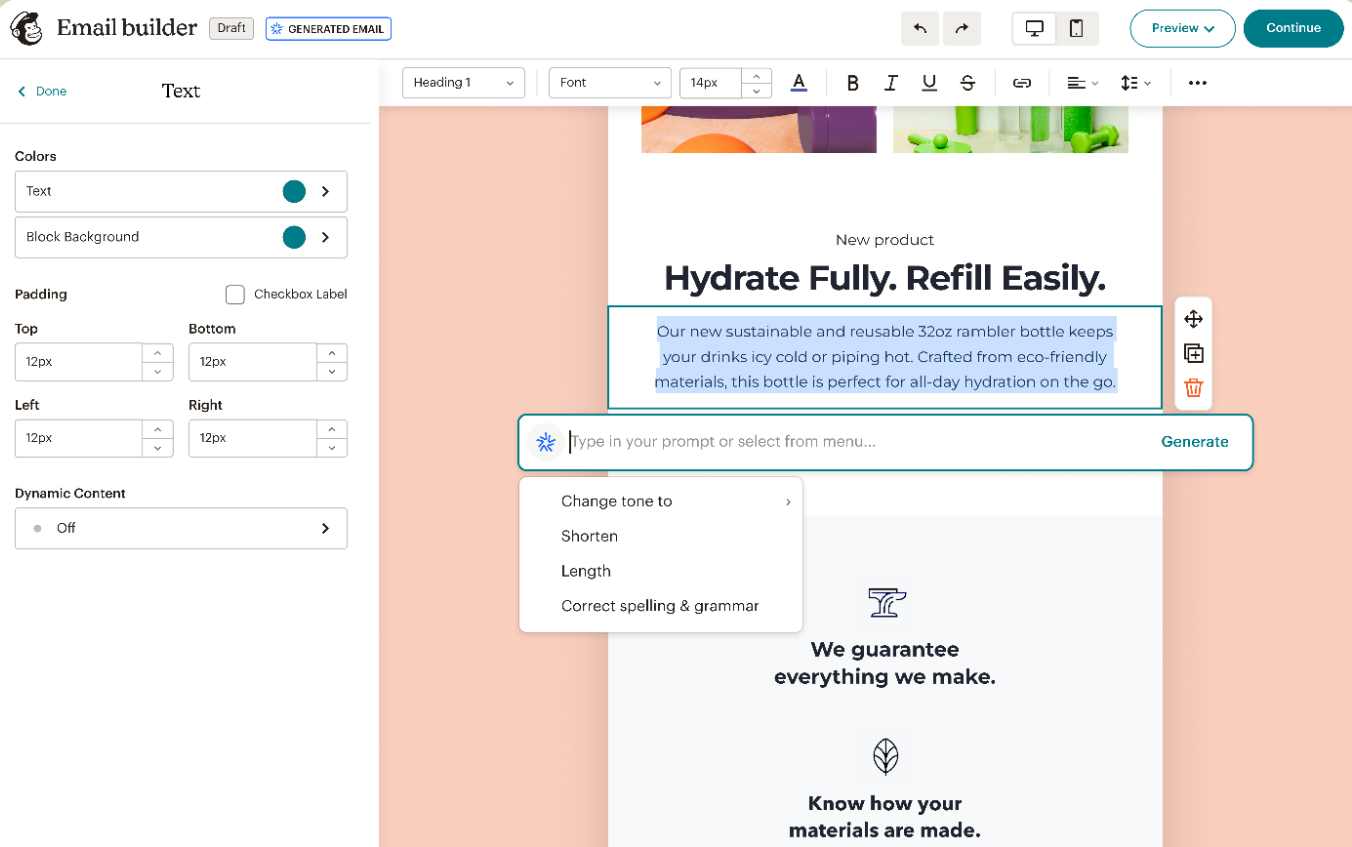 Designing a new email with Mailchimp
The AI also supports automation flows with triggers and branches, filling in branded content automatically. Paired with Mailchimp’s segmentation tools, featuring more than 50 behavior-based triggers, it helps users send the right message to the right person at the right time.
Mailchimp key features include:
- drag-and-drop email builder;
- 100+ customizable email templates;
- custom-coded templates;
- marketing automation flows with up to four steps per flow;
- generative AI tools for content creation;
- dynamic content for different audience segments;
- Creative Assistant that imports logos, fonts, and brand colors;
- email scheduling and send time optimization;
- personalized product recommendations;
- subject line helper;
- multivariate testing that supports up to eight campaign variations;
- predictive and advanced segmentation;
- transactional emails.
Pricing. Mailchimp offers a free plan that includes 500 subscribers and 1,000 emails per month. The cheapest paid plan starts at $13/month and includes 500 subscribers and 5,000 monthly emails. Upgrading gives you access to advanced features such as marketing automation flows and AI-powered tools.
⚖️ Verdict. Overall, Mailchimp is a great alternative to Flodesk for businesses that need advanced email marketing and automation capabilities, including behavior-based triggers, A/B testing, and multi-channel campaigns.
Take a look at the table below to compare some of the Flodesk vs Mailchimp features.
| Feature category |
Flodesk |
Mailchimp |
| Free plan |
✅
no email marketing |
✅
500 subscribers / 1k emails |
| Pay-as-you-go option |
❌ |
✅
starting at 5,000 credits |
| Template library |
✅
N/A |
✅
100+ email templates |
| AI email copy generator |
❌
only subject line suggestions |
✅
generative AI and Intuit Assist tools |
| Pre-built automation templates |
✅
only limited templates |
✅
steps, triggers, and emails |
| Trigger types |
✅
segment-based, opt-in, purchase, cart abandonment, and time-based triggers |
✅
wide range of behavior and event triggers |
| Advanced logic (if/else, tagging) |
✅
branching logic via condition steps, segment/tag management |
✅
conditional splits, and/or logic, and conditional merge-tags |
| Multi-channel capabilities |
❌
email only |
✅
email, SMS, push |
Kit
G2: 4.4 ⭐ | Capterra: 4.6 ⭐
Kit, formerly known as ConvertKit, is an email marketing platform built for creators who want to grow and engage their audiences. It provides tools for designing newsletters, automating campaigns, and managing subscribers efficiently. The platform includes a drag-and-drop email editor along with advanced tagging and segmentation features that let marketers target subscribers based on interests, behavior, or purchase history.
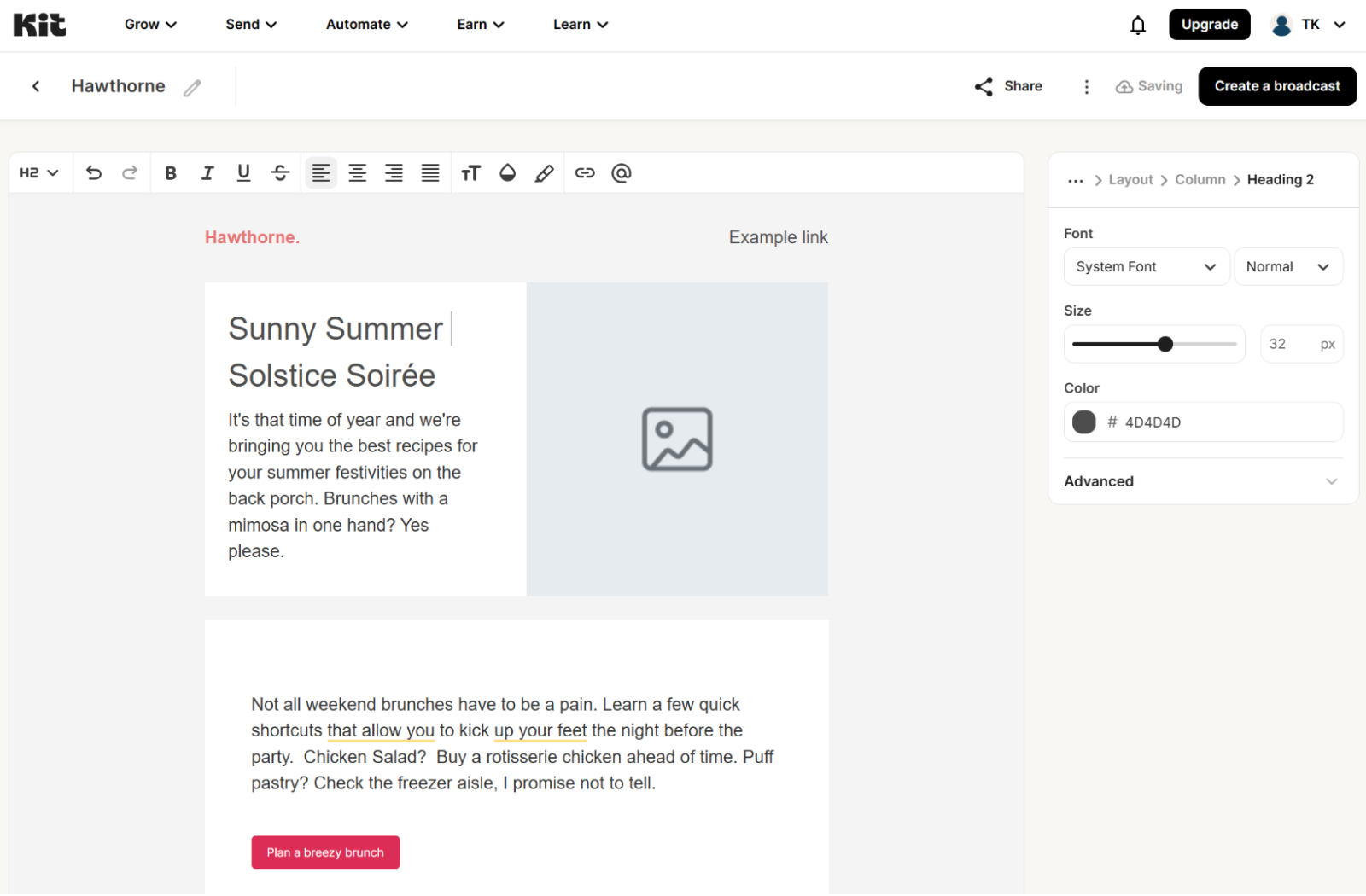 Creating a new email using Kit
One of the standout features of this Flodesk competitor is its visual automation builder. It enables users to design automated workflows that trigger when someone signs up through a form, adds a tag, or completes a purchase. Each subscriber is then guided through a customized sequence of actions, conditions, and events, all managed automatically from start to finish.
Another major advantage is Kit’s built-in commerce and monetization tools, which let creators sell digital products, subscriptions, or memberships directly from the platform. It also integrates with popular tools such as Shopify, Teachable, Circle, and Canva, allowing users to connect marketing activities and revenue streams in a single ecosystem.
Kit key features include:
- customizable email templates;
- custom email templates with HTML/CSS;
- reusable content snippets;
- conditional email content using the Liquid feature;
- visual automation builder with split paths;
- pre-built automation funnels;
- one-click resend to non-openers;
- subscriber tagging and segmentation;
- A/B testing for email subject lines, email content, and templates;
- RSS campaigns;
- paid newsletters on monthly, quarterly, or annual plans;
- content monetization with tip jars, subscriptions, paid recommendations, etc.;
- integrations with 100+ third-party apps.
Pricing. Kit offers a free plan that includes up to 10,000 subscribers and unlimited emails, along with 1 basic automation and 1 email sequence. The paid plan starts at $33/month, billed annually, and includes 1,000 subscribers and unlimited emails. Users also get access to unlimited visual automations and email sequences.
⚖️ Verdict. When looking at Flodesk vs Kit, the latter may be a better option for creators who want to monetize their content and drive revenue. Its advanced tagging and segmentation, visual automation templates, and behavior-based triggers make it easier to deliver personalized messages.
Take a look at the table below to compare some of Flodesk vs Kit features.
| Feature category |
Flodesk |
Convertkit |
| Free plan |
✅
no email marketing |
✅
10k subscribers / unlimited emails |
| Pay-as-you-go option |
❌ |
❌ |
| Template library |
✅
N/A |
✅
40+ email templates, custom CSS |
| AI email copy generator |
❌
only subject line suggestions |
❌
only subject line suggestions |
| Pre-built automation templates |
✅
only limited templates |
✅
25+ automation templates |
| Trigger types |
✅
segment-based, opt-in, purchase, cart abandonment, and time-based triggers |
✅
form sign-up, purchase, tag, and custom field triggers |
| Advanced logic (if/else, tagging) |
✅
branching logic via condition steps, segment/tag management |
✅
condition steps, branching, and multiple entry points |
| Multi-channel capabilities |
❌
email only |
❌
email only |
MailerLite
G2: 4.6 ⭐ | Capterra: 4.7 ⭐
MailerLite is an easy-to-use alternative to Flodesk that offers advanced email marketing tools. Its drag-and-drop editor lets marketers design fully customizable newsletters with text, images, surveys, and embedded media. Users can personalize sender details, edit plain-text versions, and access detailed analytics on engagement and conversions. Beyond email, MailerLite also offers additional tools for landing pages, pop-ups, and subscriber management.
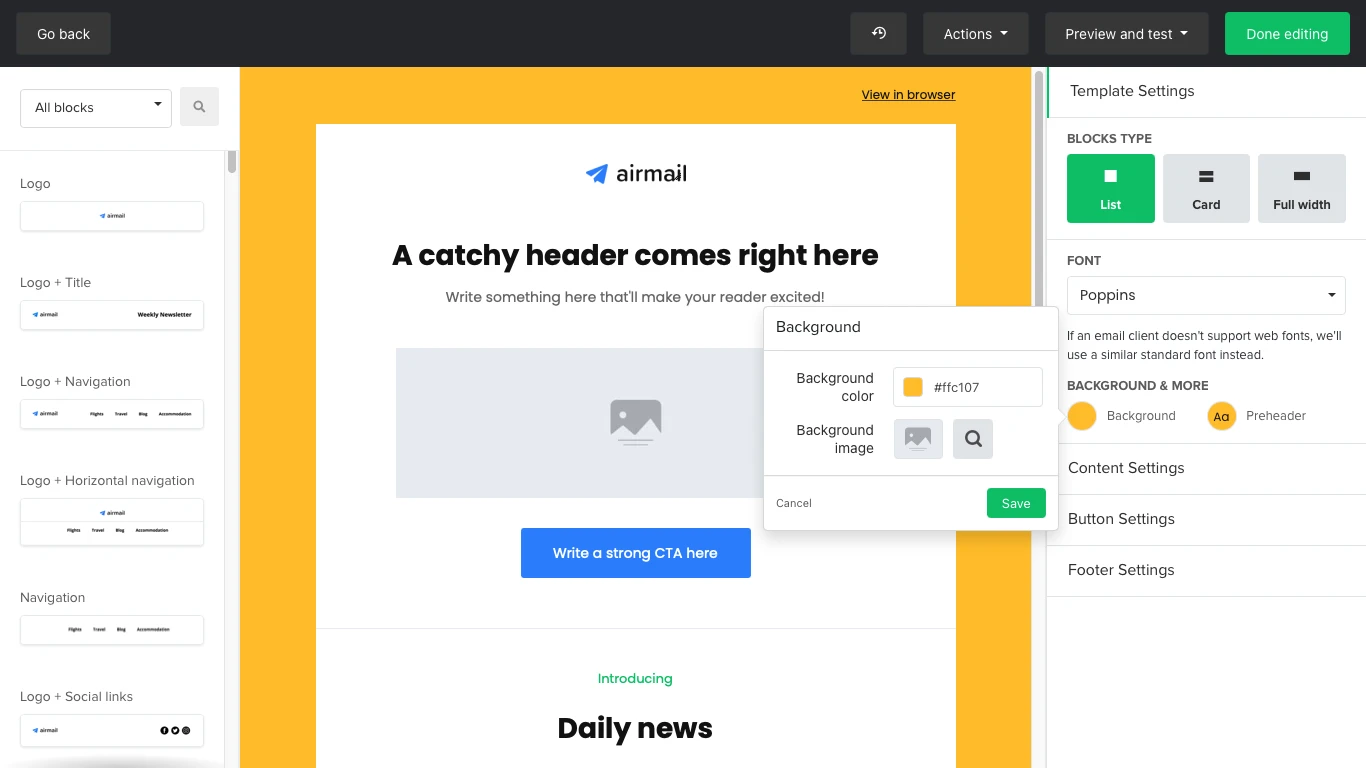 Adjusting an email template in MailerLite
One of the platform’s biggest advantages is its AI-powered writing tools and dynamic content options. The AI subject line generator provides tailored suggestions based on tone, campaign type, and language. Inside the editor, the AI writing assistant can create or refine copy for headlines, body text, and CTAs, while adjusting tone and checking grammar. It can also remove words likely to trigger spam filters, helping you boost deliverability.
MailerLite also makes personalization easy with dynamic content, allowing marketers to tailor specific parts of an email for different subscriber segments within a single campaign. These adjustments are based on defined rules, ensuring every recipient gets content that feels relevant.
MailerLite key features include:
- drag-and-drop newsletter editor;
- rich-text newsletter editor;
- 1M+ free images, GIFs, and icons;
- 100+ pre-designed email templates;
- custom HTML newsletter editor;
- AI writing assistant;
- AI-powered smart sending feature;
- email automation builder;
- multiple automation triggers;
- pre-built email automation templates;
- 100 automation steps;
- eCommerce integrations;
- dynamic email content;
- multivariate testing, including up to eight variants of subject lines, sender names, etc.;
- time zone delivery and automatic resends.
Pricing. MailerLite offers a free plan with 500 subscribers and 12,000 monthly emails. It also includes an email automation builder with up to 100 steps. The paid plan starts at $9 per month (billed annually) and covers the same 500 subscribers with unlimited emails, plus more flexibility with automations and other advanced tools.
⚖️ Verdict. When looking at Flodesk vs MailerLite, the latter may be a better choice for users who want more functions and flexibility. It offers advanced features such as automation workflows with conditional logic, AI-assisted content creation, and more even with a free plan.
Here’s a quick comparison of Flodesk vs MailerLite to help identify the key differences between the two platforms.
| Feature category |
Flodesk |
MailerLite |
| Free plan |
✅
no email marketing |
✅
500 subscribers / 12k emails |
| Pay-as-you-go option |
❌ |
❌ |
| Template library |
✅
N/A |
✅
100+ pre-designed email templates |
| AI email copy generator |
❌
only subject line suggestions |
✅
AI email generator powered by ChatGPT |
| Pre-built automation templates |
✅
only limited templates |
✅
15 pre-built templates for triggers and workflows |
| Trigger types |
✅
segment-based, opt-in, purchase, cart abandonment, and time-based triggers |
✅
group joins, form completions, link clicks, date-based, segment joins |
| Advanced logic (if/else, tagging) |
✅
branching logic via condition steps, segment/tag management |
✅
condition (if/else) and action steps |
| Multi-channel capabilities |
❌
email only |
✅
email, SMS |
Brevo
G2: 4.5 ⭐ | Capterra: 4.6 ⭐
Brevo is one more user-friendly email marketing platform designed for businesses and individuals without extensive technical skills. Using this Flodesk competitor, marketers can create professional-looking emails and newsletters using a drag-and-drop editor or pre-built templates. Its advanced segmentation tools make it simple to target subscribers based on demographics, purchase history, or behavior.
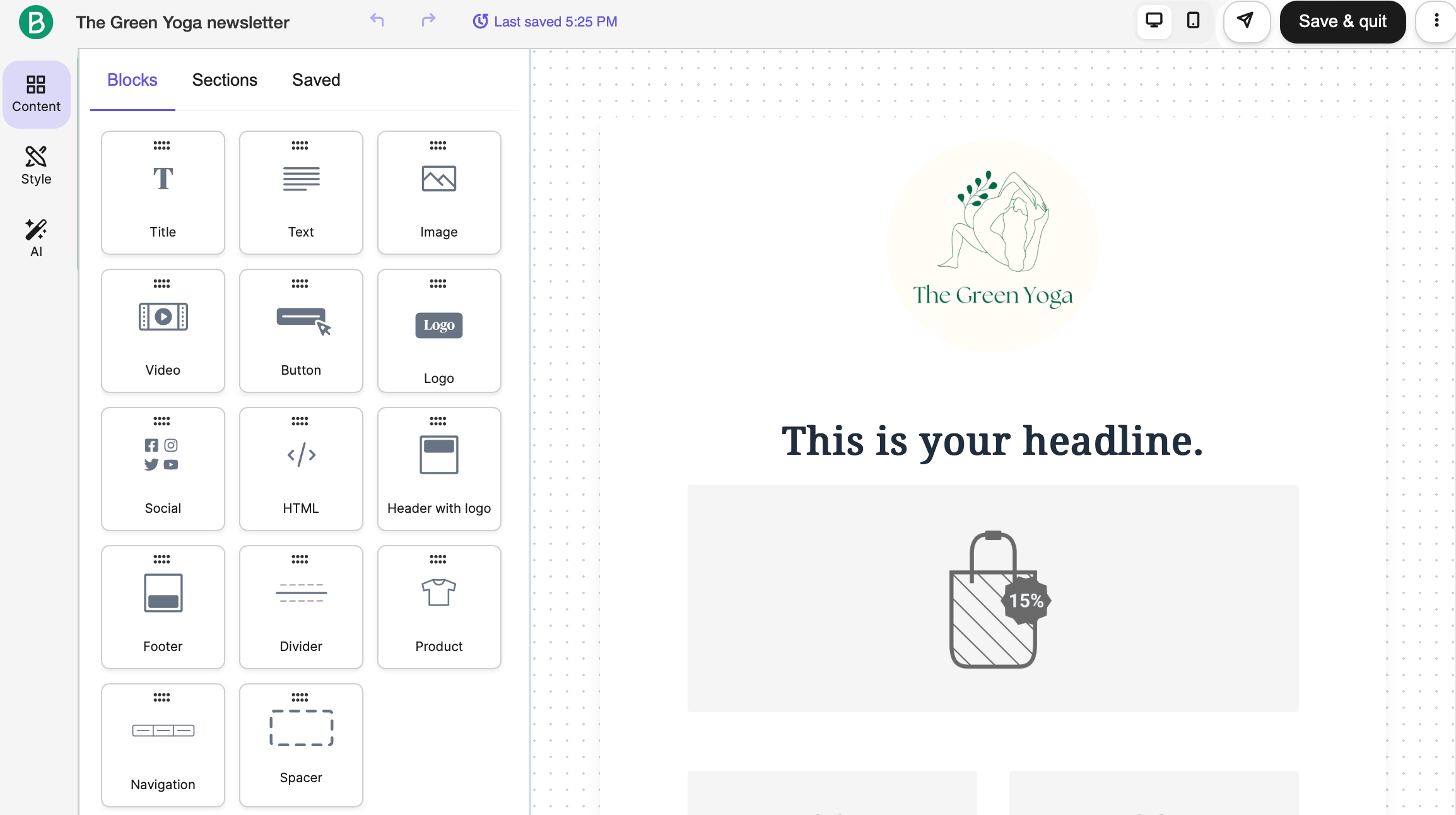 Using content blocks inside a drag-and-drop email editor
A major highlight of Brevo is its data feed personalization feature. It allows marketers to tailor email content, subject lines, and preview text in real time using external data or API connections. This means messages can automatically include up-to-date product details, event reminders, or personalized recommendations for each recipient. Dynamic content blocks can also show or hide sections based on subscriber attributes, ensuring every email feels relevant and timely.
Brevo key features include:
- no-code email editor;
- 40+ responsive email templates;
- AI content generator for subject lines and email content;
- multi-channel marketing automation;
- real time event triggers;
- dynamic content with conditional rules;
- real-time data feeds;
- multiple automation entry points;
- AI send time optimization;
- A/B testing for subject lines and content variants;
- eCommerce integrations;
- AI product recommendations;
- performance analytics with open and click reports, and heat maps.
Pricing. Brevo offers a free plan with up to 2,000 contacts and 300 daily emails, plus access to AI tools and dynamic content. Paid plans start at $8.08/month (billed annually) and include 2,000 contacts with up to 10,000 monthly emails.
⚖️ Verdict. When looking at Flodesk vs Brevo, it becomes obvious that the latter is a stronger choice for growing businesses that need multi-channel communication, advanced segmentation, and real-time personalization. It offers more flexibility than Flodesk while remaining beginner-friendly and affordable.
Take a look at the table below to compare some of Flodesk vs Brevo features.
| Feature category |
Flodesk |
Brevo |
| Free plan |
✅
no email marketing |
✅
2,000 subscribers / 300 emails per day |
| Pay-as-you-go option |
❌ |
❌
starting at $32 for 5k emails |
| Template library |
✅
N/A |
✅
40+ pre-designed email templates |
| AI email copy generator |
❌
only subject line suggestions |
✅
AI email generator for subject lines, body copy, tone adjustments, translations |
| Pre-built automation templates |
✅
only limited templates |
❌
only predefined triggers, actions, and rules |
| Trigger types |
✅
segment-based, opt-in, purchase, cart abandonment, time-based |
✅
added/removed from list, filter match, segment membership, form submission, behavioral triggers |
| Advanced logic (if/else, tagging) |
✅
branching logic via condition steps, segment/tag management |
✅
conditional splits, multi-branch automations, tagging via rules and actions |
| Multi-channel capabilities |
❌
email only |
✅
email, SMS, WhatsApp, push |
Sender
G2: 4.7 ⭐ | Capterra: 4.7 ⭐
Sender is another alternative to Flodesk, which helps businesses quickly create and automate professional-looking email campaigns. Users can build newsletters from scratch, choose from pre-made templates, or use a custom HTML editor for full control over design. The platform also supports dynamic content and personalization, which allows marketers to tailor sections of emails to different segments.
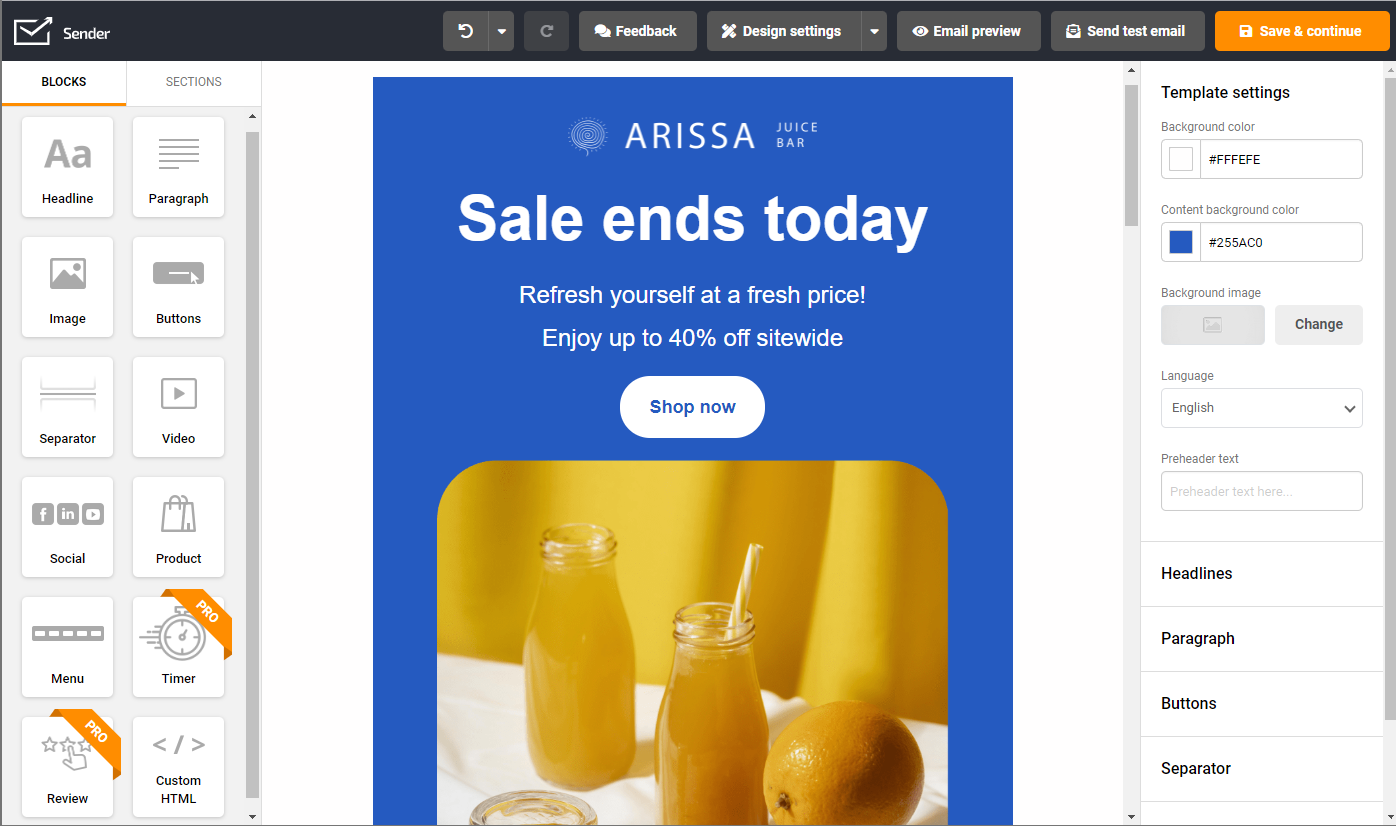 Customizing an email in Sender
This Flodesk competitor also stands out for its flexible automation workflows. These workflows let users engage subscribers based on specific interactions, such as the Spin-to-Win automation, which automatically sends coupon codes to participants in interactive forms. Conditional steps can enhance these workflows, for example, resending a coupon if the first email isn’t opened or assigning subscribers to new groups after they complete an action. Within these automations, users can build fully customizable campaigns using either the drag-and-drop editor or custom HTML blocks to maintain consistent visual branding.
Sender key features include:
- drag-and-drop email builder;
- plain text and HTML editor;
- 100+ pre-made email templates;
- image library and image editor;
- custom email blocks for feedback, timers, HTML, and video;
- eCommerce-focused elements such as abandoned cart and order summary blocks;
- pre-built and custom email automation workflows;
- unlimited triggers and automation steps;
- automation splits;
- spam check;
- transactional emails;
- A/B testing;
- detailed campaign reporting on clicks, engagement, and audience growth.
Pricing. Sender’s free plan includes 2,500 subscribers and up to 15,000 monthly emails. Paid plans start at $7/month (billed annually) for 1,000 subscribers and 12,000 monthly emails, adding features like A/B testing and the option to remove Sender branding.
⚖️ Verdict. The difference between Flodesk vs Sender comes down to the fact that the latter provides a more generous free plan and flexible pricing. It also delivers stronger marketing capabilities, with multichannel campaigns, advanced automation, and deeper personalization options.
Take a look at the table below to compare some of Flodesk vs Sender features.
| Feature category |
Flodesk |
Sender |
| Free plan |
✅
no email marketing |
✅
2,500 subscribers / 15,000 emails |
| Pay-as-you-go option |
❌ |
✅
starting at $29 for 5k emails |
| Template library |
✅
N/A |
✅
100+ premade email templates |
| AI email copy generator |
❌
only subject line suggestions |
❌ |
| Pre-built automation templates |
✅
only limited templates |
✅
pre‑made automated workflows for common scenarios |
| Trigger types |
✅
segment-based, opt-in, purchase, cart abandonment, and time-based |
✅
list joins, purchases, abandoned carts, and subscriber behavior |
| Advanced logic (if/else, tagging) |
✅
branching logic via condition steps, segment/tag management |
✅
liquid tags for if/else, loops, conditions |
| Multi-channel capabilities |
❌
email only |
✅
email, SMS |
Conclusion
Flodesk is a popular email marketing platform that offers plenty of flexibility when creating campaigns, and provides useful additional features. However, if you’re looking for a more advanced solution in terms of automation or multi-channel communication, the choice is simple.
SendPulse stands out as a powerful Flodesk alternative that gives you everything you need to build and scale your marketing, and much of it is available for free. You can design fully customizable email campaigns, automate your customer journeys, and add smart widgets to your website to boost engagement.
The platform also grows with your business and even offers a convenient pay-as-you-go plan for occasional senders. Best of all, you can get started for free and see if SendPulse is the right fit for your marketing goals. Sign up today and start creating campaigns that convert.