Many businesses use Brevo (formerly Sendinblue) for email marketing, automation, and customer communication. But if you’re looking for something easier to use, with simpler automation, more integrations, or lower pricing, it’s worth seeing what else is out there.
In this post, we’ll walk through some of the strongest Brevo alternatives, several of which include both transactional email and a built-in CRM system.
Disclaimer: This article is published by SendPulse, which offers its own email marketing platform. We strive to be objective and do not earn commissions from any links in this article.
TL;DR Top Brevo alternatives at a glance
Please note that all information in this post, including features, pricing, and positioning, is accurate at the time of writing, which is April 2026.
The table below compares all the Brevo alternatives covered in this article. It highlights their free plans, starting prices, pros, and best use cases. Click any tool to jump straight to its full overview.
| Tool |
Free plan |
Starting price |
Key advantage |
Best for |
| SendPulse |
✅
500 contacts, 15k emails, 5 flows |
$9.60/mo
500 contacts, ∞ emails, 10 flows |
AI-powered marketing platform with a native CRM system |
SMBs and growing businesses that want to manage email, CRM, chatbots, and campaigns in one place without stacking multiple tools |
| HubSpot |
✅
2 users, 2k emails, 1 automated action |
$9/mo per seat
1k contacts, 5k emails, 10 automated actions |
Integrated CRM with marketing, sales, and support tools built around a shared customer database |
Teams that want a structured, scalable platform to manage customer relationships across marketing and sales |
| Sender |
✅
2.5k contacts, 15k emails |
$7/mo
1k contacts, 12k emails |
Strong email builder and solid core automation at a low price point |
Small businesses and startups that want affordable email marketing with good design capabilities |
| Omnisend |
✅
250 contacts, 500 emails |
$16/mo
500 contacts, 6k emails |
Pre-built automation with email and SMS workflows tailored for eCommerce |
eCommerce stores that want quick-to-launch campaigns across email and SMS without complex setup |
| Kit |
✅
10k contacts, ∞ emails, 1 automation |
$33/mo
1k contacts, ∞ emails, ∞ automations |
Simple email sequences and monetization tools designed for creators |
Creators, bloggers, and small teams building and monetizing an audience through email |
| Keap |
❌
14-day trial |
$299/mo
1.5k contacts, 2 user seats |
CRM-first platform with built-in sales automation and lead management |
Service-based businesses and solopreneurs who need to manage leads, sales pipelines, and follow-ups in one place |
| GetResponse |
✅
500 contacts, 2.5k emails |
~$15/mo
1k contacts, ∞ emails |
Wide feature set, including email, automation, landing pages, and webinars |
SMBs that want a broad marketing toolkit with automation and lead generation features |
| Constant Contact |
❌
14-day trial |
$12/mo
500 contacts, 5k emails |
Simple campaign setup with built-in tools for events and basic marketing |
Small businesses and nonprofits that prioritize ease of use over advanced automation |
| ActiveCampaign |
❌
14-day trial |
$15/mo
1k contacts, 10k emails |
Complex automation and segmentation combined with built-in CRM capabilities |
Businesses that rely on behavior-driven marketing and need flexible automation across the customer lifecycle |
| Mailchimp |
✅
250 contacts, 500 emails |
$13/mo
500 contacts, 5k emails |
User-friendly platform with a wide range of marketing tools and integrations |
Small to mid-sized businesses that want an all-in-one platform for campaigns, basic automation, and audience management |
| Klaviyo |
✅
250 contacts, 500 emails |
$20/mo
500 contacts, 5k emails |
Customer data platform combined with advanced segmentation and eCommerce automation |
B2C eCommerce brands that rely on data-driven personalization and lifecycle marketing |
| Moosend |
❌
30-day trial |
$7/mo
500 contacts, ∞ emails |
Affordable automation-focused email marketing with a visual workflow builder |
Small businesses that want basic automation at a low cost without a complex setup |
| Drip |
❌
14-day trial |
$39/mo
2.5k contacts, ∞ emails |
Deep integration with eCommerce platforms and revenue-focused automation |
Online retailers and DTC brands focused on personalized, revenue-driven campaigns |
| Mailjet |
✅
1k contacts, 6k emails |
$8.10/mo
2k contacts, 8k emails |
Email platform combining marketing tools with a developer-friendly API and collaboration features |
Teams that need both marketing emails and transactional email infrastructure in one tool |
These platforms offer different pricing plans, extra features, and automation tools to suit various needs, budgets, and business models. Most of them are free alternatives to Brevo, allowing you to test their functionality without any risk before choosing a long-term plan.
Quick Brevo feature overview
G2: 4.5 ⭐ | Capterra: 4.6 ⭐
Before exploring similar platforms, let’s look at the core features Brevo (formerly Sendinblue) brings to the table. The platform spans several suites — marketing, sales, conversations, customer data, and messaging APIs — but we’ll focus primarily on its marketing capabilities.
- Email marketing. Brevo provides a drag-and-drop email builder with 40+ responsive templates, a brand kit feature that auto-imports your logo, colors, and fonts, and an AI content assistant for generating copy and subject lines. You can also run A/B tests to optimize your campaigns.
- SMS and WhatsApp marketing. The platform supports promotional, transactional, and automated messages via both SMS and WhatsApp. Both channels integrate into automation flows and can be managed from a single dashboard alongside email campaigns.
- Marketing automation. Brevo includes a visual automation builder with pre-made automation templates for common scenarios like welcome sequences, abandoned carts, and re-engagement campaigns. Flows support cross-channel triggers; for example, you can send an email first, then follow up with a WhatsApp message if it goes unopened.
- AI-powered tools. Beyond content generation, Brevo’s AI capabilities include sending time optimization on a per-contact level, predictive lead scoring, dynamic product recommendations, and Aura AI, an AI agent that handles tasks like auto-segmenting audiences and suggesting A/B test variations.
- Signup forms and landing pages. You can create embeddable subscription forms with custom fields to grow your list and dedicated landing pages to promote offers or capture new leads.
- Transactional emails. Brevo’s SMTP server and API let you send custom transactional messages like order confirmations, password resets, and shipping notifications with real-time delivery tracking.
- Built-in CRM. A free sales CRM is included on all plans, offering deal tracking, pipeline management, task automation, and contact interaction history.
- Facebook Ads. You can manage Facebook ad campaigns directly within Brevo, sync contact segments to Meta for custom and lookalike audience targeting, and monitor performance alongside your other channels.
- Reporting and analytics. Real-time campaign metrics, including open rates, clicks, bounces, and unsubscribes. Higher plans unlock click heatmaps, geographic and device reports, and an AI-powered data analyst.
- Additional tools. The platform also offers mobile wallet notifications for digitized vouchers and loyalty passes, a Meetings feature for scheduling calls and video meetings with calendar sync, and a cloud-based phone system.
These features make Brevo a well-rounded platform for managing multi-channel marketing, though it’s worth weighing its limitations before committing.
Reasons users may look for Brevo alternatives
Brevo is a solid marketing platform, but it does have some downsides that may be critical for some users. Based on verified reviews on G2 and Capterra, here are the most commonly reported drawbacks:
- Rising costs and unclear pricing. Many users feel that Brevo’s prices have increased significantly over time, and the cost-benefit ratio no longer feels as strong. The pricing structure can also be confusing, as key features like landing pages, pop-ups, extra communication channels, advanced reporting, or multi-user access are only available on higher-tier plans.
- Paid branding removal. With the cheapest paid plan, the Brevo logo appears on your emails by default. Removing it requires either a $10.80/month add-on or upgrading to a higher-tier plan, which many users find frustrating.
- Steep learning curve. Despite being positioned as beginner-friendly, Brevo often requires time to get used to. The platform has a lot of sections and navigation layers before you reach the features you need, which can feel overwhelming for first-time users.
- Confusing interface. Brevo offers a wide range of features, but navigating between them isn’t always intuitive. Some users describe the interface as complex and certain features not functioning as smoothly as expected.
- Limited templates and customization. Brevo offers around 50 pre-built email templates, which is fewer than many competitors. Users also note limited flexibility when customizing layouts, which can restrict brand consistency.
- Basic CRM functionality. Brevo’s built-in CRM system is useful for small businesses and simple deal tracking, but it lacks the complexity larger sales teams need. Users comparing it to full-scale solutions like Salesforce find it limited in pipeline management, reporting, and customization.
- Landing page and form builder limitations. The landing page builder is suitable for simple pages but lacks flexibility compared to dedicated lead-capturing tools. Notably, Brevo doesn’t provide pre-designed form templates, and both editors are restricted to more expensive plans.
- Limited support on lower-tier plans. Support quality depends on your plan. Users on free or lower tiers receive minimal assistance, while priority support is reserved for higher-paying customers. Multiple reviews mention slow response times, and some users report difficulty getting help across different time zones.
Depending on your marketing needs, these issues might matter more or less to you. Either way, they’re important to weigh against Brevo’s strengths — and a good reason to explore a few other options before deciding.
Best Brevo alternatives to consider
Now that you know what Brevo can and can’t do, let’s review some of the best alternatives that might better suit your needs.
SendPulse
G2: 4.6 ⭐ | Capterra: 4.6 ⭐
SendPulse is an all-in-one marketing automation platform that combines email and SMS campaigns, chatbots, live chat, web push notifications, a website and online store builder, pop-ups, and more. It helps you cover both external touchpoints — through social media chatbots and messaging channels — and internal ones, with landing pages, signup forms, and a built-in CRM system.
This free Brevo alternative supports detailed audience segmentation, both static and dynamic, and lets you automate marketing and sales workflows triggered by user actions across channels. SendPulse also offers AI-powered tools for generating email copy, refining existing text, adjusting tone, and translating content into multiple languages, alongside an AI assistant within the automation builder.
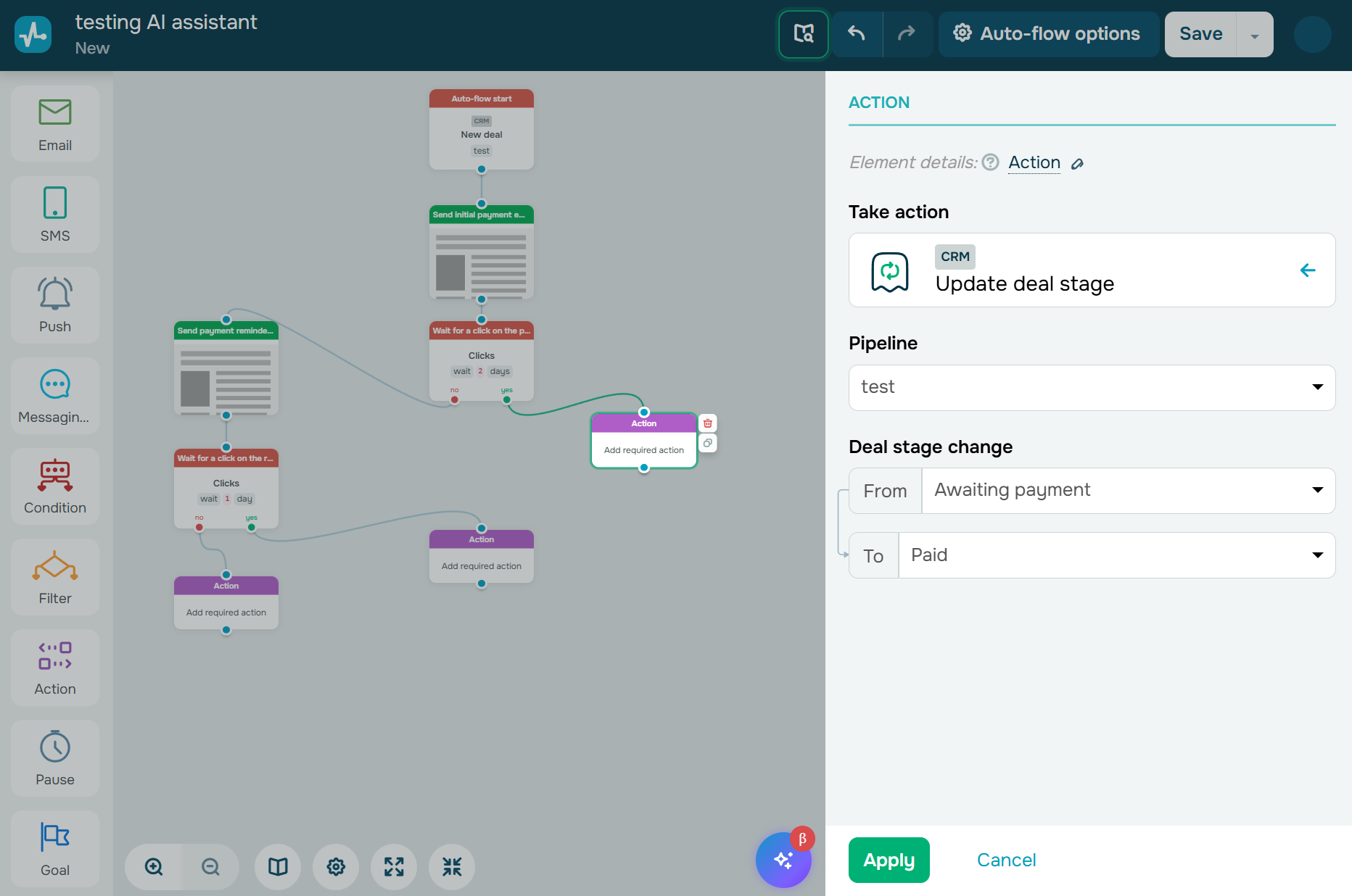 Setting up a required CRM action in the SendPulse automation builder
SendPulse offers the following features:
- marketing and transactional emails;
- 140+ pre-made email templates;
- AI features for email content and automation generation;
- multi-channel automation builder;
- static and dynamic audience segmentation;
- AI-powered chatbot builders for WhatsApp, Facebook, Instagram, and other channels;
- website live chat and web push notifications;
- CRM system with deal tracking and sales pipelines;
- website, link-in-bio, and online store builders;
- pop-ups with interactive elements and flexible display conditions;
- online course builder and LMS;
- A/B testing for email subject lines, content, and sender names;
- app and integration marketplace.
Cons. The free plan allows 15,000 emails per month but caps subscribers at just 500. Access to some advanced features like dynamic segmentation, email address verification, and unlimited automation flows requires higher tiers. Unlike Brevo, SendPulse doesn’t offer native Facebook Ads management or mobile wallet features.
Pricing. SendPulse structures pricing by tool — email marketing, CRM, chatbots, etc. — with a free plan available for each. Paid email plans start at $9.6/month (billed annually) for 500 subscribers with unlimited emails, 10 automation flows, and 3 user seats. A pay-as-you-go option is also available, starting at $48 for 10,000 emails. You can also combine tools into a custom plan to match your needs.

Power up your business with smart tools
From solo creators to global brands, thousands of customers trust SendPulse to run email campaigns, chatbots, automations, and more — all in one place.
Get started for free
HubSpot
G2: 4.4 ⭐ | Capterra: 4.5 ⭐
HubSpot is a comprehensive business platform that includes marketing, sales, service, commerce, content, and data hubs. Its Marketing Hub helps businesses generate and nurture leads using intelligent forms, dynamic CTAs, audience segmentation, and AI-powered email marketing.
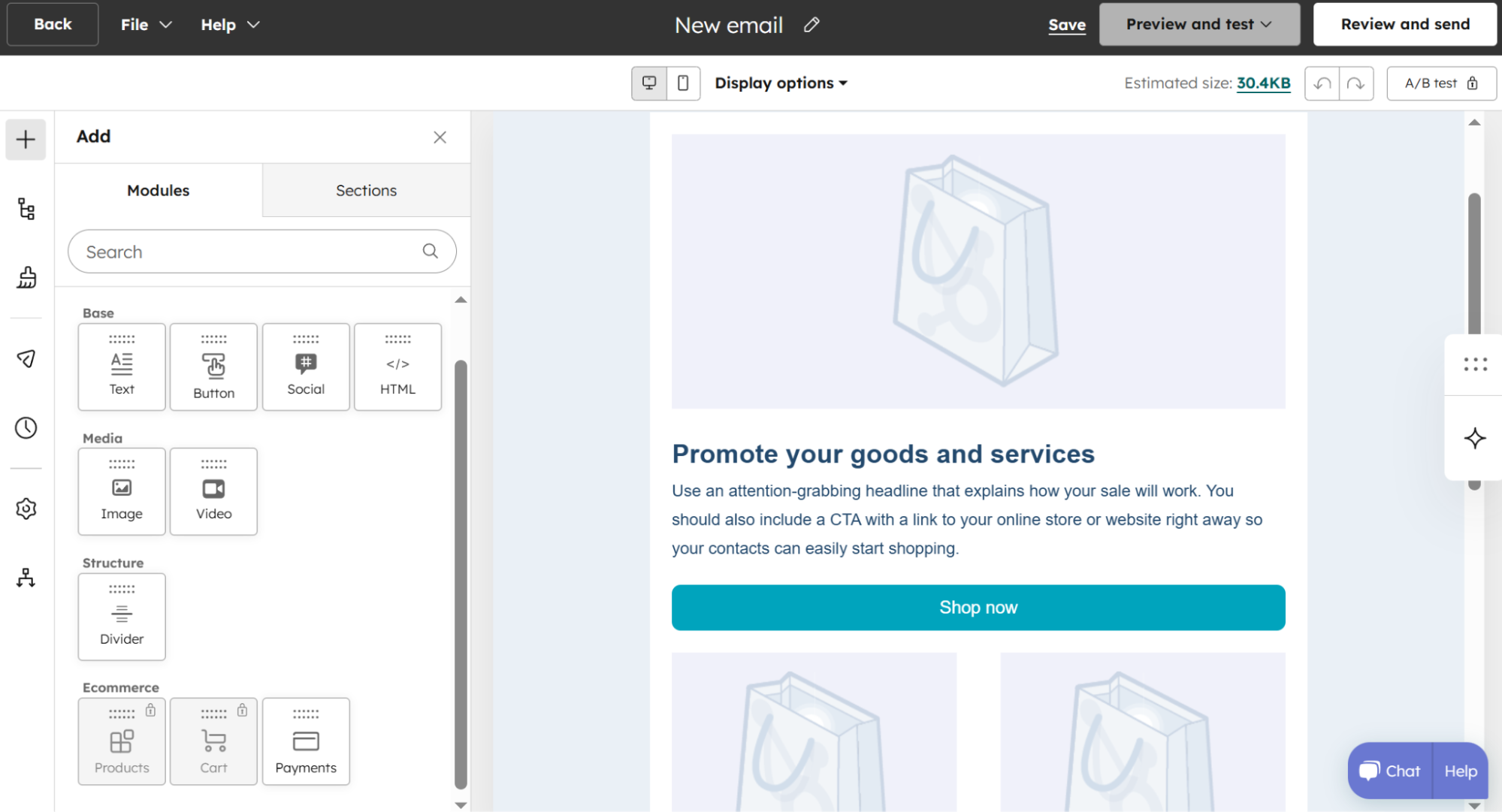 Adding modules to a new email template in HubSpot’s builder
A key strength of HubSpot is its advanced analytics and attribution capabilities. This Brevo alternative provides customizable dashboards, multi-touch revenue attribution, and customer journey reporting to connect marketing activities directly to pipeline and revenue outcomes.
It also benefits from a deeply integrated CRM system that unifies all customer data across marketing, sales, and service interactions.
HubSpot provides the following features:
- drag-and-drop email builder with pre-made email templates;
- marketing automation across email, SMS, WhatsApp, and social media;
- AI tools for content generation, sending time optimization, and data enrichment;
- dynamic CTAs and content personalization;
- segmentation based on behavior, lifecycle stage, and custom properties;
- personalized and targeted ad campaigns with retargeting;
- lookalike audience targeting;
- CRM with unified customer data across all hubs;
- conversational bots and live chat;
- landing page builder;
- blog and SEO tools;
- multi-language content support;
- A/B testing for emails, landing pages, and CTAs;
- advanced marketing reporting with customizable dashboards.
Cons. The cheapest paid plan includes only 1,000 marketing contacts and just 10 automated actions; no omnichannel automation is supported. Besides, its contact-based pricing adds up fast and, notably, exceeding the included contact limits triggers automatic tier upgrades. This makes HubSpot significantly more expensive than Brevo for small and mid-sized businesses.
Pricing. HubSpot offers a free plan that includes 1,000 contacts, 2,000 monthly emails, up to 2 users, 1 email automation, and basic forms — all with HubSpot branding. The cheapest paid plan for Marketing Hub starts from $9/month per seat (billed annually) for 1,000 marketing contacts, 5,000 emails, and 10 automated actions. The next tier costs $800/month (billed annually) for 3 seats, 2,000 contacts, 20,000 emails, and access to a bunch of advanced features.
Sender
G2: 4.7 ⭐ | Capterra: 4.7 ⭐
Sender is an affordable yet powerful email and SMS marketing platform built for startups, SMBs, and eCommerce brands. It helps you design emails, capture leads with pop-ups and landing pages, and segment subscribers to deliver personalized experiences without any technical skills required.
You can create emails using a drag-and-drop builder, an HTML editor, or a library of pre-made mobile-responsive templates. Features like A/B testing, dynamic personalization, heatmap reporting, and behavior-based segmentation will help you increase engagement.
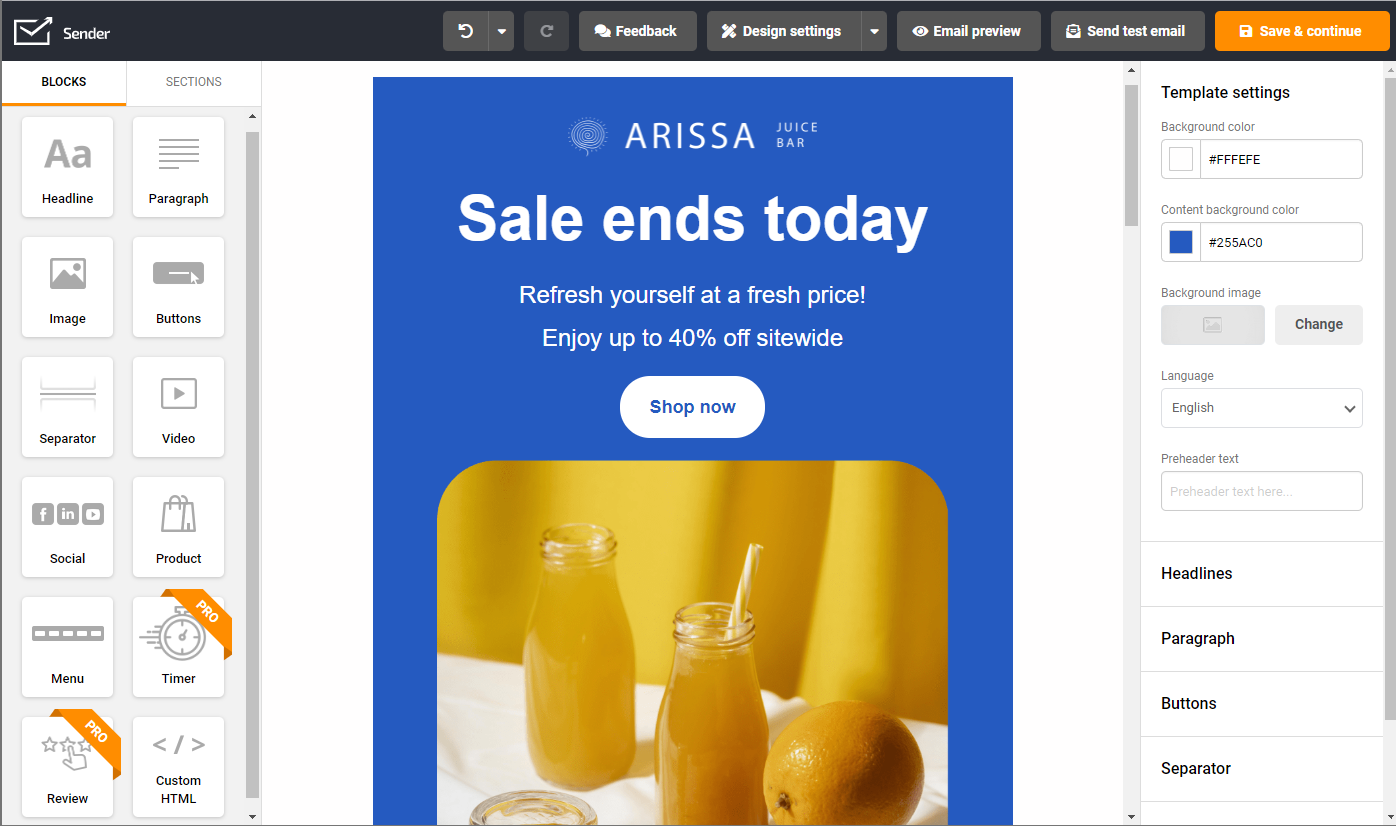 Creating an email with the Sender drag-and-drop builder
You can automate key workflows using triggers and conditions, and combine email and SMS steps to engage your audience with omnichannel sequences. This free Brevo alternative also includes built-in analytics to help you monitor campaign performance and optimize results over time.
Sender offers the following features:
- drag-and-drop email builder with responsive templates;
- product picker, feedback block, custom HTML block, and other content modules;
- SMS marketing campaigns;
- transactional emails via SMTP and API;
- visual automation flows with triggers and conditional logic;
- static and dynamic segmentation with personalization;
- behavioral targeting;
- forms and pop-ups for lead capture;
- landing page builder;
- email A/B testing;
- spam check;
- custom DKIM settings;
- heatmap reports and real-time campaign analytics;
- eCommerce integrations (Shopify, WooCommerce, PrestaShop, WordPress, and others);
- 24/7 live chat support on all plans, including free.
Cons. Sender focuses on email and SMS only — it lacks native CRM features, WhatsApp campaigns, web push notifications, and live chat/chatbot functionality that Brevo and some of its alternatives offer. Several reviewers on G2 also note that the template library, while functional, could use more variety and modern designs.
Pricing. Sender offers a free plan that includes up to 2,500 subscribers, 15,000 monthly emails, automation, segmentation, forms and pop-ups, landing pages, transactional emails, campaign reports, and 24/7 customer support. Paid plans start at $7/month (billed annually) for up to 1,000 subscribers and 12,000 emails and scale with your mailing list size. SMS campaigns, A/B testing, and interactive content blocks are available on paid plans.
Omnisend
G2: 4.6 ⭐ | Capterra: 4.7 ⭐
Omnisend is an eCommerce-focused marketing solution that combines email, SMS, and web push notifications in one platform. It offers a visual automation builder with customizable templates that cover common scenarios like welcome emails, abandoned cart reminders, post-purchase messages, and win-back campaigns. Real-time audience segmentation helps you target customers based on how they shop, interact, and what their profiles show.
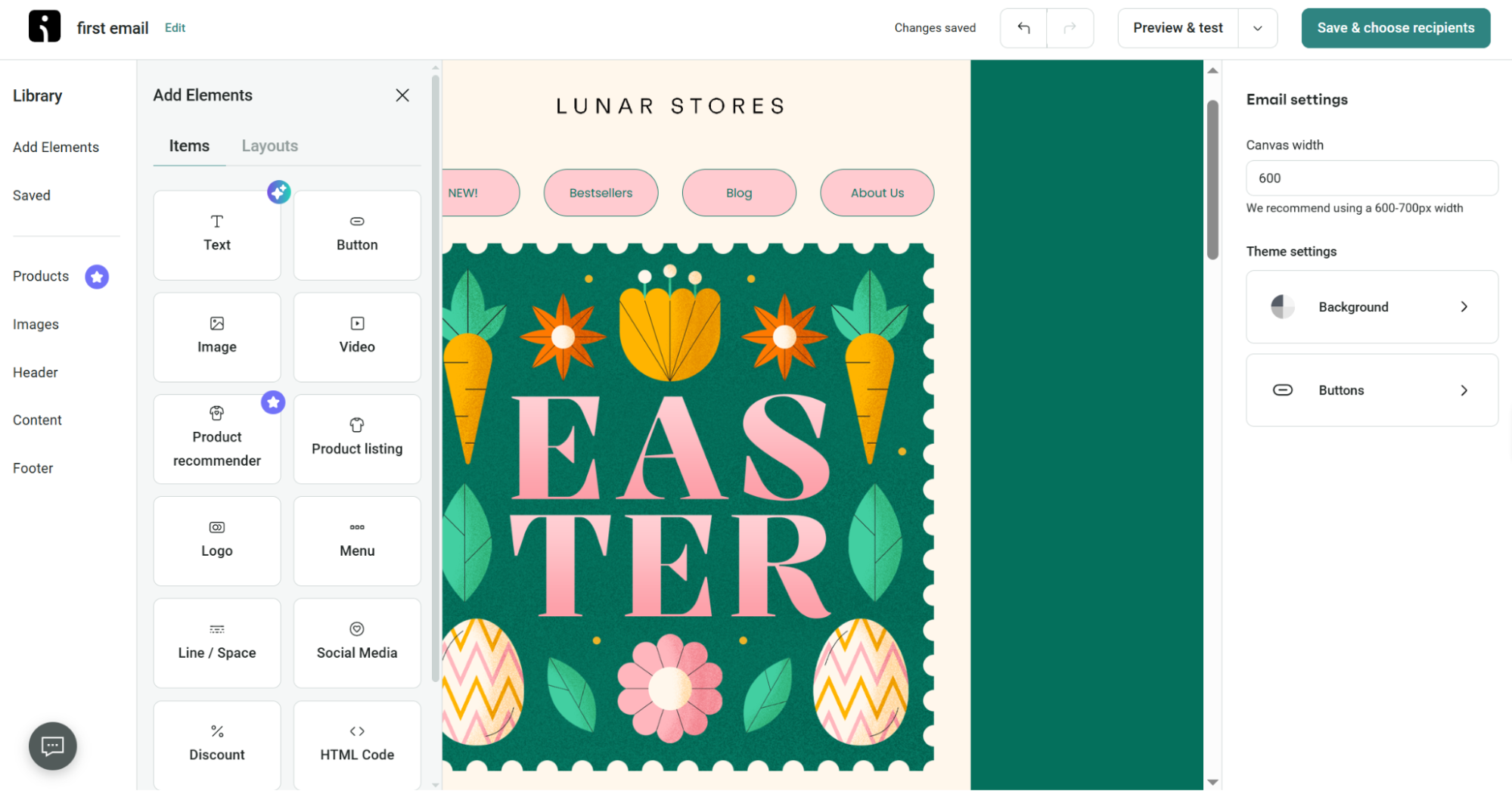 Adding elements to a new template in Omnisend’s email builder
Omnisend integrates seamlessly with top eCommerce platforms, including Shopify, WooCommerce, and BigCommerce, syncing your product data in real time. It also offers AI tools for creating content, suggesting subject lines and preheaders, recommending products, predicting which customers are likely to buy, segmenting your audience, and personalizing your campaigns.
Some of Omnisend’s main strengths are:
- email, SMS, and web push notification automation in unified workflows;
- custom workflows and events with split paths for A/B testing entire flows;
- conditional content blocks;
- A/B split testing for channels, messages, and subject lines;
- personalized product recommender (pulls products directly from your store);
- segmentation based on shopping history, engagement, lifecycle stage, and profile data;
- sign-up forms, pop-ups, teasers, Wheel of Fortune, and landing pages;
- AI subject line generator and AI assistant for email copy;
- email and image editors;
- 250+ email templates;
- Google Customer Match and Facebook Custom Audiences syncing;
- product reviews collection and display (Shopify);
- reports including clickmaps, audience growth, segment performance, and revenue attribution per campaign and flow;
- 24/7 live chat support with a 4-minute average response time.
Cons. Omnisend is strongly optimized for eCommerce, so it lacks some business tools that Brevo provides, like a CRM system with deal pipelines, lead scoring, or WhatsApp campaigns. The free plan is quite restrictive, and G2 reviewers mention that templates are not very flexible and the analytics could be more detailed.
Pricing. Omnisend has a free plan with up to 500 emails/month and 250 contacts. The cheapest paid plan costs $11.20/month for the first 3 months (if paid upfront), then $16 per month for 500 contacts and 6,000 emails each month.
Kit
G2: 4.4 ⭐ | Capterra: 4.6 ⭐
Kit (formerly ConvertKit) is an email marketing and automation platform built squarely for creators selling digital products, including bloggers, podcasters, course creators, YouTubers, and newsletter operators. It helps users grow and manage subscriber lists, automate email workflows, and monetize their audience.
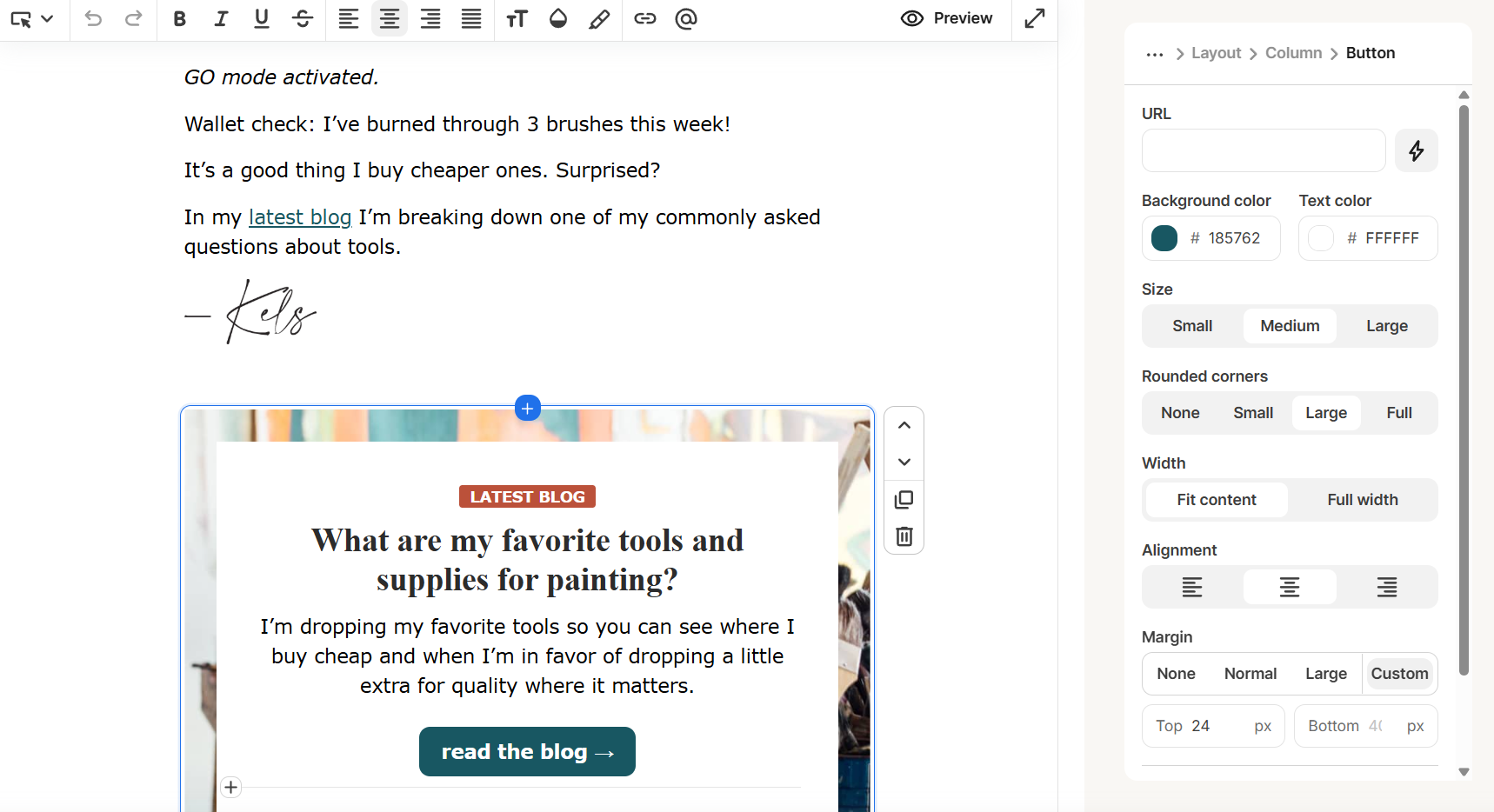 Customizing a button in an email in Kit
As a free Brevo alternative, Kit lets you tailor and launch emails, set up automations, and access features purpose-built for creators. To give you an idea, you can use the Creator Network to cross-promote content, offer paid newsletters, sell digital products, memberships, subscriptions, or accept tips right on the platform.
Kit also offers email A/B testing and connects with over 100 third-party tools on higher plans.
Kit offers the following features:
- customizable landing page templates;
- modals, sticky bars, slide-ins, and inline forms;
- customizable email templates;
- conditional email content;
- broadcast emails with resend-to-unopens;
- tag-based audience management and segmentation;
- sales pages for digital products;
- paid newsletters and subscriptions for premium content;
- Creator Network recommendation slots for cross-promoting content;
- visual automation builder with pre-built templates;
- content snippets and RSS-to-email campaigns;
- in-email polls;
- A/B testing;
- subscriber engagement scoring;
- newsletter referral system via SparkLoop;
- Facebook Custom Audiences sync.
Cons. Kit is designed for digital creators, so it prioritizes plain-text-style emails and offers limited design flexibility. A/B testing, subscriber scoring, advanced reporting, and the newsletter referral system are all locked behind the most expensive paid plan. Unlike Brevo, Kit offers no extra communication channels or CRM pipelines.
Pricing. Kit offers a free plan with up to 10,000 subscribers, unlimited emails, and one automated email sequence. However, the free plan includes Kit branding, and you have to join the Creator Network recommendations. Paid plans start at $33 per month (billed annually) for up to 1,000 subscribers, unlimited emails and automations, and 24/7 customer support.
Keap
G2: 3.9 ⭐ | Capterra: 4.1 ⭐
Keap (formerly Infusionsoft and now part of Thryv) is a CRM and marketing automation platform designed for small service businesses such as coaches, consultants, agencies, and solopreneurs. Unlike many competitors, it brings together CRM, marketing automation, sales pipelines, payments, and appointment scheduling in one tool.
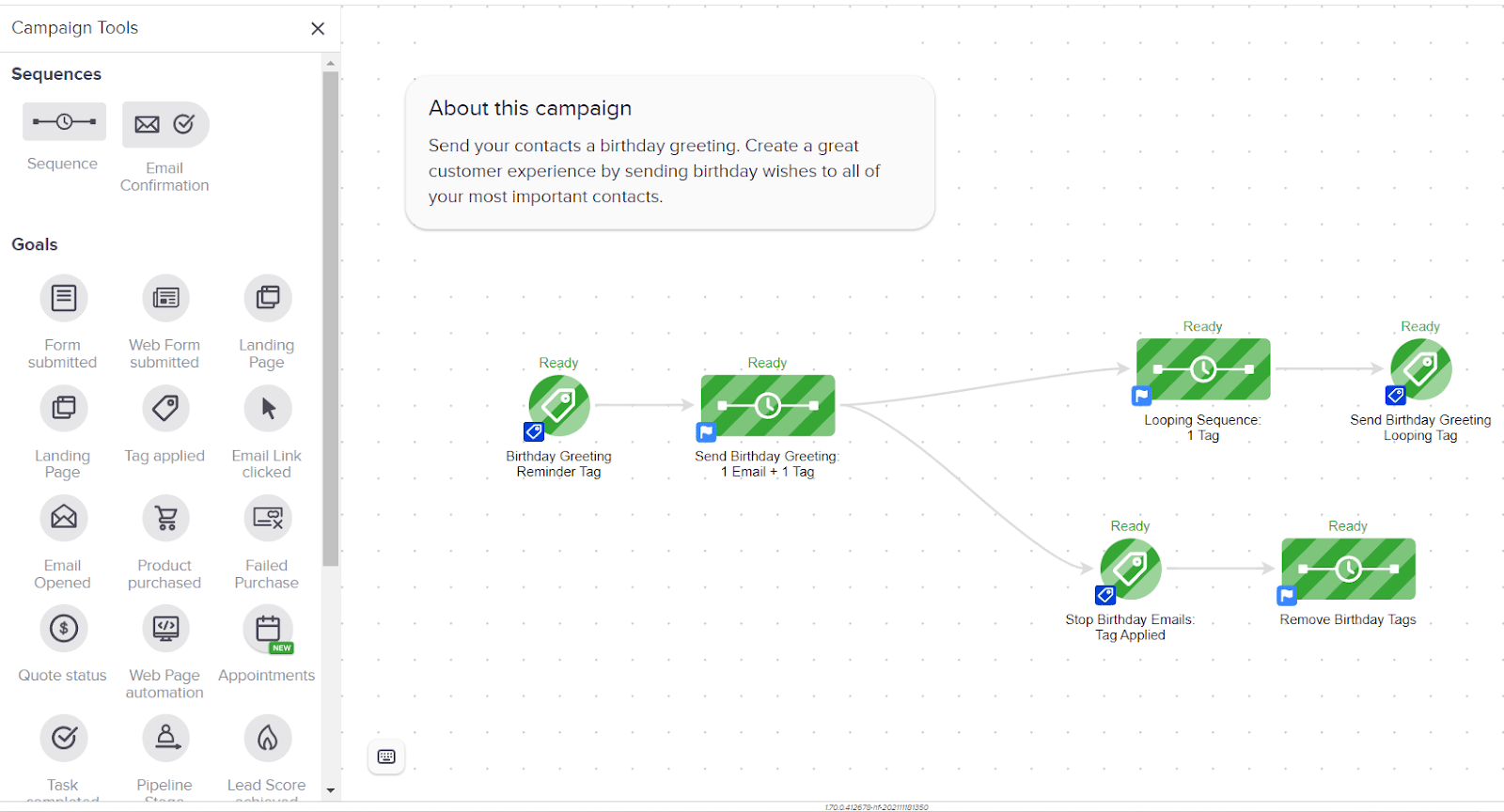 Building a birthday automation flow in Keap
With Keap, users can capture leads using landing pages and forms, segment and tag contacts for personalized email and text messages, and set up workflows that send the right message at the right time. Its visual automation builder lets you create multi-step sequences with branching paths and delays, while built-in A/B testing and performance reports help you improve your campaigns.
There is also an AI Automation Assistant that can create entire campaign sequences from simple prompts.
Keap offers the following features:
- lead capture with landing pages and forms;
- lead management and contact scoring based on buying intent;
- marketing automation with visual drag-and-drop builder and branching logic;
- post-purchase and repeat revenue email sequences;
- broadcast, automation, and 1:1 emails;
- SMS/text marketing and broadcasts;
- sales pipeline management;
- sales automation based on pipeline stages;
- multi-page sales funnels;
- CRM system with tagging, segmentation, and full contact history;
- built-in payments, invoicing, and checkout pages;
- appointment scheduling with Google Calendar and Outlook sync;
- AI Content Assistant and AI Automation Assistant;
- A/B testing for subject lines, content, and campaigns;
- promo codes and upsells;
- dedicated business phone line (US only);
- reporting and analytics dashboards.
Cons. Keap’s most significant drawback is its price floor. Starting at $299/month with no free plan, it’s significantly more expensive than Brevo. The free trial is restricted to just 25 emails, making it hard to evaluate real workflows before committing. Besides, it supports only email and SMS, offering no extra communication channels.
Pricing. Keap does not have a free plan, but you can try it for free for 14 days. There is a single plan with all features, starting at $299 per month for 1,500 contacts and 2 user seats.
GetResponse
G2: 4.3 ⭐ | Capterra: 4.2 ⭐
GetResponse is an all-in-one online marketing platform with tools for email marketing, automation, and content monetization. As a Brevo alternative, it can help you grow your mailing list using customizable sign-up forms, pop-ups, and landing pages. The platform lets you reach customers across email, web push notifications, and SMS from a single dashboard.
GetResponse also lets you build automated campaigns based on detailed audience segmentation so you can deliver personalized experiences across the customer journey. Using a conversion funnel builder, you can also move leads through automated sales funnels.
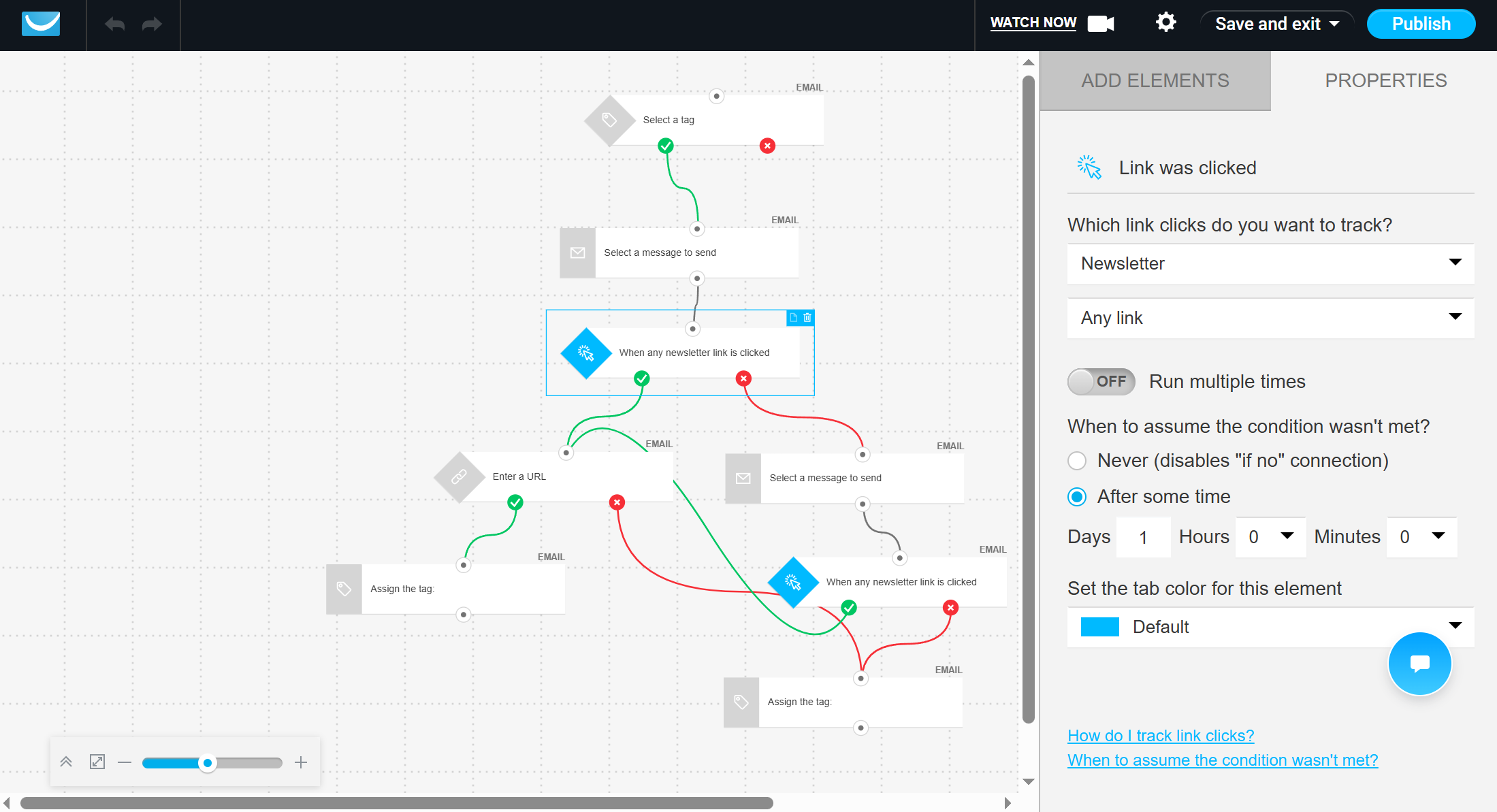 Setting up elements in the GetResponse automation builder
Furthermore, the platform stands out among other Brevo alternatives thanks to a built-in webinar platform, an AI-powered course creator, and AI product recommendations for online stores.
GetResponse offers the following features:
- signup forms, including scroll forms and exit-intent pop-ups;
- drag-and-drop and HTML email builders with 120+ templates;
- product recommendations and product boxes;
- AI-powered generator for landing pages and emails;
- no-code website builder with built-in SEO tools;
- automated sales and conversion funnel builder;
- newsletters, autoresponders, and transactional emails;
- built-in webinar builder;
- AI-powered online course creator with quizzes and certificates;
- live chat widget;
- SMS campaigns and web push notifications;
- segmentation based on geolocation, contact scoring, events, and behavior;
- marketing automation with visual workflow builder;
- eCommerce tools and payment gateways;
- A/B testing for emails and landing pages.
Cons. The cheapest paid plan is limited to just one automation workflow with up to six elements, which means serious automation requires upgrading to higher-tier plans. Although the platform supports transactional emails and SMS marketing, they are available only for enterprise accounts. Additionally, some G2 reviewers note limited email template customization.
Pricing. GetResponse offers a free plan that includes 1 user, 500 contacts, and 2,500 monthly emails. The cheapest Starter plan begins at around 15/month (billed annually) for 1,000 contacts and includes unlimited emails and 1 automation workflow.
Constant Contact
G2: 4.2 ⭐ | Capterra: 4.3 ⭐
Constant Contact is a well-known email marketing platform that offers email and SMS marketing, social media tools, event management, and eCommerce features. As an alternative to Brevo, it lets users create and send email campaigns with pre-made templates and a drag-and-drop editor. It also includes AI tools to help generate email copy and templates.
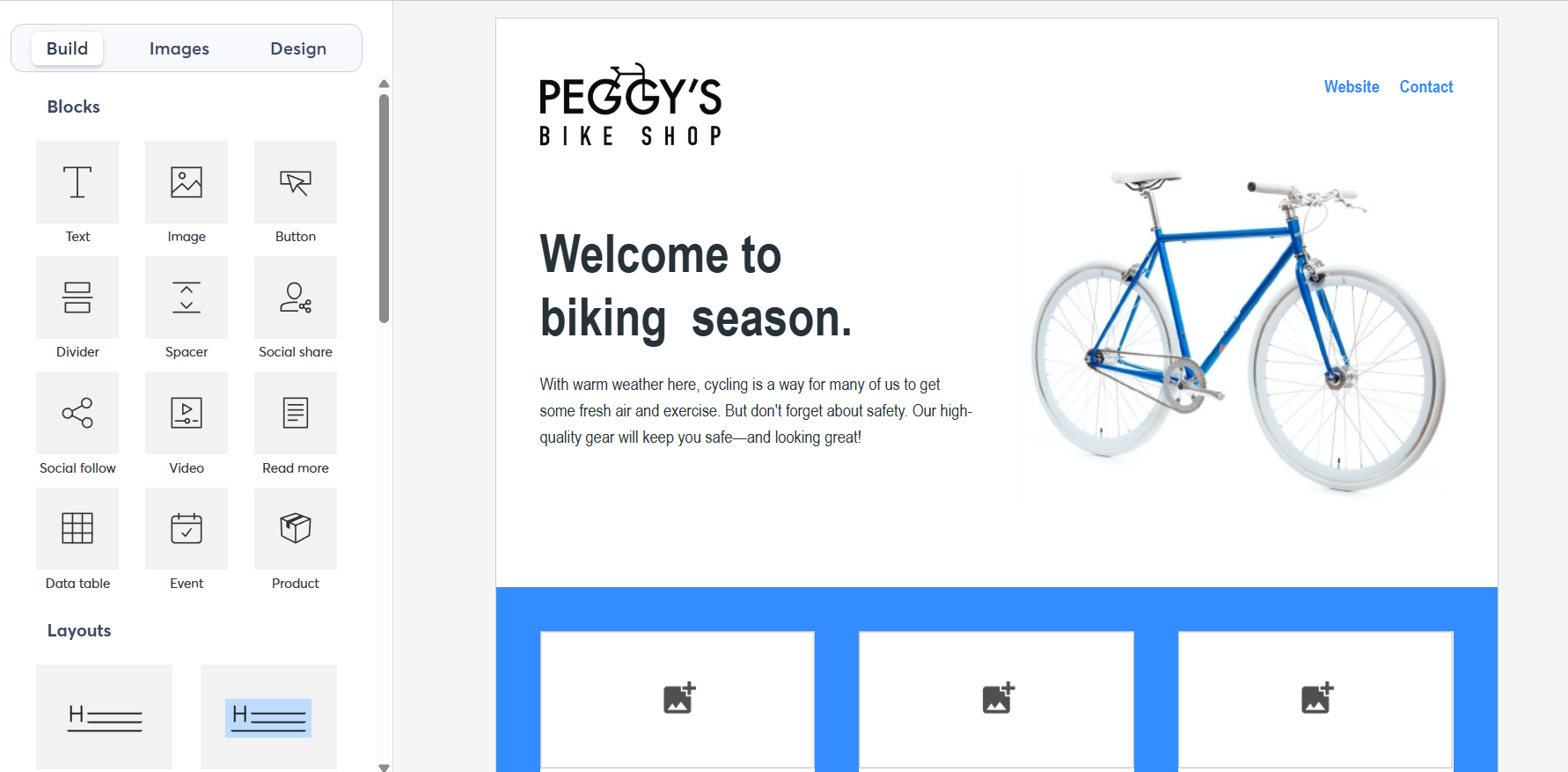 Customizing a holiday template in Constant Contact’s email builder
The platform offers several list-building tools, including customizable sign-up forms, pop-ups, and landing pages. It also supports posting and scheduling on Facebook, Instagram, and LinkedIn. For event marketing, users can create event pages, manage RSVPs, sell tickets, and send automatic reminders.
Constant Contact provides the following features:
- drag-and-drop email editor with hundreds of templates;
- AI content generator for emails and social media posts;
- shareable polls and surveys;
- dynamic content personalization;
- automation path templates and custom automation paths;
- eCommerce automation templates;
- signup forms, pop-ups, and landing pages;
- segmentation based on activity, interaction, profile information, etc.;
- social media posting and scheduling on Facebook, Instagram, and LinkedIn;
- Google Ads management and Facebook Lookalike ad targeting;
- event marketing with registration, ticketing, and RSVP tracking;
- SMS marketing (US only);
- resend to non-openers.
Cons. Compared to Brevo, Constant Contact does not offer WhatsApp messaging, CRM functionality, or live chat or chatbot. SMS is only available in the US, while Brevo supports text messages internationally. The platform’s automation features are also limited. Custom automation paths are only available with the highest-tier plan. Many features that are standard at other platforms, such as email scheduling or personalization, require upgrading to more expensive plans.
Pricing. Constant Contact does not offer a free plan, but there is a limited free trial. The lowest-priced paid plan has limited features and costs $12 per month for 500 contacts and 5,000 emails.
ActiveCampaign
G2: 4.5 ⭐ | Capterra: 4.6 ⭐
ActiveCampaign is a marketing automation platform that serves as an alternative to Brevo, with a focus on reaching users via multiple channels. Businesses can connect with their customers via email, SMS, WhatsApp, and retargeting ads. With more than 1,000 integrations, it is considered one of the top automation tools for mid-sized companies.
With ActiveCampaign, you can automate customer journeys using trigger logic, branching paths, if/else conditions, goals, and AI tools. The platform offers a visual automation builder, landing pages, site tracking, and a built-in CRM system with sales pipelines, task management, lead scoring, and one-on-one emails.
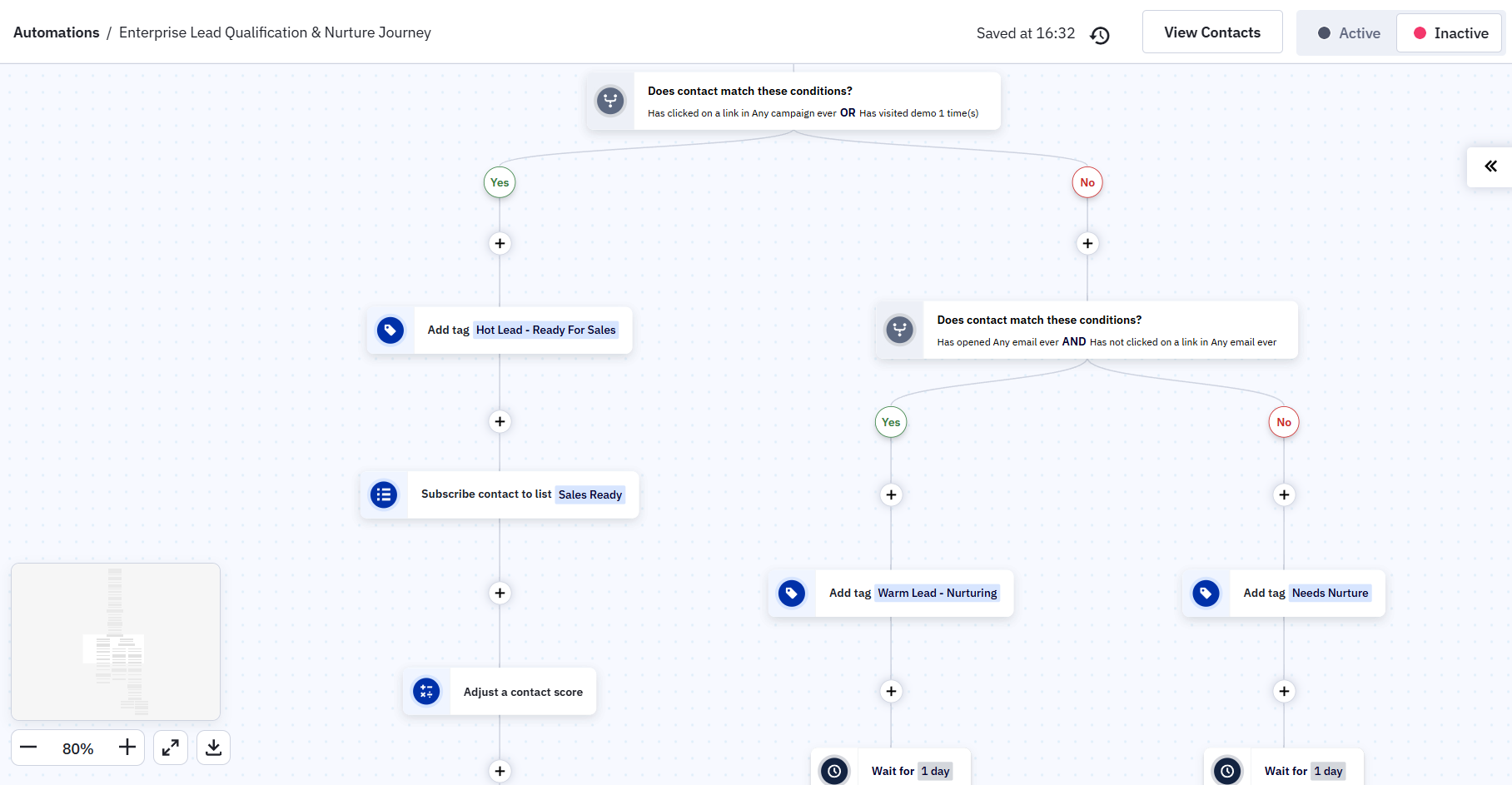 Customizing a pre-made automation recipe in ActiveCampaign
Apart from that, ActiveCampaign provides predictive analytics to help you anticipate and act on audience behavior effectively.
ActiveCampaign provides the following features:
- drag-and-drop email designer with 250+ pre-built templates;
- AI-powered content generation, spam check, brand kit, and segmentation tools;
- inline forms, floating pop-ups, and modal forms;
- landing pages;
- drip campaigns, follow-ups, promotional emails, and abandoned cart campaigns;
- multi-step marketing automation with sophisticated branching and conditional logic;
- 950+ pre-built automation recipes;
- conditional content;
- segmentation using lists, tags, custom fields, and behavioral data (advanced segmentation Pro and above);
- lead scoring;
- WhatsApp messaging;
- SMS marketing;
- enhanced CRM with deal pipelines and sales engagement;
- predictive sending and A/B testing in automations;
- 1,000+ integrations, including Shopify, WooCommerce, Salesforce, WordPress, and Zapier.
Cons. The entry-level plan allows only five automation actions and does not include branching or conditional logic. SMS and enhanced CRM features, such as deal pipelines, are available as separate paid add-ons, which can considerably increase the overall cost. Besides, since November 2025, new accounts are charged for inactive contacts, including unsubscribed or bounced, likely resulting in higher costs.
Pricing. ActiveCampaign offers a 14-day free trial but no free plan. Four paid tiers are available for 1,000 contacts (billed annually), ranging from $15/month (1 user, 10,000 email sends, basic automation with 5-action limit) to $145/month (5 users, 15,000 email sends, advanced features). Prices increase with your contact count.
Mailchimp
G2: 4.4 ⭐
Mailchimp is a well-rounded marketing platform known for its extensive features. As a Brevo competitor, it lets businesses manage email campaigns, engage customers, and analyze performance effectively. Using tags and advanced segmentation based on buying behavior and spending, companies can target customers with highly personalized content.
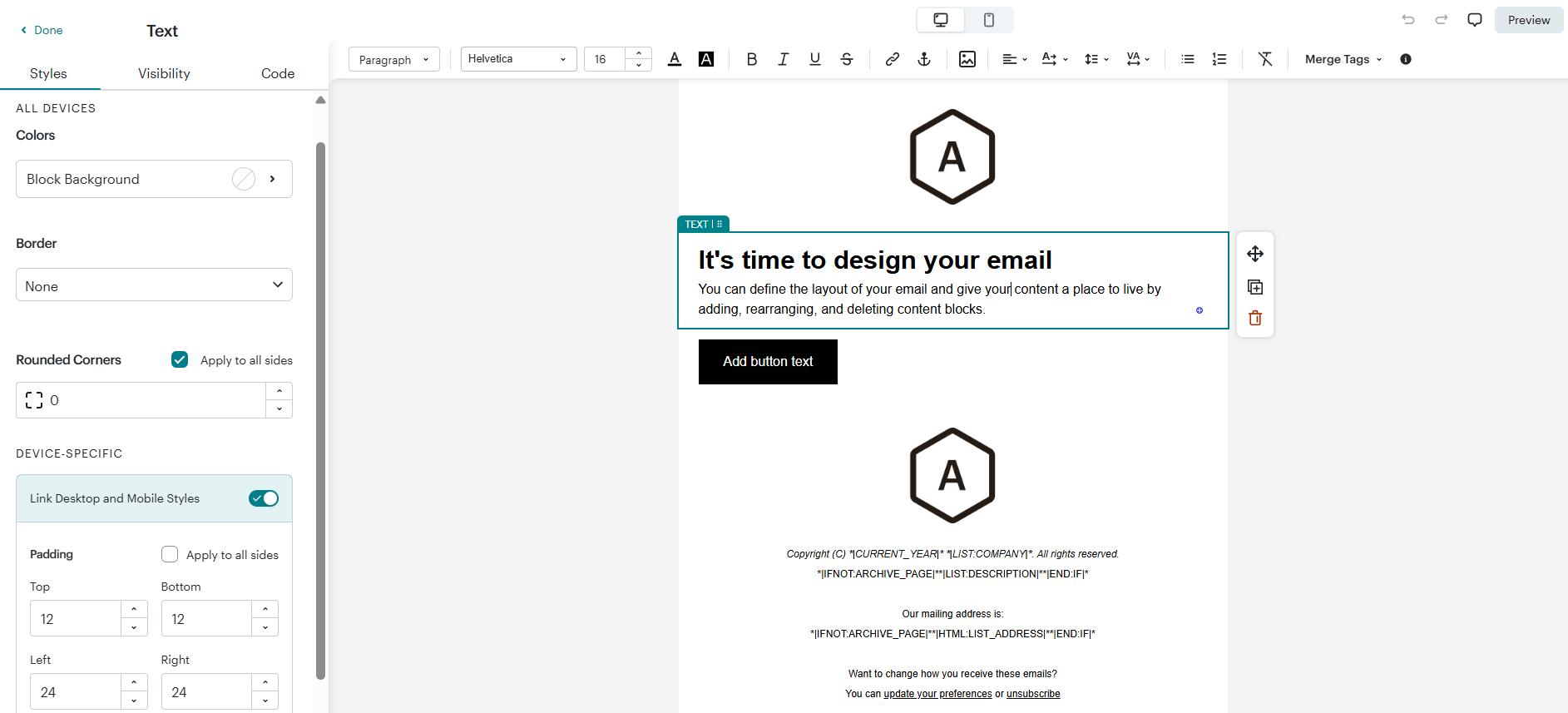 Adding content blocks to a template in Mailchimp’s email builder
The platform includes AI tools that help users create and improve content, build customer segments, and predict which customers are likely to convert. It also offers product recommendations, a drag-and-drop email editor with numerous templates, A/B and multivariate testing, and over 300 integrations with tools like Salesforce, Shopify, WooCommerce, and Zapier.
Mailchimp provides the following features:
- customizable and custom-coded email templates;
- generative AI features for content and design;
- personalized product recommendations;
- segmentation based on behaviors, activity, and other contact data;
- predictive demographics and lookalike audience finder;
- dynamic content;
- in-email surveys;
- subject line helper and content optimizer;
- Customer Journey Builder with pre-built and custom automation journeys;
- sending time optimization and delivery by time zone;
- A/B and multivariate testing;
- landing pages, pop-ups, and embedded signup forms;
- SMS marketing;
- basic CRM with customer lifetime value tracking;
- integrations with Shopify, WooCommerce, Squarespace, WordPress, Zapier, and other tools.
Cons. Mailchimp does not include WhatsApp messaging or chatbot features. SMS is a paid add-on, while Brevo includes it in its base plans. Also, Mailchimp counts the same email address more than once if it appears in different audiences, since data is not shared between them. The availability of automation features and customer support depends on your plan.
Pricing. Mailchimp offers a free plan with up to 250 contacts, 500 monthly emails, 1 user seat, and 1 audience, with no automation and basic segmentation. The cheapest paid plan costs $13/month for 500 contacts, 5,000 emails, 3 user seats, and 3 audiences. It unlocks basic automation with up to 4 flow steps and 24/7 email and chat support.
Klaviyo
G2: 4.6 ⭐ | Capterra: 4.6 ⭐
Klaviyo is an AI-driven marketing automation platform designed for eCommerce. It combines email, SMS, mobile push notifications, WhatsApp, and RCS in one solution. The integrated customer data platform centralizes data from hundreds of integrations and APIs, allowing you to create detailed audience segments based on historical and real-time behavioral, transactional, and profile data.
You can configure campaigns and multi-step automated flows to deliver messages across channels, with granular triggers based on customer actions such as purchases, browsing activity, cart abandonment, or profile updates.
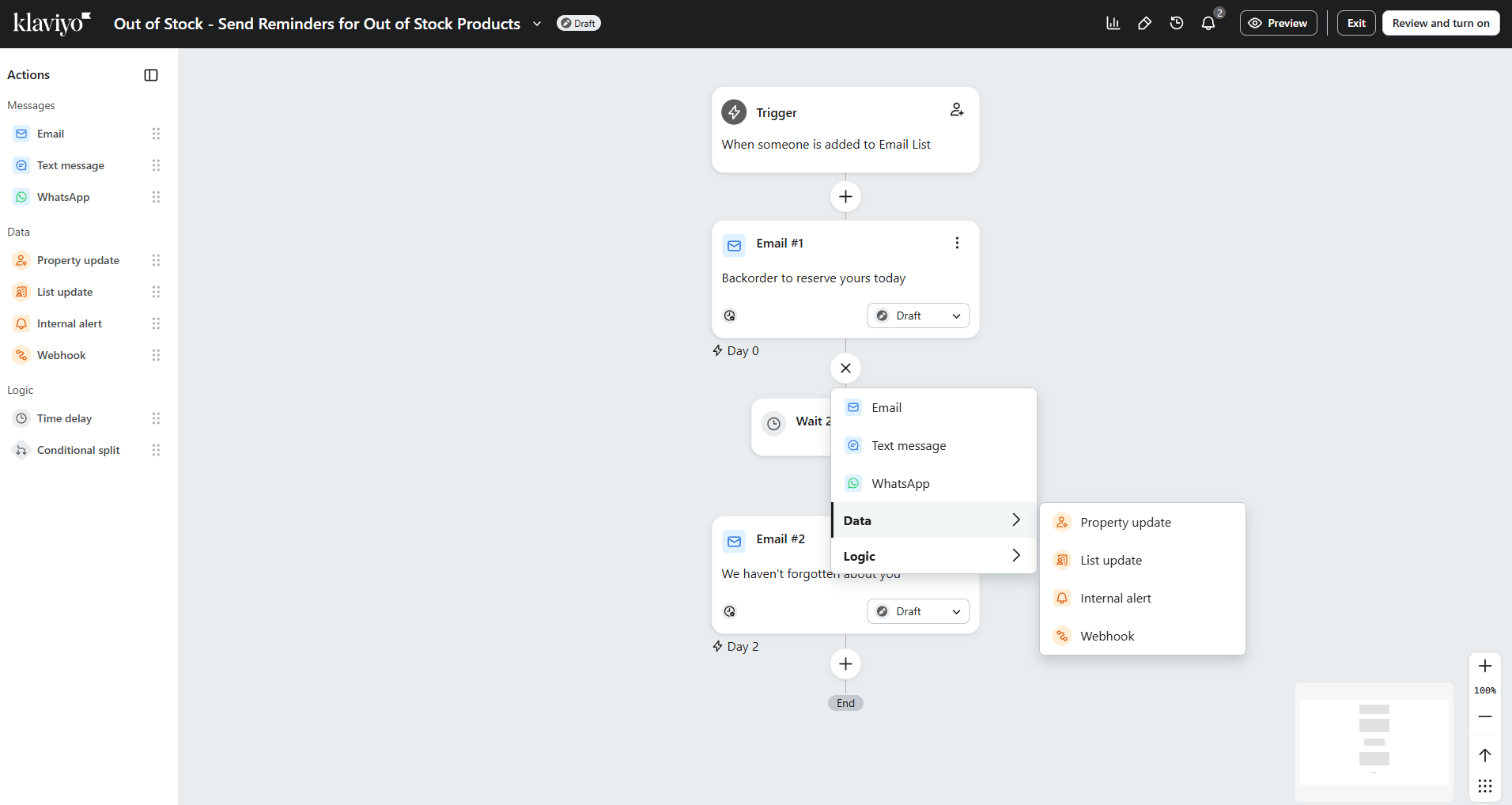 Setting up a new automation flow in Klaviyo
This Brevo competitor includes AI tools, K:AI agents, that use your account data to help you segment customers, suggest must-have flows, create on-brand campaigns, recommend the right communication channel based on customer preferences, and more. You can also test variations of forms and messages and monitor results through integrated analytics with revenue attribution per flow and campaign.
Klaviyo stands out thanks to these features:
- CDP with 350+ integrations and APIs;
- segmentation based on behavioral, transactional, and profile data with unlimited conditions;
- email, SMS, mobile push, WhatsApp, RCS, and reviews management in one platform;
- 160+ email templates and 60+ pre-built automation flow templates;
- multi-step automation flows with behavioral triggers and branching logic;
- AI-generated segments, flows, and campaign content;
- AI channel affinity and personalized sending time optimization;
- predictive analytics (CLV, churn risk, next order date);
- A/B and multivariate testing;
- product recommendation blocks with “next best product” logic;
- signup forms with 100+ templates, exit-intent and spin-to-win pop-ups;
- deep native integrations with Shopify, WooCommerce, BigCommerce, and Magento.
Cons. Klaviyo is one of the most expensive platforms on this list. Since its recent billing update, plans are tied to active profile count and auto-upgrade if you exceed the limit. The platform is heavily eCommerce-focused and can feel like overkill for businesses that just need general email marketing. G2 reviews mention a steep learning curve for non-technical users.
Pricing. Klaviyo offers a free plan with 250 active profiles, 500 monthly emails, and 150 SMS/MMS credits. Paid plans are available for marketing, service, and analytics solutions. The entry-level marketing plan starts at $20 per month, covering up to 500 profiles and 5,000 emails. All paid plans provide access to the complete feature set.
Moosend
G2: 4.7 ⭐ | Capterra: 4.6 ⭐
Moosend is a popular email marketing platform that offers solid automation features at a budget-friendly price. The platform includes a drag-and-drop email builder with a template library of more than 130 designs, AI-powered content suggestions, and a subject line optimizer. The platform also supports transactional emails, landing pages, and subscription forms with visibility settings and interactive elements.
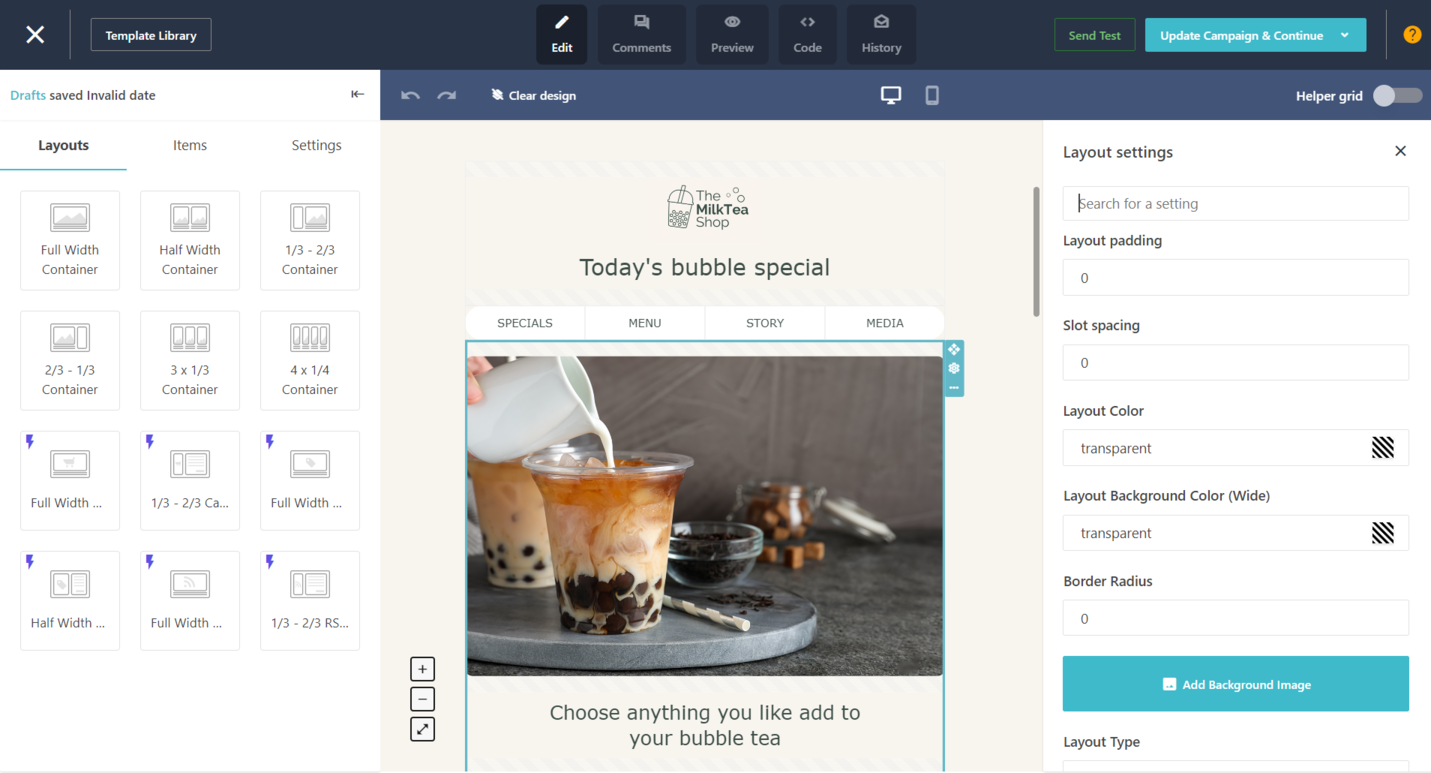 The main sections of the Moosend campaign editor; source: Moosend
Moosend’s core strength is automation and segmentation. Marketers can build multi-step workflows activated by customer behavior or weather-based and location-based triggers, re-engage inactive subscribers, and guide contacts through structured customer journeys using various conditions and actions.
This Brevo alternative integrates with over 40 third-party applications natively, with additional connections available via Zapier.
Some of Moosend’s best features include:
- email newsletter builder with basic and custom-coded templates;
- conditional visibility content;
- AI product recommendations;
- AI writer and subject line optimizer;
- sending time optimization;
- pre-built automation templates, including welcome, cart abandonment, re-engagement, and upsell campaigns;
- multi-step marketing automation workflows with 30+ entry triggers;
- landing pages and subscription forms;
- built-in spam testing;
- A/B testing for subject lines, content, and sender names;
- integrated Unsplash and GIPHY image libraries.
Cons. Unlike Brevo, Moosend only supports emails. Its integration library is smaller than some competitors and does not include a native Shopify connection. Pricing also increases rather quickly as your list grows, jumping from $9/month at 500 contacts to $24/month at just 2,000 contacts.
Pricing. Moosend doesn’t have a free plan, but you can start with its 30-day free trial. The cheapest paid plan costs $7/month (billed annually) for 500 contacts. This plan includes unlimited emails and all core features, namely automation, segmentation, AI tools, and reporting.
Drip
G2: 4.4 ⭐ | Capterra: 4.4 ⭐
Drip is an eCommerce-focused email marketing and automation platform built to help online businesses create behavior-driven campaigns. With its visual email builder, you can easily design on-brand messages with a point-and-click interface. You can pull in products directly from your store and add dynamic elements, such as cart URLs, personalized product blocks, and product recommendations. This Brevo competitor also offers customizable eCommerce templates and integrates with platforms like Shopify, WooCommerce, and BigCommerce.
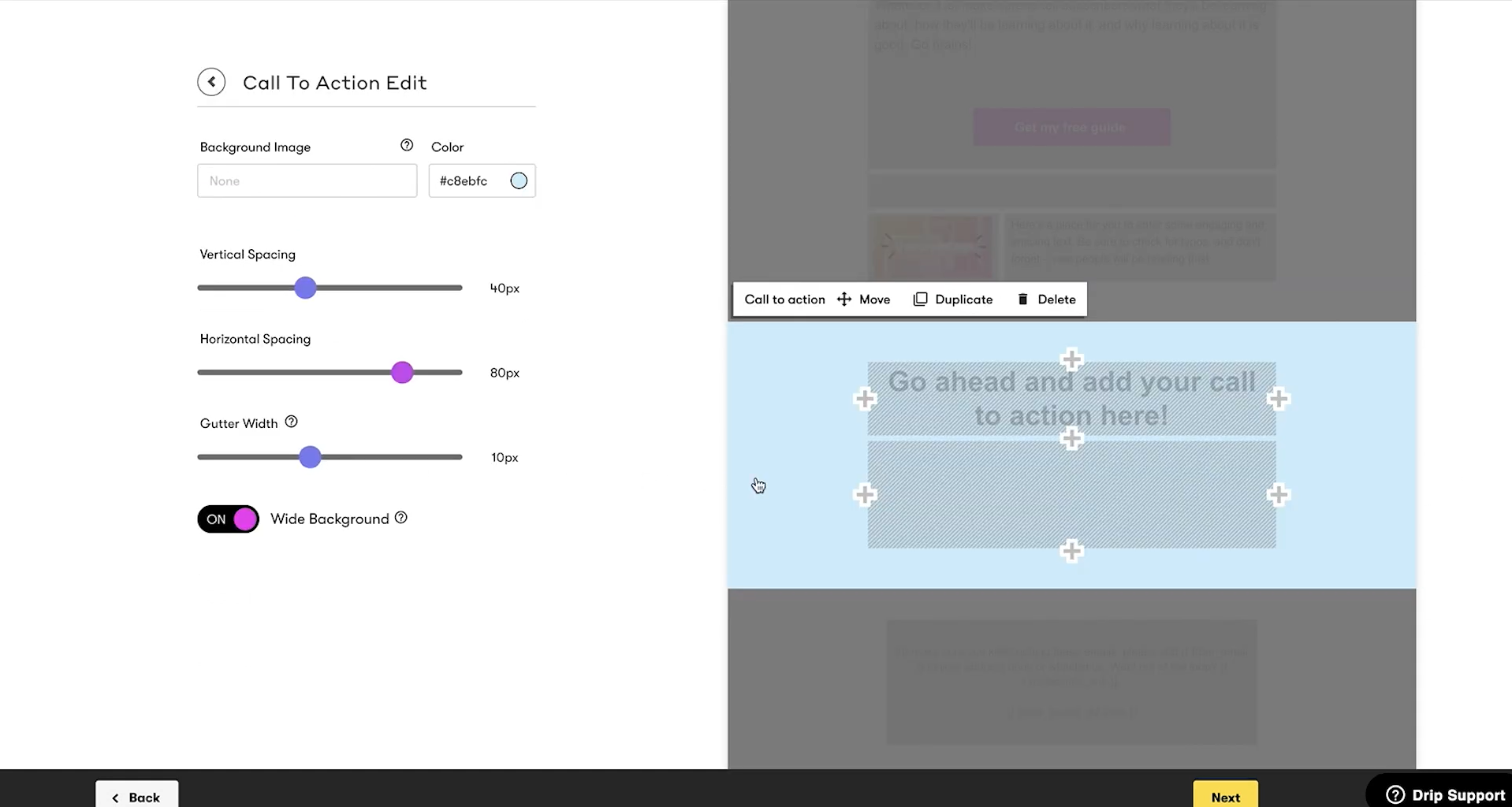 Editing elements in Drip’s email builder; source: YouTube
Drip provides a visual automation builder where you can set up multi-step, behavior-based campaigns across email, social, and onsite channels, using data synced from connected eCommerce platforms. It also includes lead scoring to prioritize high-value contacts, GDPR-compliant embedded forms, and customizable pop-ups.
Here are some of Drip’s features:
- visual email builder with reusable content blocks;
- 50+ pre-designed eCommerce-focused templates;
- dynamic content, including product recommendations;
- dynamic email segmentation based on purchase behavior and engagement;
- behavior-based automation via a visual builder;
- customer-action-based triggers and pre-built eCommerce workflows;
- lead scoring for contact prioritization;
- A/B testing for email content and subject lines;
- onsite pop-ups, slide-ins, sticky bars, and sidebars;
- email-attributed revenue tracking, orders, and engagement metrics;
- integrations with eCommerce platforms, CRMs, and other tools.
Cons. Drip is purpose-built for eCommerce businesses and does not include some channels and tools that Brevo offers. Its prices are way higher compared to many alternative solutions and scale steeply based on your contact count. Some G2 reviews mention that support options depend on how many contacts you have.
Pricing. Drip doesn’t have a free plan but offers a 14-day free trial. Pricing is based on the number of contacts, starting at $39/month for up to 2,500 contacts with unlimited emails. All plans include the same features; there is no feature gating across tiers.
Mailjet
G2: 4.0 ⭐ | Capterra: 4.2 ⭐
Mailjet is an email marketing platform that offers both no-code and developer-friendly tools. Teams can design responsive emails with a drag-and-drop editor, use pre-built templates, or generate content with AI. Users can also build subscription forms, create landing pages, and personalize messages with dynamic content.
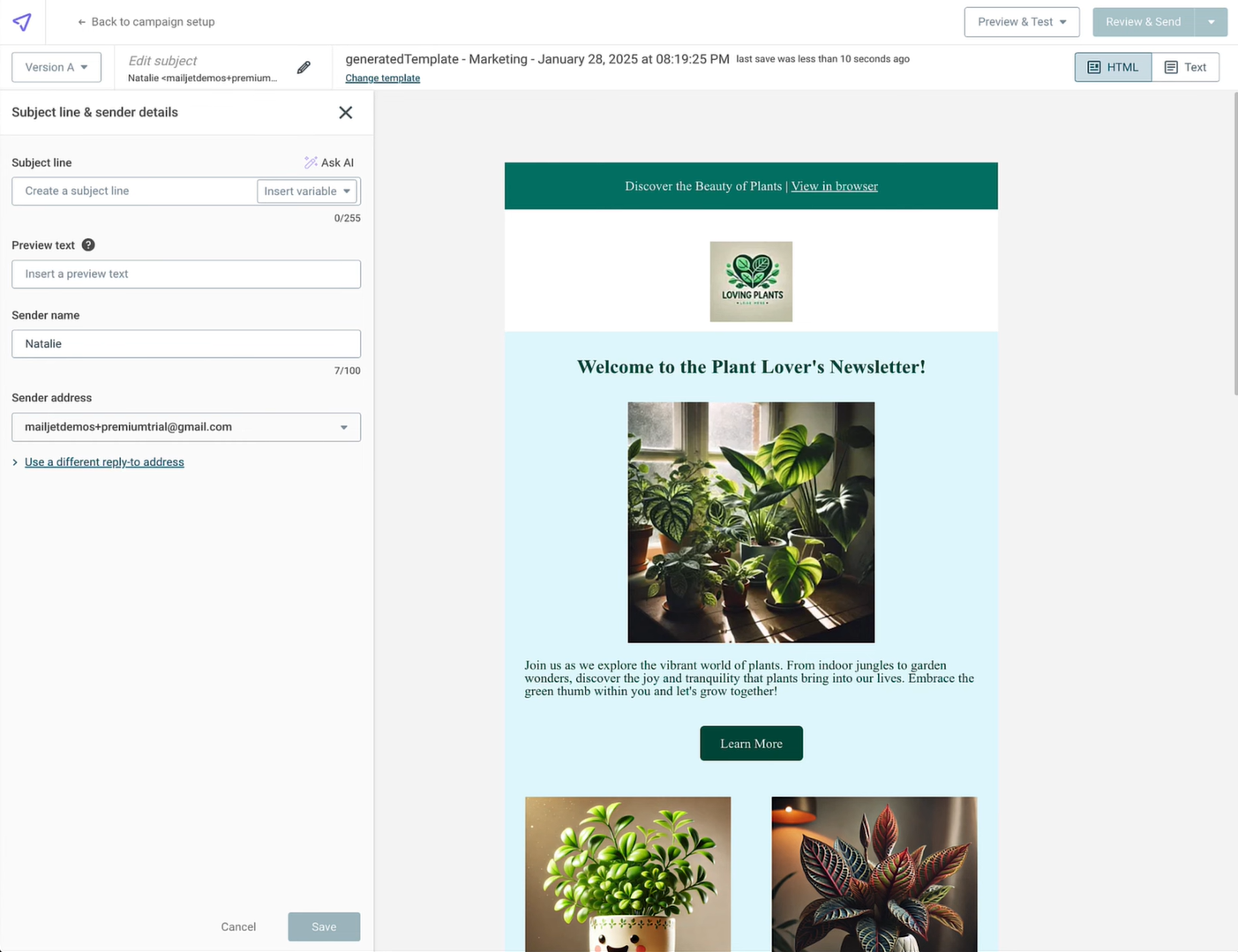 Customizing an email template using AI; source: Mailjet
Just like Brevo, Mailjet supports both marketing and transactional emails. It handles high volumes through its email API, SMTP relay, and dedicated IPs.
Its standout feature is live collaboration, where several team members can edit the same email at once, much like Google Docs. Role-based permissions and section locking help keep your brand consistent. Mailjet also includes A/B testing, mailing list management, and an email validation tool to boost deliverability.
Mailjet’s main features include:
- drag-and-drop email editor with responsive design;
- built-in MJML editor for developer-friendly responsive email coding;
- pre-built email templates for marketing and transactional emails;
- AI-assisted content and subject line generation;
- real-time collaborative email editing with role-based permissions;
- GDPR-compliant subscription forms;
- templating language with variables, loops, conditions, and functions;
- segmentation based on contact attributes and behavior;
- A/B testing for up to 10 email versions;
- dynamic content for different audience segments;
- email verifier to clean contact lists;
- marketing automation workflows;
- email API, SMTP relay, and webhooks for transactional emails;
- basic and advanced statistics, including click maps and ISP-level reporting.
Cons. Advanced features like automation, A/B testing, and dynamic content are locked behind higher-tier plans. With Mailjet, you can’t run multi-channel campaigns. Besides, access to customer support depends heavily on your pricing plan.
Pricing. Mailjet offers a free plan that includes 1,000 contacts and 6,000 monthly emails (capped at 200 emails per day). The cheapest paid plan costs $8.10/month (billed annually) and offers 2,000 contacts and 8,000 emails. It adds a brand kit and removes daily sending limits, but emails will display the Mailjet logo.
The bottom line
There are many marketing platforms available, each with its own set of unique features. While Brevo offers strong capabilities in email, automation, and CRM marketing, other platforms might better suit some of your specific needs.
If you’re searching for a platform that has it all, SendPulse could be a great choice. With it, you can run email, SMS, and WhatsApp campaigns and benefit from chatbots, pop-ups, and a full-featured CRM system.
Create a free account to test it out — no credit card required.