Hide products
Use visibility settings in the CRM system to make a product temporarily unavailable for purchase on your website without deleting it from your catalog.
For example, if an item is out of stock or sales are paused, you can hide it in the catalog and your online store.
Let’s talk about how to hide products in the CRM system and update their status on your website.
Go to CRM > eCommerce > Products. Open the category that contains your product. In the Visibility column, turn off the toggle next to the product.
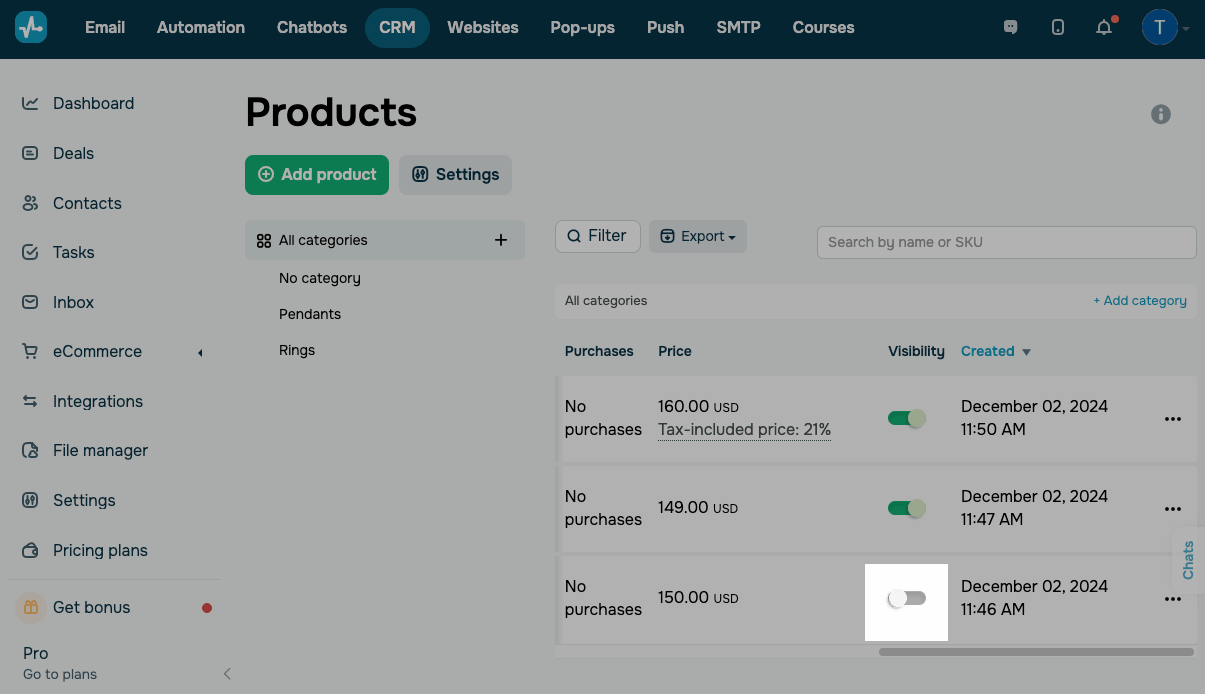
If you add a CRM product to your online store using the product widget and later hide it in the CRM system, it will become unavailable on your website right away.
Customers won’t be able to add it to the cart or place an order, and you don’t need to republish the page.
 Last Updated: 20.02.2026





or