Kit, formerly known as ConvertKit, has been serving marketers and creators since 2013 and, for many, has become a go-to choice when it comes to email marketing. At first sight, the platform seems to have it all, from intuitive automation tools and aesthetic email templates to landing pages and monetization features — basically, everything a marketer could wish for.
But even with its strong feature set and solid reputation, Kit isn’t the perfect fit for everyone. Depending on your vertical, budget, or the size of your audience, you may find that some features feel limiting, certain tools don’t correspond to your needs, or the pricing becomes harder to justify as you progress.
In this post, we’ll introduce several Kit competitors that fill in the diverse gaps the platform doesn’t quite cover, be it advanced eCommerce features, AI assistance, or simply more affordable plans. We’ll also stack these Kit alternatives against each other so you can instantly see which one may work best for you.
TL;DR Which alternative to Kit is the best?
Below is a side-by-side look at some of the best Kit alternatives, each with its own pricing policy and ideal use cases, so you can quickly identify which platform aligns best with your audience, budget, and long-term goals. Click on each tool to jump to its detailed overview.
| Platform |
Free plan limits |
Cheapest paid plan |
Best for |
| SendPulse |
Up to 15,000 monthly emails and 500 subscribers |
$11 a month, billed monthly |
Creators and businesses of all sizes and niches |
| MailerLite |
Up to 12,000 monthly emails and 500 subscribers |
$10 a month, billed monthly |
Bloggers and eCommerce |
| ActiveCampaign |
Only a free 14-day trial |
$15 a month, billed annually |
Enterprises in need of AI-driven growth |
| Sender |
Up to 15,000 monthly emails and 2,500 subscribers |
$10 a month, billed monthly |
Small businesses |
| Flodesk |
Only forms and landing pages |
$25 a month, billed monthly |
Arts & crafts, cosmetics, gastronomy, beauty, and other aesthetic niches |
| beehiiv |
Unlimited monthly emails to 2,500 subscribers |
$49 a month, billed monthly |
Creators, media figures, enterprises |
| Mailjet |
Up to 6,000 emails and 1,000 subscribers |
$17 a month, billed monthly |
Marketing and developer teams |
| Substack |
Unlimited publishing |
No monthly fees, 10% of the revenue |
Independent bloggers building a direct relationship with their audience |
Most of these Kit alternatives are free by default, which means that you can explore their functionality in a risk-free way before settling on a long-term plan.

Free email marketing that scales
Use an AI assistant, pre-made templates, robust automation, and more to run impactful email campaigns without coding. Create your account and send up to 15,000 monthly emails at no cost.
Get started for free
What makes Kit a popular choice for email marketing automation?
For this post, we’ve analyzed recent Kit reviews across various channels, from G2 and Capterra to Reddit and YouTube. Mainly, Kit users seem to enjoy how creator-friendly and design-focused the platform is — it lets content and personal branding take center stage, making it easy for coaches and opinion leaders to package and deliver their content in a controlled yet authentic way.
Its built-in landing pages and subscription forms make it easy to grow an audience without needing a separate website or design software. These features give up-and-coming creators a fast way to set up high-converting funnels.
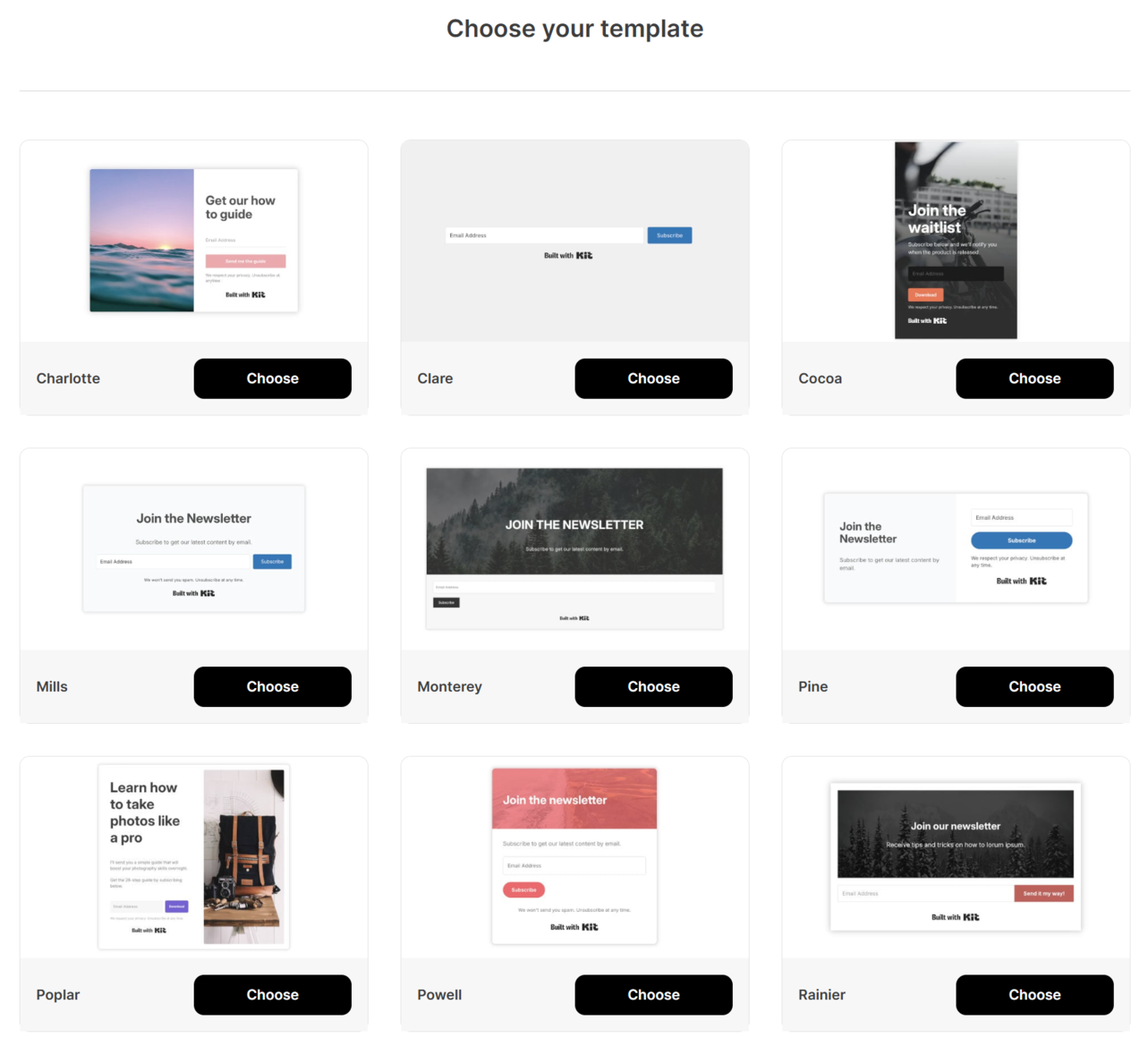 Kit’s subscription form template collection
When it comes to audience segmentation capabilities, Kit enables its users to send the right content to the right people based on behavior, interests, or signup source. Monetization tools are another major draw. With Kit, creators have a way to sell digital products without relying on third-party platforms. The platform also includes co-promotion features tailored for bloggers, helping them partner with similar creators, cross-pollinate their audiences, and grow faster together.
Kit’s email automations are straightforward yet powerful, allowing users to build sequences that welcome subscribers, nurture them, and guide them toward specific actions without getting lost in technicalities. Finally, with native integrations for tools like Thinkific, Canva, Patreon, Circle, and other popular creator platforms, Kit can fit neatly into any existing workflow, which reduces friction and lets creators focus on what they do best.
Why you may want to consider alternatives to Kit
As you may suspect, Kit’s niche specialization also comes with trade-offs that may be critical for some users. Let’s look at the platform’s less-talked-about side — these are the main reasons to consider a Kit alternative:
- Major pivot since the rebranding — not the best fit for B2B and eCommerce brands. Kit increasingly centers its product around individual creators, which means businesses needing advanced customer journeys, multi-touch attribution, or eCommerce-specific workflows may feel underserved.
- Recent price increase. In October 2025, the platform became noticeably more expensive, especially for growing lists, making it harder for small businesses or budget-conscious creators to justify its long-term use.
- Only one email sequence on the free plan. This is a significant limitation for anyone wanting to build multiple automated touchpoints, as it forces users to upgrade early just to maintain basic nurture flows.
- No native AI assistance beyond the subject line generator. Kit competitors often include AI-enabled email drafting, smart product suggestions, and workflow recommendations for a more hands-off approach.
- Limited design flexibility for landing pages and forms. While clean and simple, the few templates don’t offer immense customization, meaning creators who want unique, visually branded pages still have to rely on third-party builders.
- No one-click downgrade option on the Creator plan. Users need to contact support or navigate additional steps to downgrade, which adds unnecessary friction and isn’t ideal for cost-sensitive subscribers.
- No direct support for other communication channels. Kit focuses strictly on email, so brands wanting SMS, live chat, push notifications, chatbots, or omnichannel customer journeys will need external tools.
- No built-in CRM capabilities. Without native contact management or sales pipelines, users must integrate a separate CRM system if they need features beyond basic audience tagging.
- Some Kit users on Reddit repeatedly mention deliverability issues. While experiences vary, these discussions suggest that inbox placement can be inconsistent depending on list size, email volume, and sending habits.
- Reportedly cumbersome verification process. Before sending emails, Kit users often face a detailed domain and account verification workflow that can slow onboarding. The platform may ask for additional information, like historical open and click rates, or even the general plans for email marketing.
- Limited lead magnet options on lower tiers. Offering multiple downloads, content upgrades, or segmented freebies requires higher-tier plans or side apps, which may be a hindrance for new creators.
- Strong dependence on third-party integrations for essential features. With no built-in community tools, content generation features, or advanced eCommerce tools, users end up cobbling together multiple apps, resulting in higher running costs.
- Transaction fees. In addition to monthly charges, Kit takes a cut from paid newsletter revenue, which can quickly become costly as your subscriber base grows.
- More advanced features are locked behind the highest-tier plans. Deep automation, enhanced reporting, and more sophisticated audience tools are only available on premium tiers, limiting the platform’s power unless users are willing to pay significantly more.
None of these issues is catastrophic, and yet combined, they may make a convincing case for exploring what else is out there.
Best Kit alternatives and their strongest features
Now that we’ve looked at Kit’s strengths and weaknesses, we can move on to researching its competitors and identifying the unique value each one offers.
SendPulse
G2: 4.6 ⭐ | Capterra: 4.6 ⭐
SendPulse is an omnichannel sales and marketing automation platform designed to help businesses and individuals engage their audiences across email, SMS, messaging apps, social media, and web push notifications through AI and smart automations.
It’s both eCommerce- and creator-friendly, as it offers much-needed flexibility and a code-free approach to campaign and workflow building. With it, you can generate leads, drive conversions, and keep your audience consistently engaged — and have a bird’s-eye view of your processes.
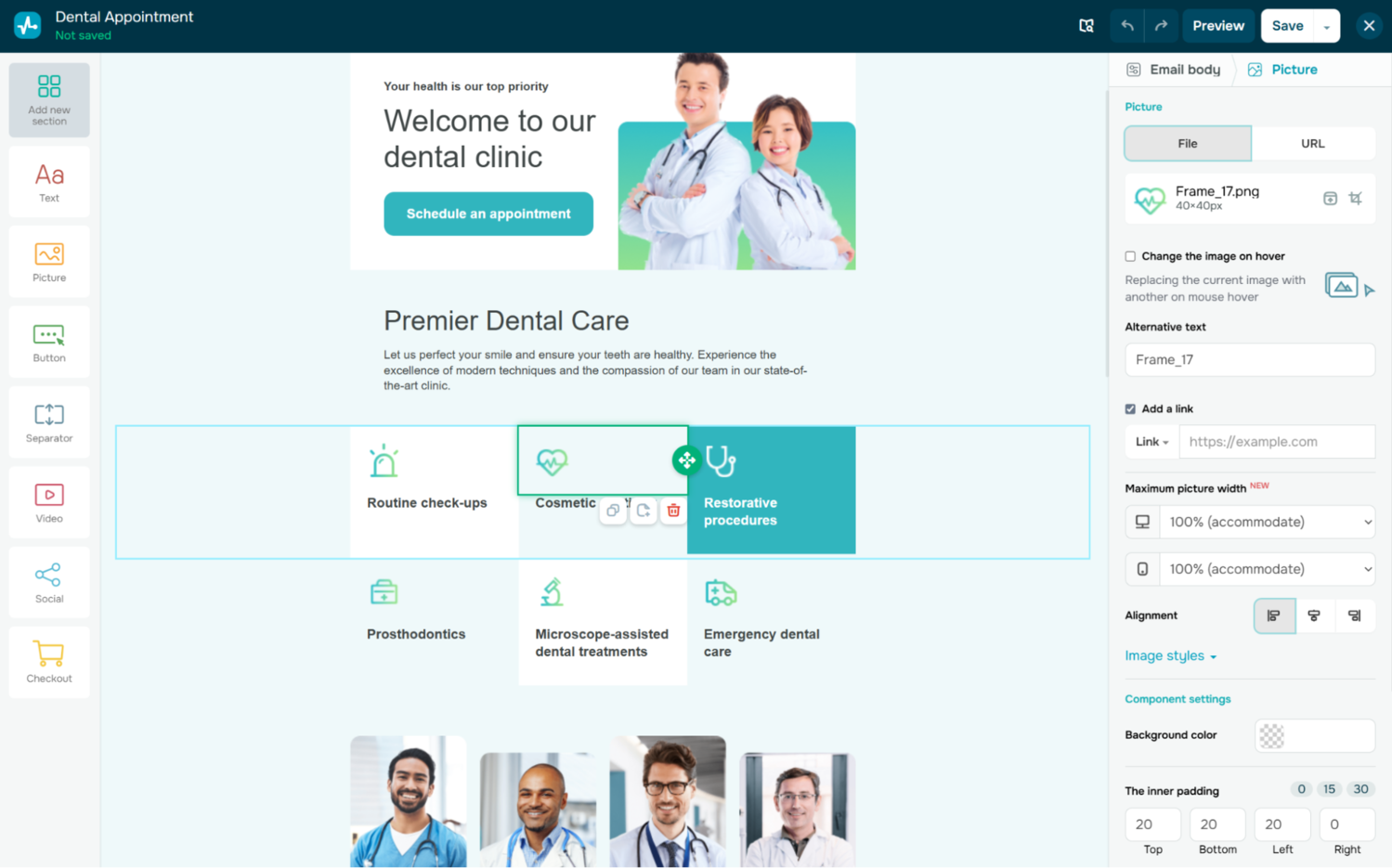 Editing an email template in SendPulse
SendPulse’s feature list includes:
- WYSIWYG email builder with 140+ responsive templates;
- dynamic email content for deeper personalization;
- transactional emails;
- integrated spam check, A/B testing, and analytics;
- complex scenarios for granular audience segmentation;
- live chat widget for websites;
- AI-powered chatbot builder for Telegram, WhatsApp, TikTok, Instagram, Facebook, and web;
- personalized SMS campaigns;
- visual automation builder with customizable templates and AI assistant;
- native CRM system for managing contacts and deal pipelines;
- AI writing and design assistance;
- digital and physical product support and popular payment system integrations;
- gamified pop-ups, conditional forms, and surveys;
- web push notifications;
- AI-enhanced landing page and multi-page website builder;
- built-in LMS for creating and selling online courses and managing student communities;
- integrations with all popular eCommerce, design, CRM, and educational tools;
- multilingual 24/7 support with human agents.
Pricing. SendPulse offers a free-forever basic plan with up to 15,000 monthly emails and 500 subscribers. More advanced plans can be subscription-based or volume-based, starting at $11 per month, billed monthly. Annual billing comes with a 20% discount. Additional functionality like chatbots is billed separately.
⚖️ Verdict. Just like Kit, SendPulse enables you to launch, promote, and monetize digital products, be it an online course or access to a private community on Telegram. It also comes with AI-powered chatbots and fully functional eCommerce features like website payments, live chat, and CRM. However, unlike Kit, the platform allows you to run all your campaigns and chatbots from a single tab, using the built-in tools aligned with each other by default.

Create your free SendPulse account
Start using powerful tools to attract, engage, and retain customers — all on one platform. Sign up for free and explore what you can build.
Get started for free
MailerLite
G2: 4.6 ⭐ | Capterra: 4.7 ⭐
MailerLite is an intuitive email marketing and automation platform built to help businesses, creators, and small teams connect with their audiences through email, landing pages, websites, and pop-ups. Similar to Kit, MailerLite targets opinion leaders looking to share their expertise and expand their reach but also offers various tools for content monetization.
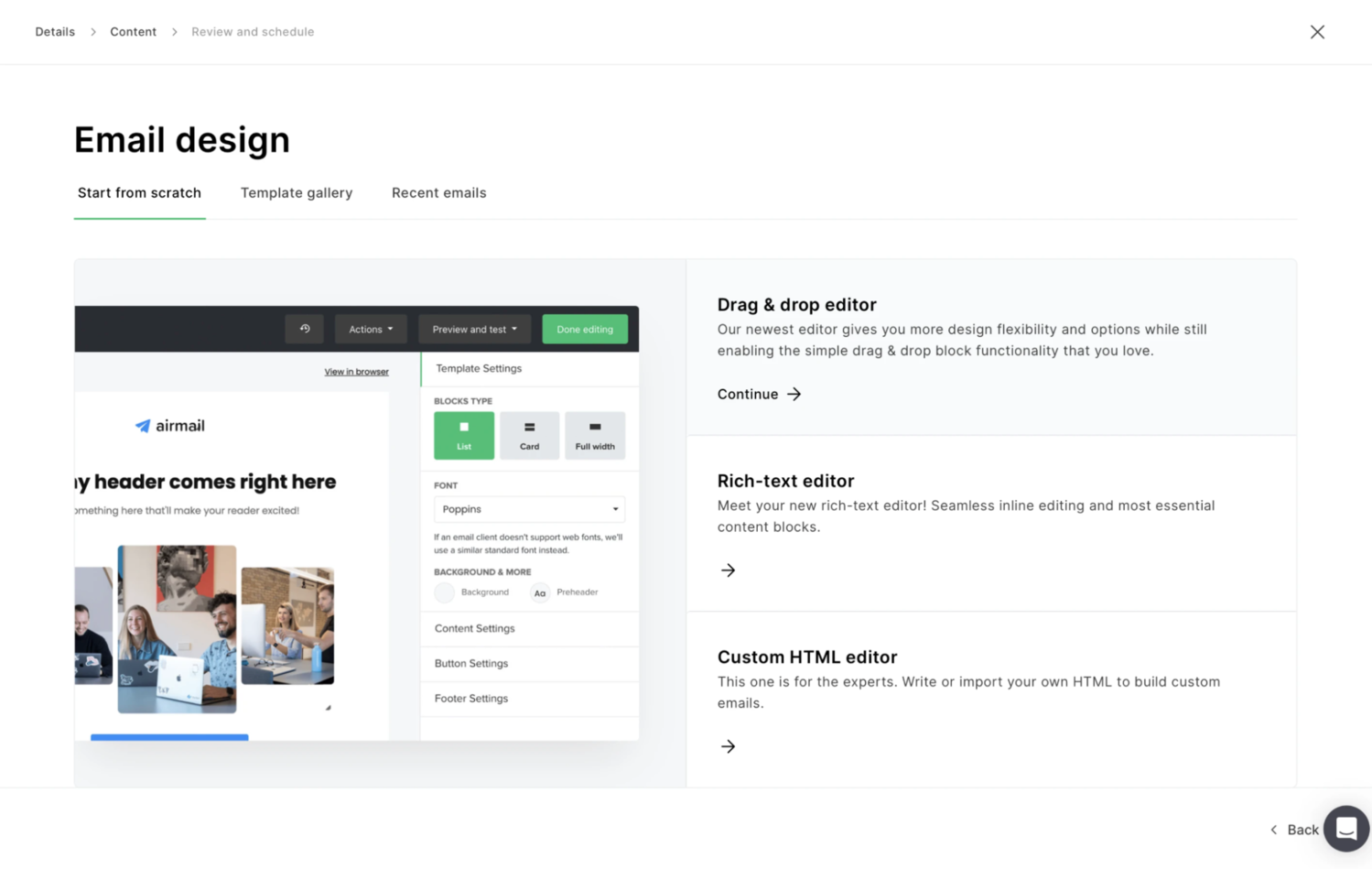 Three ways to create an email campaign in MailerLite; source: MailerLite
Among MailerLite’s features are:
- code-free email and newsletter builder with 90+ customizable templates;
- AI-powered smart sending feature;
- transactional emails via MailerSend (separate product);
- built-in A/B testing, click-map analytics, and deliverability reports;
- advanced segmentation with behavior- and interest-based filters;
- landing page builder with customizable sections, eCommerce widgets, and signup forms;
- SEO-friendly blog builder with monetization options;
- AI generator for emails and landing page content;
- custom brand style support;
- embedded and pop-up forms with conditional visibility;
- visual automation builder for multi-step workflows;
- 15 pre-built automation templates;
- digital product sales (subscriptions, downloads, and simple storefronts);
- paid newsletter monetization through Stripe;
- iPad subscription forms for offline engagement;
- 150+ integrations;
- 24/7 email support across all paid plans.
Pricing. MailerLite offers a generous free plan with up to 12,000 monthly emails and 500 subscribers, along with basic automation and website tools. Paid plans start at $10/month (billed monthly) and scale based on subscriber count. Annual billing offers up to 30% savings. Advanced features like selling digital products, promotion pop-ups, and automation upgrades are included in higher-tier plans.
⚖️ Verdict. MailerLite stands out as a clean, creator-forward platform, but it serves online store owners just as well due to its eCommerce integrations and flexible templates. When considering Kit vs. MailerLite, you may notice that the latter is more budget-friendly but not as networking-oriented.
ActiveCampaign
G2: 4.5 ⭐ | Capterra: 4.6 ⭐
ActiveCampaign is an autonomous marketing automation and customer experience platform with a heavy focus on agentic AI. The software combines a chat-based interface with a powerful automation engine, offering granular control and nuanced targeting for cross-channel campaigns.
Here’s the overview of ActiveCampaign’s key features:
- email, WhatsApp, and SMS support;
- seamless integration with Claude, ChatGPT, and other AI tools through the MCP server;
- AI-powered drag-and-drop email designer with 250+ customizable templates;
- AI-optimized campaign scheduling;
- automated email personalization;
- AI brand kit for visual consistency across campaigns and channels;
- intelligent real-time email campaign suggestions;
- transactional email via Postmark (stand-alone product);
- WhatsApp messaging automation with chatbot support, workflows, and CRM sync;
- customizable CRM with predictive insights and AI lead scoring;
- specialized, goal-aware AI agents;
- conversational automation builder interface;
- conversion-optimized landing pages and forms;
- creative AI copilot for content generation;
- AI-enhanced audience insights and reporting;
- integrations with 1,000+ apps;
- free one-on-one onboarding.
Pricing. ActiveCampaign provides a free 14-day trial. Email-only paid plans start around $15 a month, billed annually. The WhatsApp automation toolkit is billed separately.
⚖️ Verdict. ActiveCampaign is one of the most powerful automation platforms on the market, with agentic AI integrated at every step, from strategy and campaign design to distribution and analytics. When comparing Kit vs. ActiveCampaign, it’s clear that the latter provides much more sophisticated, enterprise-grade multi-channel engagement — at a corresponding price point.
Sender
G2: 4.7 ⭐ | Capterra: 4.7 ⭐
Sender is a beginner-friendly European email marketing platform that combines simplicity of use with superb 99.98% deliverability and modern design features. This Kit alternative is intended for small businesses as well as event organizers and NGOs.
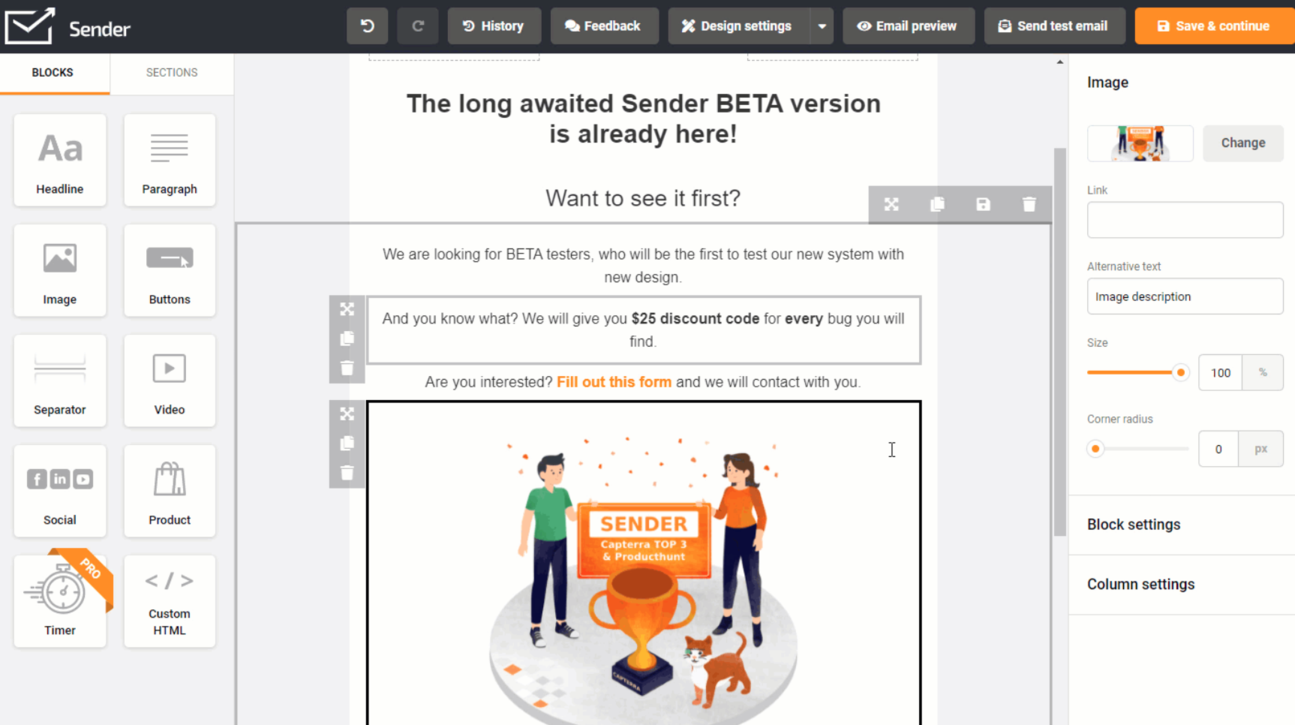 Editing an email template in Sender; source: Sender
The platform offers the following features:
- drag-and-drop email builder with 100+ mobile-friendly templates;
- interactive email features and product blocks;
- large library of email templates and full HTML editor support;
- targeted SMS campaigns;
- multi-path automations with behavior- and event-based triggers;
- brand image and asset library;
- audience segmentation tools;
- conditional pop-ups and embedded forms;
- conversion-oriented landing page builder;
- built-in A/B testing and detailed campaign analytics;
- integrations with Shopify, Zapier, WordPress, and other tools and CMSs;
- 24/7 support via chat and email on all plans.
Pricing. Sender offers a free-forever plan with up to 2,500 subscribers and 15,000 monthly emails. The platform offers flexible, volume-based pricing plans starting at $10 a month, billed monthly. Annual billing gives you 30% off.
⚖️ Verdict. Sender is a free Kit alternative for small-scale businesses and creators who want a robust lead generation and email automation toolkit without shiny gimmicks. At the same time, it can later be connected to more powerful tools, removing the need to commit to expensive proprietary features early on.
Flodesk
G2: 4.5 ⭐ | Capterra: 4.4 ⭐
Flodesk is a design-first email marketing and automation platform made with creators in mind. Its main purpose is to empower users to send stunning, value-packed emails without touching code. Unlike traditional eCommerce-first email tools, Flodesk prioritizes aesthetics and brand consistency — this is one of the few email builders where you can alter the shape of each image block.
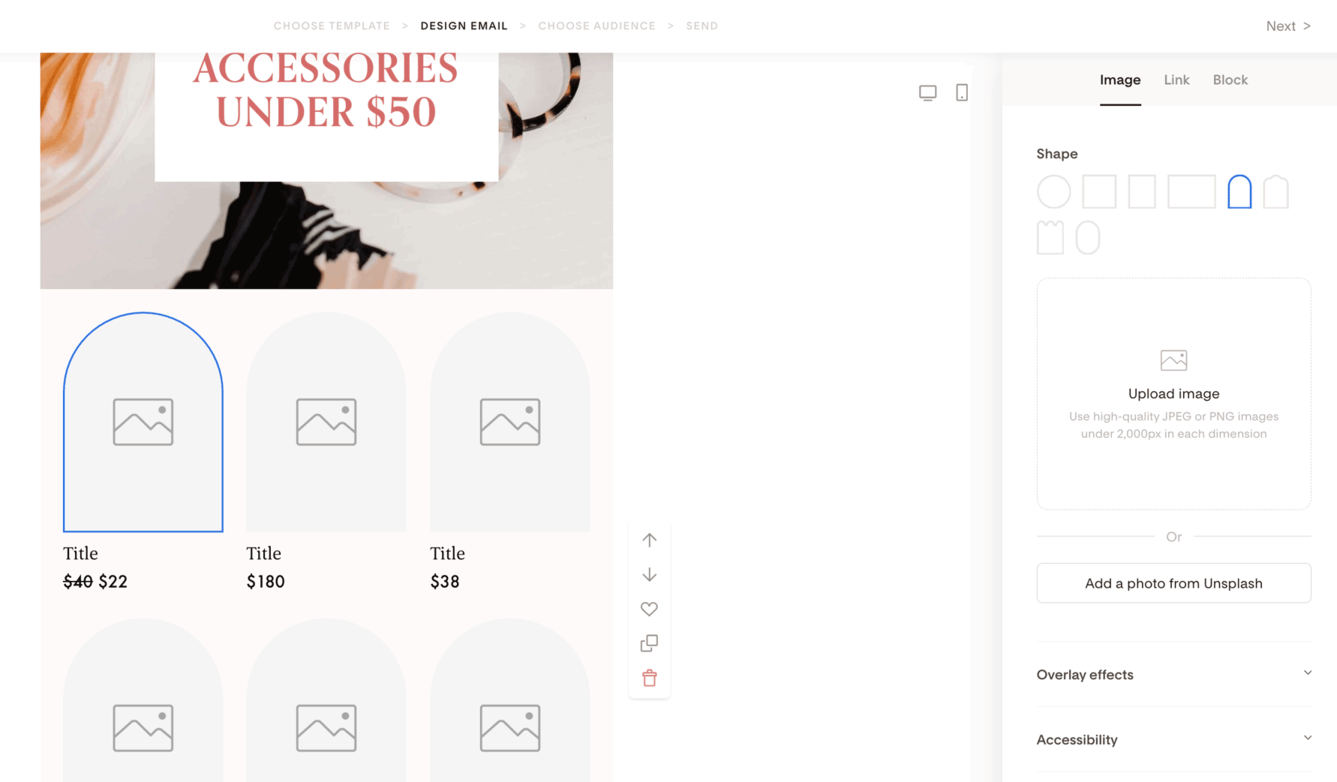 Changing image shapes in an email in Flodesk; source: Flodesk
Here are Flodesk’s features at a glance:
- minimalist drag-and-drop email builder with nuanced controls;
- visually rich, brand-customizable templates;
- custom fonts and brand colors;
- dynamic content blocks and personalization options;
- urgency drivers for FOMO-inducing campaigns;
- integrated checkout for selling digital and physical products;
- BNPL and other flexible payment options;
- feedback collection email features;
- embedded forms, pop-ups, inline forms, and full-page signup forms;
- multi-step automations;
- sales funnel creation via checkout pages for digital products, memberships, and paid content;
- link-in-bio page builder for social media;
- CRM-like audience segmentation and management tools;
- detailed analytics suite;
- developer API;
- integrations with Canva, Instagram, Squarespace, and other popular creator tools;
- mobile-optimized emails and templates for consistent display across devices.
Pricing. There’s a free trial for all paid plans as well as a free introductory plan with access to forms and landing pages — email isn’t included. Flodesk’s plans are volume-based and start at $25 a month, billed monthly. Annual billing gives you one month for free.
⚖️ Verdict. This Kit alternative shines for users who value aesthetics and intricate branding above advanced technical features, although the Flodesk API makes both possible, enabling custom integrations. The built-in eCommerce features also surpass those of Kit. In general, Flodesk offers a far more visually driven environment and is easier for beginners who want polished emails without hiring a team of designers.
beehiiv
G2: 4.5 ⭐ | Capterra: 4.4 ⭐
beehiiv is an all-in-one growth and monetization platform built to help creators, publishers, and opinion leaders launch, scale, and profit from their newsletters. With its AI tools, automations, and built-in Ad Network, it poses a serious threat to Kit, as it not only meets the same needs but also helps users build proper media brands.
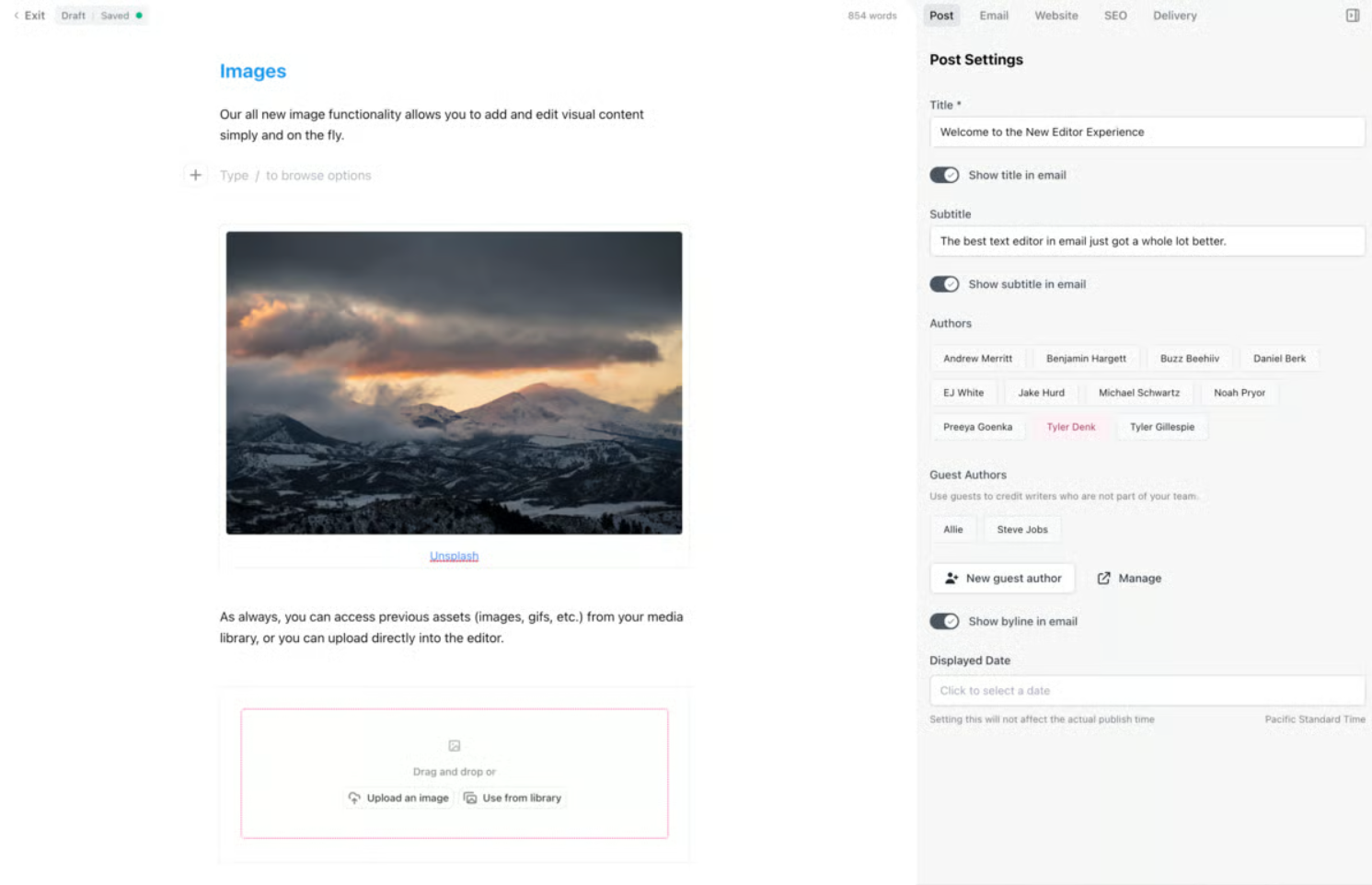 beehiiv’s all-in-one editor; source: beehiiv
This Kit alternative offers the following features:
- publisher-centric newsletter editor with rich formatting options;
- AI-powered writing support and image generation;
- collaboration features for joint newsletter creation;
- dynamic layout control and custom domains;
- custom code support for more in-depth customization;
- automations with advanced triggers and actions;
- native survey and polling tools;
- audio newsletters via AI-powered text-to-speech;
- lead capture forms, pop-ups, and one-click subscription widgets;
- flexible website builder;
- paywalls, direct sponsorships, and digital products;
- ad network with programmatic placements;
- native Boosts marketplace for subscriber acquisition;
- Recommendation Network for increasing exposure;
- native survey and polling tools;
- engagement, revenue, and monetization tracking with AI-powered insights;
- API access for integrations;
- integrations with popular analytics, CRM, and eCommerce tools.
Pricing. beehiiv offers a free-forever plan with unlimited email sends to 2,500 subscribers as well as free trials. Paid plans are volume-based and start at $49 per month, billed monthly. Annual billing comes with a discount. Monetization features such as Boosts and Ads operate on a revenue-share or usage model.
⚖️ Verdict. beehiiv matches or even surpasses Kit when it comes to AI features, in-platform advertising opportunities, and fine newsletter design controls. The platform caters to diverse target groups, from beginner publishers to enterprises, making premium-tier users part of the beehiiv expert community.
Mailjet
G2: 4.0 ⭐ | Capterra: 4.2 ⭐
Mailjet is a collaborative email marketing and transactional email platform that empowers marketing teams and developers to work seamlessly in one shared environment. It’s built around real-time co-editing, robust deliverability infrastructure, and flexible API/SMTP capabilities. This is a rare hybrid solution that supports both no-code campaign creation and deeply technical integrations.
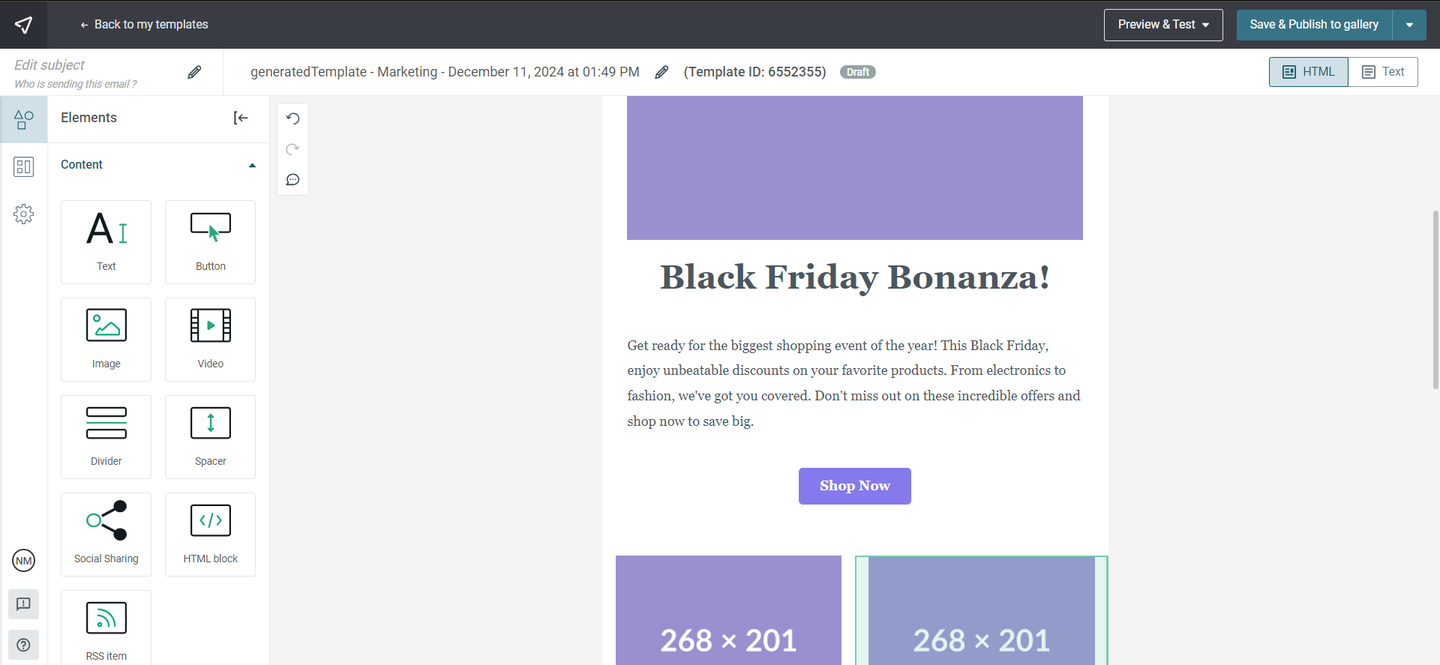 Customizing an email template in Mailjet; source: Mailjet
Below are Mailjet’s most interesting features:
- visual email editor with responsive templates and custom code support;
- brand kit and lockable sections for consistent email campaigns;
- AI email template generator;
- detailed email previews for crafting an impeccable viewing experience;
- collaboration features like comments, template version control, and instant updates;
- multi-user access, roles, permission management, and subaccounts;
- automation builder with customizable blocks;
- segmentation based on interests, attributes, or behaviors;
- landing page and form builder;
- A/B testing (up to 10 different email versions);
- comprehensive real-time stats;
- MCP server for conversational-AI-powered analytics;
- 70+ integrations with CRM, CMS, marketing, and contact management tools;
- SMTP server for transactional emails and bulk sending;
- Parse API for integrating inbound mail into ticketing systems, CRMs, or custom workflows;
- multilingual 24/7 support.
Pricing. Mailjet offers a free-forever tier that allows sending up to 6,000 monthly emails to 1,000 contacts. Paid plans start from $17 a month, billed monthly. Annual billing can save you 10%.
⚖️ Verdict. While Kit mostly targets personal brand owners and solo creators, Mailjet can be thought of as a uniquely collaborative environment built for marketers and developers. With it, teams can design campaigns, automate their work, and integrate email functionality directly into their apps without ever stepping on each other’s toes.
Substack
G2: 4.4 ⭐
Substack is a publishing platform for writers, podcasters, and independent creators who want to build a direct relationship with their readers. It combines the best of WordPress and Kit, promoting content ownership and freedom from social algorithms — without bulky marketing stacks. Each post or newsletter can be enriched with images, GIFs, songs, videos, code blocks, equations, or charts.
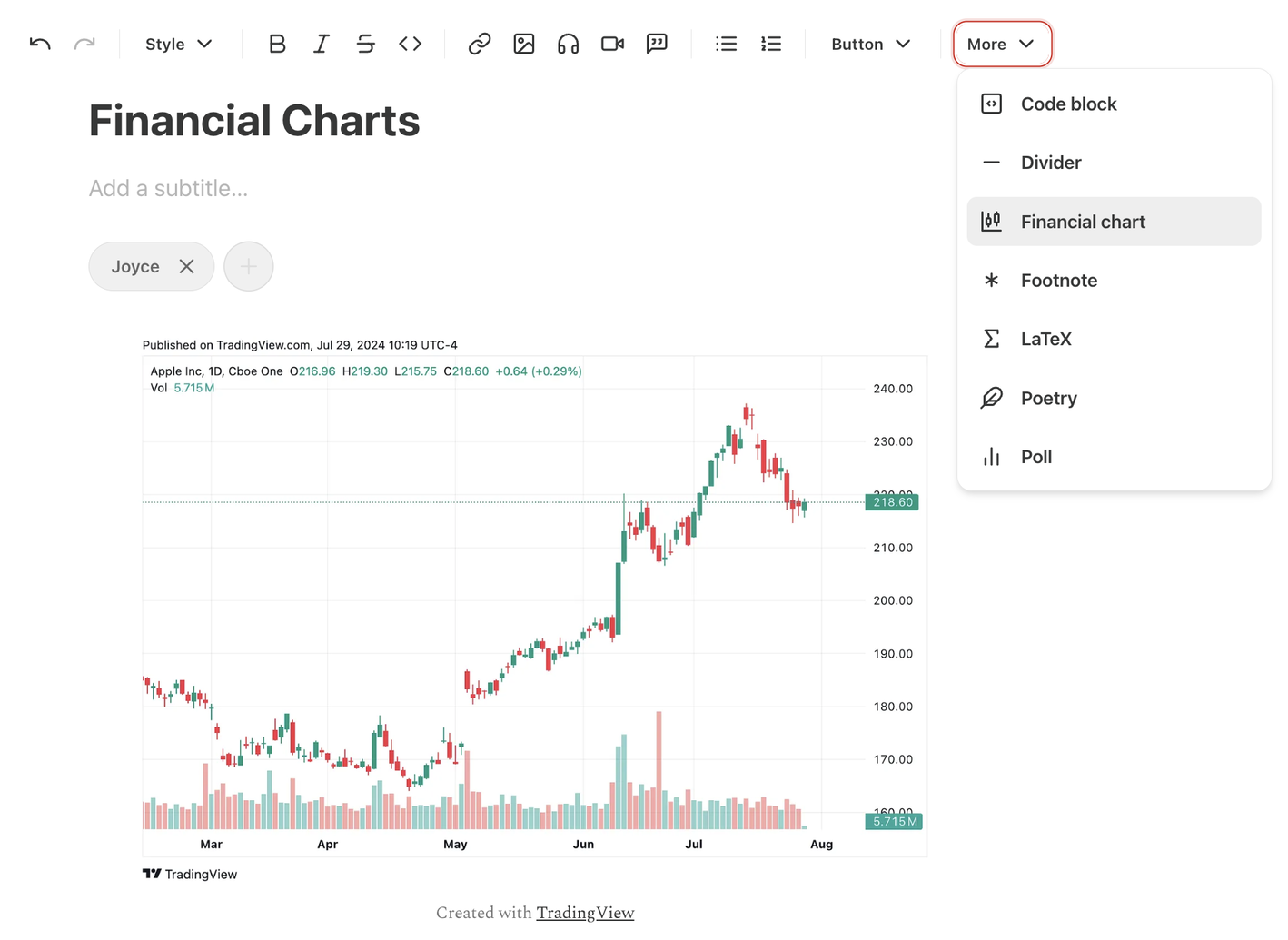 Adding a financial chart to a Substack publication; source: Substack
Here are the key features of this Kit alternative:
- clean, minimalist editor optimized for long-form writing;
- native email delivery with reliable deliverability;
- podcast hosting with built-in audio player and RSS distribution;
- video and live video support;
- paid subscription tools with monthly, annual, and founder-level tiers;
- integrated comments, notes, and community discussions;
- recommendation network to help writers cross-promote;
- analytics dashboard for monitoring growth, engagement, and revenue;
- customizable publication styling and branding;
- member-only posts, chat, and gated media;
- seamless content and subscriber import;
- basic landing page builder;
- reader surveys for community engagement;
- support for multiple writers and editors on a single publication;
- mobile app;
- basic email statistics like open rates;
- integrations with Stripe for payments and payouts.
Pricing. Substack is free to start and to use. Instead of monthly fees, Substack charges a 10% fee from paid subscription revenue. All core publishing features are included at no cost.
⚖️ Verdict. Similar to Kit, Substack gives creators a straightforward way to launch, grow, and monetize digital content. There are no intricate automation flows and mandatory monthly charges, which also means fewer technical and financial barriers. The variety of supported media also makes it appealing to a wider spectrum of creators — not just writers but also podcasters, video essayists, and live coaches.
If your intention is serious growth and you want a platform that won’t cap your potential, then you may want to look beyond email-only tools.
Meet SendPulse — the ultimate Kit alternative. We offer a fully equipped ecosystem that empowers creators and small businesses to monetize, distribute, and automate their communications at scale. Unlike single-purpose platforms, SendPulse brings email, chatbots, SMS, websites, and even online course creation under one roof, so there’s no need to stitch together multiple services.
Create your account today and see for yourself!