Social media is often where people first discover your brand, but profile bios have always had one major limitation: for a long time, most platforms only allowed a single clickable link. Hence, creators and businesses had to choose between their website, online store, latest content, newsletter, or another priority resource. While some social networks now support multiple links, a plain list still doesn’t do much. It isn’t branded, you can’t track what people click, and you have to edit every profile each time something changes.
Bio link tools solve this problem by turning a single URL into a branded landing page that can include your website, products, videos, music, events, social profiles, signup forms, and more. Update it once, and every social profile points to the latest version. Linktree popularized this format, but it’s now one of many options with unique pricing, features, and customization options. As the category has grown, so have the differences between platforms. Here’s how the best paid and free Linktree alternatives compare in 2026.
Disclaimer: This guide is published by SendPulse. Although we cover our own product alongside competitors, we aim to present each tool fairly.
TL;DR Top Linktree alternatives at a glance
Please note that all features, pricing, and positioning below are accurate as of July 31, 2026.
To identify the most suitable platform for your business, here’s a quick look at the best bio link page builders in terms of price, usability, and features in 2026.
| Tool |
Free plan |
Cheapest paid plan |
Standout features |
| SendPulse |
✅
1 page with unlimited links |
Minisites
for $27/year |
On-site payments, chatbot integration, CRM sync, custom domain, 0% transaction fees |
| Carrd |
✅
3 sites |
Pro
for $9/year |
One-page sites, forms, Stripe or PayPal embeds, custom domain |
| Beacons |
✅
1 page, 9% transaction fee |
Creator
for $8.33/mo |
Creator store, monetization, custom domain, AI tools |
| Taplink |
✅
basic features |
Pro
for $3/mo |
Diverse content blocks, marketing add-ons |
| Campsite.bio |
✅
unlimited links |
Pro
for $7/mo
or $70/year |
Custom domain, in-depth analytics, tracking pixels, scheduling |
| Bio Sites (Squarespace) |
✅
10 pages |
No paid tier |
Stripe or PayPal monetization blocks, email capture tools |
| Stan Store |
❌
14-day trial |
Creator
for $29/mo
or $300/year |
Storefront for courses, coaching, memberships, 0% transaction fees |
| Later |
✅
1 link per post |
Starter
for $18.75/mo |
Customizable page, shoppable feed posts |
| solo.to |
✅
1 page with up to 25 links |
Personal
for $1/mo |
Link icons, themes, custom URL, analytics |
| Milkshake |
✅
unlimited links, 12% transaction fee |
Lite
for $2.99/mo |
Mobile-first, card-based layout, Sell Cards |
| Canva |
✅
5 sites |
Business
for $20/mo |
Design editor, templates, URL shortener, custom domain |
| Lnk.Bio |
✅
3 pages with unlimited links |
Mini
for $0.99/mo
or $9.99 one-time |
Lifetime pricing options, custom domain add-on, link groups |
| Replug |
✅
2 pages with up to 100 links |
Essentials
for $9/mo |
Link shortener, retargeting pixels, QR codes |
Quick Linktree feature overview
G2: 4.6 ⭐ | Capterra: 4.5 ⭐
Linktree made the link-in-bio format popular and claims to be “the only link in bio trusted by 70M+” creators and brands. With the platform, you can combine your website, store, videos, music, podcasts, events, and social profiles under one linktr.ee/username URL to share in any social media bio.
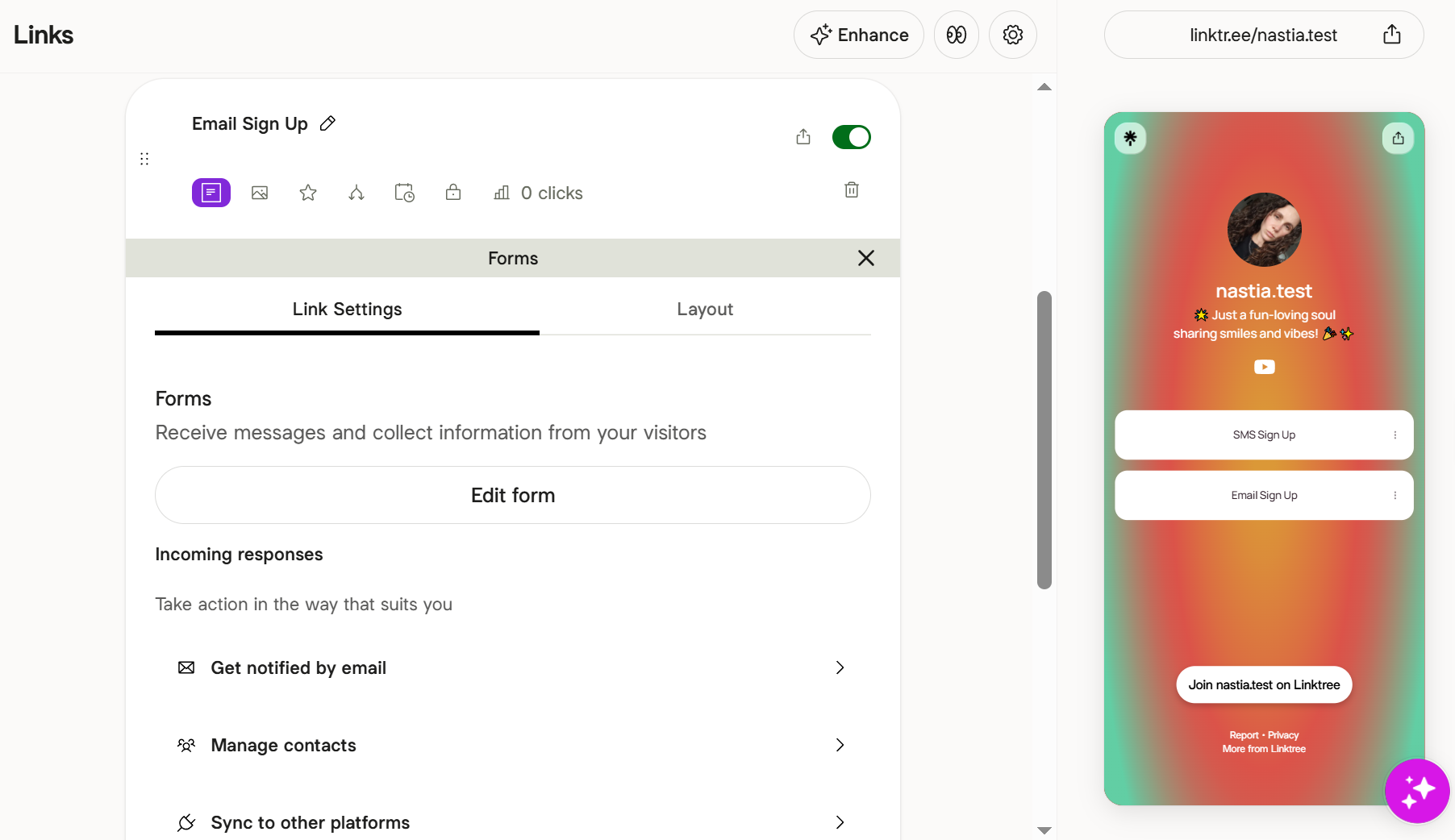 Adding an email signup form to a Linktree page
The Linktree free plan includes:
- 1 page with unlimited links;
- basic themes;
- social icons, videos, and embeds;
- a unique QR code;
- email and SMS signup forms;
- Linktree Shops and sponsored links;
- basic commerce features for digital, physical, and affiliate products, communities, and promotions.
Linktree’s paid plans unlock more customization, marketing, and monetization features:
- Starter for $6/month (billed annually) includes animated and spotlight links, a profile verification badge, QR code customization, basic analytics, and lower fees when you sell digital products and courses.
- Pro for $12/month (billed annually) lets you connect with email platforms like Kit, Mailchimp, and Klaviyo to sync your subscriber data. It also offers Instagram DM automation, advanced analytics, and SEO settings.
- Premium for $30/month (billed annually) removes seller fees entirely, pays out 100% affiliate commissions, and offers unlimited Instagram auto-replies.
For a lot of creators, the free plan is all they’ll ever need. The question is where Linktree starts to fall short, and whether those limitations matter to you.
Reasons users may look for Linktree alternatives
Those limitations are well documented by users who run into them. Linktree scores highly overall, but the same concerns come up repeatedly in verified G2 and Capterra reviews, most often from users who otherwise rate the platform well:
- Essential features behind a paywall. Many reviewers find the free plan limited. Useful features, like advanced customization, detailed insights, and integrations, require a paid subscription, making upgrades necessary as their needs grow.
- Linktree branding on pages. Unless you upgrade to a mid-tier plan (from $12/mo), published pages and QR codes show Linktree’s branding. Pages also use the platform’s domain instead of your own, which some reviewers say weakens their brand identity.
- Limited design customization. Reviewers would like more themes, fonts, and layout controls to create personalized pages that better match their brand.
- Limited mobile editing. Some tasks still require a desktop. Reviewers mention that adding digital products or building pages using a phone can be frustrating.
- Customer support and billing. Capterra users rate Linktree’s customer service 4.2 out of 5. Some reviewers also report billing issues, including unexpected charges, cancellation difficulties, and slow responses from support.
These reviews don’t tell you which Linktree alternative to choose, but they show you what to compare when evaluating your options.
How to choose a Linktree alternative
It’s easy to assume all bio link tools do the same thing, and to a point, they do. The differences show up once you start using them. Pricing, customization, analytics, and a few other details can make one platform a much better fit than another. Here are six areas to compare:
- Long-term cost. Before you commit, check which features require a paid subscription and how pricing changes over time. Some tools stay free indefinitely, while others are only free during the trial period.
- Branding control. Check whether you can use a custom domain and remove the platform’s branding. Many free plans reserve both for paid tiers.
- Design and customization. Compare the available themes, fonts, layout options, content blocks, and how much you can customize them.
- Analytics and tracking. If your bio link supports marketing campaigns or paid ads, look for in-depth analytics, exportable reports, and support for tracking pixels such as Meta and TikTok.
- Lead capture. If you want to grow your audience, look for built-in signup forms and email marketing integrations.
- Selling and fees. If you plan to sell products, downloads, or memberships, compare payment options and transaction fees. Fees can range from 0% to about 9–10%, depending on the platform and plan.
With these priorities in mind, let’s look at how the top paid and free Linktree alternatives stack up.
Best Linktree alternatives reviewed
We created accounts and built a real bio page with almost every Linktree alternative below, so the features, pricing, and screenshots reflect what you’ll actually find. The tools are not ranked. For each, we cover what it does best, who it’s for, where it falls short, and what it costs, so you can jump to the ones that fit your goal.
SendPulse
SendPulse is a complete marketing platform with a built-in link-in-bio page builder. In the same account, you can run email campaigns, send web push notifications and SMS, build chatbots for messaging apps, launch websites and online stores, and manage customer data in a native CRM system.
Your bio link page can showcase products, content, social profiles, and contact details while giving visitors much more context than a standard social media bio allows. You can start with a ready-made template or build the page from scratch, then customize it to match your brand.
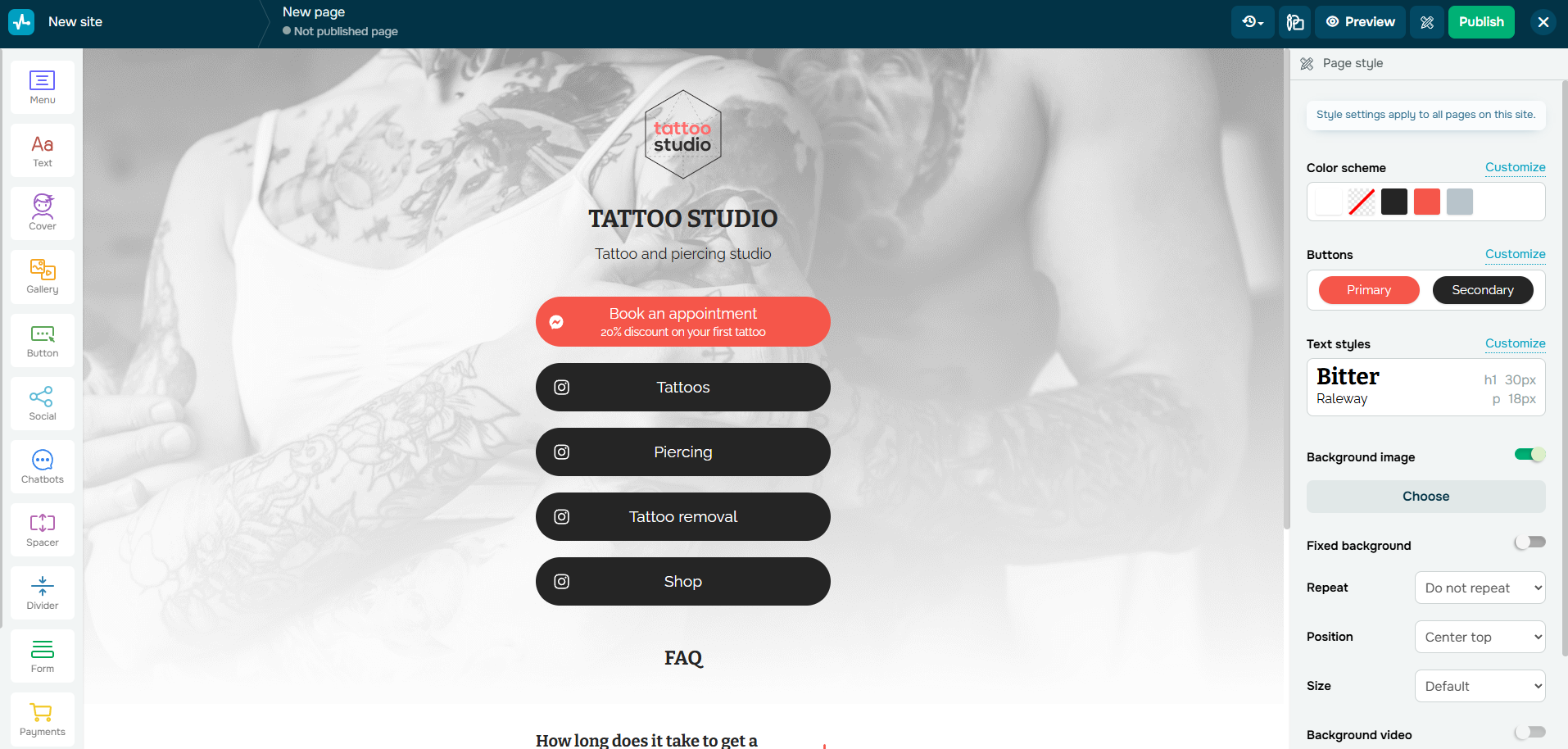 Creating a bio link page in SendPulse
This Linktree alternative also lets you accept payments, promote limited-time offers with countdown timers, and connect chatbots directly to your page. That means visitors can subscribe, ask questions, place orders, or complete a purchase without leaving your link-in-bio page.
SendPulse bio link page builder’s core features include the following:
- unlimited number of links and multiple pages;
- customizable templates;
- on-site payments via Stripe, PayPal, Klarna, MercadoPago, Flutterwave, Cryptomus, etc. with 0% SendPulse transaction fees;
- Meta Pixel and Google Analytics integration;
- quick domain verification in Meta Business Manager;
- images, carousels of images, and video;
- button animation effects;
- countdown, signup, and FAQ elements;
- WhatsApp, Instagram, TikTok, Facebook, or Telegram chatbot integrations;
- data sync with a built-in CRM system;
- multi-platform sharing.
Cons. SendPulse’s bio link page builder is one tool inside a much larger marketing suite, so getting started can take longer than with a dedicated bio link tool. Also, its free plan caps you at 10,000 page views per month, a limit Linktree’s free plan doesn’t impose.
Pricing. SendPulse offers a free plan that includes 1 bio link page or website with up to 10,000 monthly page views. The dedicated Minisites plan includes 2 bio link pages, unlimited traffic, payment integrations, and a custom domain for $27/year. You can also choose a paid plan with 2 websites and 2 bio link pages from $8.40/month (billed annually). Check SendPulse’s official pricing page for details.
Carrd
Carrd is a popular tool for building simple, responsive one-page sites and link-in-bio pages among creators, freelancers, and small businesses thanks to the level of control it gives you over your page’s design and layout. You start from one of its templates or a blank canvas and put your page together block by block.
The editor feels more like a lightweight design tool, where every element can be moved, resized, and styled individually. You can also fine-tune fonts, colors, and backgrounds, and apply on-load animations like fade-ins with custom delay and duration.
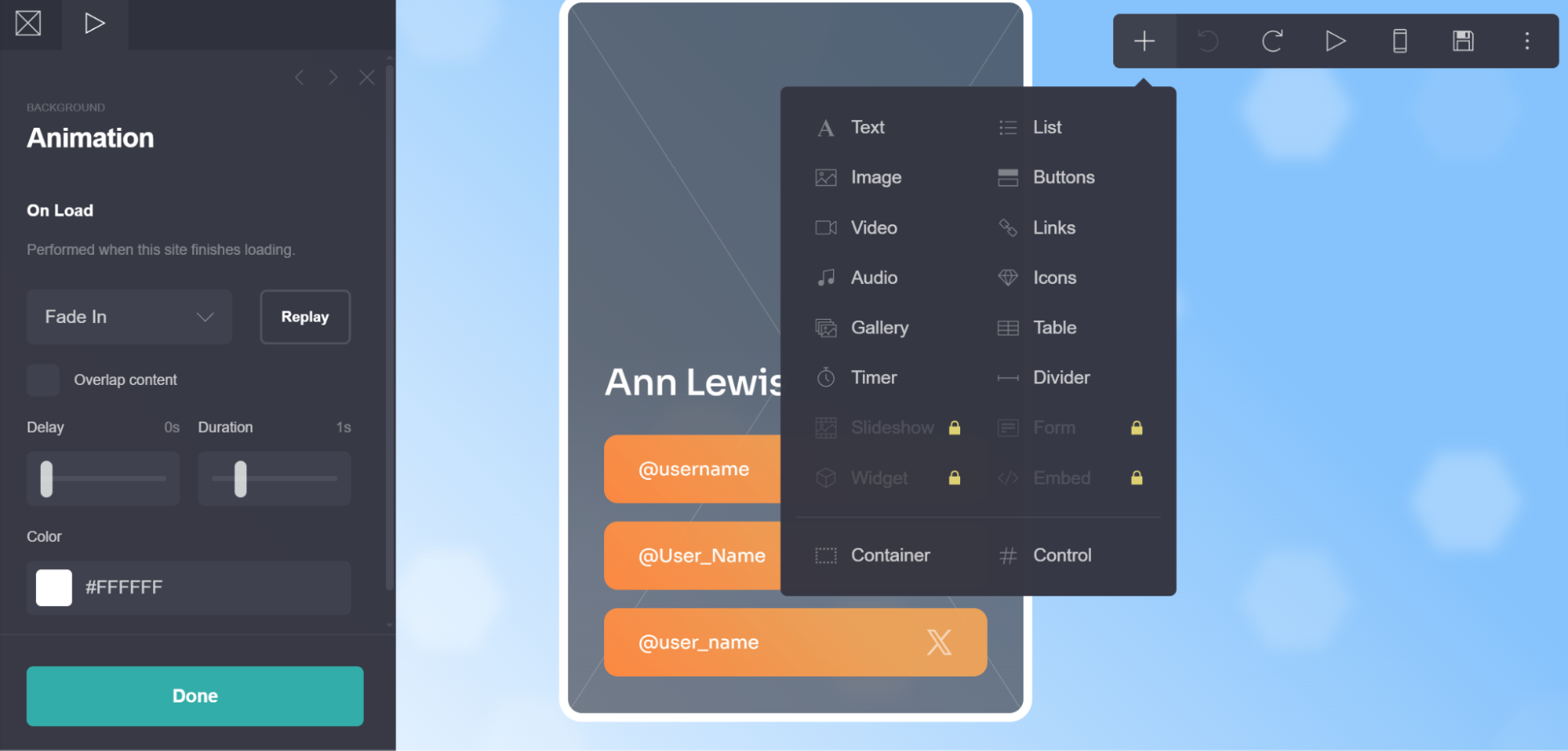 Adding elements and on-load animations to a bio link page in Carrd
When you’re ready to capture leads or sell products, you can add signup forms that connect to popular email marketing platforms, payment widgets, and embeds from third-party services directly to the page.
Carrd’s core features include the following:
- responsive, mobile-first one-page sites and link-in-bio pages;
- block-based editor with text, buttons, links, icons, images, galleries, video, and audio;
- ready-made templates, a blank canvas, and community-shared designs;
- support for custom HTML, CSS, and JavaScript code;
- contact, signup, and payment forms;
- dynamic content through variables;
- embeds and widgets from Stripe, PayPal, Typeform, etc.;
- custom domains with SSL support;
- analytics integrations, including Google Analytics and Plausible.
Cons. Carrd’s free plan is very limited and has no analytics at all, while Linktree includes basic click stats for free. Reviewers also note that without much customization, different Carrd sites can end up looking quite similar.
Pricing. Carrd’s free plan lets you publish up to 3 sites with a “Made with Carrd” badge and .carrd.co URL. Paid plans start at $9/year and unlock additional features and increase the number of published sites. A 7-day trial is available for advanced features. Check Carrd’s official pricing page for details.
Beacons
Beacons is designed for creators who want more than just a place to share links. It offers a customizable bio page and brings together tools for selling products, building an audience, and managing partnerships.
You create your page from customizable blocks, arranging links, text, and media to bring your online presence together. Each section can include headers, descriptions, images, collapsible content, and carousels.
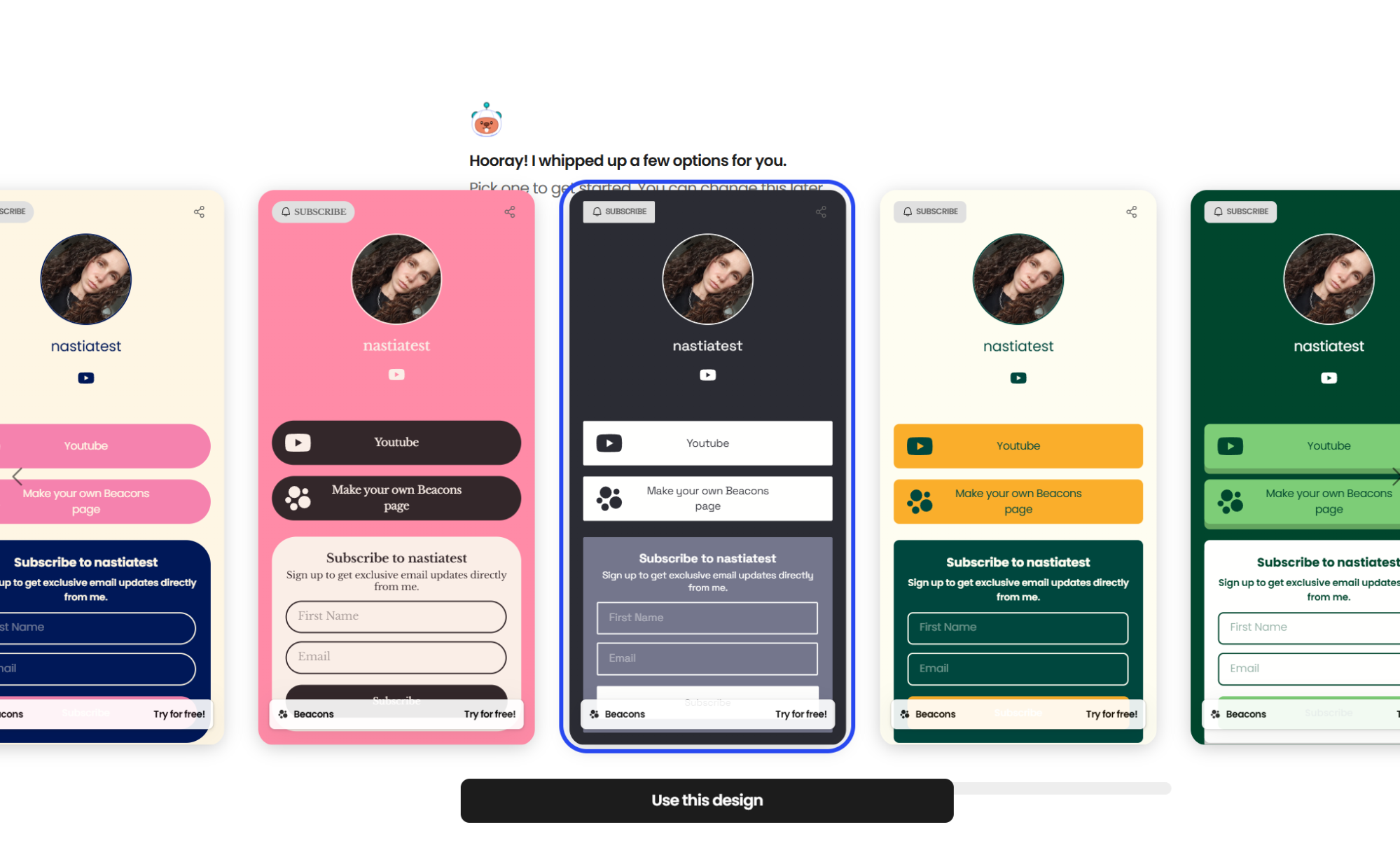 Beacons’ AI generates several ready-made page designs to start with
Helping creators earn money is one of Beacons’ biggest strengths. You can sell digital products, courses, memberships, appointments, or physical products through Shopify. Built-in email marketing helps turn visitors into subscribers and customers, while Instagram DM automation can send replies based on keywords in comments and Stories, guiding followers to your page, products, or signup forms.
Beyond audience growth and sales, Beacons includes a media kit builder, AI tools for generating text, images, designs, and captions, and analytics to track your traffic and audience behavior.
Here are some of Beacons’ main features:
- a customizable link-in-bio page with creative blocks and media embeds;
- payments via Stripe, PayPal, and bank accounts;
- TikTok shopping and store blocks;
- contact forms for email and SMS collection;
- a media kit builder and AI content tools;
- traffic and audience analytics;
- custom domains.
Cons. Like Linktree, selling from your Beacons page comes with a 9% transaction fee on the free plan. To remove this fee, you need to upgrade to a higher-priced tier. Hiding Beacons branding is only available with the $25/month Creator Plus plan. Paid plans also limit you to 1 to 10 published websites.
Pricing. Beacons offers a free plan with 1 customizable link-in-bio page or website, unlimited digital product sales (with a 9% seller fee), and real-time analytics. Paid plans, billed annually, start at $8.33/month for the Creator plan, which adds a free custom domain and advanced SEO and marketing features. The Creator Plus plan is $25/month for 5 websites, no seller fees, and no Beacons branding. The Creator Max plan costs $75/month. Check Beacons’ official pricing page for details.
Taplink
Taplink is a link-in-bio and landing page builder with solid eCommerce tools and lead generation features. It offers hundreds of themes and content blocks, making it a good fit for creators and businesses that want more than a plain list of links.
Pages may be created using image carousels, maps, price lists, music players, forms, countdown timers, and other types of blocks. Taplink also supports online payments through popular payment providers and enables you to sell products directly from the page.
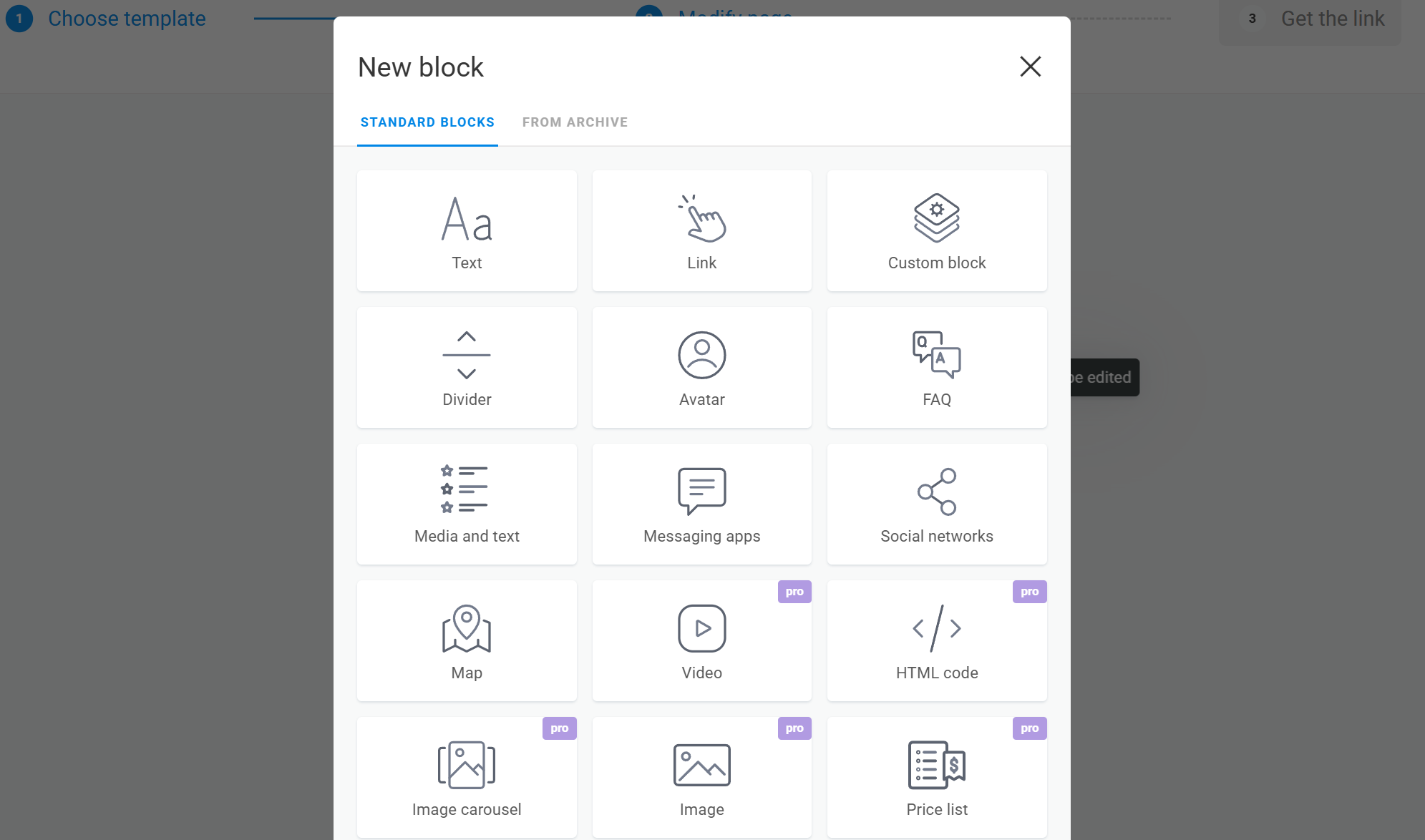 Choosing a content block in Taplink’s editor
On top of that, the built-in CRM features, automated emails, and support for a custom domain make this Linktree alternative suitable for businesses that want to manage their customer interactions from the same platform.
Taplink’s core features include the following:
- reusable content blocks;
- customizable themes with pre-designed colors, fonts, and shapes;
- support for custom HTML and third-party widgets;
- lead capture forms and payments;
- custom domains with SSL certificates;
- QR codes, page statistics, and integrations with external analytics.
Cons. All the monetization features available on Taplink are hidden behind its most expensive plan, and a mid-tier plan is required for many of the content blocks and design options. Some reviewers wish for more design variety, since templates can look similar without extra customization.
Pricing. Taplink offers a limited free plan for individuals. Paid plans start at $3/month for Pro and $6/month for Business when billed annually. Check Taplink’s official pricing page for details.
Campsite.bio
Campsite.bio helps you quickly create a polished, customizable bio page. Once it’s ready, you can share it in your social media bio, email signature, or as a QR code. To build your page, you can combine blocks like links, titles, dividers, groups, social icons, and contact details. Each link button can include an icon or image thumbnail, and links can be scheduled, archived, restored, or locked as your campaigns change.
You can also add image carousels, embeds, and opt-in forms to collect email addresses. For design, you can use a pre-made theme or create your own with custom colors, background images or patterns, and animated gradients.
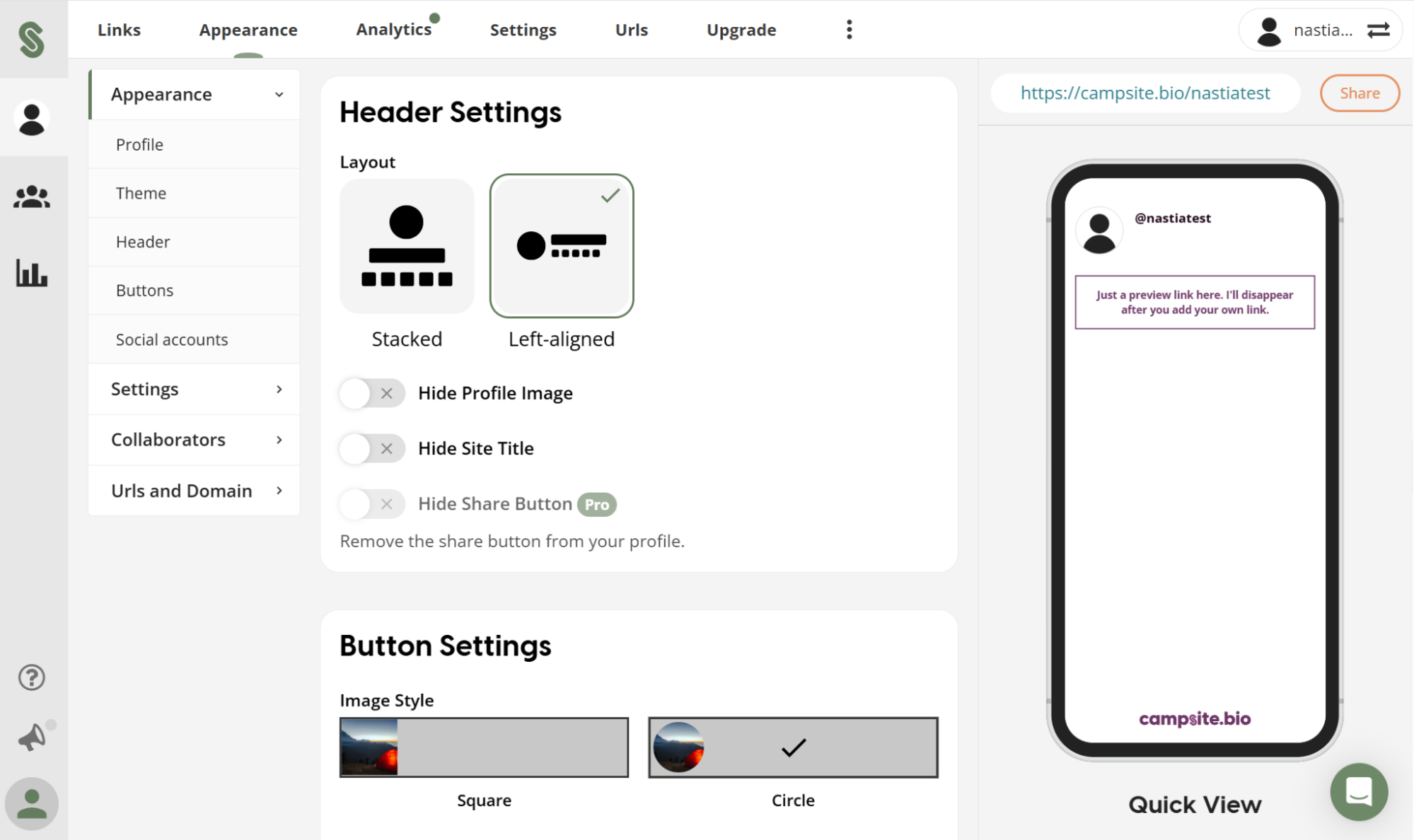 Customizing a page’s header and button styles in Campsite.bio
This Linktree alternative tracks how your page performs and gives you detailed analytics, such as referrers, locations, devices, and events. You can also use tracking pixels and set up a custom domain. Beyond analytics, Campsite.bio includes a few built-in monetization features that let you accept requests from followers, collect tips, or raise funds.
Here are Campsite.bio’s key features:
- unlimited links on a single page;
- 4,000+ icons and image thumbnails for link buttons;
- image carousels and embeds (YouTube, Spotify, Vimeo, etc.);
- link scheduling, archiving, restoring, locking, and highlighting;
- pre-made and custom themes;
- opt-in forms and lead capture tools;
- integrations with email platforms, including MailerLite, ActiveCampaign, and Omnisend;
- in-depth analytics, tracking pixels, and SEO/UTM tools;
- custom domains.
Cons. Campsite.bio focuses almost entirely on link-in-bio pages, so its monetization options are fairly limited. The free plan does not include detailed analytics, a custom domain, opt-in forms, link scheduling, or removing Campsite’s branding. These are only available with the paid plan.
Pricing. Campsite.bio has a free plan that lets you add unlimited links and use both pre-made and custom themes, link archiving, and basic analytics. The lowest-priced paid plan is $7/month or $70/year, and it adds custom domains, bulk link management, tracking pixels, and branding removal. Check Campsite.bio’s official pricing page for details.
Bio Sites by Squarespace
Bio Sites from Squarespace is a free tool for creating polished link-in-bio pages. You can pick a template to get started and use the drag-and-drop editor to customize the layout, fonts, and colors to match your brand.
Your page can bring together your social profiles, website, products, videos, and portfolio in one place. You can also embed content like your latest TikTok posts to keep it fresh without updating links manually. To grow an audience beyond social, Bio Sites provides email and phone capture forms with an automated email sequence builder.
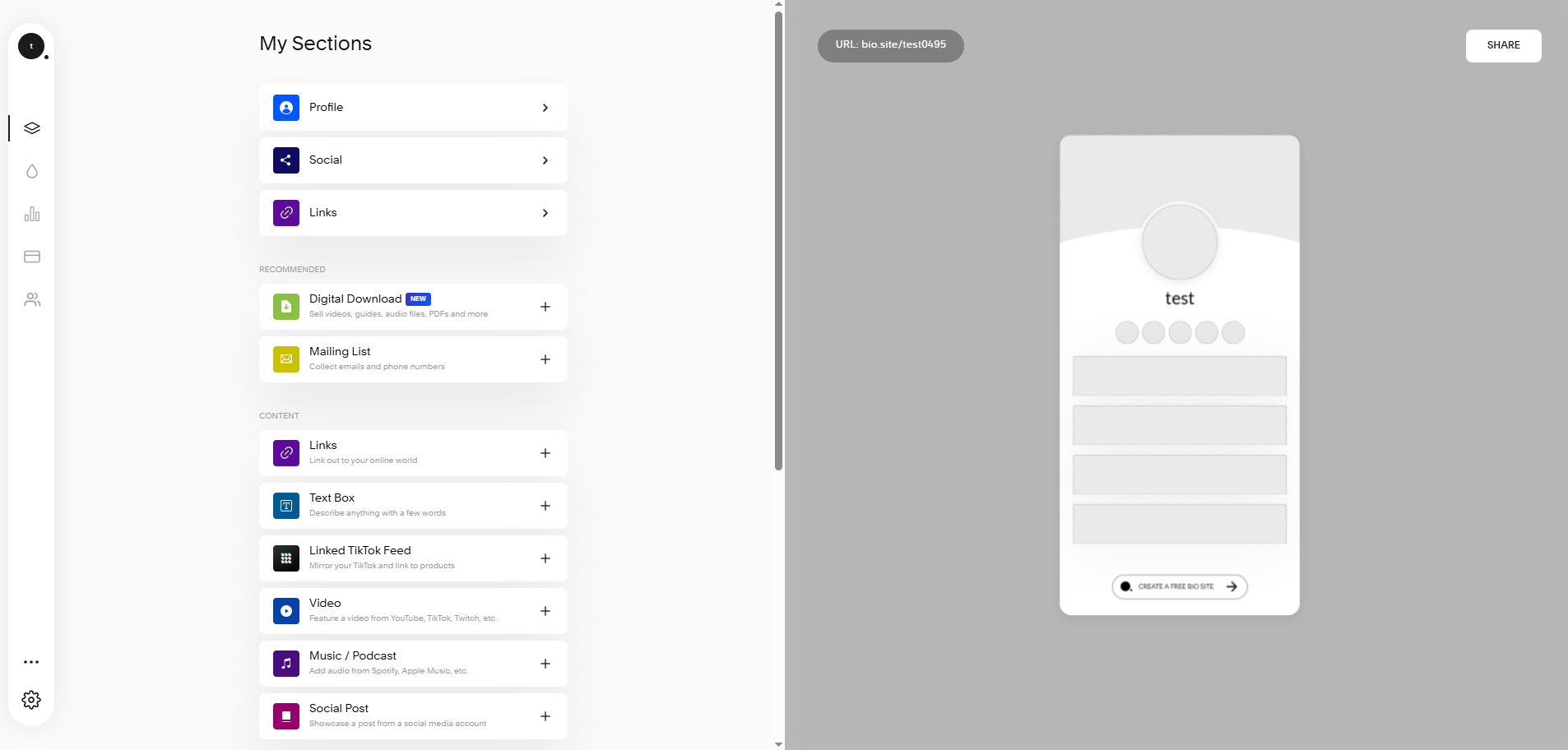 Creating a new link-in-bio page using Bio Sites
With Bio Sites, you can offer digital downloads, take one-on-one bookings through a calendar, share affiliate and product links, add a tip jar, or even crowdfund a project with payments processed through Stripe or PayPal. Traffic and engagement analytics are built in, so you don’t need a third-party tool to see what’s working.
Bio Sites’ core features include the following:
- unlimited links to socials, websites, products, and content;
- pre-made templates and a drag-and-drop editor for layouts, fonts, and brand colors;
- media embeds and image/portfolio showcases;
- monetization via digital downloads, bookings, affiliate links, tips, and crowdfunding;
- Stripe and PayPal payments;
- email address and phone capture with automated follow-ups;
- built-in analytics.
Cons. Since Bio Sites is completely free, there is limited room to grow. There is no paid tier, so you can’t unlock features like custom domains or advanced integrations and may eventually outgrow the platform. Customization options are also more basic compared to paid builders, and support is handled through Squarespace’s main help desk.
Pricing. Bio Sites is a free Linktree alternative with no paid tiers and no Squarespace subscription required. You can create and manage up to 10 bio pages from a single account, each with its own analytics.
Stan Store
Stan Store is designed for creators who sell directly on social media. Rather than just listing links, your bio page turns into a storefront where followers can look through and buy your products or services.
With just one link, you can sell digital products, online courses, coaching sessions, memberships, and communities, all without Stan Store transaction fees. The platform also lets you use lead magnets, subscriptions, payment plans, upsells, and order bumps to boost each sale.
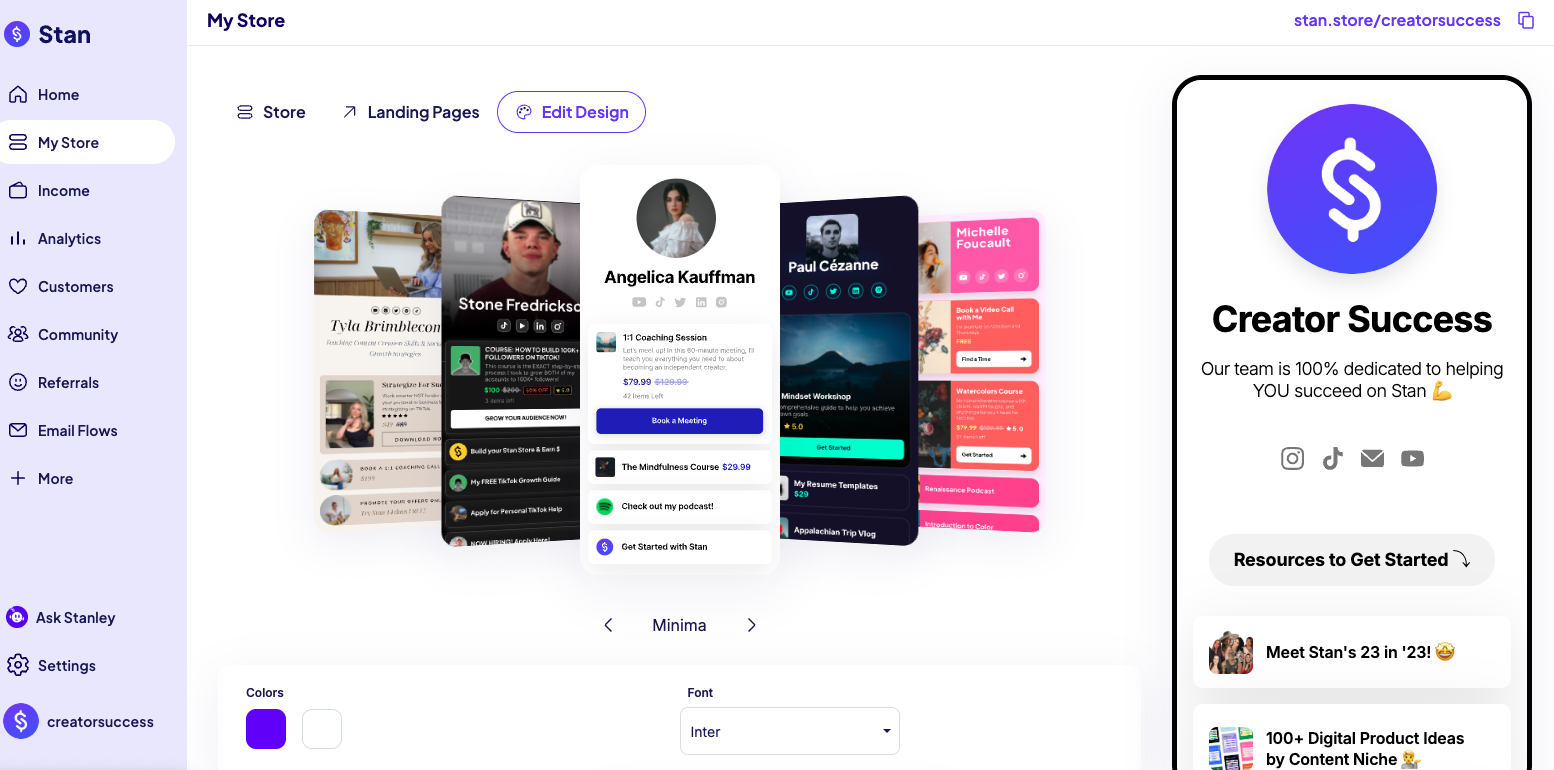 Customizing store colors with Stan Store; source: Stan Store
Beyond selling, Stan Store includes automated Instagram replies, broadcasts, and automated emails. You can also manage affiliates and use pixel tracking to see how your campaigns perform on different platforms.
Stan Store’s main features include:
- link-in-bio storefront for digital products, courses, coaching, and memberships;
- 0% Stan Store transaction fees;
- upsells, order bumps, discounts, and payment plans;
- affiliate management and marketing pixel integrations.
Cons. Stan Store is the most expensive option on this list and the only one without a free plan. After the 14-day trial, plans start at $29/month, so it’s best suited to creators who actively sell products or services. If you only need a simple bio page, many free Linktree alternatives might be a better fit. Its pages also follow a fairly uniform, conversion-focused layout, leaving less room for design customization.
Pricing. Stan Store doesn’t offer a free plan. The Creator plan costs $29/month or $300/year and includes your storefront, unlimited courses, bookings, subscriptions, and lead magnets. Creator Pro costs $99/month or $948/year and adds email marketing, funnels, order bumps, payment plans, discount codes, and affiliate management. Check Stan Store’s official help center for pricing details.
Later
Later is a social media management and influencer marketing platform with a built-in link-in-bio builder. It’s a good fit for creators and brands that already use the platform to plan and publish social content.
You can start with a customizable page and tailor the buttons, backgrounds, colors, and themes to match your brand. A featured banner helps draw attention to important links, products, or campaigns. One of Later’s standout features is the ability to mirror your Instagram feed with clickable, shoppable posts, making it easy for visitors to explore and buy directly from your content.
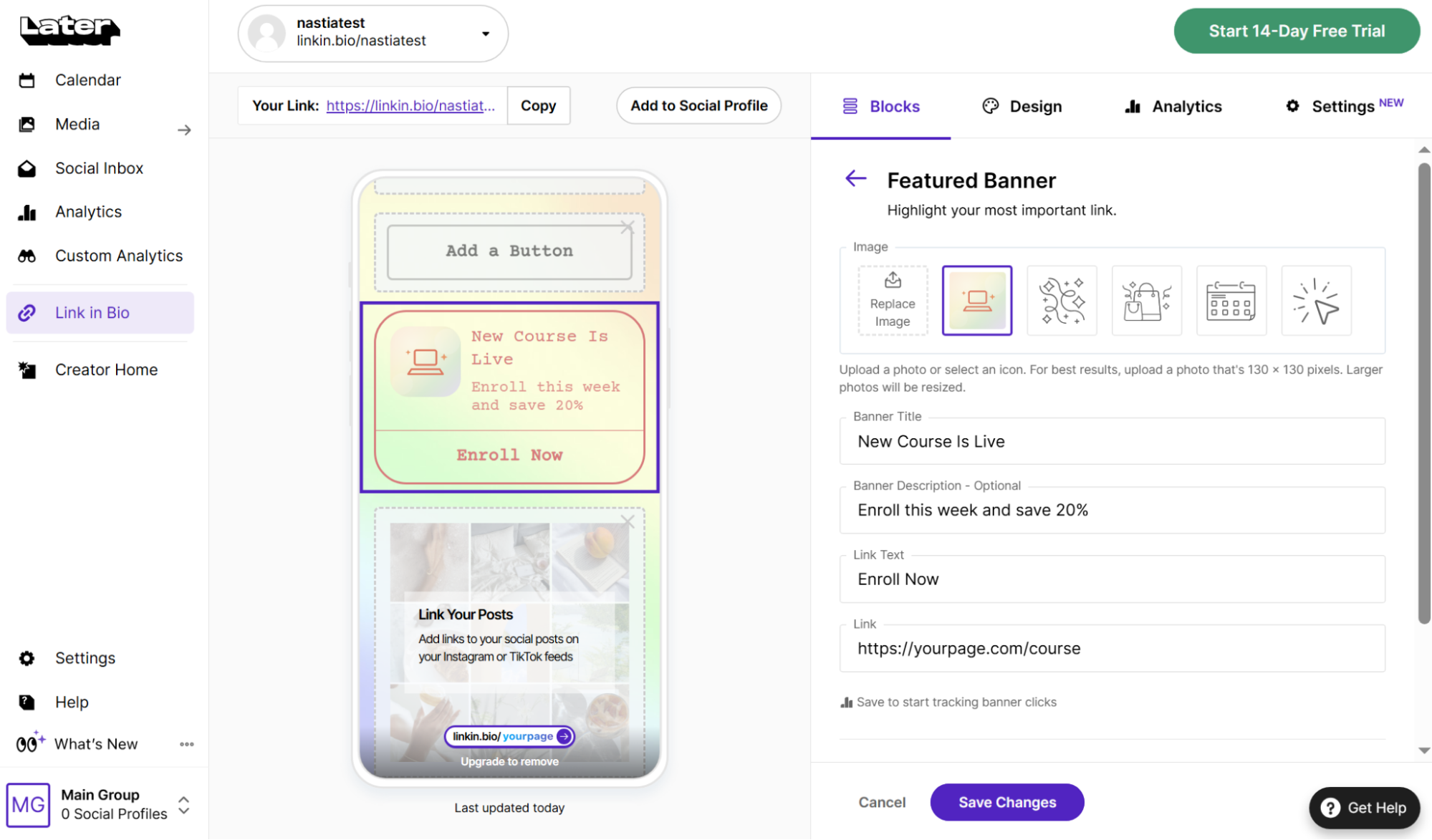 Setting up a featured banner in Later’s link-in-bio editor
Beyond page customization, Later includes tools to support audience growth and online sales. You can collect subscribers via Mailchimp’s integration, edit SEO settings such as the title tag and meta description, and track affiliate performance with custom links. The platform also integrates with Shopify and Mavely, and if you’re moving from Linktree, you can import your existing page instead of rebuilding it from scratch.
Here are Later’s core features:
- a fully customizable link-in-bio page;
- design controls for buttons, scrollable banners, media, and themes;
- feed-style layouts with clickable, shoppable posts;
- SEO settings and custom UTM parameters for Google Analytics tracking;
- sales and affiliate link tracking;
- a customizable URL.
Cons. Later’s link-in-bio builder is just one part of its social media management platform, so the free plan is fairly limited. Features like SEO customization, advanced analytics, and additional customization options are only available with paid plans.
Pricing. Later’s link-in-bio tool is free and lets you create a customizable page with 1 link per post. Paid plans, which start at $18.75 per month (billed annually), offer more advanced features. Check Later’s official pricing page for details.
solo.to
solo.to is a budget-friendly link-in-bio builder that’s easy to set up and generous enough for most personal projects. Its free plan includes many of the features people expect from a modern bio page, so it’s a solid option if you don’t want to spend much or anything at all.
You create your page by adding links, section dividers, and titles. Each link can have its own icon or image thumbnail. Social and contact buttons make it easy for visitors to email, call, text, or connect with you on platforms like Discord. You can also pick from ready-made themes, upload a background image, set your profile picture, and get a custom solo.to URL to match your brand.
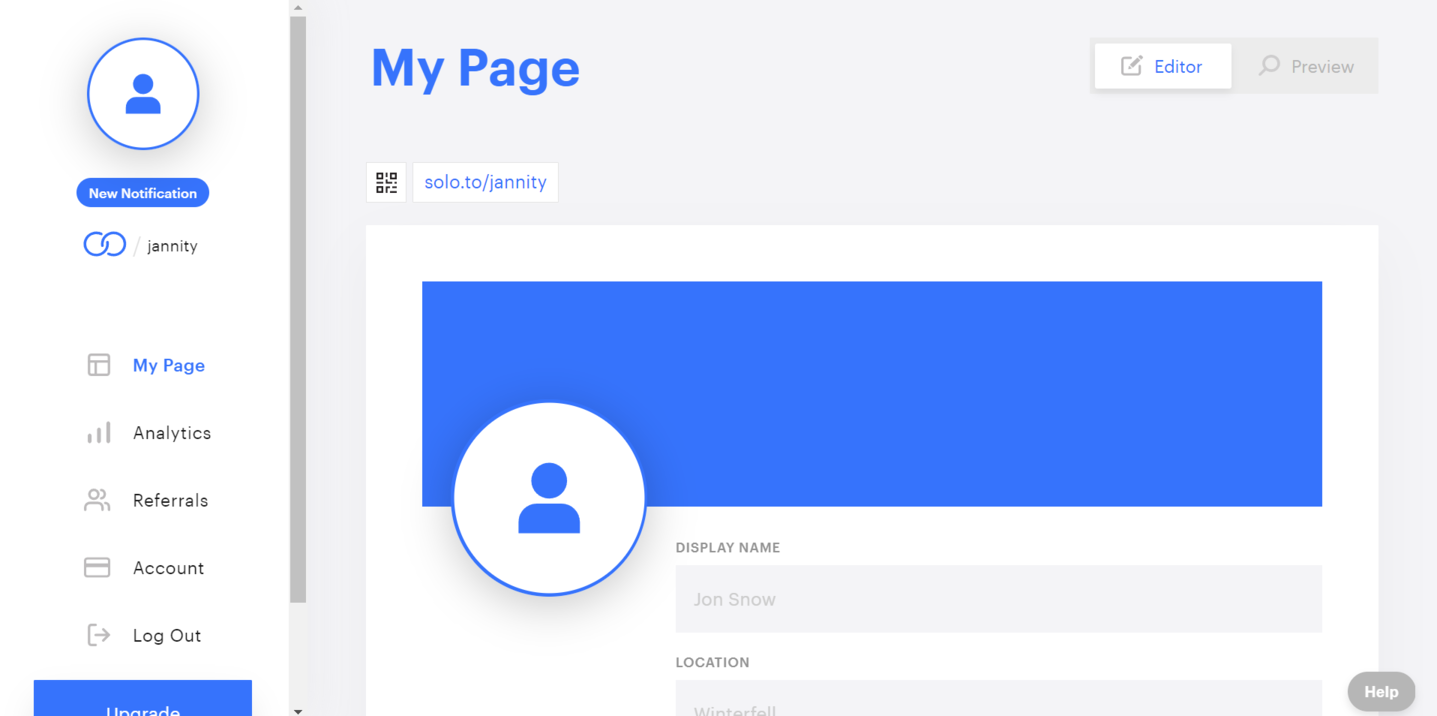 Creating a new bio link page in solo.to
Beyond the basics, solo.to includes several features that are especially useful for creators and small businesses. You can save your page as an Apple Wallet or Google Wallet pass, which is handy for in-person networking. Visitors can search your links to find what they need more quickly. This Linktree alternative also includes a tip jar, media embeds, scheduled links, multiple pages, custom domains, and tracking for Meta and TikTok pixels.
solo.to’s core features include the following:
- up to 25 custom links or sections for free;
- 2,000+ link icons, plus social and contact buttons;
- pre-designed page themes, background color/image, and a custom solo.to URL;
- a tip jar and highlighted links;
- media embeds, background video, and scheduled links;
- multiple pages, custom domains, pixel tracking;
- analytics history ranging from one to 24 months.
Cons. solo.to is great for a clean page, but there are no real commerce features, so it isn’t built for selling products the way Linktree’s Shops or creator platforms are. Its marketing features are also gated behind the top tiers: email/contact capture, custom domains, pixel tracking, and removing solo.to branding all require the $10/month Professional plan.
Pricing. solo.to offers a free forever plan for 1 page with up to 25 links. Paid plans range from $1/month to $10/month (billed annually) and unlock advanced features and up to 100 links. Check solo.to’s official pricing page for details.
Milkshake
Milkshake is a free, mobile-first alternative to Linktree. It lets you create your whole page right from your phone, using a swipeable layout similar to Instagram Stories.
Even the free plan includes unlimited cards and links, free hosting, professional templates, and customization options for colors and fonts. You can also share your page with a QR code and sell digital products using Stripe-connected Sell Cards.
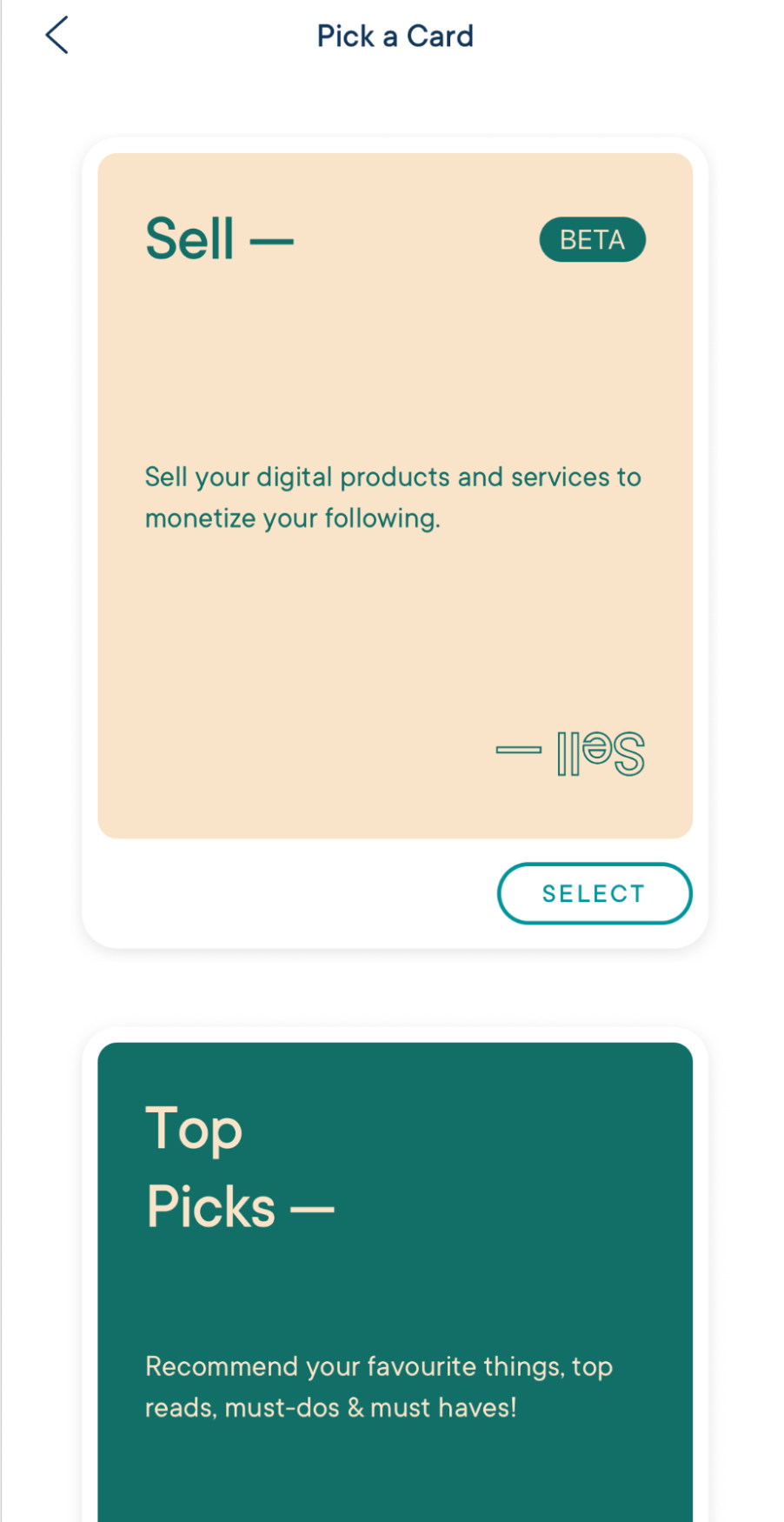 Selecting a Sell Card in Milkshake; source: Milkshake
To help you collect email addresses, Milkshake integrates with Mailchimp and Google Sheets. You can also change your page title, description, and favicon and connect Google Analytics to track visitor behavior and traffic sources.
Here are some of Milkshake’s features:
- mobile-first, card-based page builder;
- unlimited links and cards with free hosting;
- Stripe-connected Sell Cards;
- contact forms;
- SEO tools, Meta pixel, and 365-day analytics;
- custom domains and Google Analytics integration.
Cons. Milkshake doesn’t provide a web or desktop editor, so you have to build and edit everything on your phone. Some App Store reviewers mention this can get tedious for longer pages. Sell Cards is still in beta, and even on the highest paid plan, Milkshake charges a 7% fee.
Pricing. Milkshake’s free plan offers a solid set of features but comes with a 12% transaction fee on each sale. Paid plans range from $2.99/month to $8.33/month (billed annually). They remove Milkshake branding, unlock additional features, and reduce transaction fees from 12% to 7%, depending on the plan. Check Milkshake’s official pricing page for details.
Canva
Canva is best known as a graphic design platform, but it also includes a free link-in-bio builder. If you already use Canva to make social media content and want your bio page to match your branding, this tool makes it easy to keep everything in one place.
You can start with one of Canva’s ready-made templates and customize it using the familiar drag-and-drop editor. Adjust colors, fonts, photos, logos, and other design elements to create a page that fits your brand, then add multiple links, social media icons, and graphics to make it more engaging. Every page is responsive, so it looks good across different screen sizes.
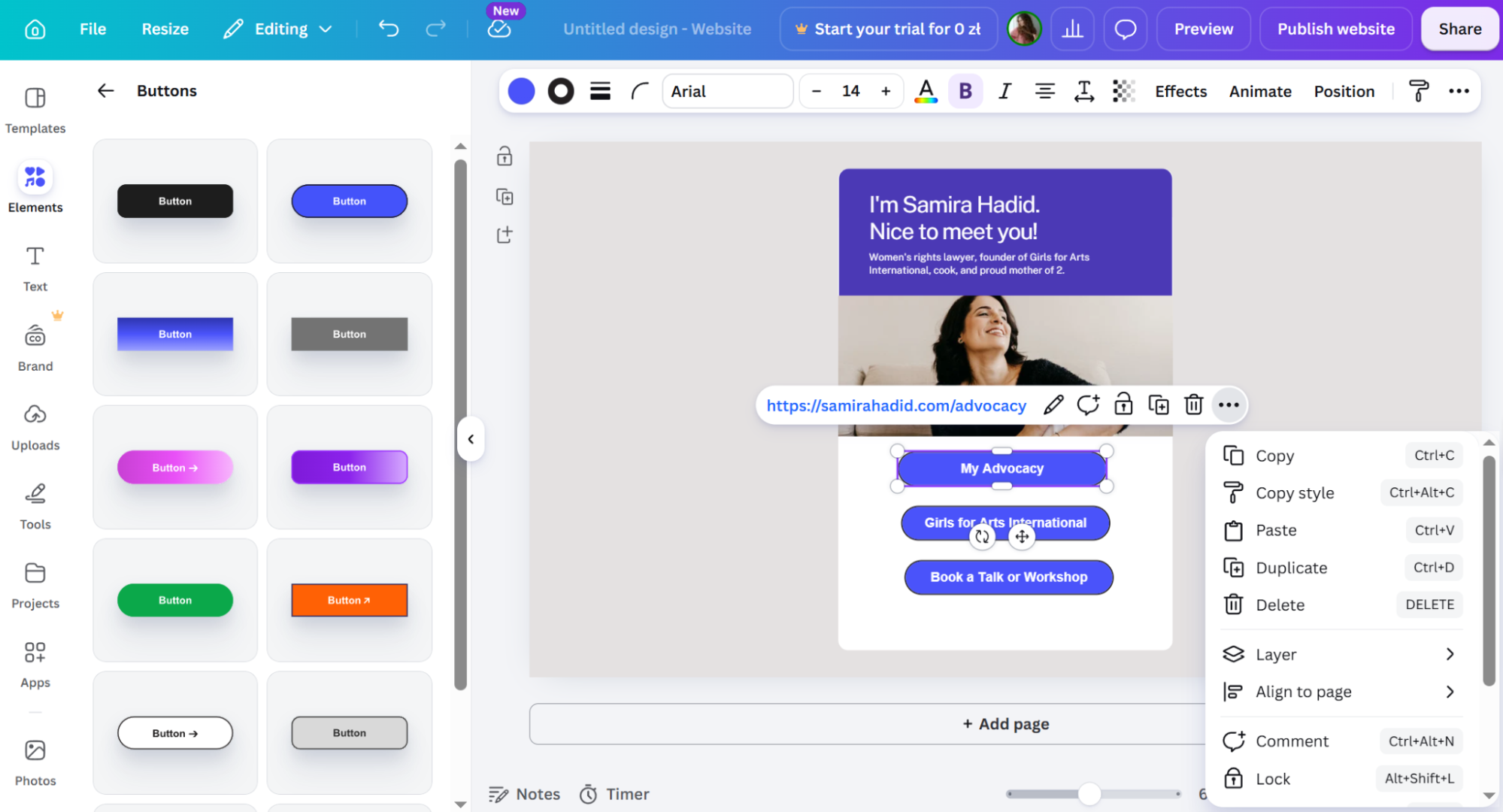 Adding buttons to a bio link page in Canva
When your page is ready, you can publish it with a free Canva URL, shorten your links for a cleaner look, and use built-in tools to track traffic and engagement. If you want more control over your branding, you can connect a custom domain with a paid plan.
Here are Canva’s core features:
- a free link-in-bio page with multiple URLs;
- ready-made templates and a drag-and-drop editor;
- extensive design customization with photos, logos, icons, and other design elements;
- responsive layouts for different screen sizes;
- URL customization and link shortening;
- real-time traffic and engagement insights.
Cons. Canva is mainly a graphics tool, so its link-in-bio builder does not have built-in options for selling products, collecting payments, or capturing leads.
Pricing. Canva’s link-in-bio tool is free for up to 5 websites or pages with a my.canva.site domain. Custom domains require Canva’s Business plan, which starts at $20/month per person. Check Canva’s official pricing page for details.
Lnk.Bio
Lnk.Bio is an affordable Linktree alternative that has no limits on how many links you can add. It lets you customize your page with layouts, images, icons, and badges like “New” or “Sale.” You can also animate important links or use icons as thumbnails to help them stand out.
To keep longer pages easy to navigate, Lnk.Bio supports collapsible groups and button toggles. You can schedule whole groups at once, create links for email, phone, SMS, or iMessage, and even add a vCard button so visitors can save your contact details.
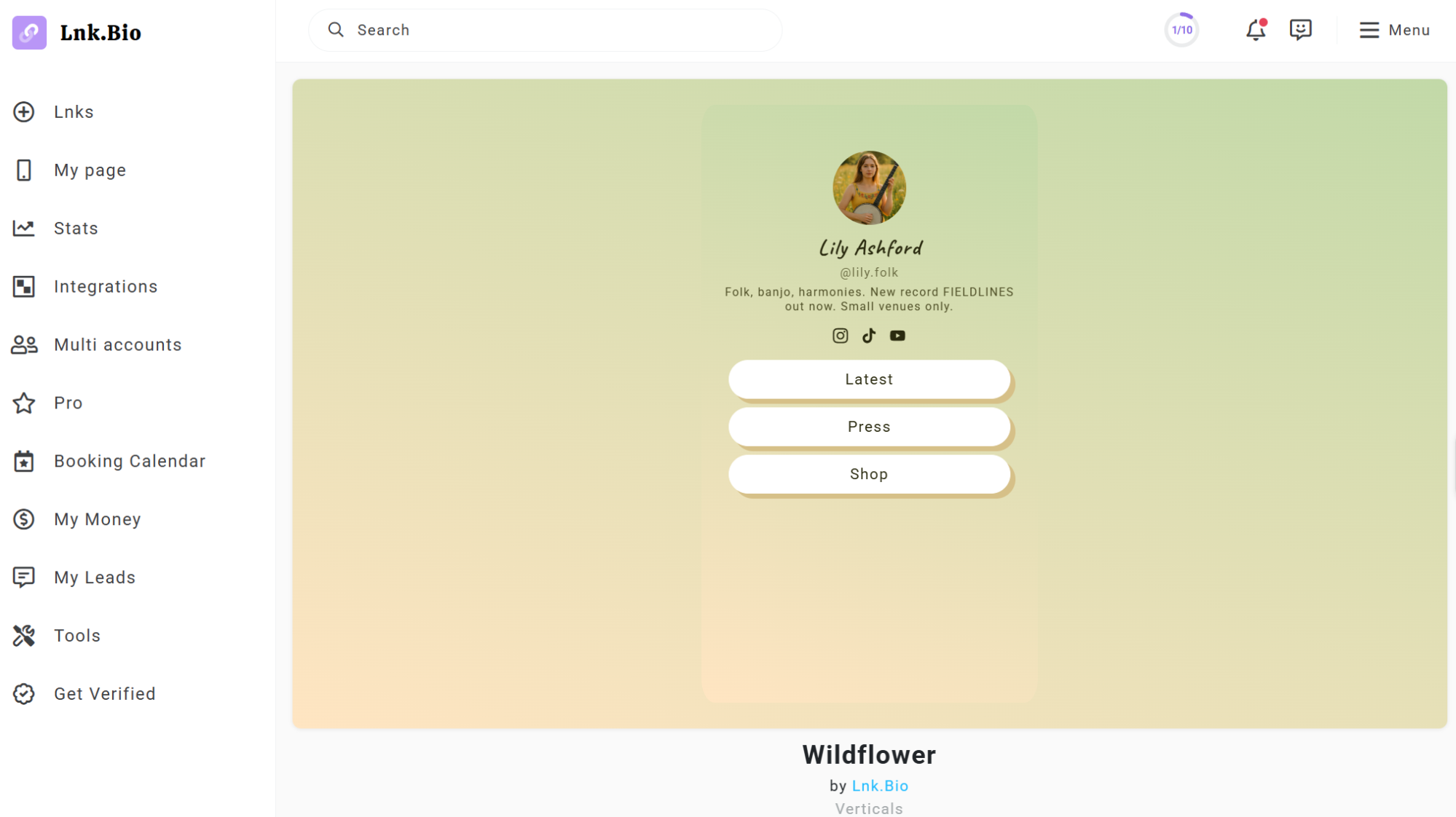 A free theme for your page by Lnk.Bio
Lnk.Bio has a built-in shop where you can sell both physical and digital products, manage your inventory and product options, offer discount codes, and accept donations or tips right from your page. It also connects to Instagram using the official API, generates QR codes for offline sharing, supports password-protected links, and lets you use a personalized Lnk.Bio URL or your own custom domain.
Here are the main features Lnk.Bio offers:
- unlimited links with per-link badges, icons, and animations;
- collapsible and button-toggle link groups, with whole-group scheduling;
- auto-forwarded UTM parameters;
- a built-in shop for physical and digital products;
- official Instagram API integration and other sync options;
- scheduled and password-protected links;
- a personalized lnk.bio URL and custom domain add-on.
Cons. Lnk.Bio is cheap, but its design and layout options are more basic than newer builders. Many of the more advanced customization, commerce, and analytics features are only available with paid plans or add-ons.
Pricing. Lnk.Bio has a free plan for up to 3 pages with unlimited links, templates, QR codes, and donation tools. Paid plans start at $0.99/month or a one-time $9.99 for 5 pages, unlocking advanced styling, better link organization, analytics, and pixel tracking. The Unique plan costs $24.99 one-time and adds the built-in shop, advanced design options, and removes Lnk.Bio branding. Custom domains are available as a separate add-on. Check Lnk.Bio’s official pricing page for details.
Replug
Replug is a link management platform built for marketers, agencies, and businesses that want more control over how they share, track, and optimize links. It also includes branded bio pages, making it a good Linktree alternative for promoting websites, products, social profiles, and other key resources from a single page.
You can choose from several templates and customize them with content blocks for text, links, social profiles, images, videos, RSS feeds, and cards. Each block can be styled individually, with options to adjust its appearance, animation, and layout. You can also schedule blocks to appear or disappear automatically and customize how your page looks when shared on social media.
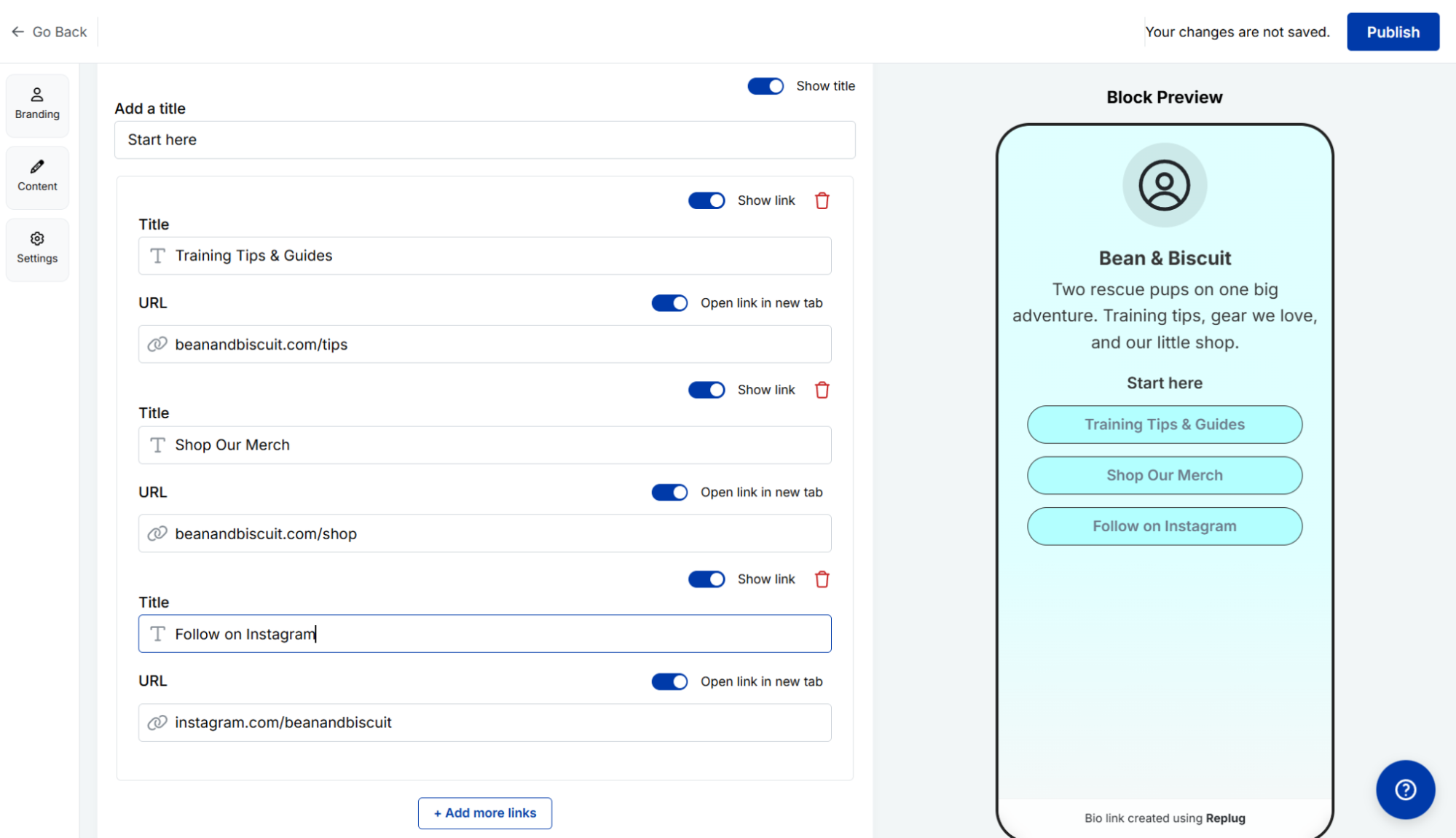 Adding links to a bio link page in Replug, with a live preview
For marketers, one of Replug’s most useful features is built-in retargeting. You can add tracking pixels to your bio page to measure conversions across devices, build lookalike audiences, and improve campaign performance. To enhance how your page appears in search results and when shared online, you can customize the favicon, meta title, and meta description.
Replug’s core features include the following:
- branded multi-link bio pages;
- retargeting pixels;
- custom short links and vanity URLs;
- bulk link import, export, and shortening;
- scheduled content blocks with animation and styling options;
- custom social share preview;
- QR code generation;
- verified account badges.
Cons. Replug’s free plan is quite limited: custom themes, button styles, colors, and background images are locked behind a paid upgrade, and so are many of the content blocks. Also, its paid plans include monthly click limits. Once you reach the limit, features like CTA overlays and retargeting pixels stop working until your credits reset. Some users have also reported issues with billing and subscription cancellation.
Pricing. Replug has a free plan with 2 bio links, 100 short links, and 1,000 clicks/month. The cheapest plan starts at $9/month, billed annually, and includes 10 bio pages, 10,000 click credits per month, 1,000 short links, more customization options, and advanced features. A 14-day trial is available on paid plans. Check Replug’s official pricing page for details.
More Linktree alternatives worth a look
The tools listed above are our top picks, but there are other good options out there. Here are a few more Linktree alternatives, each with something unique to offer:
- Planoly is best known for helping you plan Instagram and Pinterest posts, but it also has a Creator Store that acts as both a link-in-bio page and a simple storefront. You can use the bio page for free, while paid plans start at $14/month (billed annually).
- Buffer offers a free Start Page, making it easy to set up a bio page along with your social scheduling tools. The Start Page is part of Buffer’s free plan and counts as one of your available connected channels. Paid plans start at $5/month per channel (billed annually).
- bio.link is a mobile-first bio page builder that features an AI assistant to answer visitors’ questions using your content. You can get a free page with a bio.link URL, or upgrade to a paid plan for $7.49/month (billed annually) to use a custom domain, remove branding, and create unlimited sites.
- Pallyy users who already manage social media on the platform can also add a branded bio page to their workflow. While Pallyy has a free plan, the bio page feature comes with the Starter plan, which costs $12/month (billed annually).
- Sked Social is built for brands and agencies and comes with a customizable Sked Link bio page that includes pixel support on all plans. There isn’t a free plan, but you can try it for free for 14 days. After that, paid plans start at $21/month (billed annually).
Linktree alternatives that have shut down
The link-in-bio market changes quickly, and not every platform sticks around. In recent years, several popular Linktree alternatives have closed, often after being bought by bigger companies. If you come across any of the tools below in older articles, they’re no longer available.
- Tap.bio will shut down on October 31, 2026. Known for its swipeable, card-based layout, Tap.bio announced it will close after nearly a decade in business. Existing pages will stay online until October 31, 2026, after which all accounts and pages will be permanently deleted. If you’re still using Tap.bio, it’s worth moving your content before the shutdown date.
- Bento.me shut down on February 13, 2026. It was known for its polished, portfolio-style bio pages and had a loyal following. After Linktree bought Bento.me, they closed the service, moved users to Linktree, and deleted all Bento profile data. If you still have content on Bento.me, you’ll need to rebuild your page elsewhere.
- Linkpop shut down on July 7, 2025. Shopify created Linkpop to help merchants showcase products directly from their bio pages. When Shopify retired the service, all Linkpop pages stopped working, and no migration or data export tool was provided.
- Koji shut down on February 1, 2024. Koji stood out for its interactive mini apps, letting creators add games, quizzes, storefronts, and other widgets to their bio pages. Linktree acquired the platform in late 2023 and discontinued it a few weeks later.
If you’re choosing a new link-in-bio platform, it’s worth considering not only the features it offers today but also how likely it is to keep reliably evolving in the years ahead.
The bottom line
Before choosing a platform and comparing templates and features, decide what you want visitors to do. Do you want them to buy a product, book a call, subscribe to your newsletter, or watch a video? Make that your primary call to action. From there, your needs will narrow the list.
If you just want a simple, clean page, free Linktree alternatives like Bio Sites, Campsite.bio, or Canva are great tools to start. If you’re selling, creator storefronts like Stan Store or Beacons will out-convert a stack of links. Just pay attention to transaction fees, especially on free plans. On a tight budget, solo.to and Lnk.Bio cost about a coffee a year. And if you already use a platform like Later, Buffer, or SendPulse, use the bio page that’s already built in instead of paying for a standalone tool.
Look for a platform that lets you collect email subscribers, connect your own domain, and export your data. Those features make it much easier to switch platforms in the future without rebuilding everything from scratch.
If you’re still deciding, try building the same page in two or three tools. You’ll quickly get a better sense of which editor, workflow, and features fit the way you work.
FAQ
What should I use instead of Linktree?
For all-in-one marketing, SendPulse; to sell products or courses, Stan Store or Taplink; for design freedom, Carrd; on a tight budget, Lnk.Bio or solo.to; and if you already schedule social posts, Later or Buffer.
What is the alternative to Linktree for artists?
For a portfolio, Carrd or Bio Sites let you showcase your work; to sell prints or digital downloads, Beacons or Stan Store handle payments and memberships; and for a quick, visual page you build on your phone, try Milkshake or Campsite.bio.