
























How does an omnichannel inbox work?
SendPulse brings all your conversations into one workspace, including:
-
 Chats on Instagram, TikTok, WhatsApp, Facebook, and more
-
 Email and SMS conversations
-
 WhatsApp calls
A shared workspace gives your team full visibility into customer interactions, helping them respond without missing a beat.
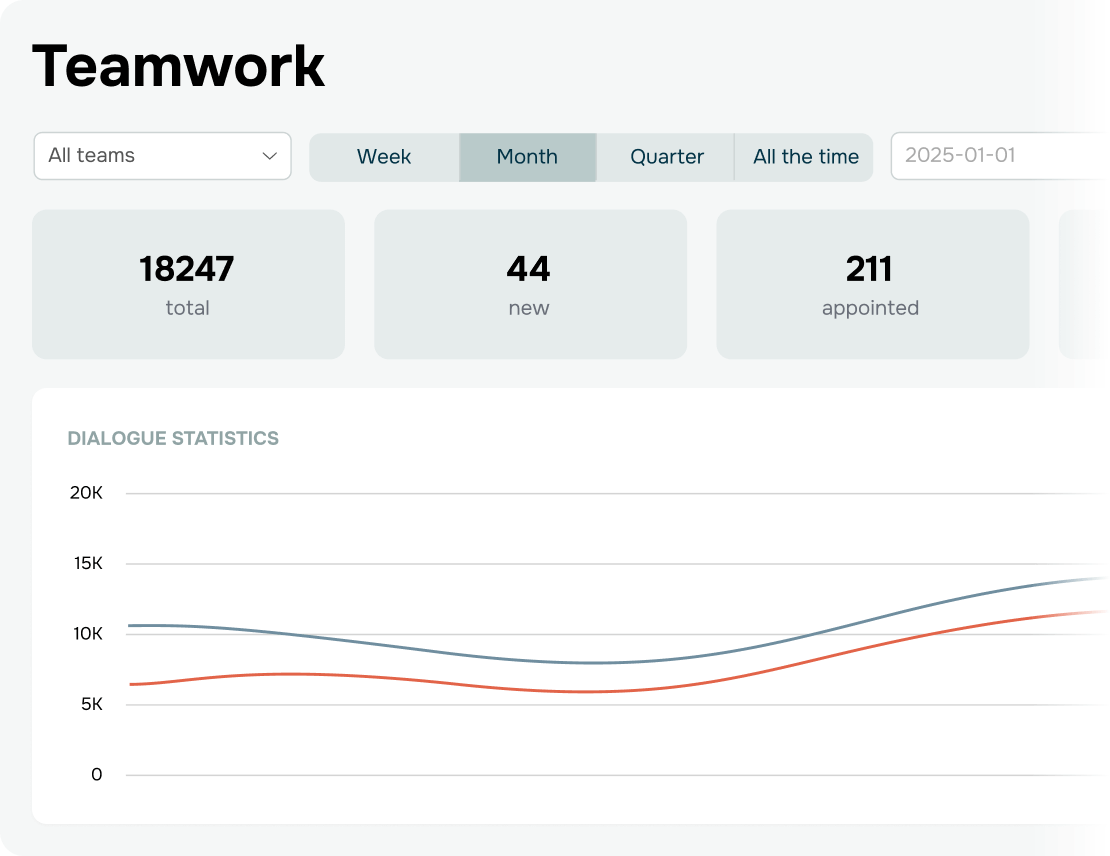
Monitor how effectively your team handles incoming requests and keep tabs on every member’s workload and performance.
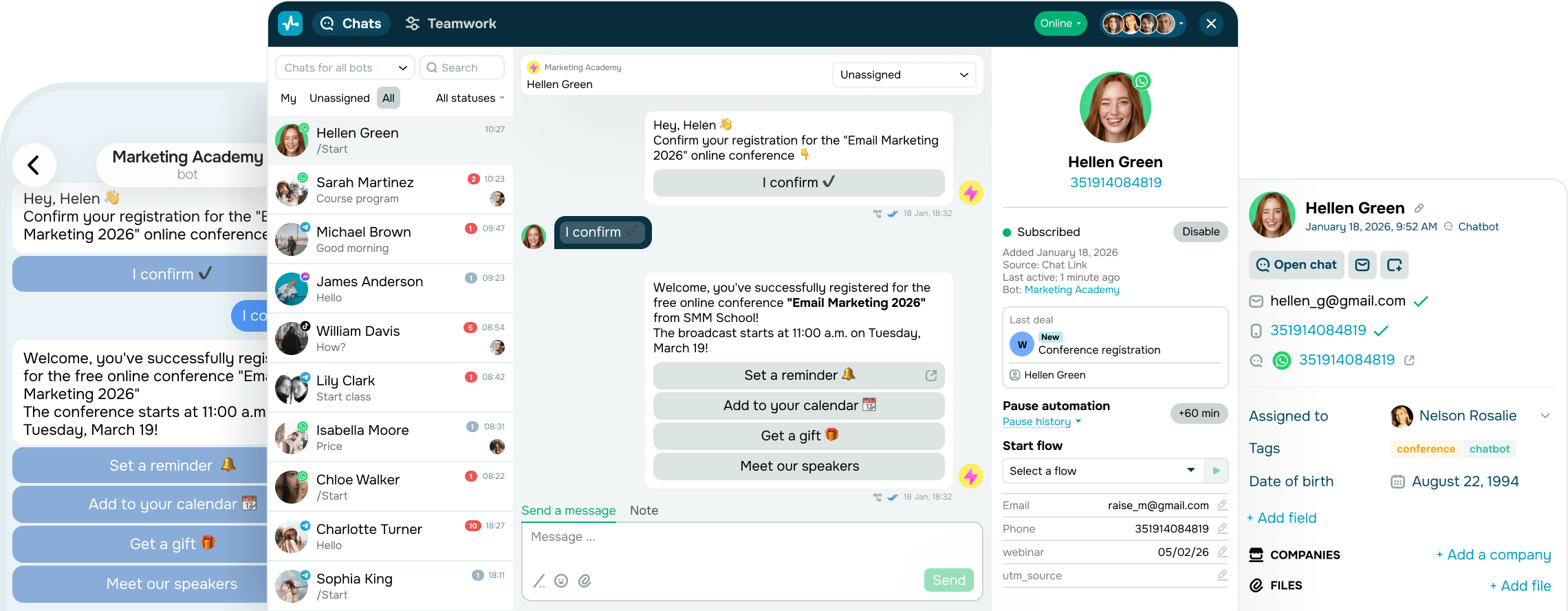


Take control of your communications
Stop juggling tabs and apps and manage all your messaging channels in a single inbox.
Let your team work in harmony
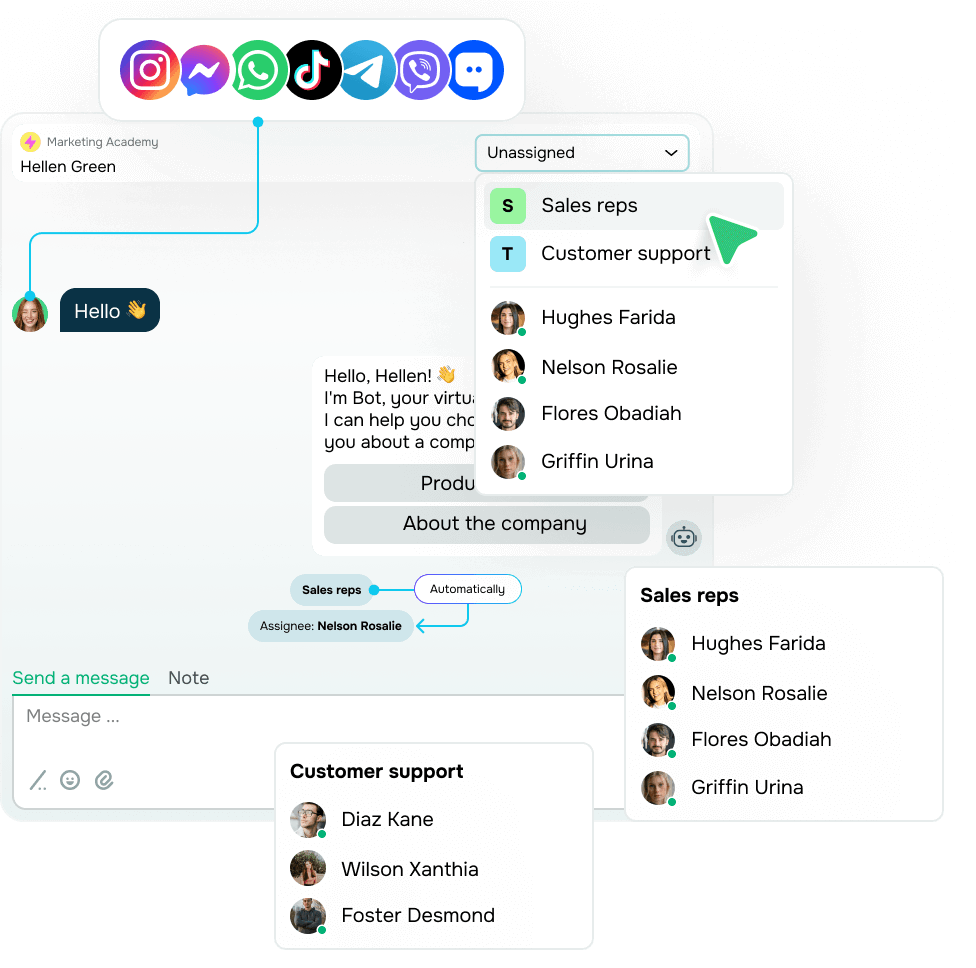
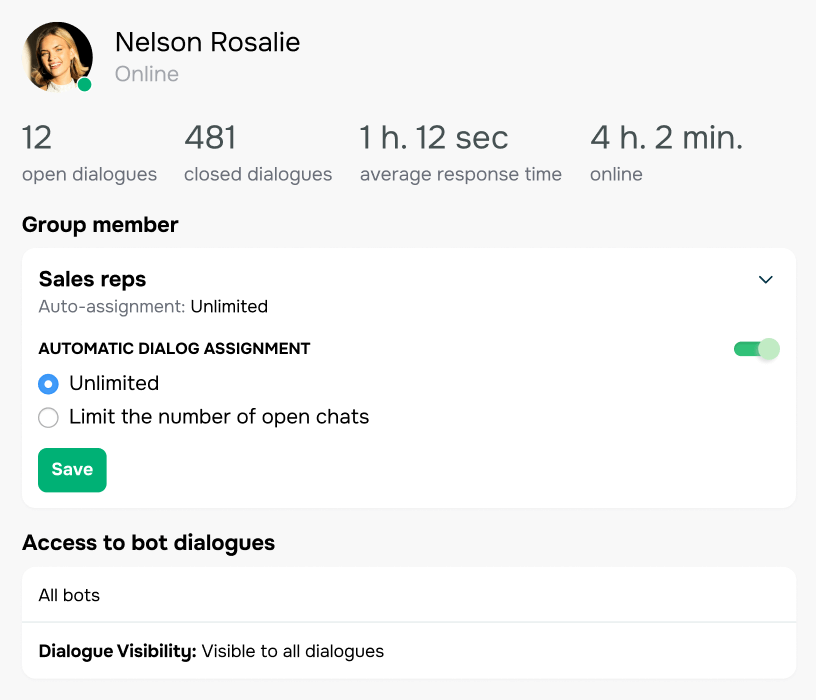
Organize support, sales, and other teams into groups with custom access levels to keep collaboration organized and workloads balanced.
Incoming conversations are automatically routed to the right group and assigned to available team members. You can also assign chats manually at any time.
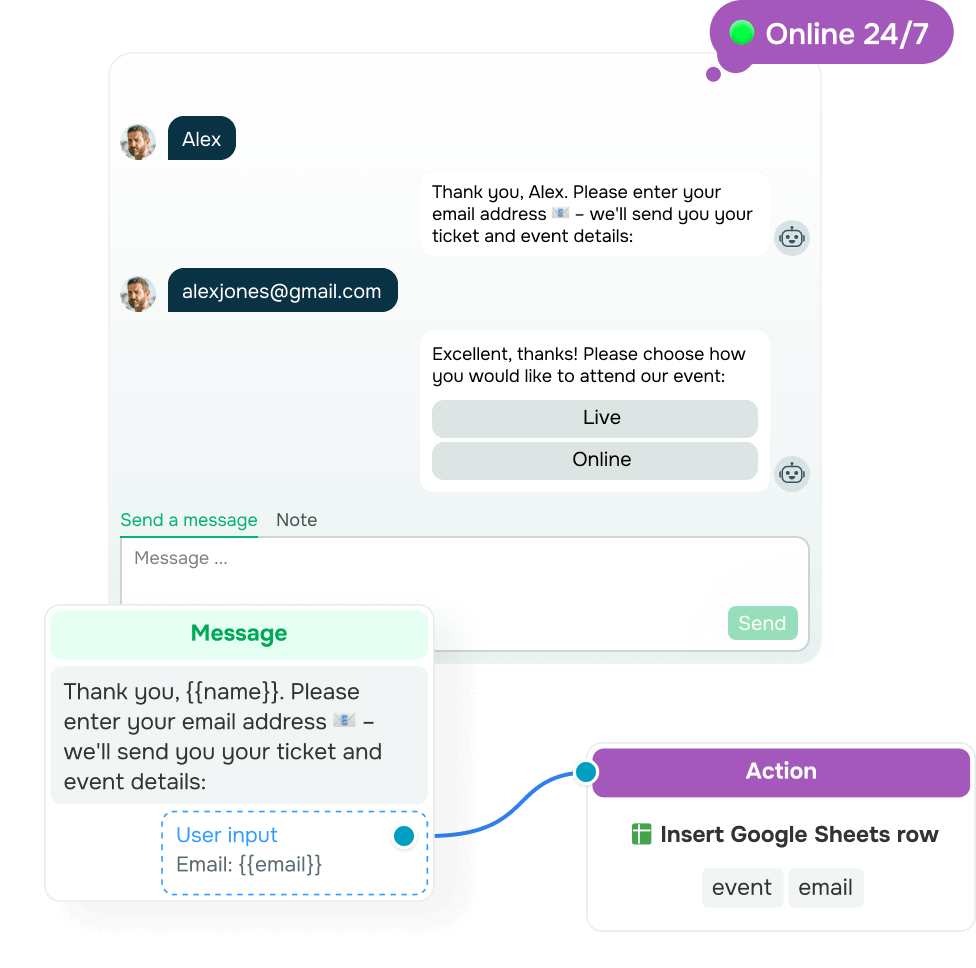
Automate interactions across all platforms
Leave routine conversations to chatbots. Start with automated replies to DMs, comments, emails, and SMS. Then streamline signups, surveys, orders, and payments to create a smoother customer experience.
Your team members can jump into any conversation at the right moment. Pause automation to reply personally, address complex issues, or add a human touch.
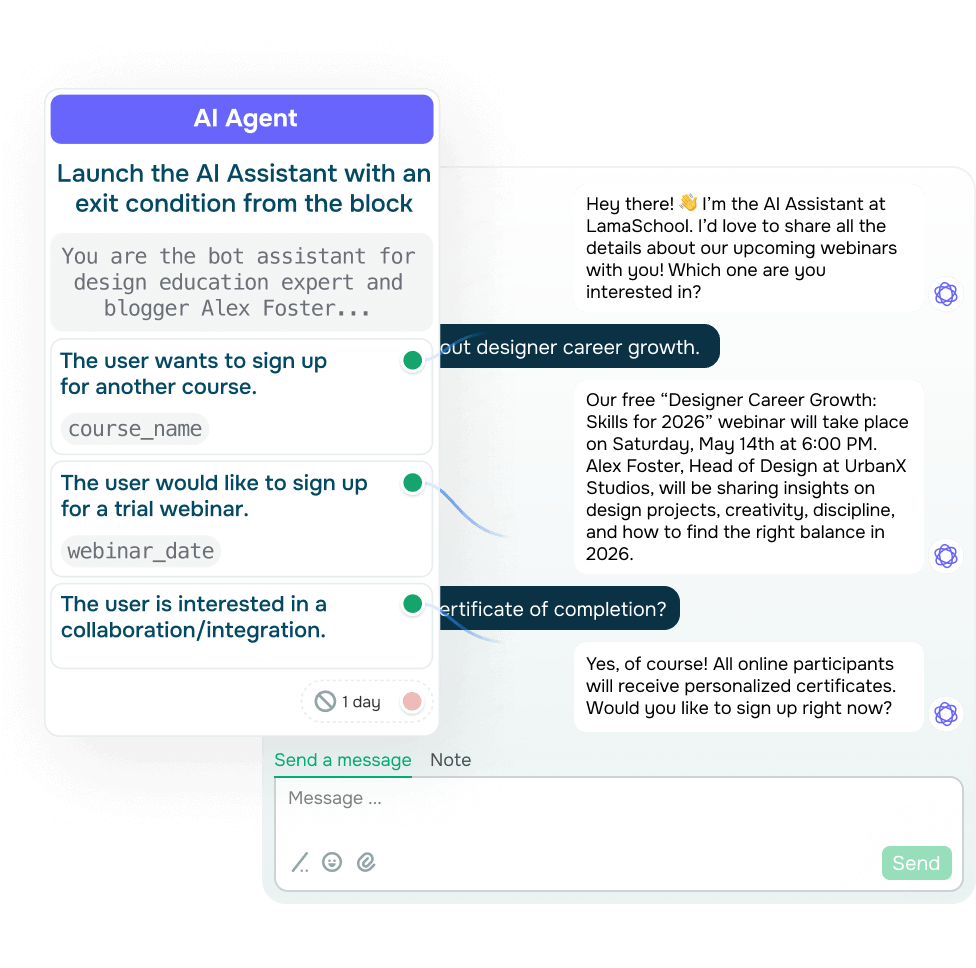
Take the load off your team using AI agents
Build dedicated AI agents that step in as sales assistants, customer support reps, or product experts. Every agent adapts its communication style to the role and uses conversation context to guide customers toward faster decisions and better outcomes.
Pick an AI agent from the list — that’s all it takes to add it to your chatbot flow without rewriting prompts. And if you’re just getting started, use SendPulse’s ready-made AI agents and customize them to fit your business needs.
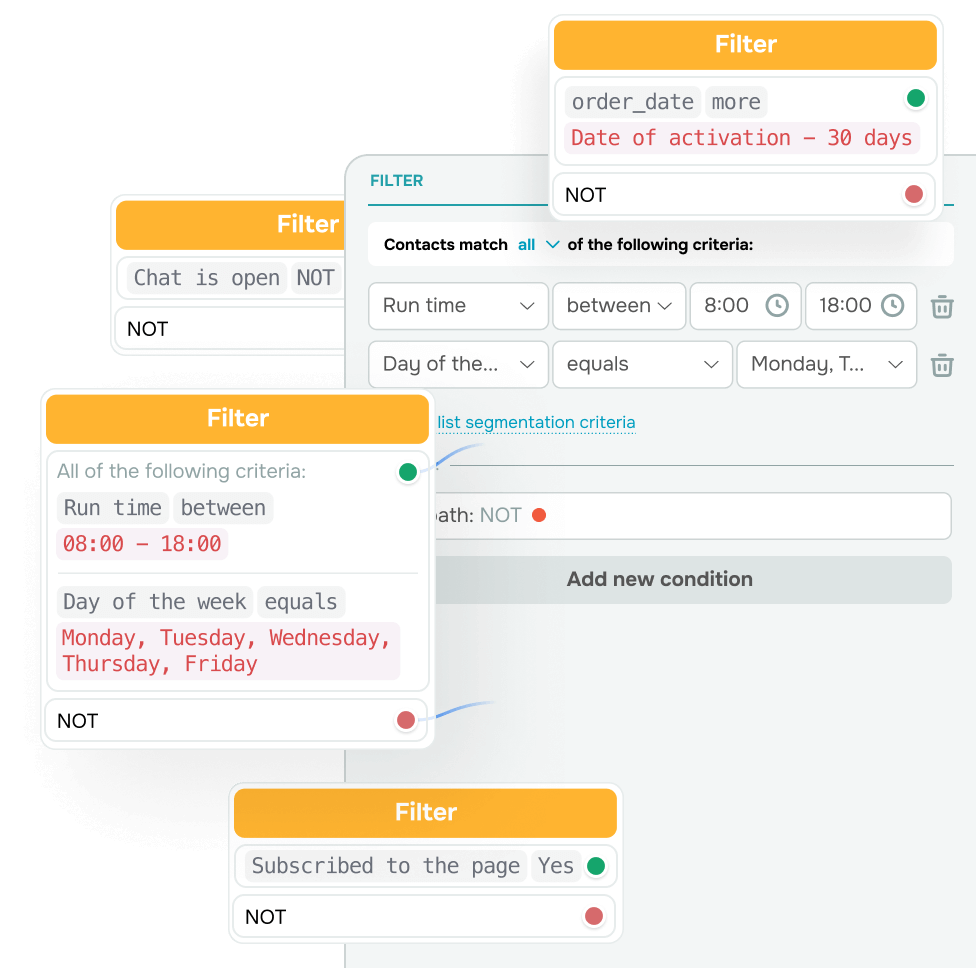
Drive conversions with smart segmentation
Turn messaging into a growth channel
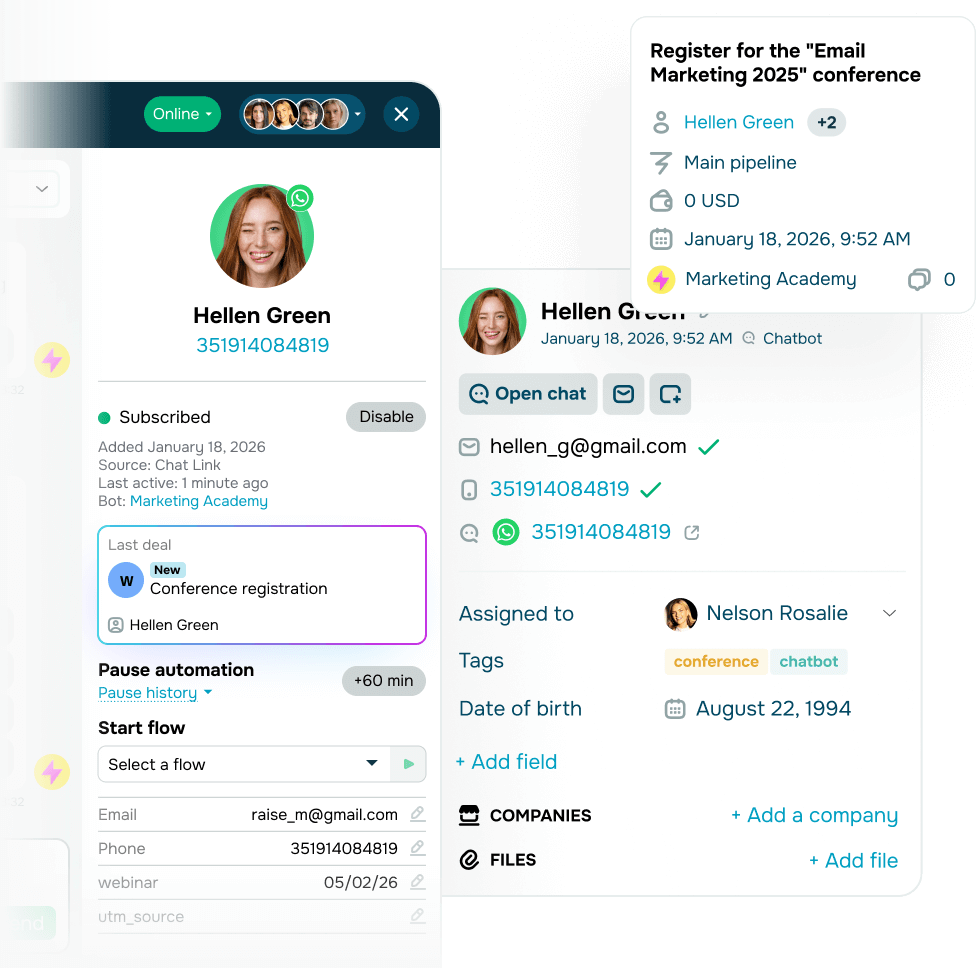
Capture leads through messaging and sync them with your CRM system manually or automatically for faster follow-ups.
Your team can manage deals right in chats to speed up conversions, track progress in the CRM system, and keep every lead moving through the pipeline.
See how your team performs in real time
Set chat limits for teams to prevent overloads and instantly see if your team can cope with peak-hour demand.
Keep track of working hours, response speed, and conversation volume to spot top performers and those who may need more training or support.

Keep every conversation at your fingertips
Stay omnichannel on the go, respond quickly to every message, manage subscriber data, and track key metrics using our app.


Why choose an omnichannel inbox for customer messaging
Built for businesses of any size, from small teams to large eCommerce brands.

No strings attached
Start for free with no credit card and no time limits. See results first, then choose a subscription plan when you’re ready.

Easy onboarding
Add communication channels, invite your team, and get started quickly — no complicated setup or training required.

Full visibility
No missed requests. Keep every conversation in one place and help your team work faster and stay aligned.

Save your team time
Hand off common requests to chatbots and AI agents and free up your team to focus on conversations where human attention makes a difference.

In-depth analytics
Track team performance and automation efficiency to send highly targeted messages.

Scalability
Capture new audience, grow your team, and run more automations with fewer restrictions.
How to set up a unified inbox for messaging apps
-

Sign up
Create a new SendPulse account or log in to an existing one. You can start for free or choose a plan that fits your needs. -
Add your communication channels
Bring your chatbots to SendPulse or create new ones, then get started with email and SMS marketing to manage every conversation in a single space. -

Invite your team
Invite teammates and assign access rights to support collaboration and keep data secure. -

Import your audience
Move previous conversations from your chatbot channels and upload mailing lists to stay in touch with your audience. -

Run automations
Set up flows for your chatbot and add triggers or keywords that start automated actions and replies.
FAQ
What communication channels does the inbox support?
The omnichannel inbox supports chats on Instagram, TikTok, WhatsApp, Facebook, and other social media platforms, along with website chats, emails, SMS, and WhatsApp calls. This helps your team manage all customer interactions in one workspace without switching tabs or accounts.
Can messages get lost in the omnichannel inbox?
No, that’s hardly possible. All incoming messages are automatically captured and marked as unread so that your team spots them instantly. You can assign team members and leave team-only notes to ensure no message is left unanswered.
How does email pair with the omnichannel inbox?
Email is integrated through SendPulse’s CRM system, and all incoming emails from your linked mailbox automatically appear in the omnichannel inbox. Unlike messaging apps, email doesn’t support buttons or other interactive elements. Still, it helps teams collaborate efficiently and manage customer interactions within the CRM system.
Can multiple team members use the same account?
Absolutely! You can bring the whole team into one account, set up roles and access levels, and assign conversations to keep everything running smoothly. Your team members can leave internal notes to add context, document important details, or hand over conversations that need extra attention.
Is support available if I need help?
Sure, our support team is available 24/7. You can start a chat at any time.
Can I try SendPulse for free before purchasing a plan?
Yes! You can create a SendPulse account to start automating conversations right away. Keep in mind that our WhatsApp chatbot builder is available with a 7-day free trial. Get started for free with essential features, then upgrade to unlock advanced tools and unlimited messaging.
Manage conversations across social media, email, and SMS in one space
Bring your team together and streamline interactions, so you can respond faster and keep every customer message on the radar.
Start for free
or