Flutterwave
Integrate with Flutterwave to accept payments through websites, emails, chatbots, and courses. Flutterwave is a payment system that enables online transactions using credit or debit cards from any bank.

Features
Add payment buttons to your chatbot flows and email templates, and accept online payments with Flutterwave.
Set Flutterwave as an available payment method when creating payment buttons or configuring your online course settings.
Track payments and their statuses in your SendPulse account > Accept Payments. Analyze successful transactions and payment errors to respond promptly.
How to integrate with Flutterwave
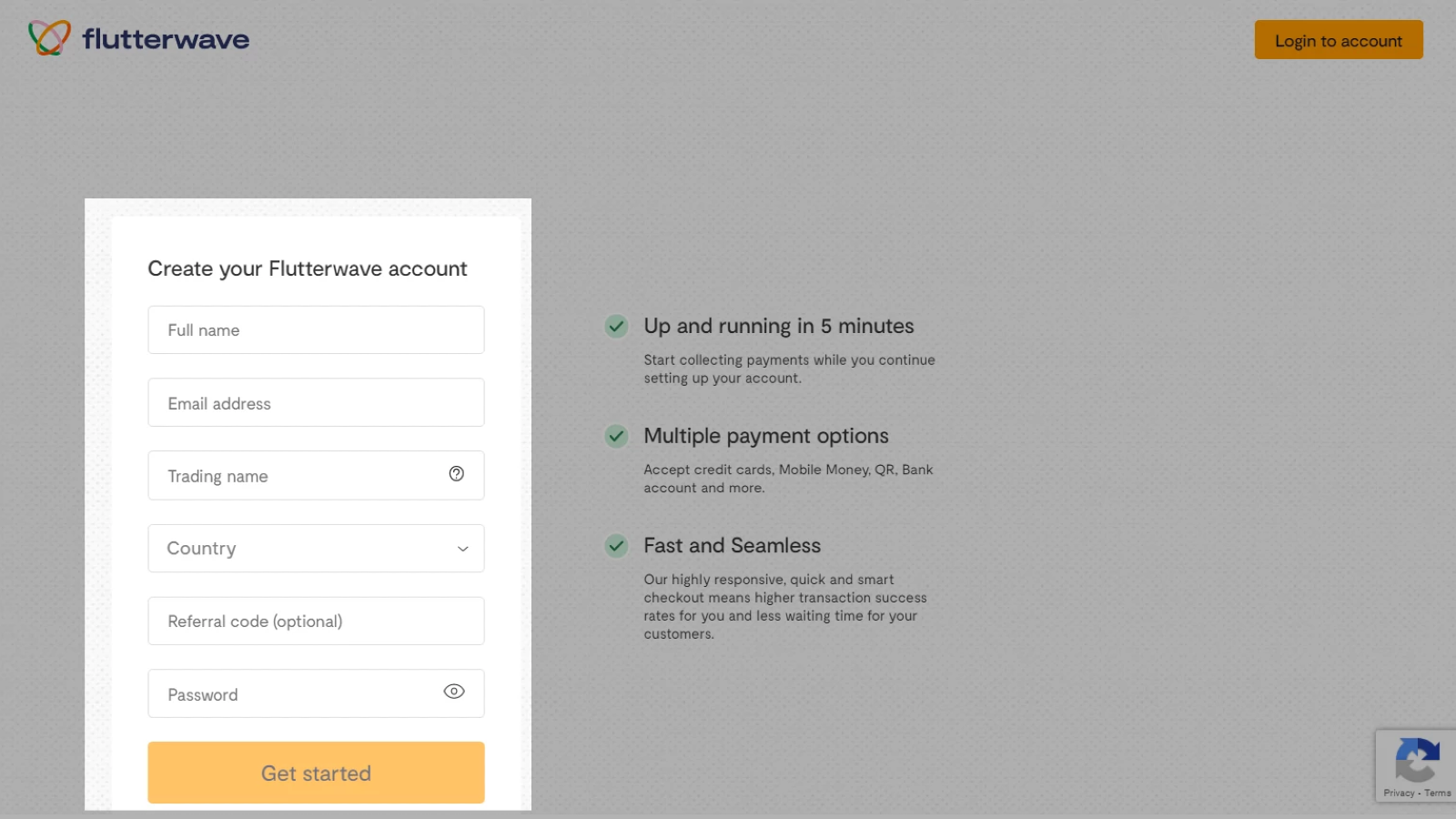
Create or log in to your Flutterwave account.
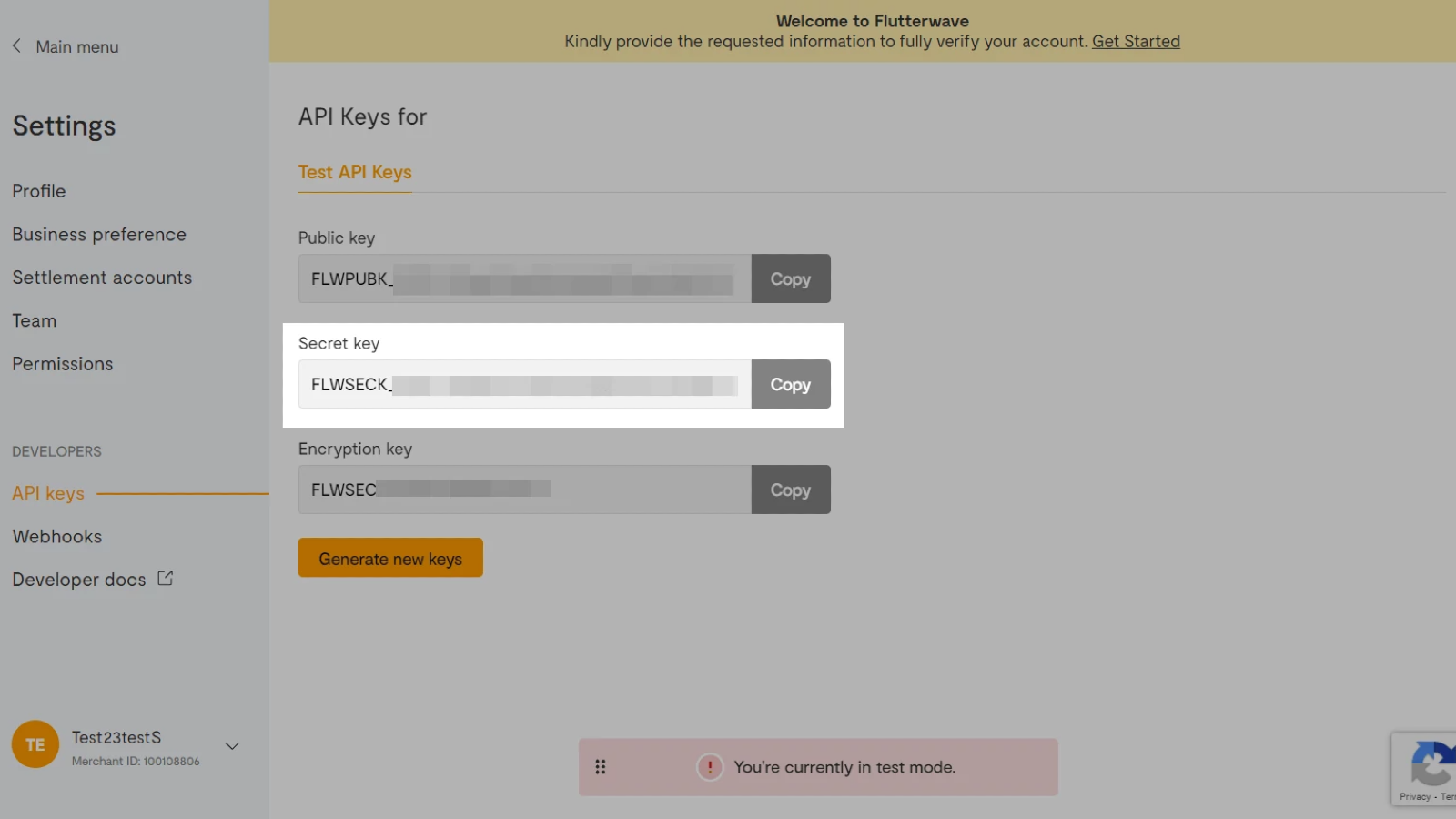
Go to Settings > API keys. Copy the value from the Secret key field.
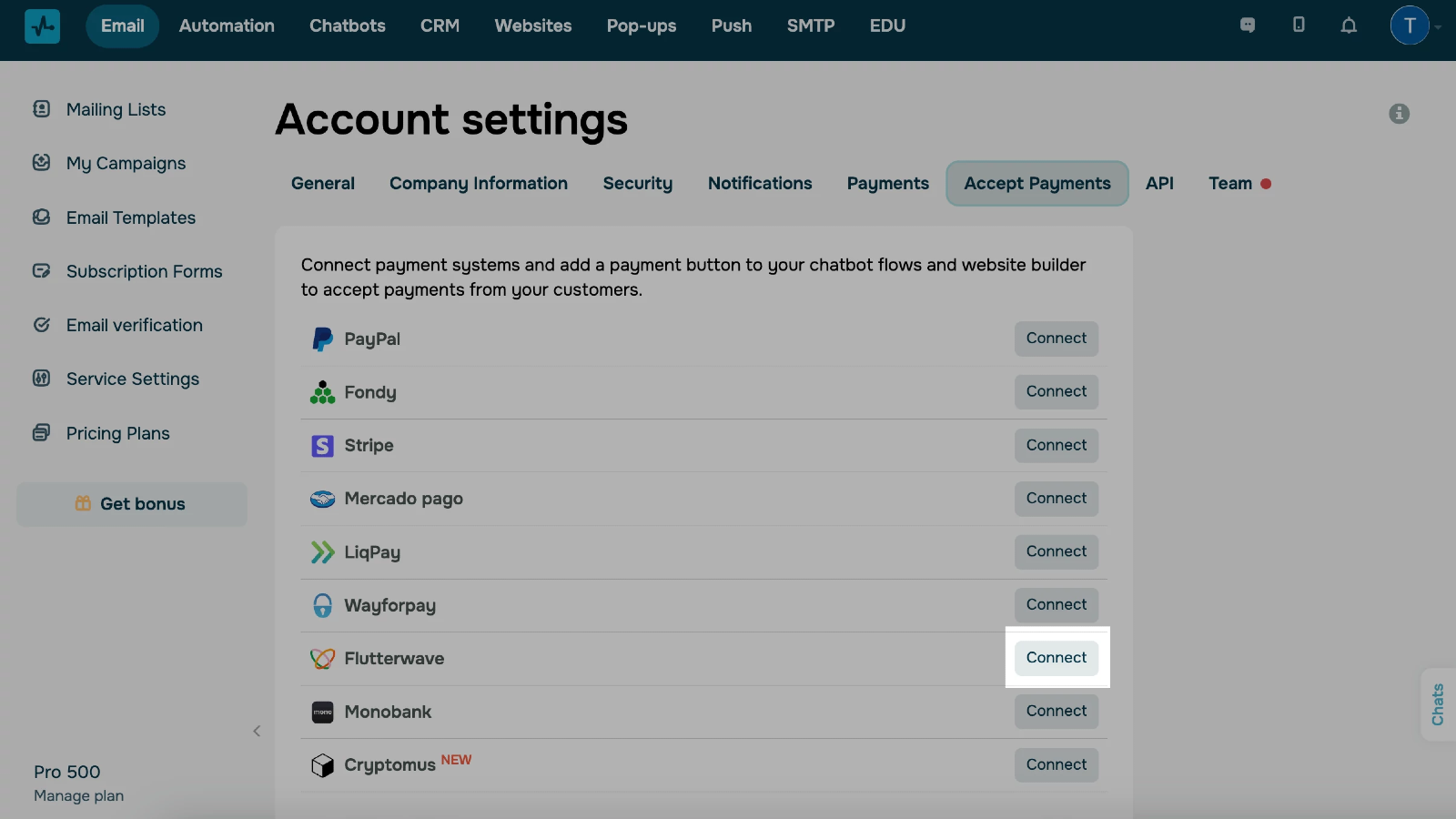
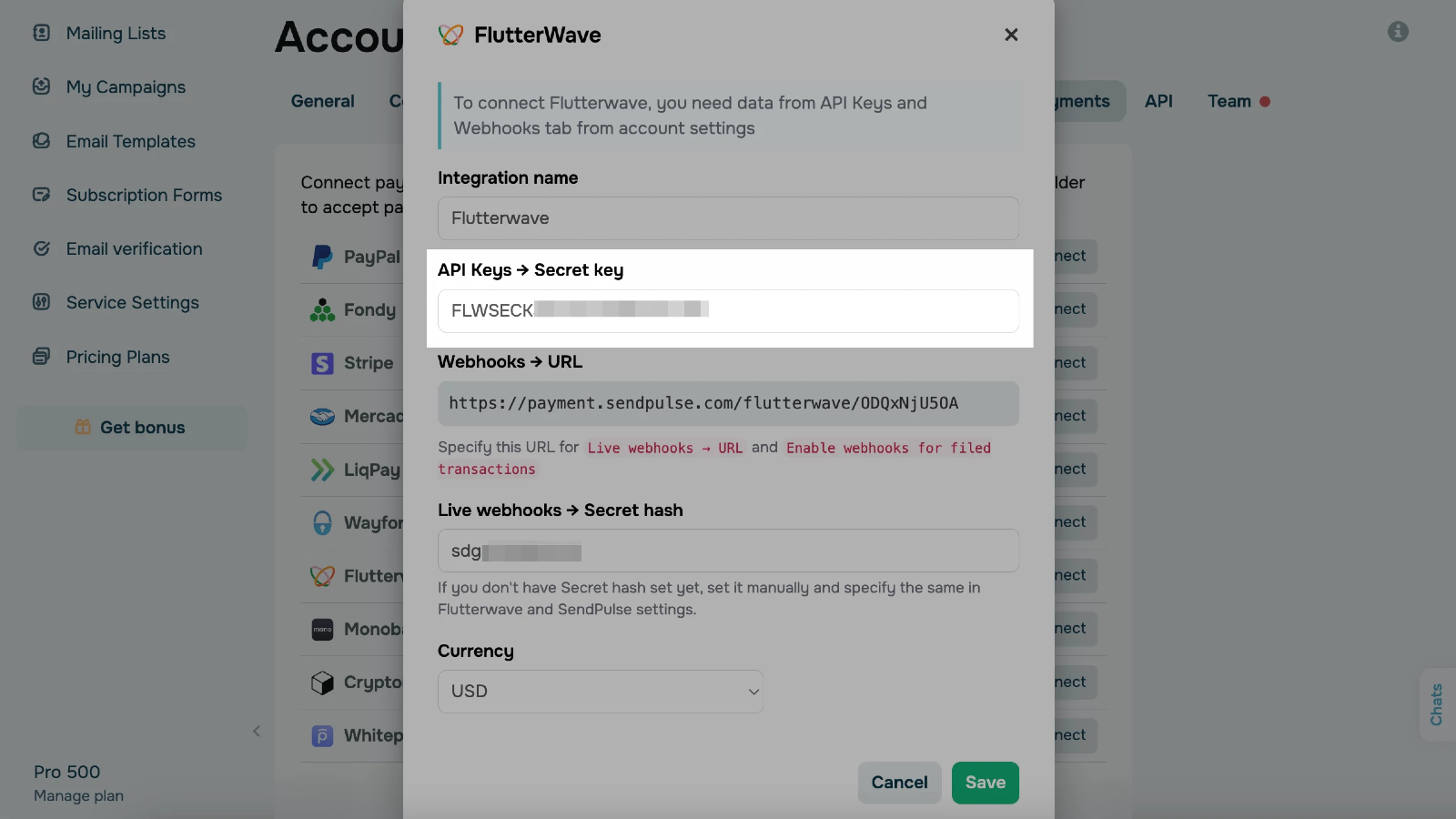
Go to your SendPulse account > Account settings > Accept Payments. Click Connect next to Flutterwave. Paste your Secret key value.
Copy your SendPulse webhook URL in Webhooks → URL and paste it into Live webhooks → Secret hash. Copy the value you get.
Go back to Flutterwave > Settings > Webhooks.
In Live webhooks, paste your Secret hash value and the SendPulse webhook URL.
Select the Enable Webhook retries and Enable webhook for failed transactions checkboxes.
Click Save.
In SendPulse, select a currency and click Save.
If you entered all data correctly, your integration status will change to Connected.
Learn more about how to integrate with Flutterwave.





or