Cryptomus
With Cryptomus, you can accept cryptocurrency payments through your website or chatbot by adding a payment button. This integration allows you to make global and quick payments using all popular cryptocurrencies.
Features
Add a payment button to chatbot flows and receive online payments from Cryptomus users.
Select Cryptomus as a payment method when creating your payment buttons in the SendPulse website builder.
View your Cryptomus payment history, analyze successful payments, and monitor payment errors to address them quickly.
How to integrate with Cryptomus
Create or log in to your Cryptomus account using your email address or phone number.
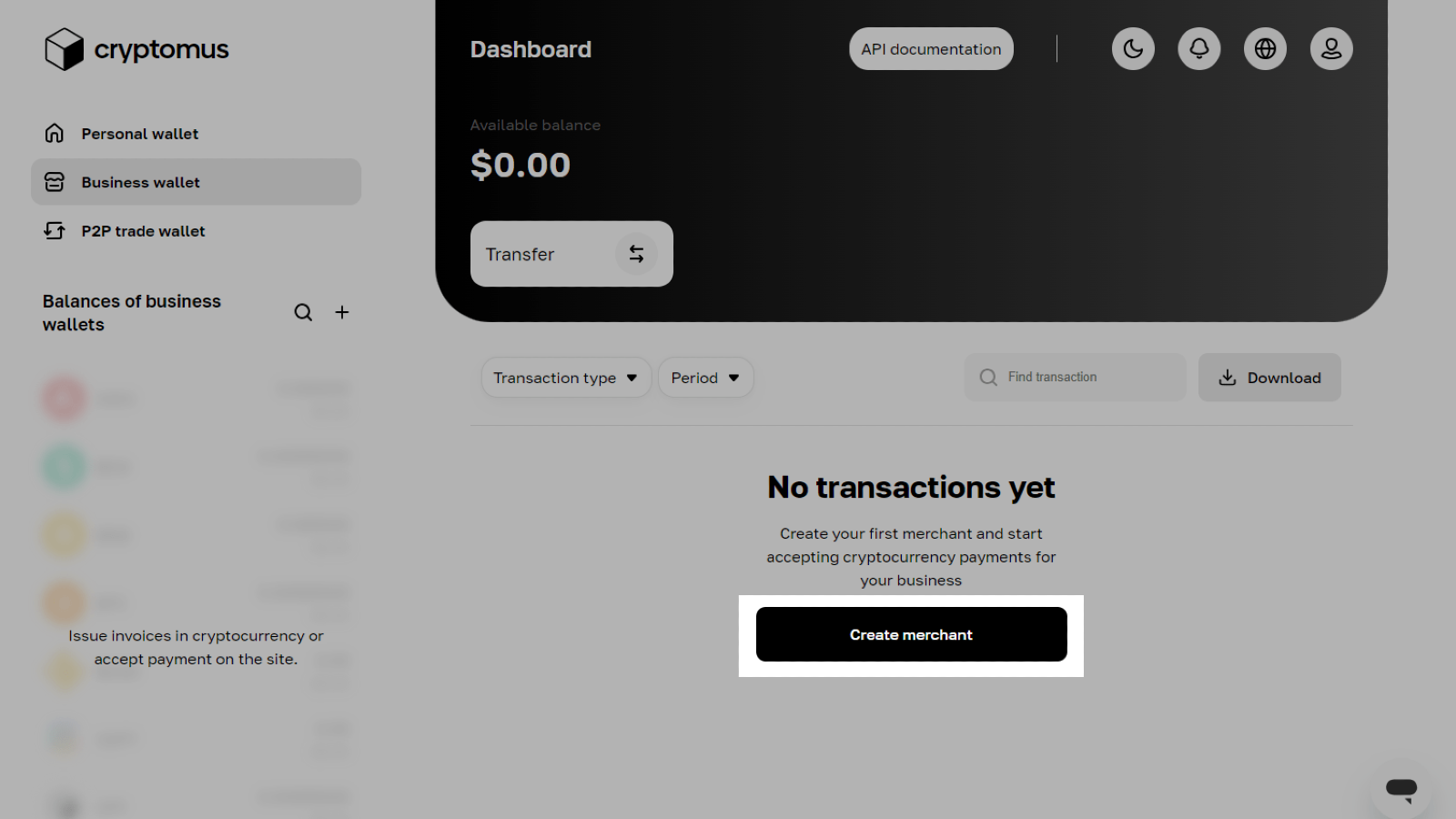
Click Create merchant and enter a merchant name.
Go through moderation by confirming that you own the website or chatbot.
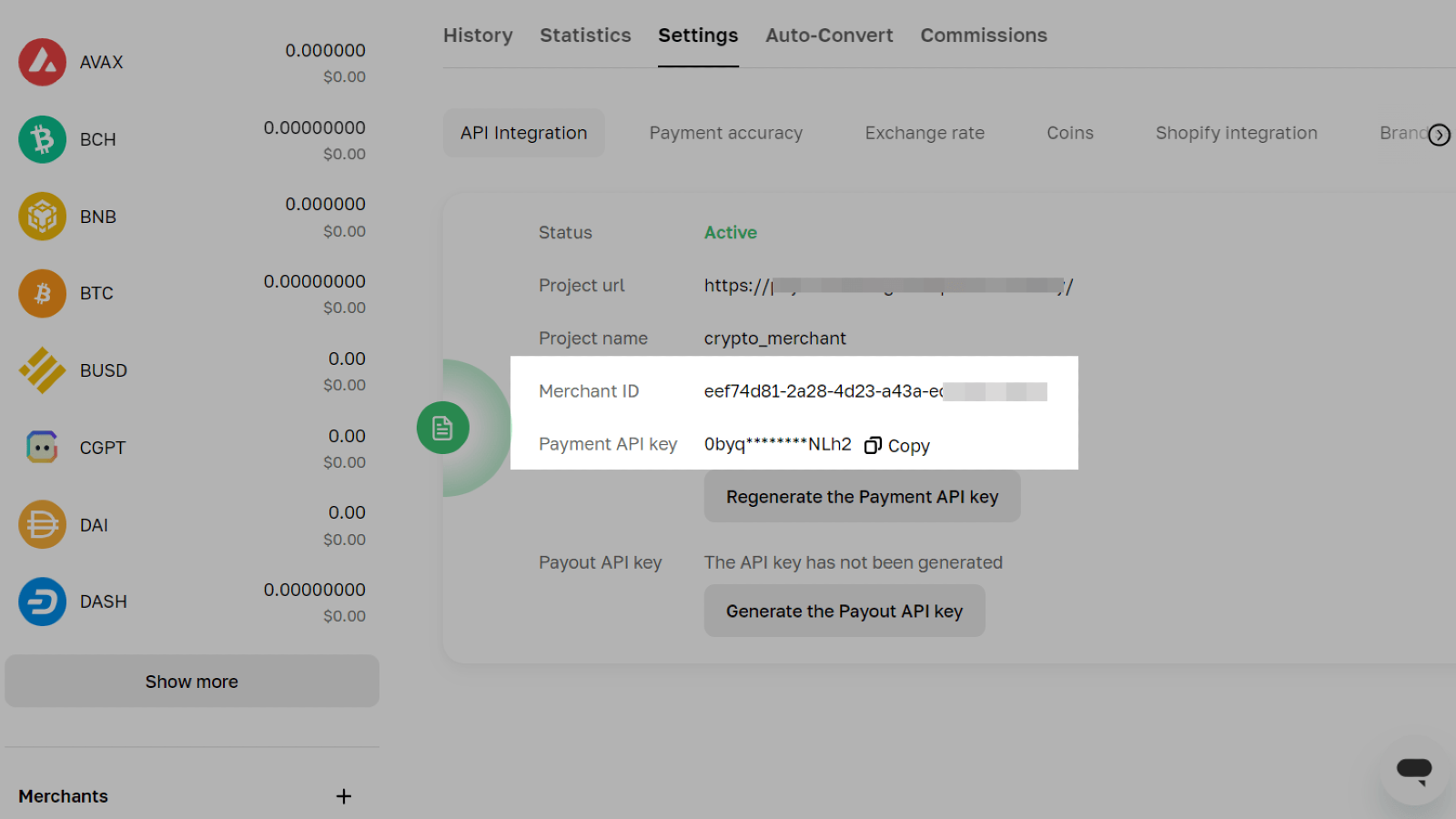
Go to your merchant > Settings > API Integration. Copy your Merchant ID and Payment API Key.
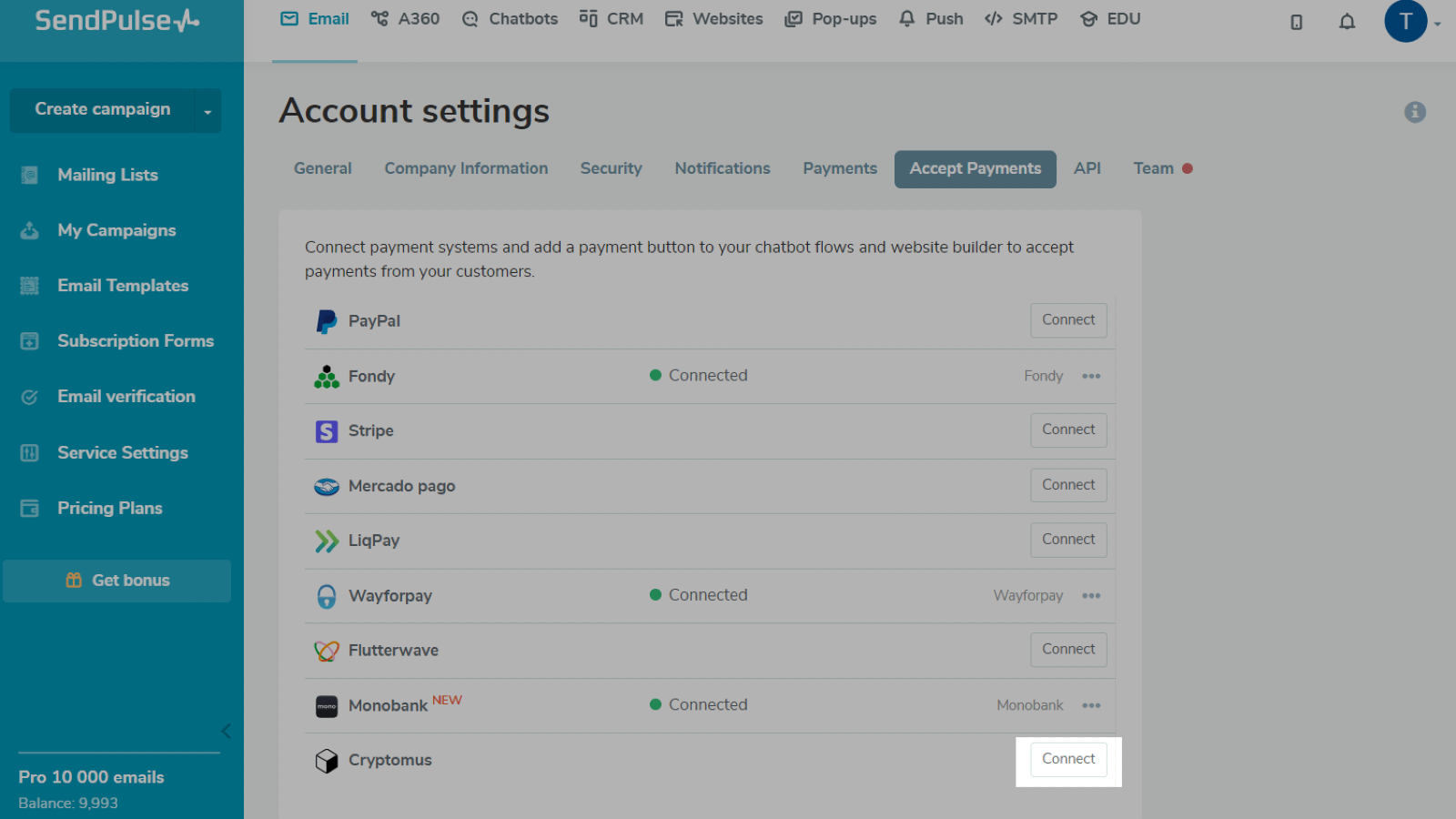
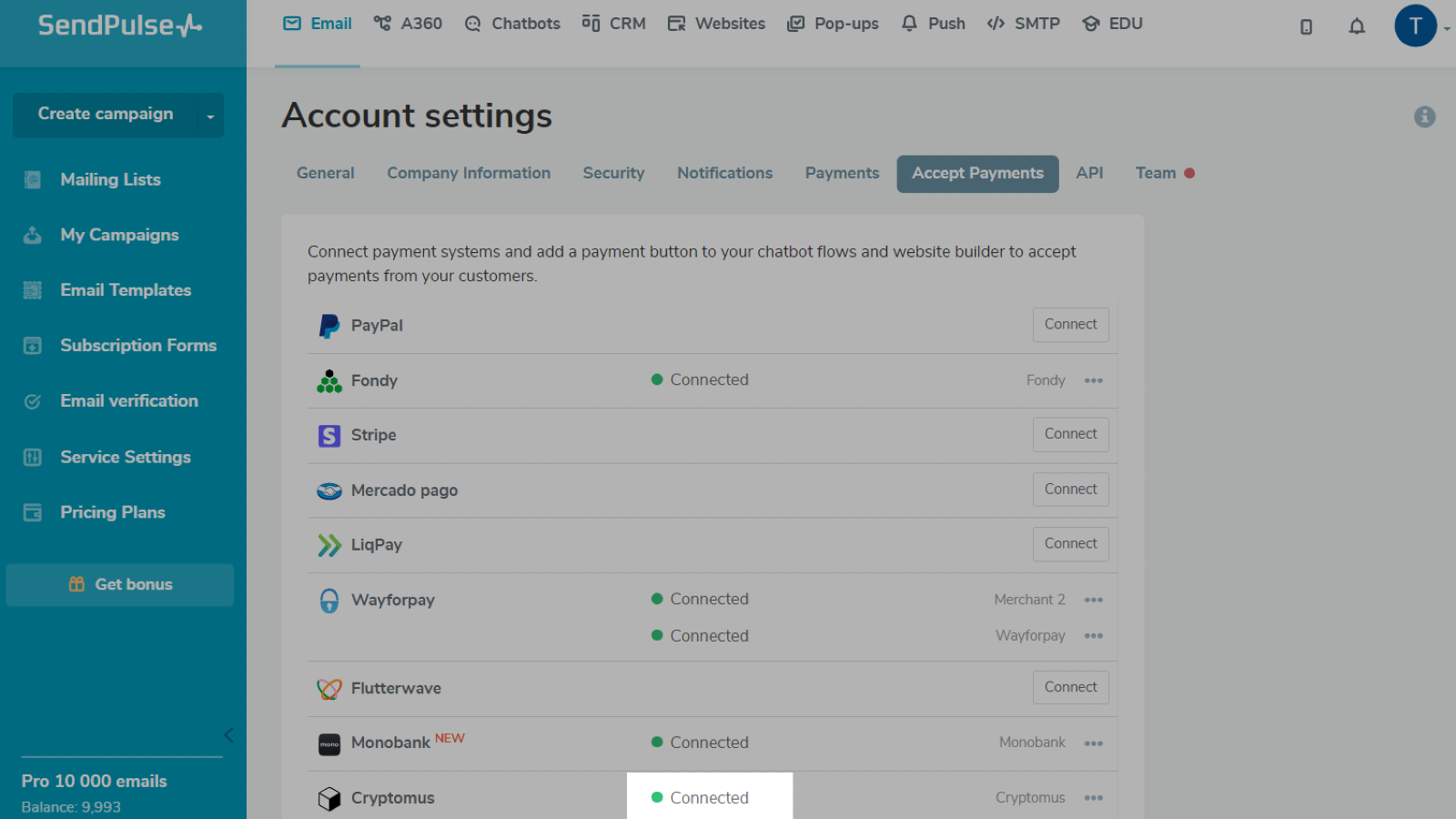
Log in to your SendPulse account. Go to Settings > Accept Payments. Next to Cryptomus, click Connect.
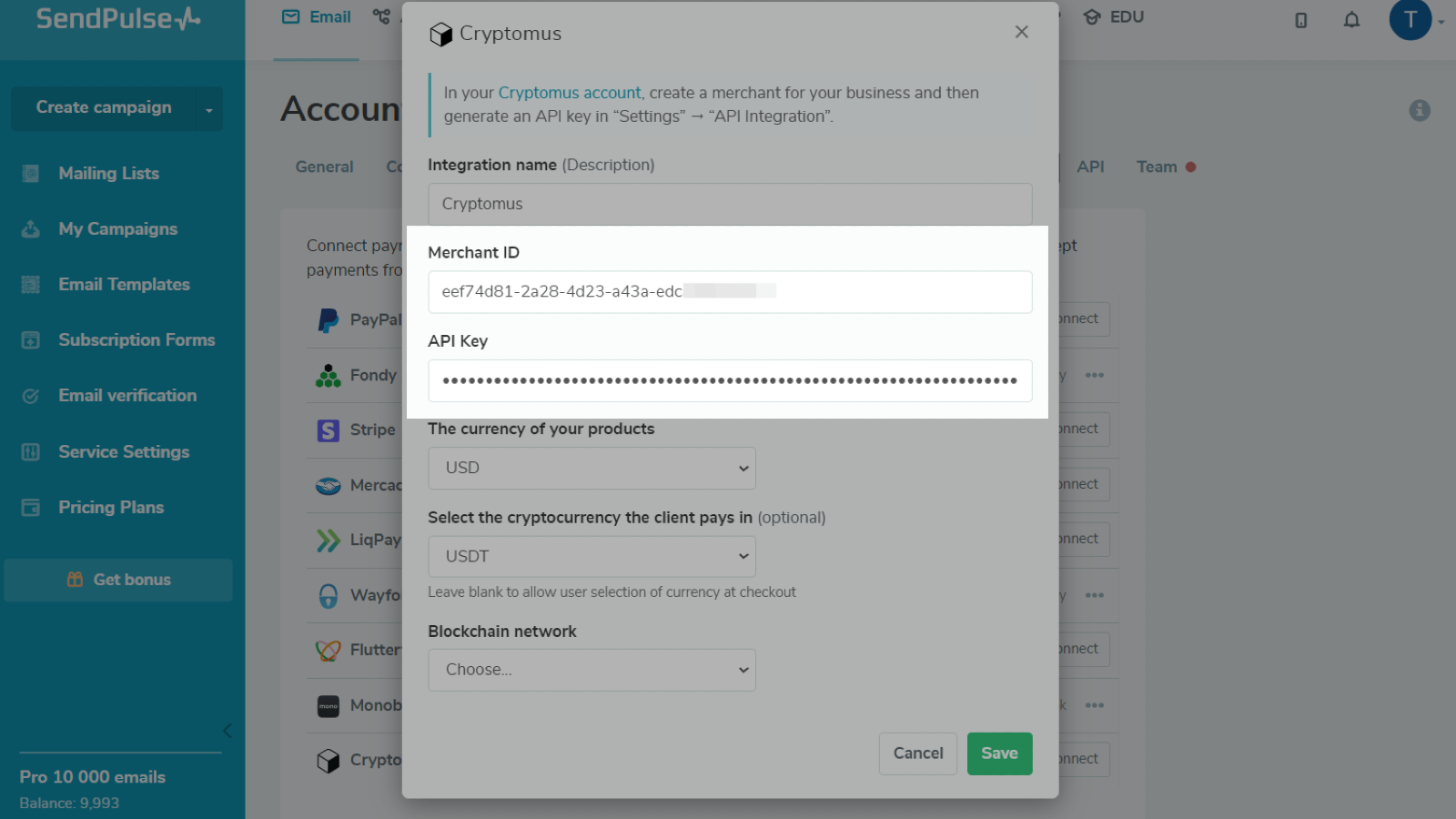
Enter your Merchant ID and Payment API Key. Select the currency using which you plan to sell your product. If necessary, select a cryptocurrency and blockchain network.
Click Save.
If you entered all data correctly, your integration status will change to Connected.
Learn more about how to integrate with Cryptomus





or