RozetkaPay
Integrate RozetkaPay with SendPulse to accept payments through emails, automated flows, chatbots, websites, and CRM payment links. RozetkaPay’s flexible payment methods help you reach a wider audience, gain customer trust, and drive more sales. Ideal for businesses serving the Ukrainian market, this integration streamlines the customer experience with versatile payment methods, helping you remove checkout friction and increase conversions.
Features
Accept payments through your SendPulse tools
Make payments feel natural. Let your customers complete their purchase directly in your emails, automated flows, chatbots, course websites, online stores, or through CRM payment links. No extra steps — just a smoother checkout and higher conversion rates.
Give your customers more freedom with flexible payment methods
RozetkaPay supports flexible options like card payments, cash on delivery, and installment plans. Allow customers to pay later or split the cost so that high-ticket products instantly feel easier to afford, resulting in larger carts and increased purchases.
Manage all of your stores in a single dashboard
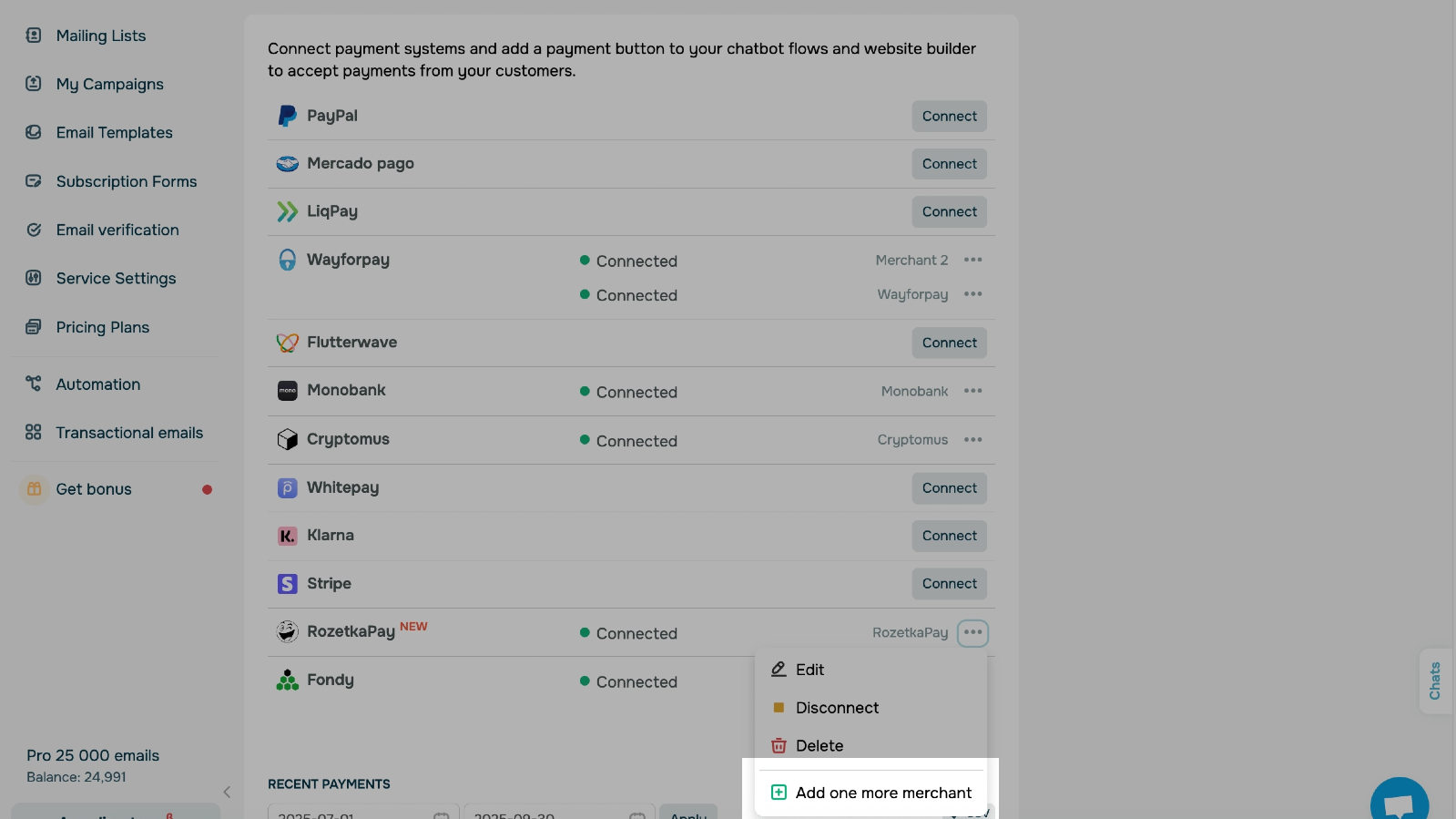
With the RozetkaPay integration, you can connect multiple merchants within one SendPulse account. You can add separate credentials for each business and accept payments to different bank accounts — all managed from a single dashboard. This streamlines financial tracking and is especially convenient for franchises and multibrand companies.
Stay on top of all your payments
Every payment received or triggered through SendPulse tools lands in your Account settings → Accept payments. You can view the status, amount, date, description, and customer details of all your RozetkaPay transactions at any time. This enables you to address payment issues promptly, analyze your sales, and keep all reporting aligned.
How to integrate with RozetkaPay
Go to business.rozetkapay.com and create your RozetkaPay account. Fill out the application, sign the electronic agreement, and wait for your merchant account to be activated. Once you sign the agreement, you’ll receive an email with your RozetkaPay credentials.
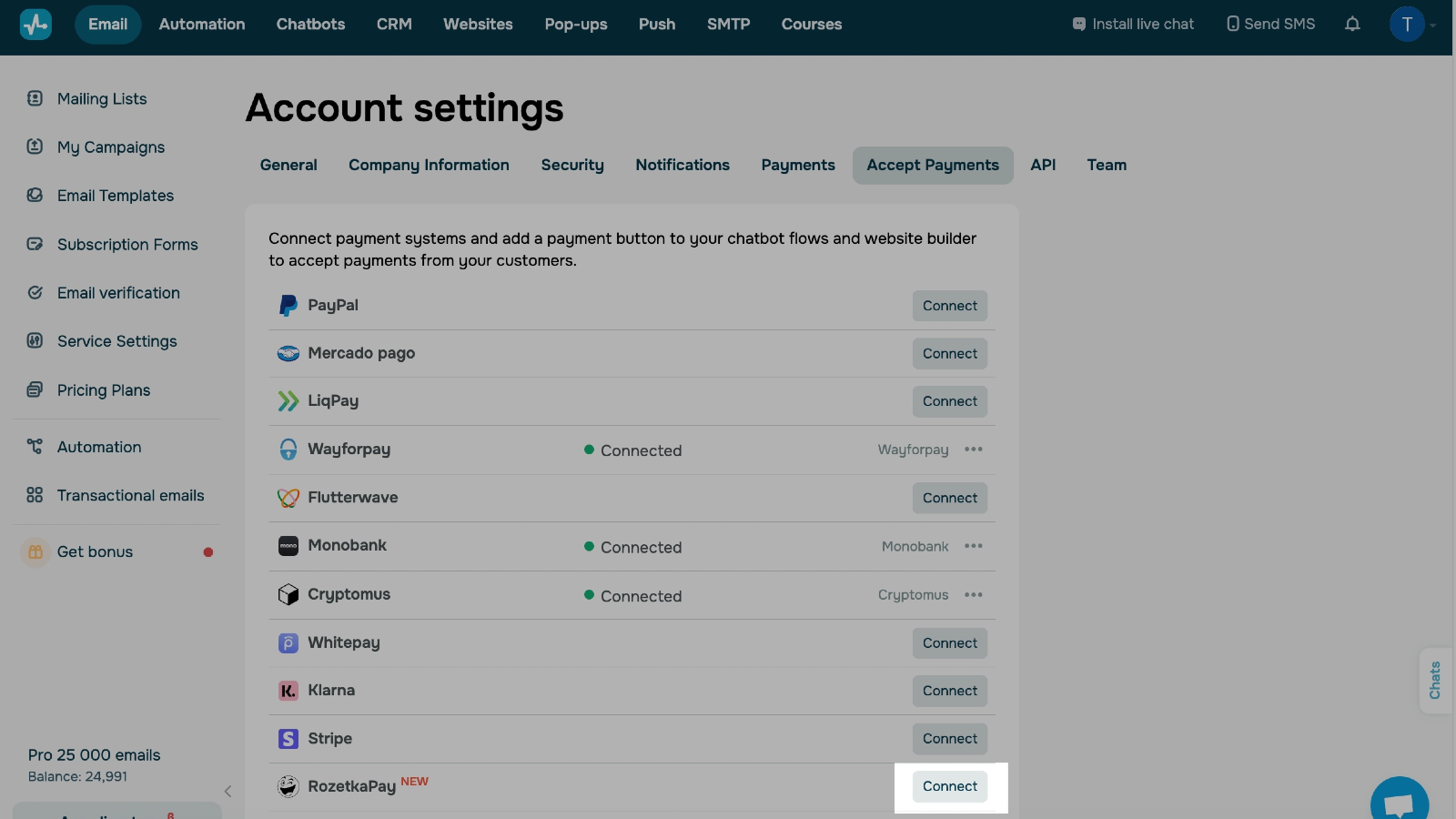
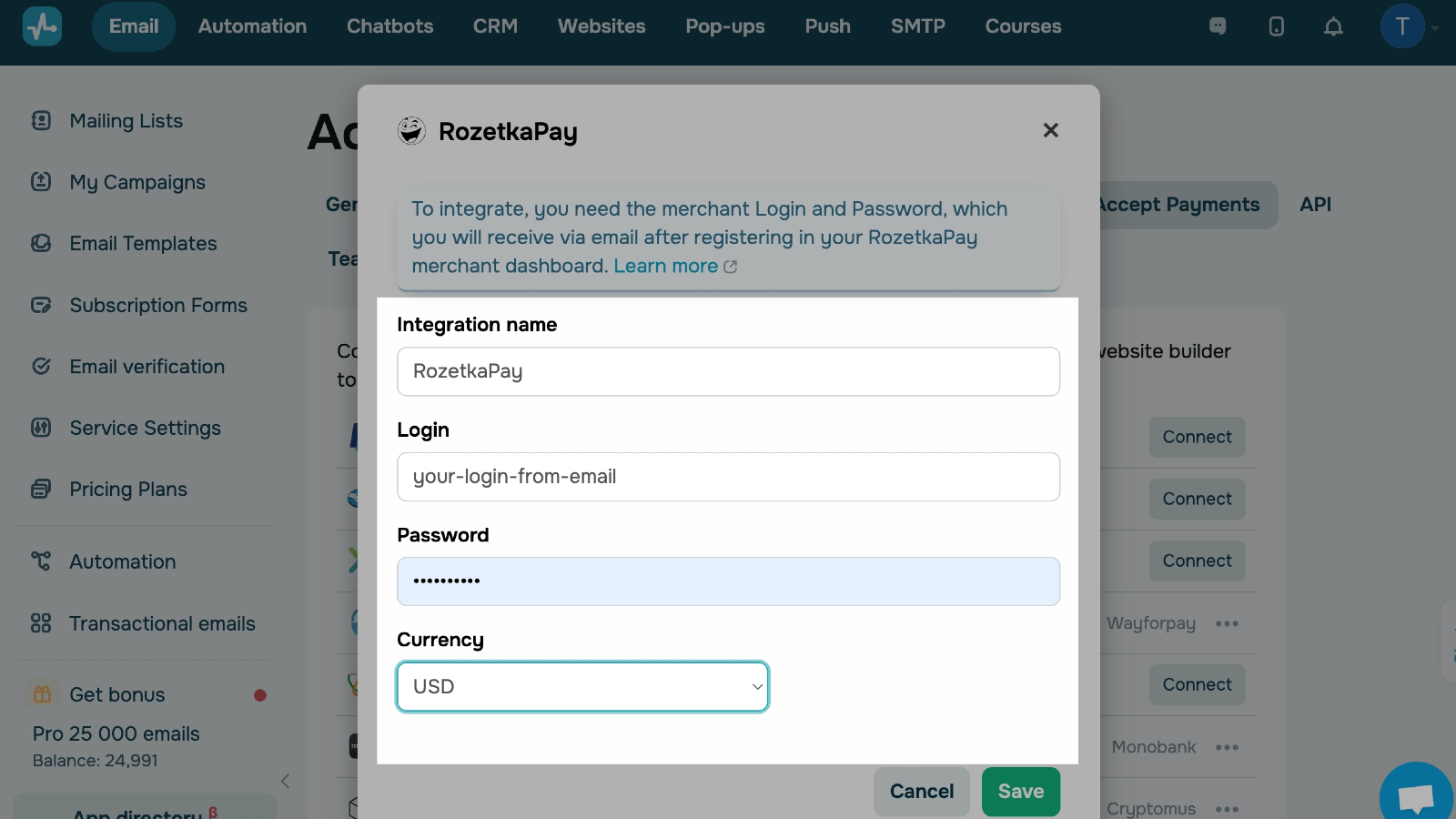
Now log in to your SendPulse account, head to Account settings → Accept payments, and click Connect next to RozetkaPay. Name your integration for your own convenience, enter your merchant login and password, and select a product currency.
If the values are correct, the integration status will change to Connected. From there, you can select this payment option for payment buttons in your SendPulse tools. You can view the payment history in the same tab.
Learn more about how to integrate with RozetkaPay.





or