Klarna
Integrate with Klarna to accept payments from users through websites and chatbots. Klarna is a payment system that enables online transactions using credit or debit cards from any bank. With Klarna, you can offer flexible payment options, such as recurring or installment payments, to boost customer loyalty and increase conversions.
Features
Add payment buttons to chatbot flows and accept online payments.
Set Klarna as an available payment method when creating payment buttons in SendPulse’s website builder.
Offer flexible purchase options, including instant, delayed up to 30 days, and installment payments.
How to integrate with Klarna
Log in to your Klarna merchant account or create one using an email address and password. Keep in mind that Klarna limits its list of supported countries and business sectors.
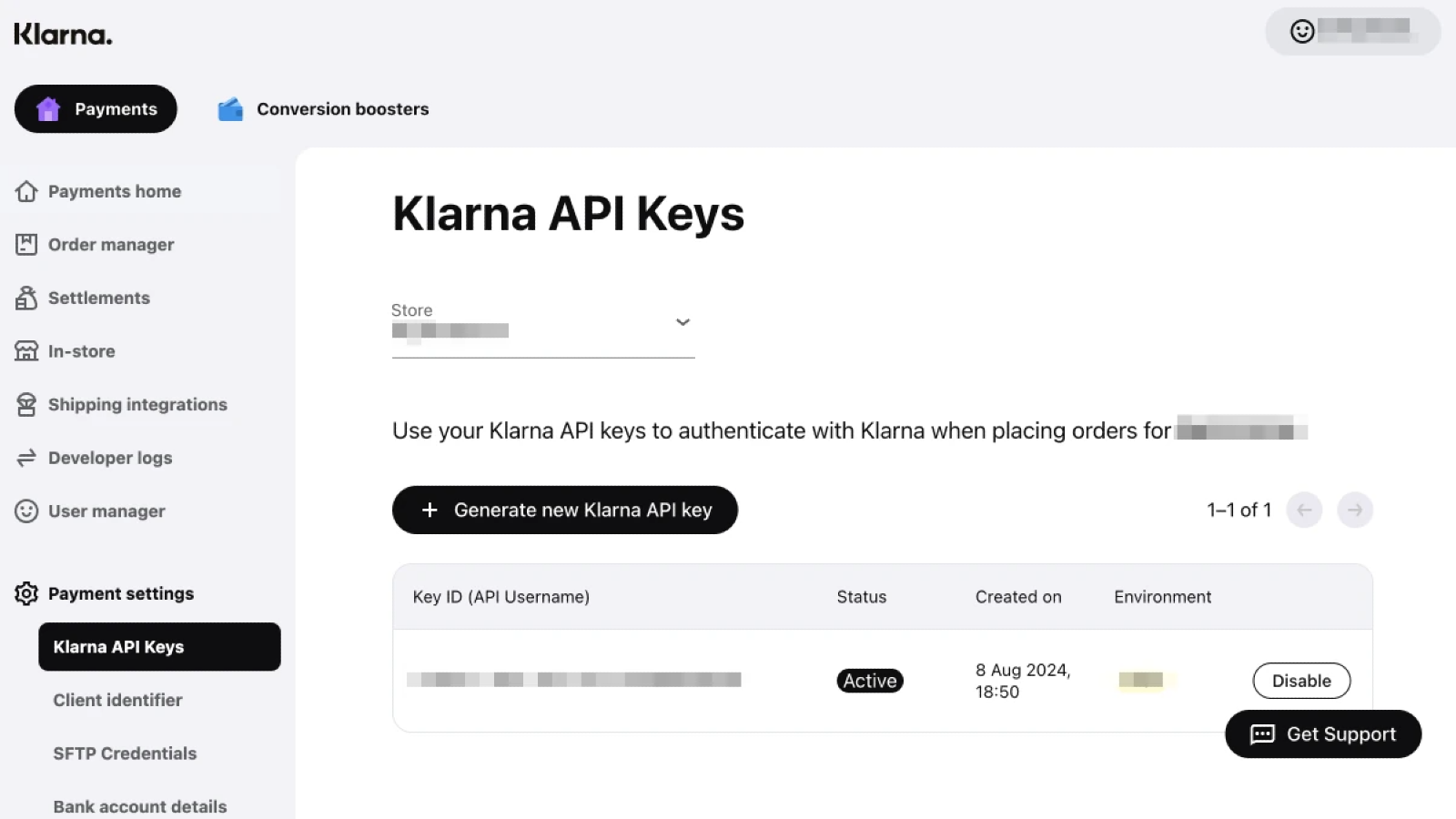
In the Merchant portal, go to Payment settings > Klarna API Key. Copy the key value or generate a new one.
In your SendPulse account, go to Account settings > Accept payments. Next to Klarna, click Connect.
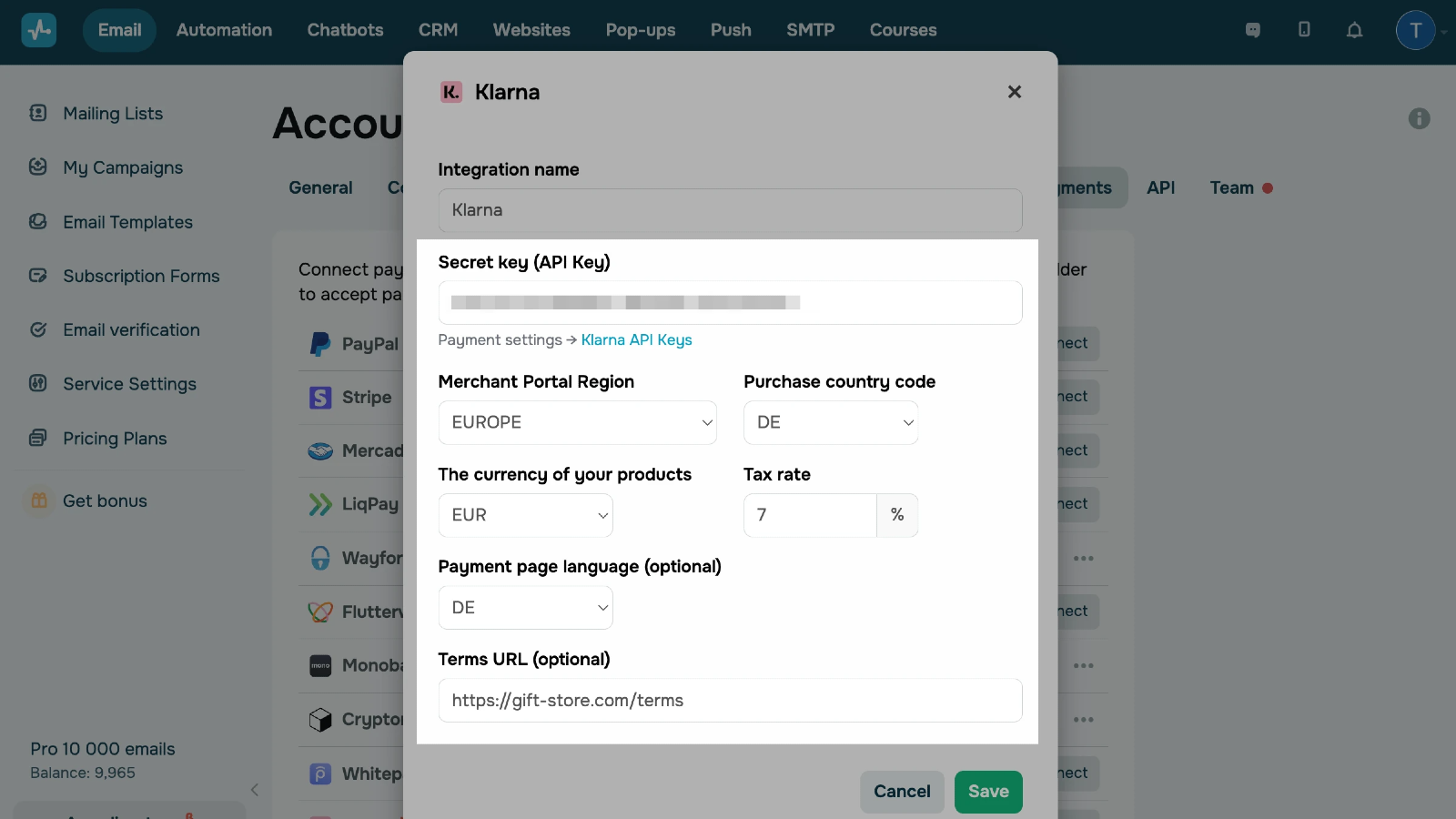
Enter the merchant name and API key from your Klarna account. Select your Merchant portal region, purchase country, currency, and tax rate. Optionally, specify your payment page language and add a link to your order terms and conditions.
Click Save.
If you enter all data correctly, your integration status will change to Connected.
Learn more about how to integrate with Klarna.





or