Wisernotify
Integrate with Wisernotify to build audience trust, increase conversions, and reduce bounce rates with FOMO and social proof widgets.
Wisernotify uses FOMO to encourage your audience to take specific actions like filling out forms, signing up, or making purchases. You can use webhooks to send new subscriber data points to your Wisernotify account and use them as social proof. Show the number of people who shared their personal information using SendPulse forms to let potential clients know that other users trust your brand.
You will need to connect Wisernotify webhooks with SendPulse for this integration to operate properly.
Features
Connect webhooks to send new subscriber data from SendPulse to Wisernotify.
Create FOMO or social proof widgets to encourage your audience to perform a target action.
How to integrate with Wisernotify
Log in to your Wisernotify account and go to Integrations.
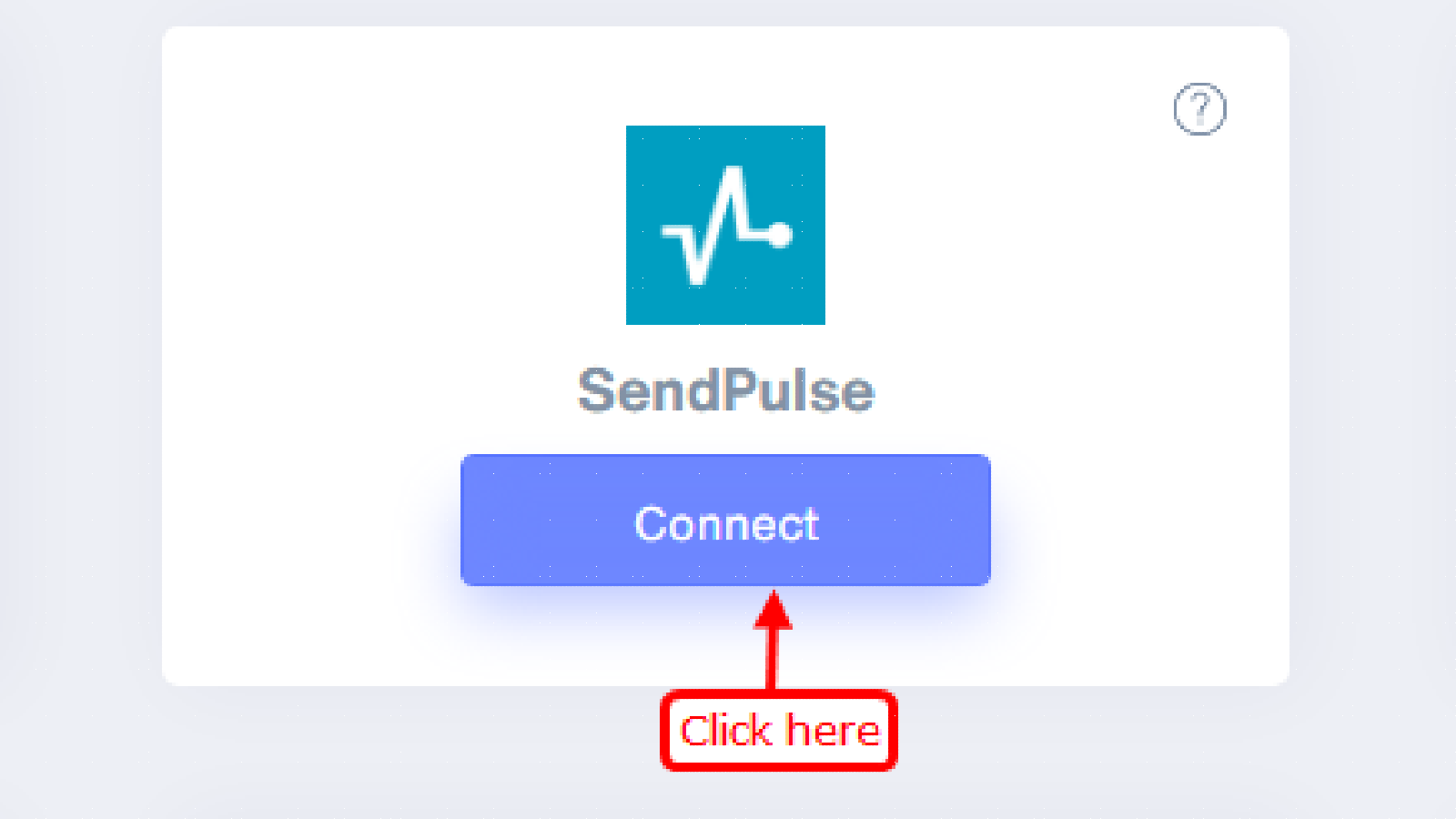
Find SendPulse in All apps and click Connect.
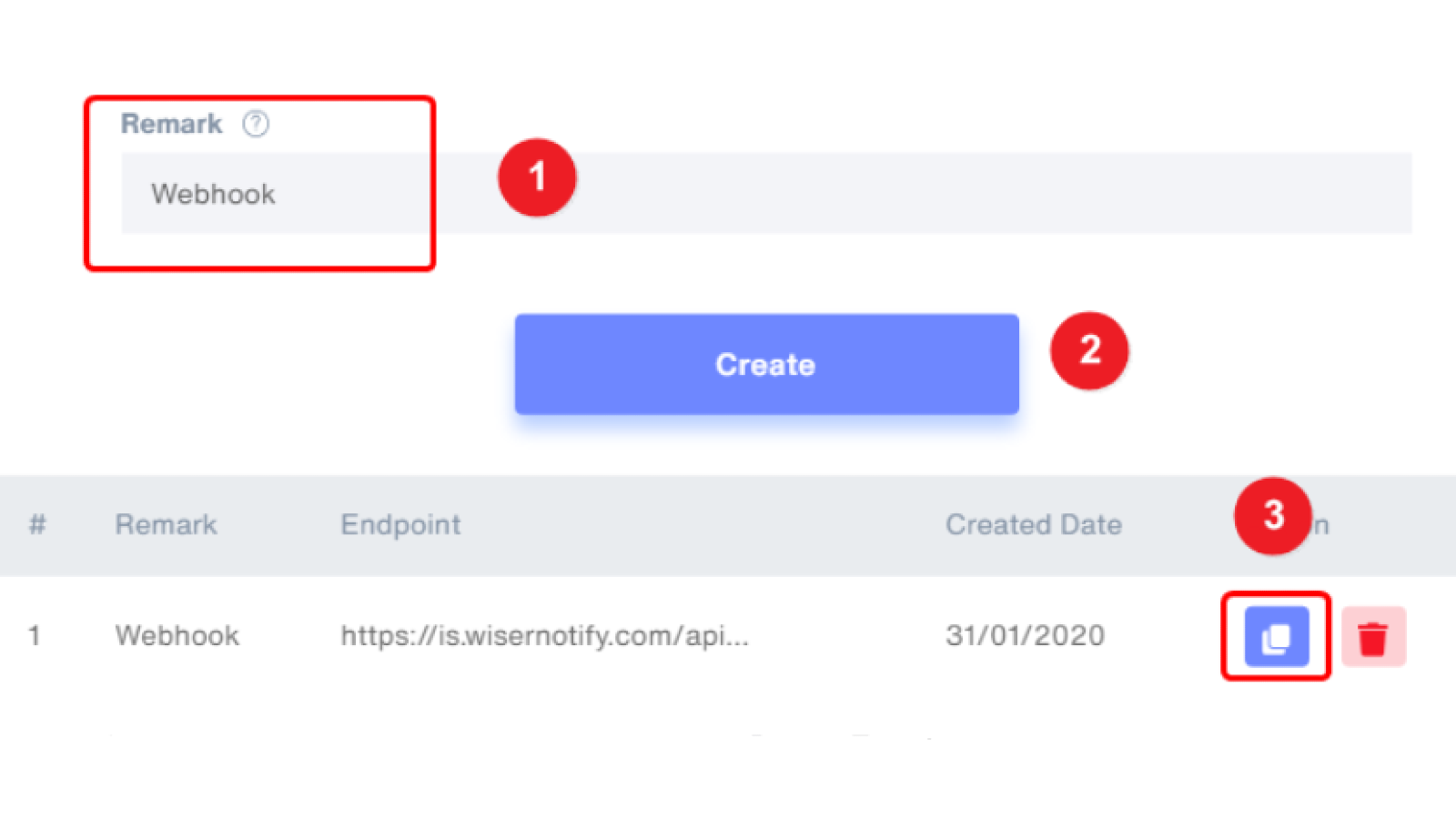
Enter a webhook name and click Create. Copy the webhook URL.
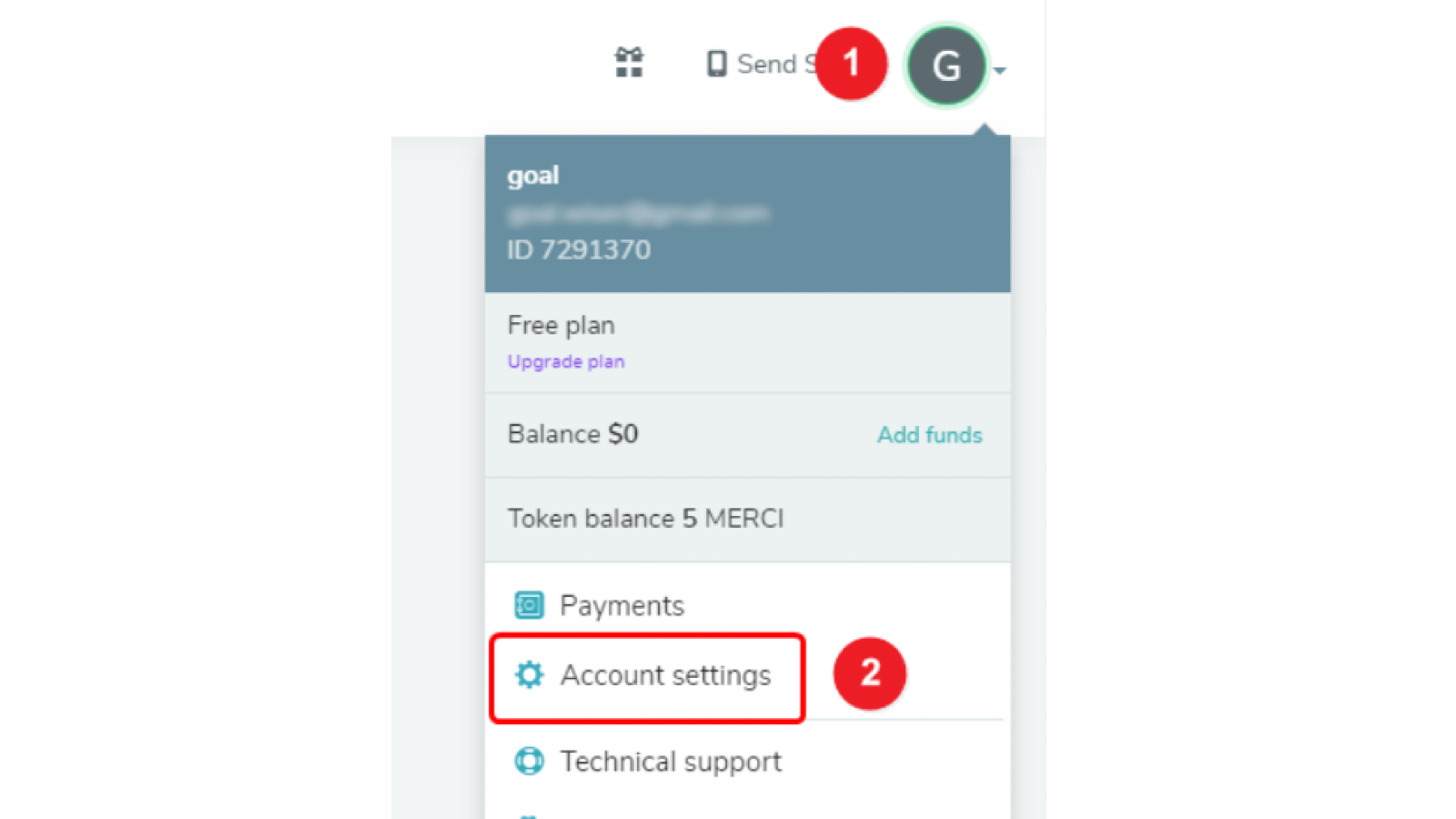
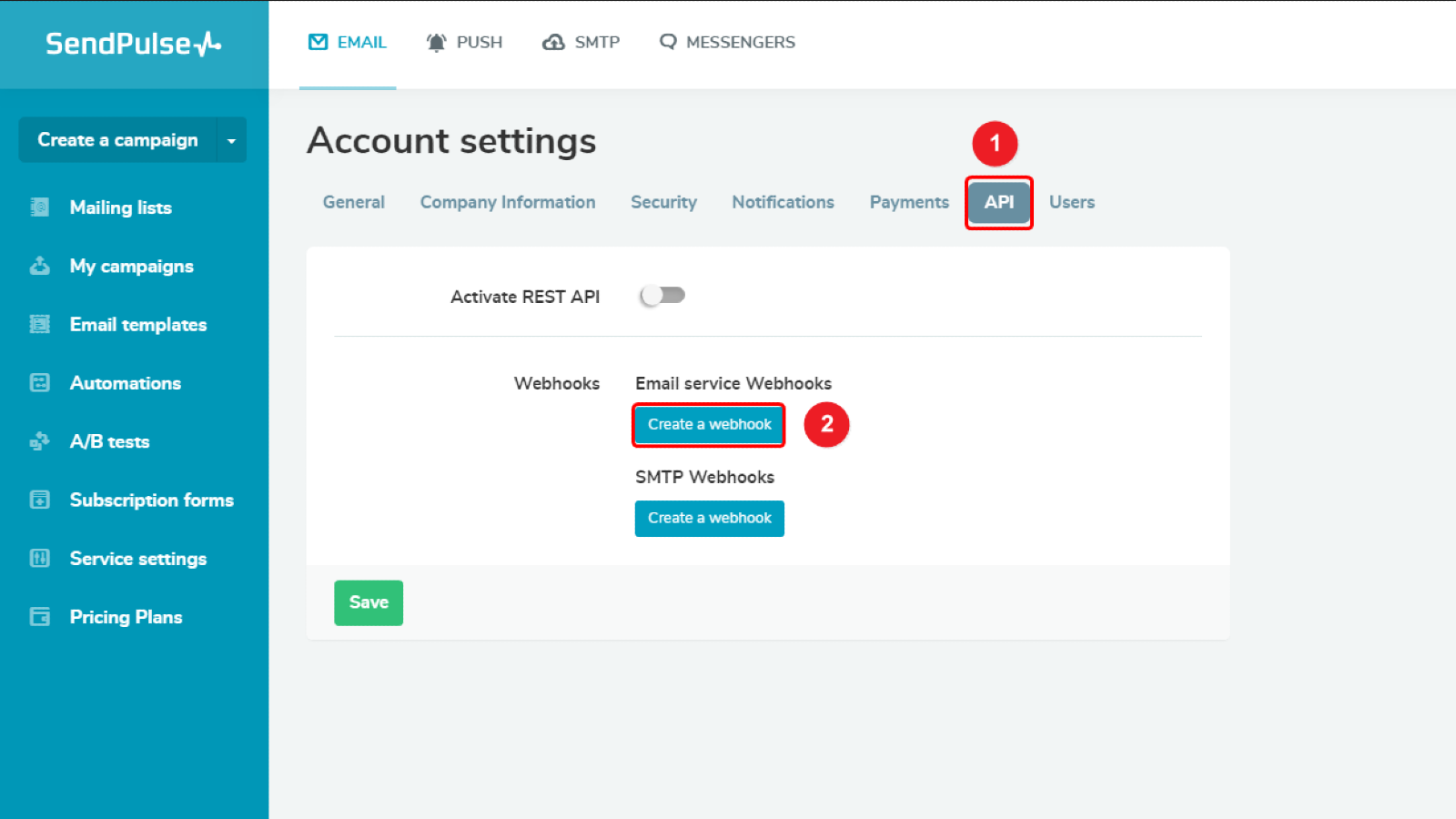
Log in to your SendPulse account. In your account settings, go to the API tab.
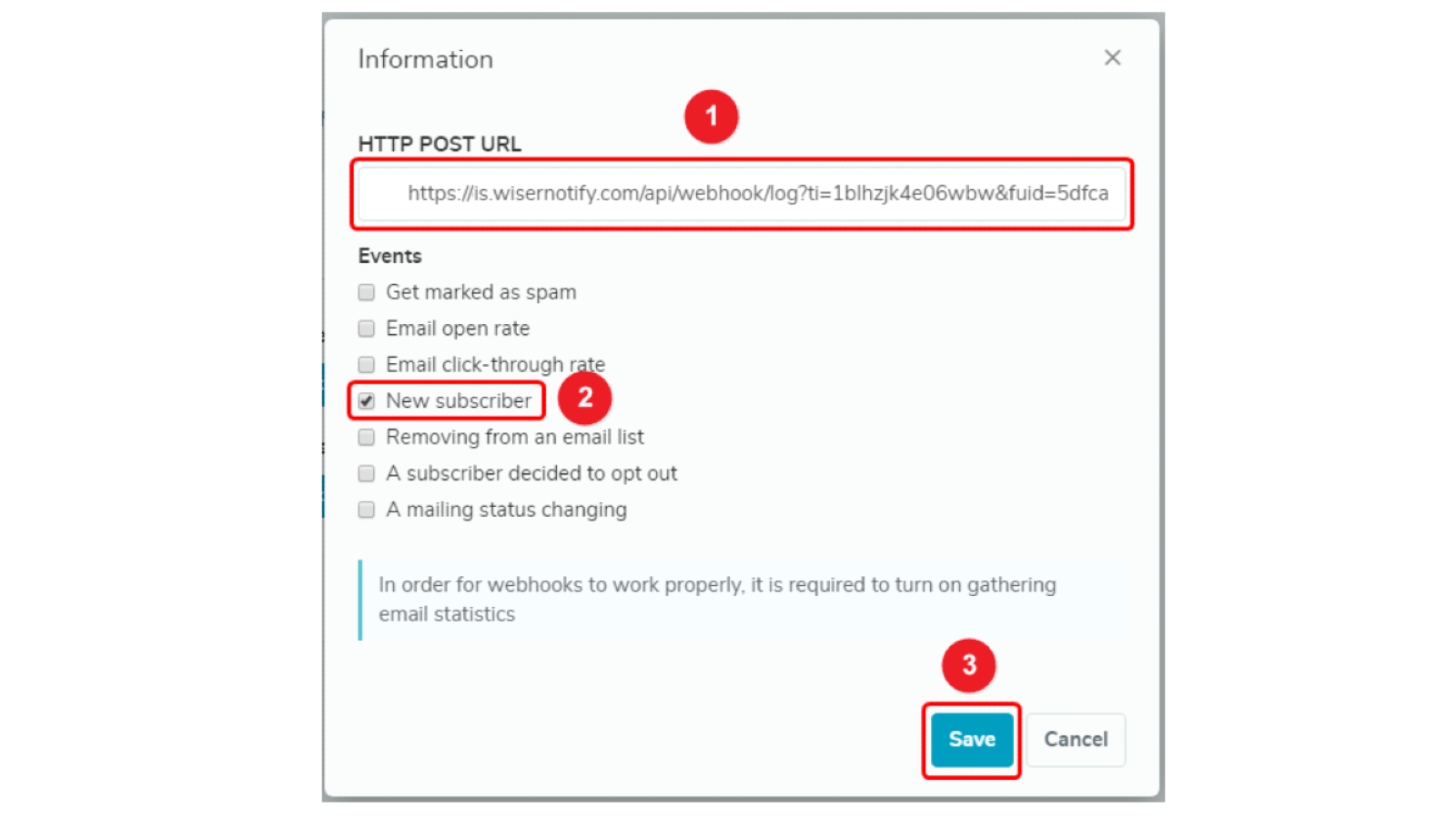
Click Create a webhook under Email service webhooks. Paste your webhook URL, select New subscriber, and click Save.
Once you save the settings, SendPulse will automatically send Wisernotify events whenever you get a new subscriber.
Learn more about how to integrate with Wisernotify.





or