Poptin
This free integration allows you to automatically export new Poptin contacts to your SendPulse mailing lists. With Poptin, you can get more subscribers and qualified leads, drive audience engagement, and dwindle the number of abandoned carts.
Features
Build engaging pop-ups, lead capture forms, and widgets in no time.
Move your collected lead data to SendPulse mailing lists.
Create and send email campaigns to new contacts automatically or manually using Automation 360.
How to integrate with Poptin
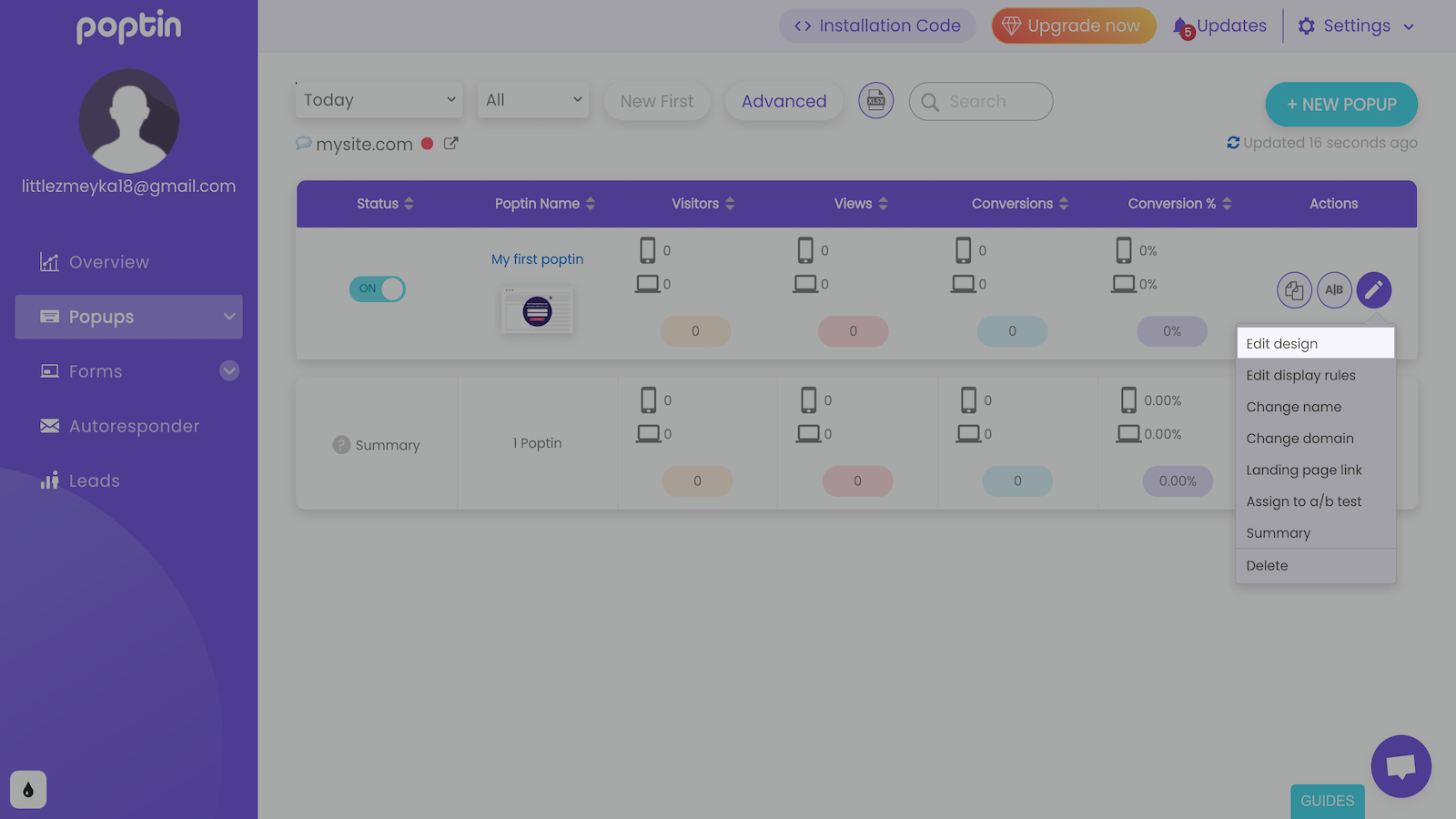
Log in to your Poptin account, click the pencil icon next to the widget you want to export contacts from, and select Edit design.
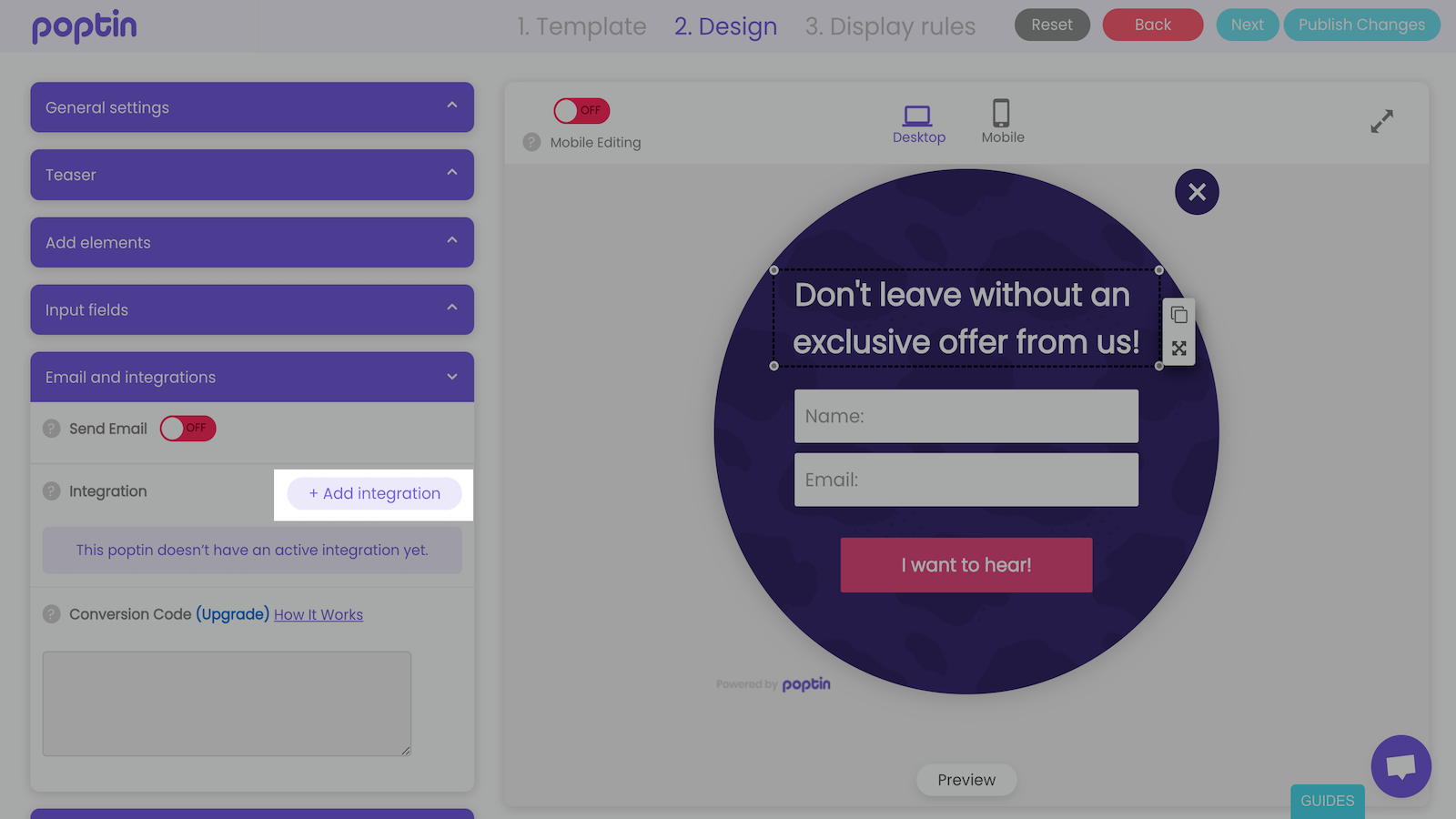
Go to the Email and integrations tab and click Add integration.
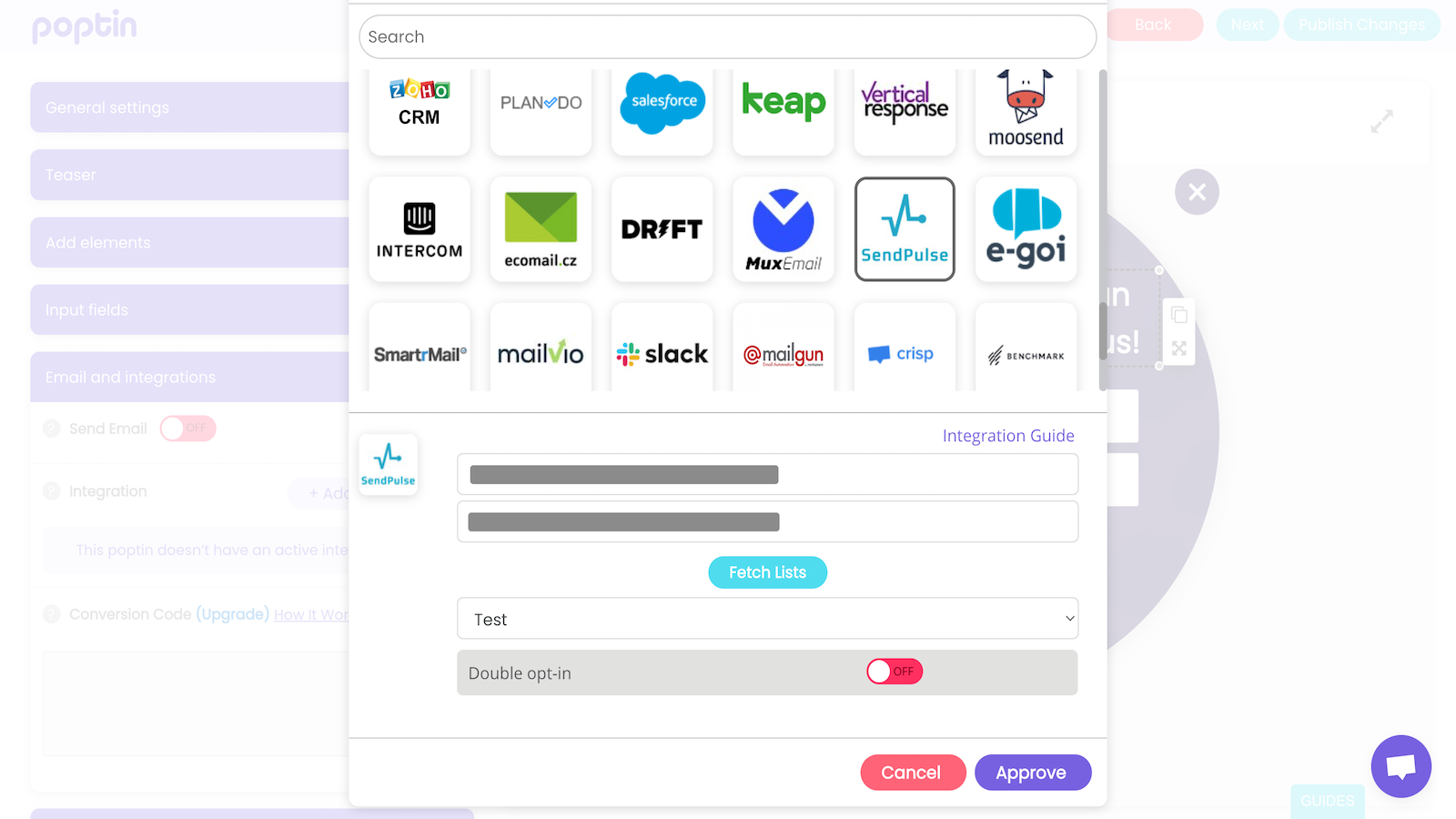
Select SendPulse from the list of integrations.
In your SendPulse account > the API tab, copy your ID and Secret. Go to your Poptin account and paste them into the respective fields. Click Approve.
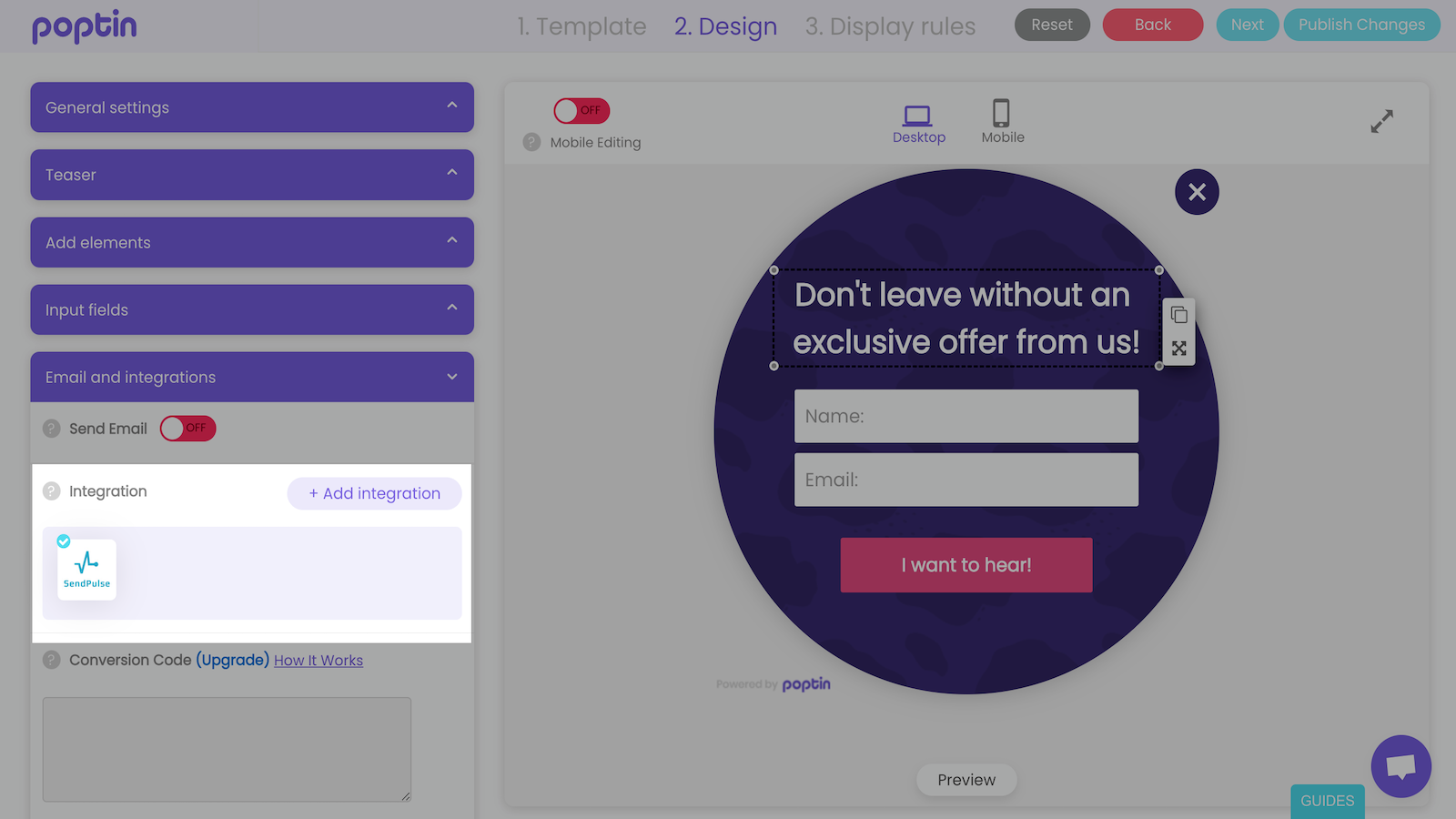
Once you integrate with Poptin, all your collected subscriber and lead data will start moving to your SendPulse mailing list.
Learn more about how to integrate with Poptin.





or