Plerdy
This integration allows you to create pop-ups to collect email addresses and phone numbers and automatically export lead data to your SendPulse account.
Features
Automatically move new email addresses from Plerdy to your SendPulse account.
Manually export subscriber data from Plerdy to SendPulse.
How to integrate with Plerdy
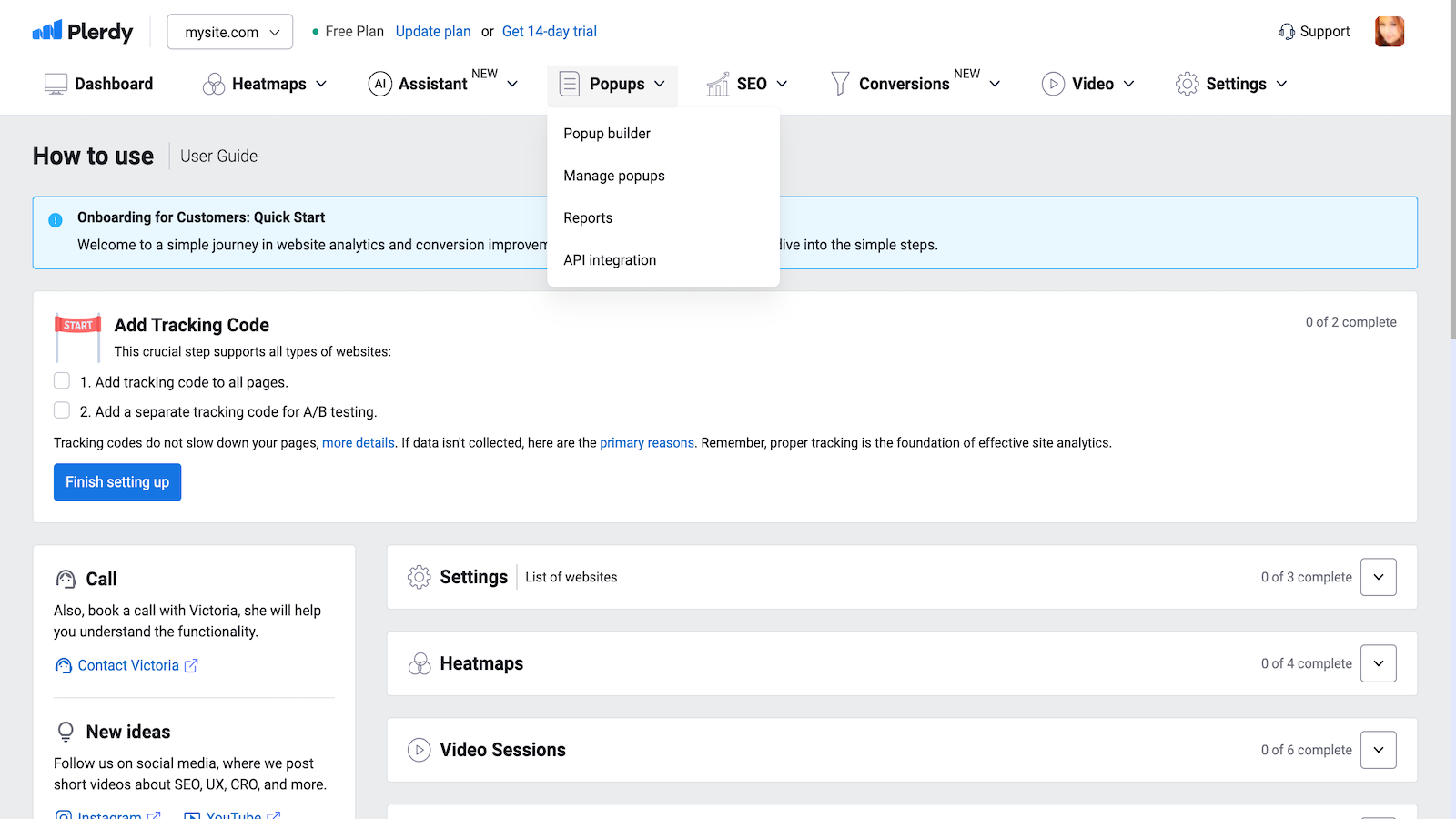
Log in to your Plerdy account. In the Popups section, select API Integration.
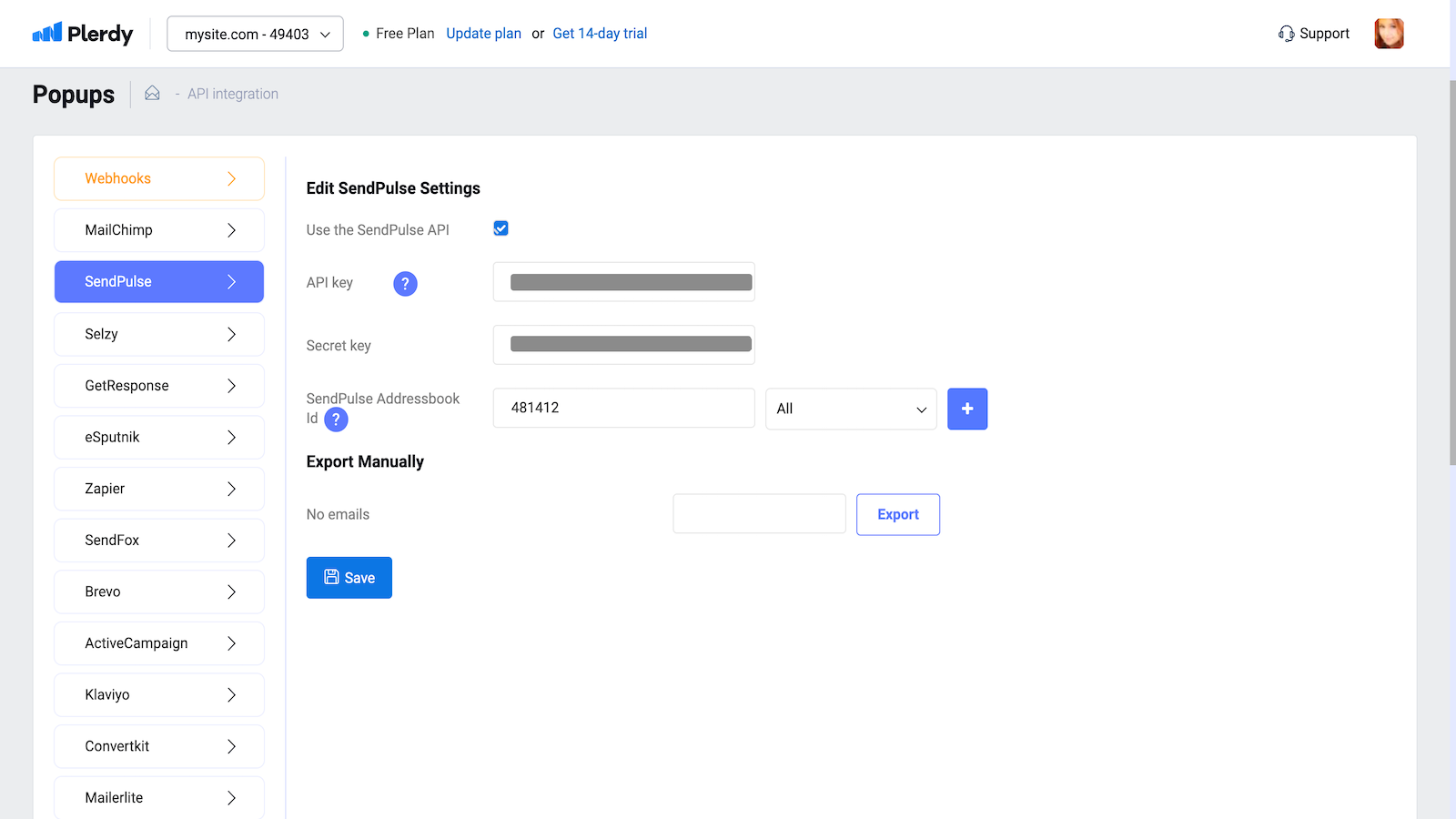
Select SendPulse from the list of integrations.
Select the checkbox next to Use the SendPulse API.
In your SendPulse account > the API tab, copy your ID and Secret. Paste them into the respective fields in Plerdy and click Connect.
Create or select a mailing list, copy its ID from the address bar, and paste it into the corresponding field in Plerdy.
Click Save.
To export your pop-up contacts manually, repeat steps 1 through 5, select a pop-up, and click Export.
You can also integrate with Plerdy using a ready-made Zapier template.





or