Convertful
With Convertful, you can automatically update your mailing lists with new contacts collected by Convertful. This free integration allows you to generate leads and launch automated email campaigns to convert website visitors into customers.
Features
Export your Convertful contacts to SendPulse mailing lists. You will be able to send welcome emails, thank-you emails, and triggered campaigns to these users.
Add contacts from a specific widget to your default mailing list or create a dedicated mailing list for every widget.
Set custom actions after a user clicks your Convertful widget button, for example, update your custom SendPulse contact fields.
How to integrate with Convertful
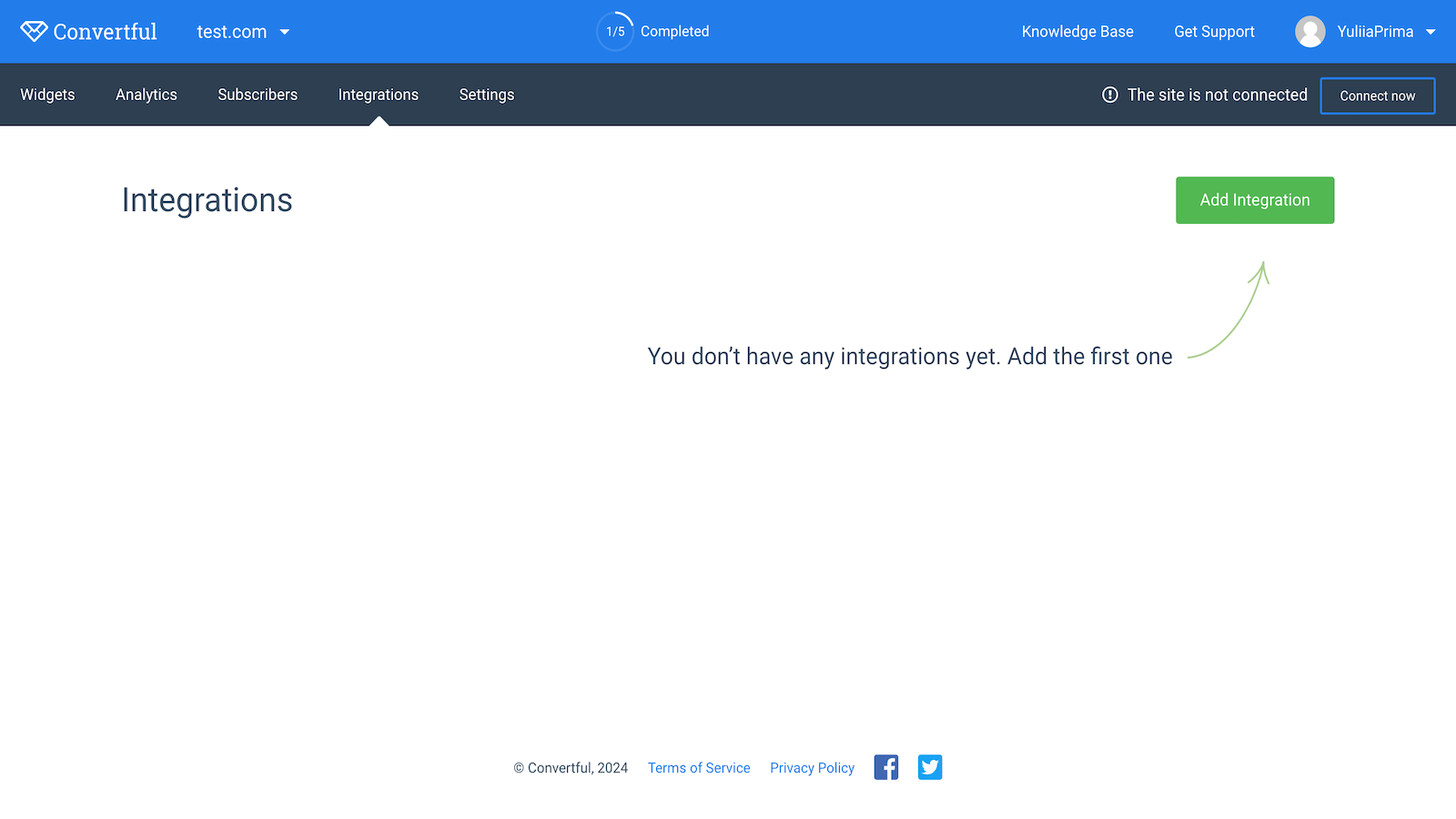
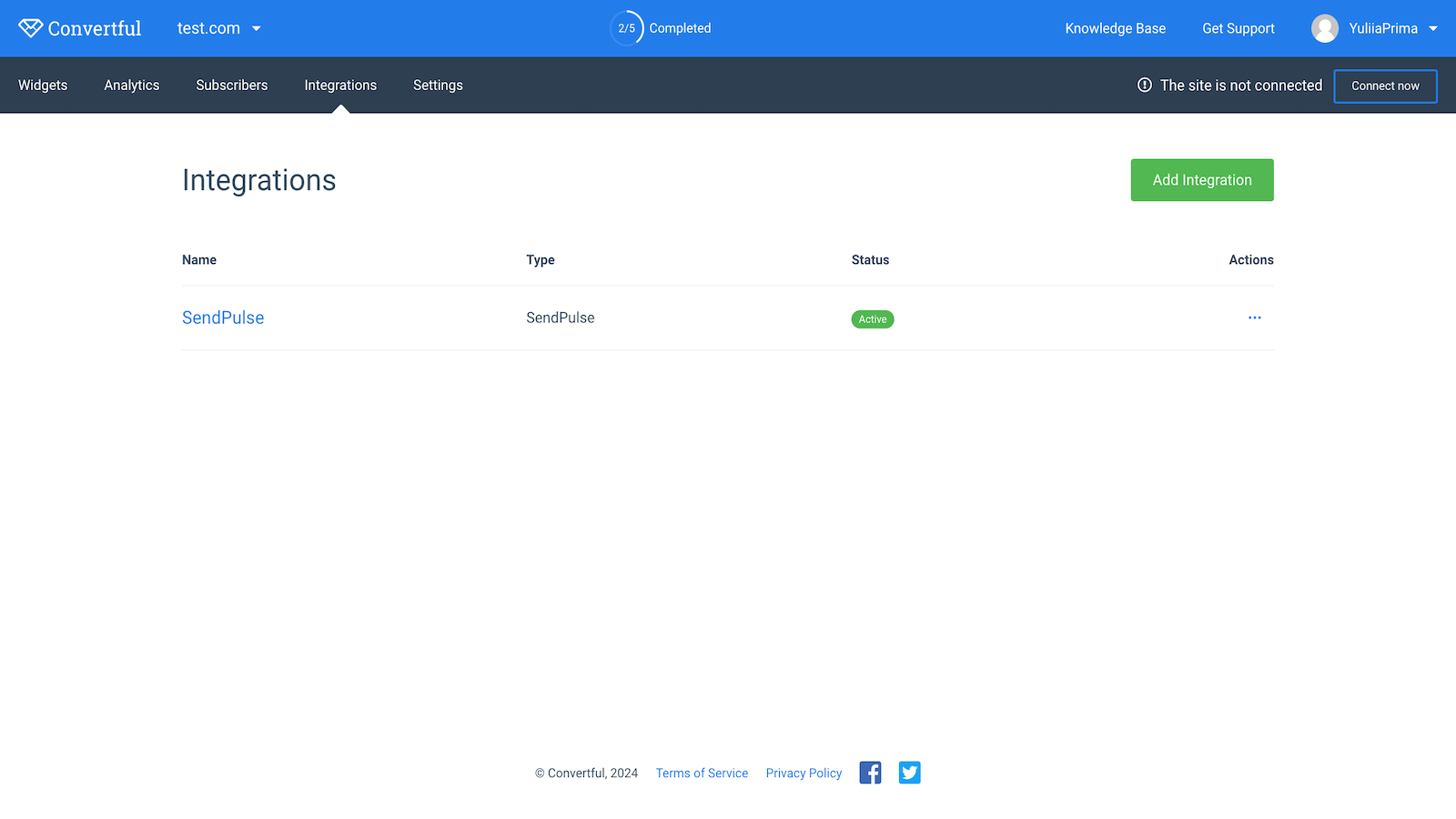
Log in to your Convertful account, go to the Integrations tab, and click Add Integration.
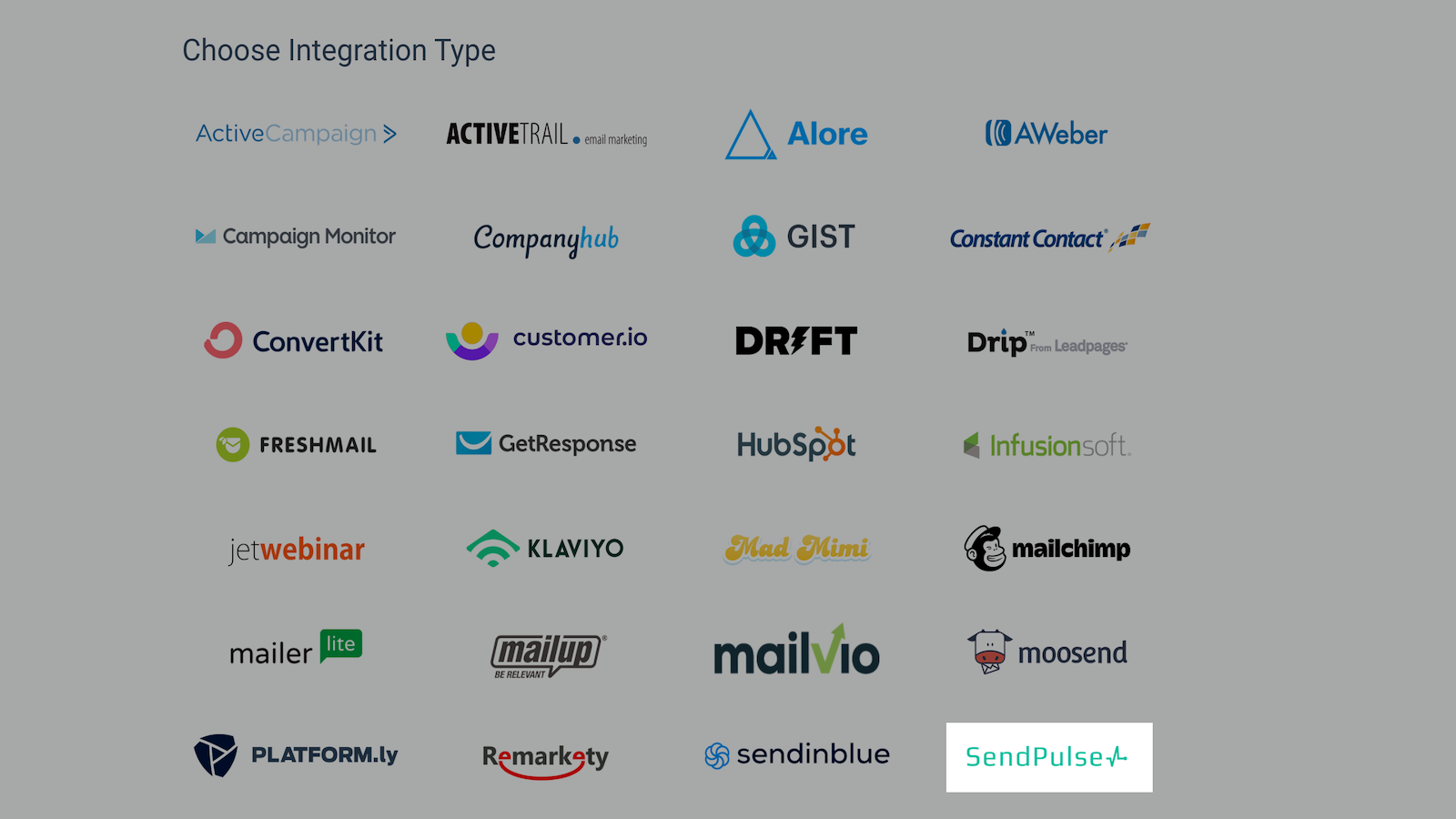
Select SendPulse from the list of integrations.
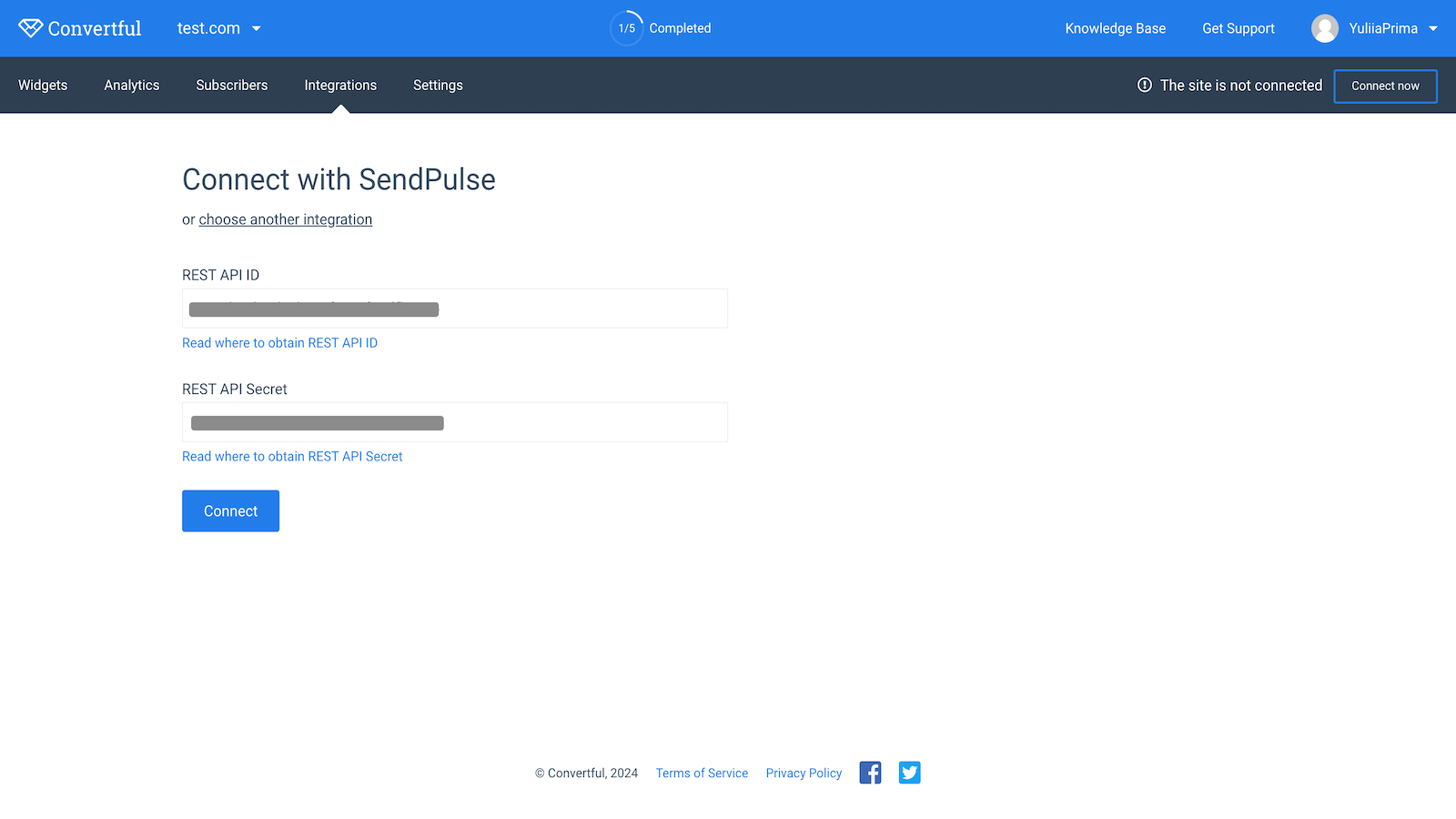
In your SendPulse account > the API tab, copy your ID and Secret. Paste them into the respective fields in Convertful and click Connect.
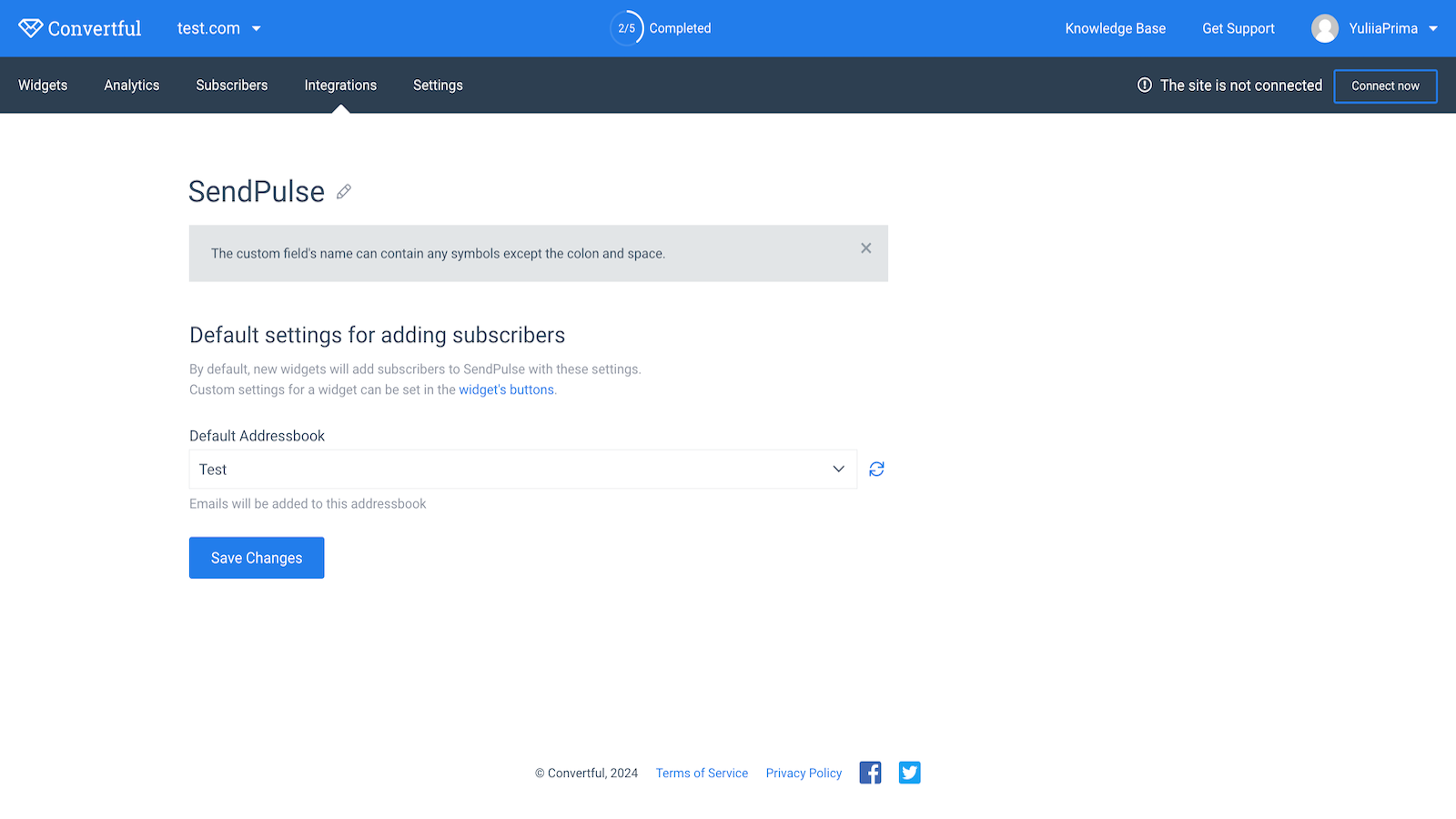
Select the mailing list to which you want to add your Convertful contacts and click Save Changes.
To check your integration status, go to the Integrations tab. If you entered all data correctly, your integration status will change to Connected.





or