ChatGPT AI Assistant
ChatGPT is OpenAI's all-purpose AI assistant for working with text, files, and data in a familiar chat interface. Connect the MCP server to ChatGPT and let your AI assistant handle routine tasks in your SendPulse account.
What ChatGPT can do
Support at every stage of your work. Your AI assistant helps you structure data from different tools, analyze campaign results, spot important changes, and draw conclusions you can act on in SendPulse.
Context awareness for your SendPulse work. Create separate projects for different tasks or SendPulse tools, and group related chats, files, and instructions inside them. Your AI assistant keeps your context within each project, takes your earlier requests into account, and delivers more accurate results.
How to connect the MCP server to ChatGPT
Step-by-step instructions with screenshots are available in our knowledge base.
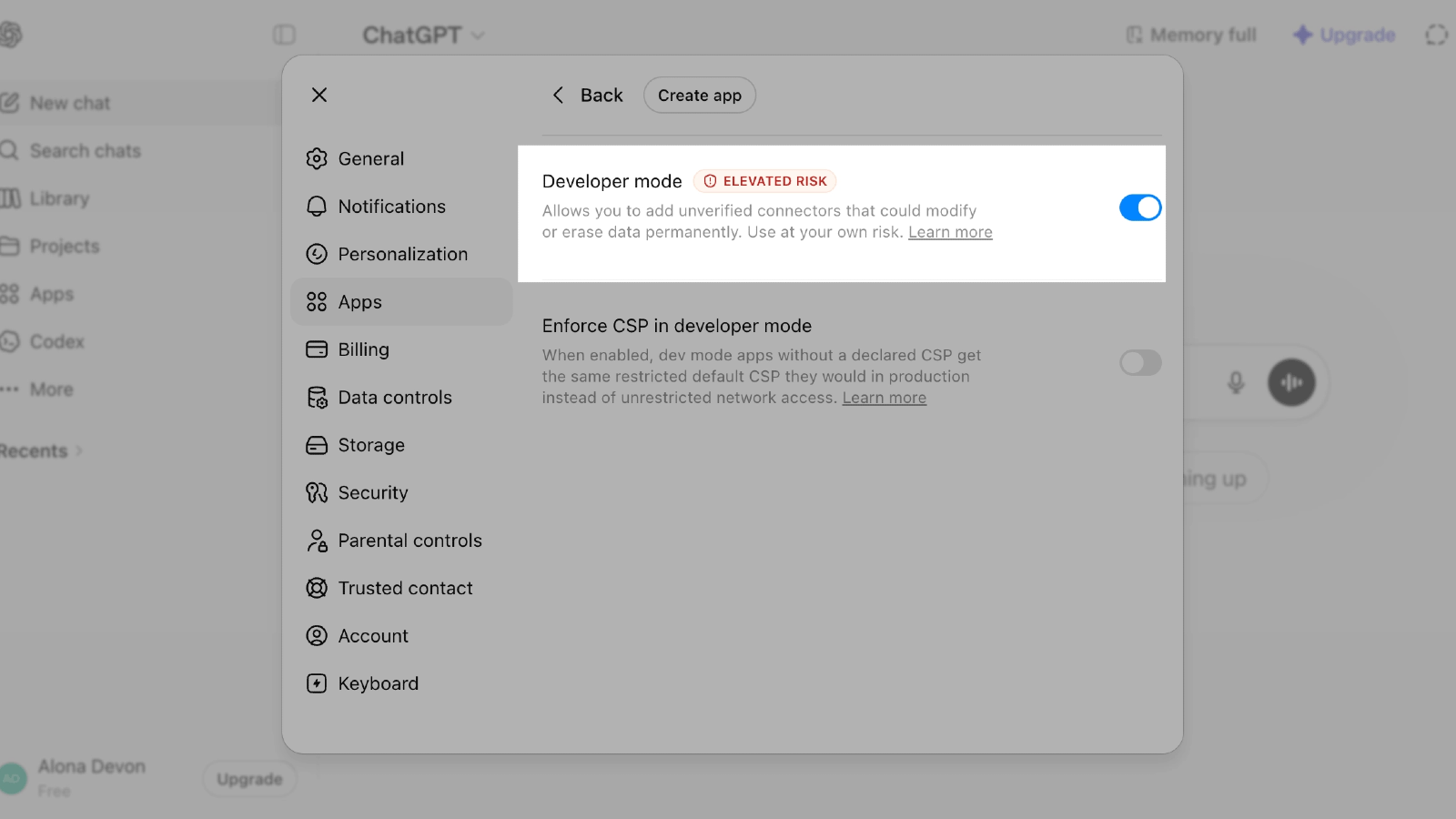
Open ChatGPT in your browser, go to Settings → Apps → Advanced Settings, and turn on Developer mode.
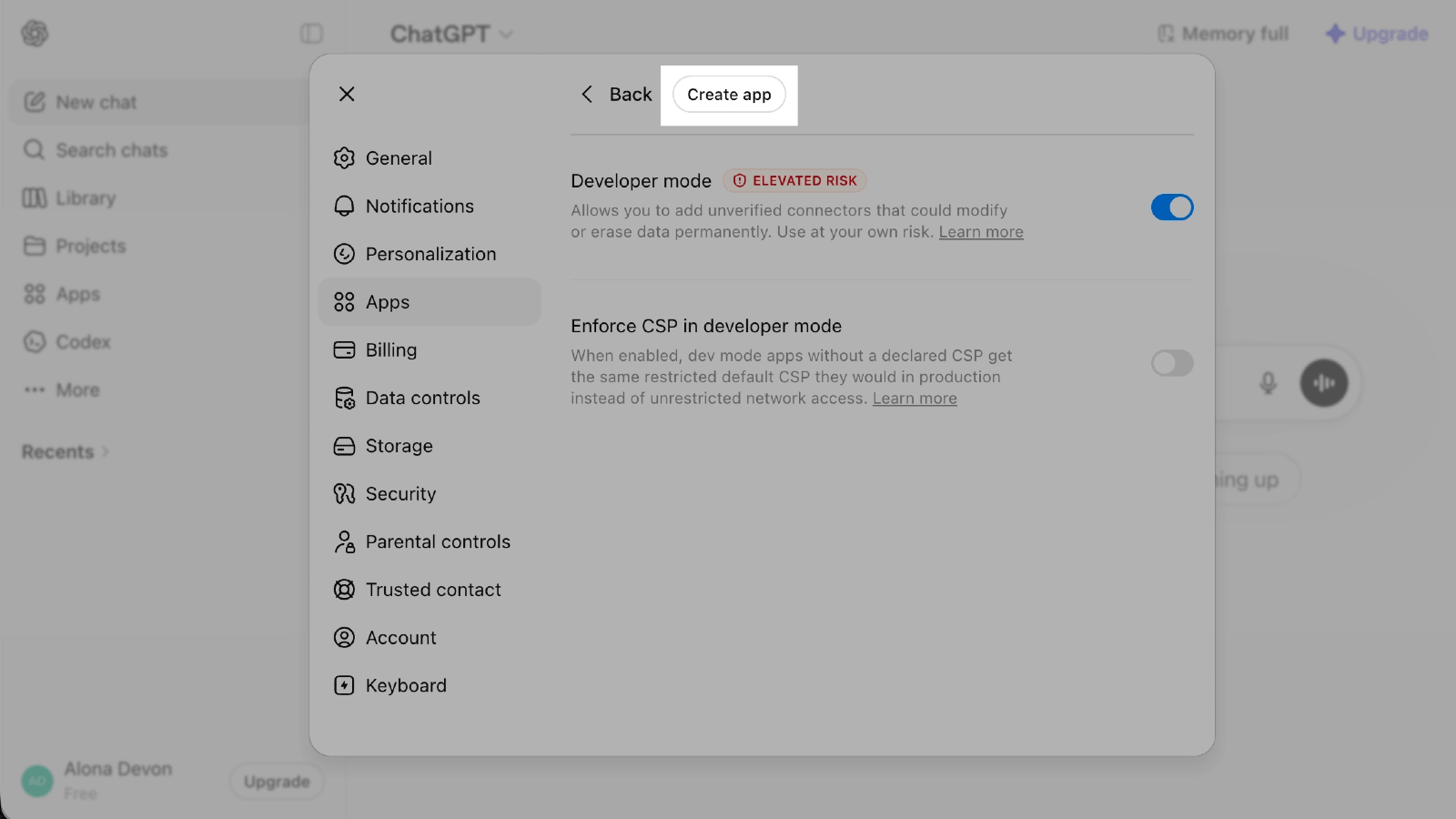
In the Apps section, click Create app to open the MCP app form.
Go to your SendPulse account settings → API and copy the link from the MCP field at the bottom of the page.
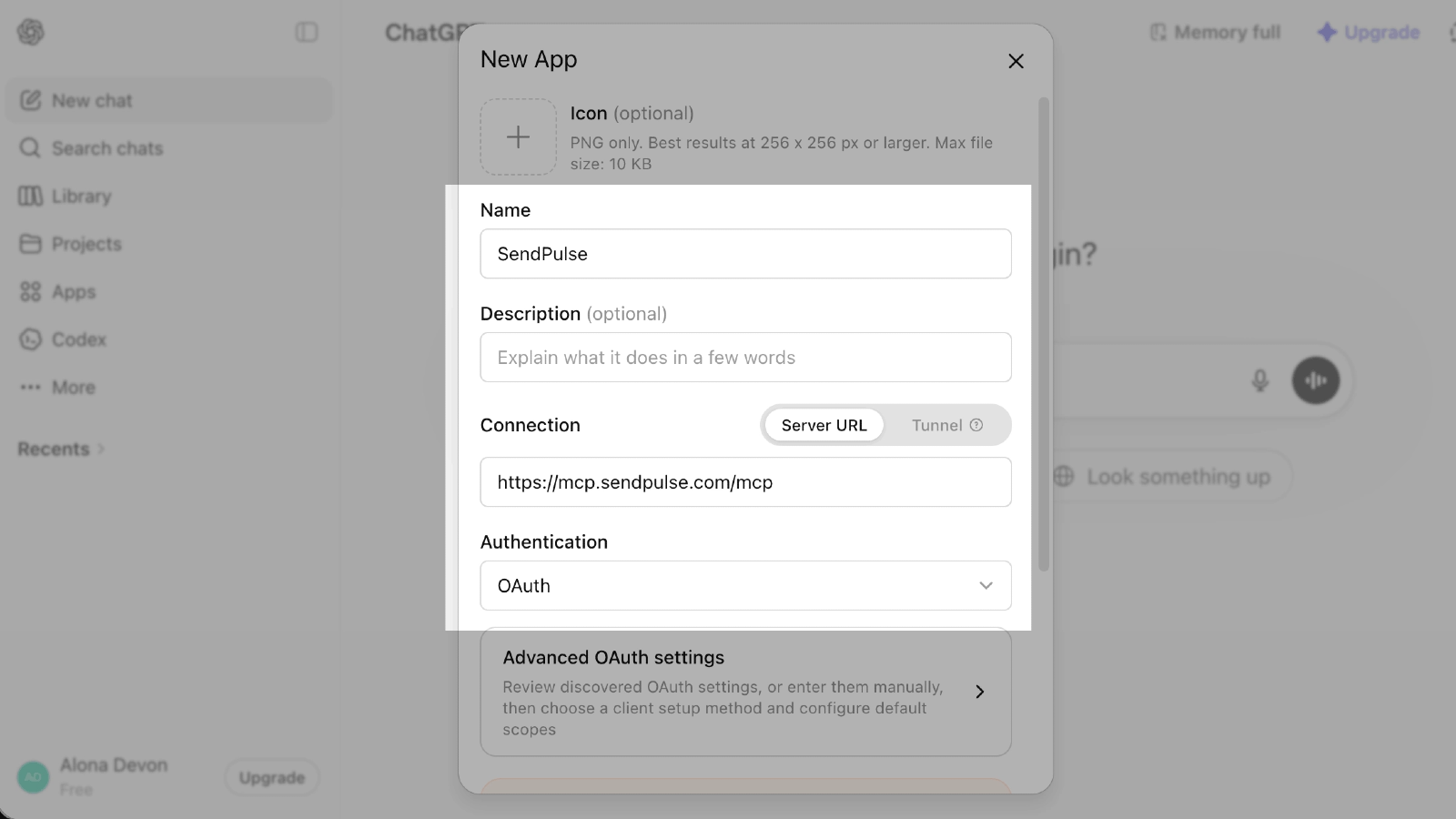
Fill in the fields:
Name — any name for your app
MCP Server URL — the URL you copied from SendPulse
Authentication — select OAuth
Select the confirmation checkbox and click Create.
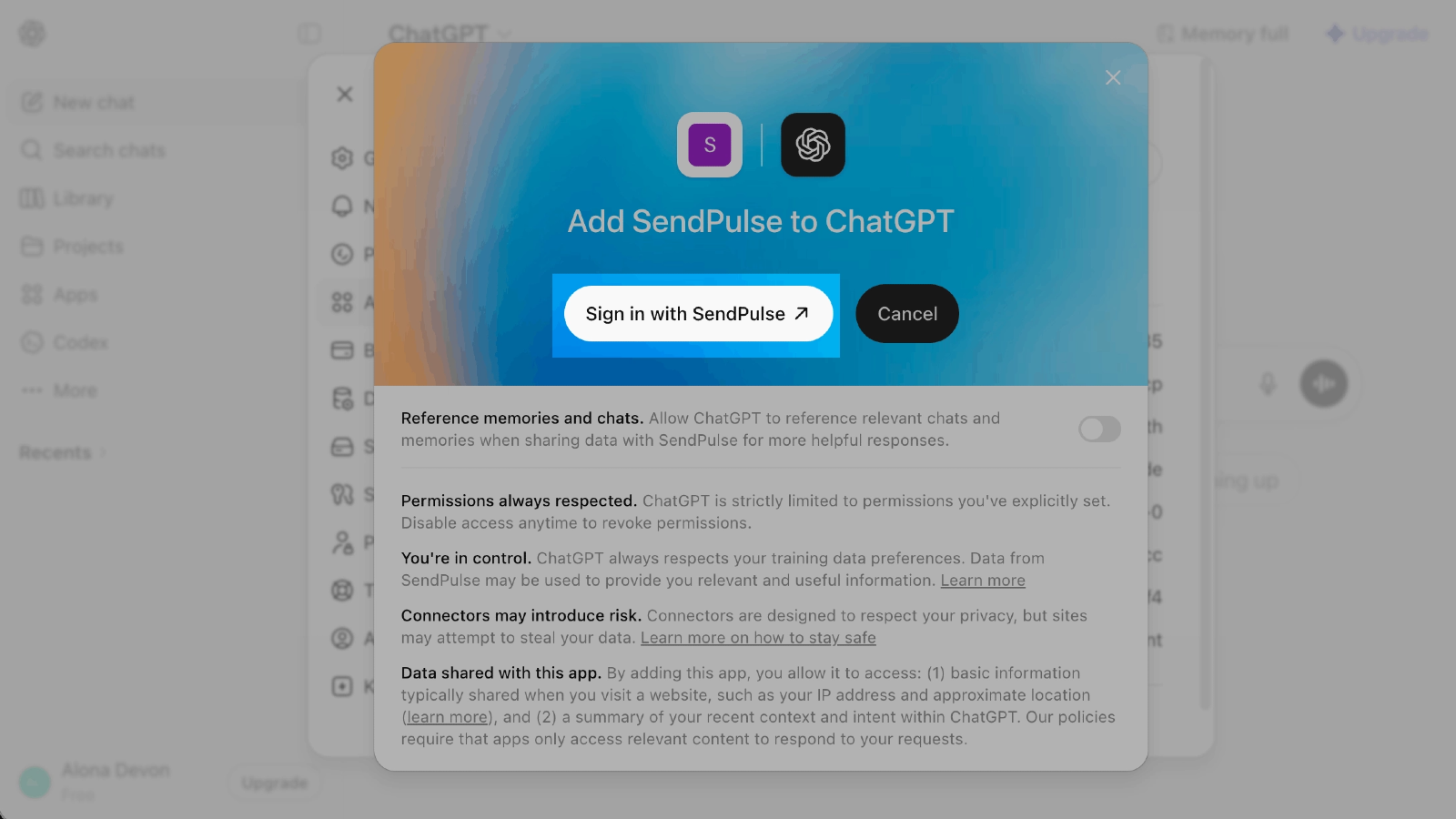
ChatGPT redirects you to the SendPulse login page. Sign in to your account.
Once you sign in, your MCP app appears under Settings → Apps in ChatGPT.
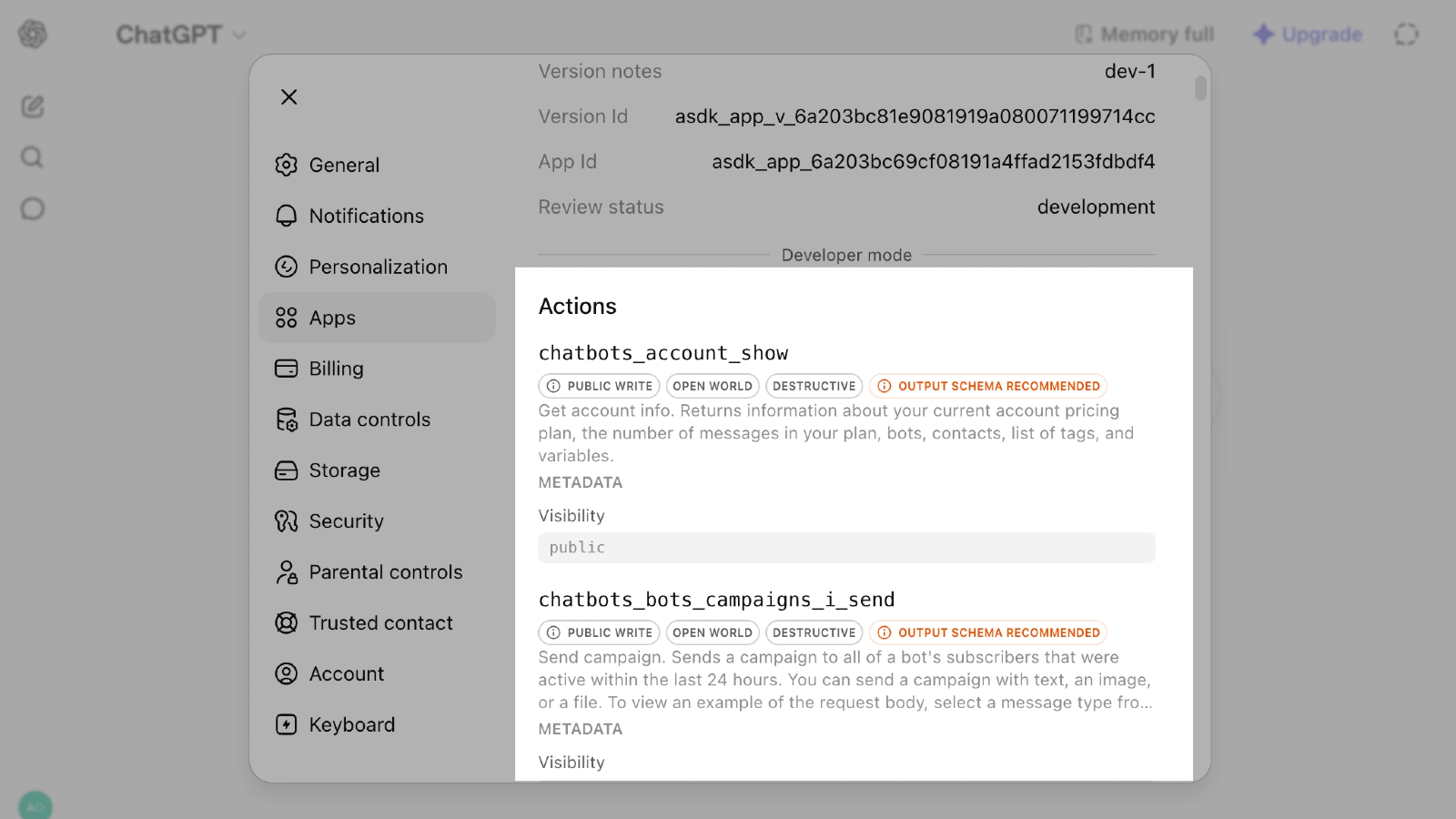
Open your new MCP app. If the connection succeeded, you will see the connection status and a list of actions ChatGPT can perform in your SendPulse account.
Create a new chat or open an existing one, click + next to the message field, and select More → SendPulse MCP.
Send a request in the chat — for example, "Show my SendPulse account details." If the connection succeeded, ChatGPT calls the MCP server and returns data from your SendPulse account.





or