


























WhatsApp chatbot examples and use cases across industries
WhatsApp chatbot use cases vary by industry. A retailer helps shoppers choose products, a travel company sends trip updates, a clinic or bank handles routine requests, a school keeps students on schedule, and a real estate agency qualifies leads before a viewing. Here are practical examples for each.
1. Help retail customers choose the right product
What to do. Build short conversations around the information shoppers need to choose the right product.
When to use it. Customers need to narrow down options based on details such as size or availability.
How to set it up:
- Ask one or two questions that define what the shopper needs.
- Use their answers to narrow the available options.
- Give them a clear next step after they find a suitable product.
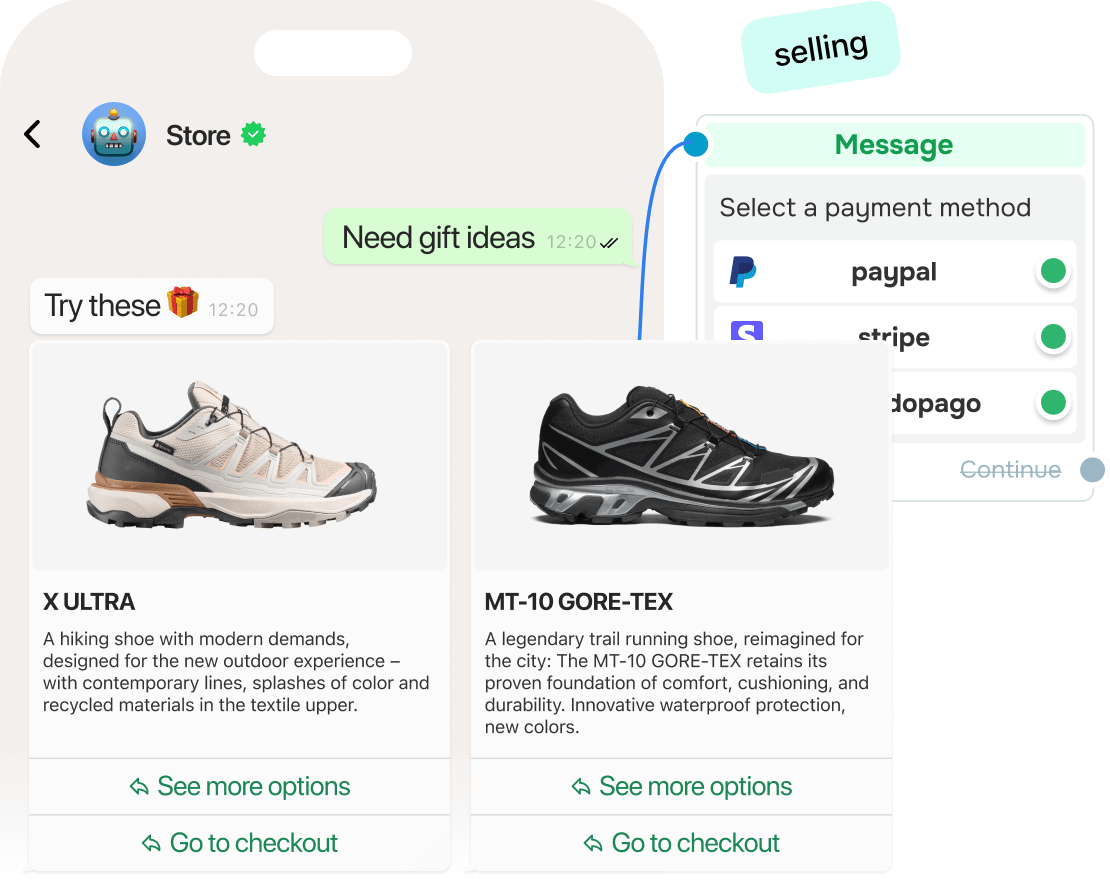
Example. A footwear store's chatbot asks shoppers which type of sneakers they want and what size they wear, then shows only matching shoes that are in stock.
Tip. Use the same chat after delivery to ask for a rating and connect customers with a team member if something went wrong.
2. Keep travelers informed before and during a trip
What to do. Use one WhatsApp conversation for the information that changes throughout a booking, stay, or journey.
When to use it. Travelers need time-sensitive updates, such as confirmations, schedule changes, check-in details, or services available during a stay.
How to set it up:
- Send booking details after the reservation is confirmed.
- Follow up when important trip information changes.
- Give travelers quick options for common requests during their stay.
- Suggest extras that fit the trip, such as airport transfers or late checkout.
Example. An airline sends a booking confirmation on WhatsApp and later uses the same conversation to notify the traveler about a gate change. A hotel uses a similar flow to handle late checkout and room upgrade requests.
3. Handle routine requests in healthcare and finance
What to do. Give customers a clear path through routine healthcare or banking requests and pass complex or sensitive cases to the right specialist.
When to use it. Customers need help with straightforward actions or information, but some requests require human review.
How to set it up in healthcare:
- Let patients request or confirm appointments.
- Send appointment reminders.
- Answer general questions about opening hours, preparation instructions, or available services.
- Hand the conversation to a staff member when the request needs individual attention.
How to set it up in finance:
- Answer general questions about branch hours, procedures, or services.
- Send reminders about upcoming payment due dates.
- Route account-specific or complex issues to the right specialist.
Example. A clinic lets patients choose an appointment slot and sends a reminder before the visit. A bank answers general questions in the chat and hands account-specific issues to a specialist.
4. Keep students and learning communities on track
What to do. Use WhatsApp to support students throughout their learning.
When to use it. Students, parents, or alumni need information that would otherwise be spread across emails, portals, and individual messages.
How to use it:
- Share course options, fees, prerequisites, and enrollment deadlines.
- Send updates about class changes, assignment deadlines, and events.
- Turn short exercises or quizzes into interactive chat activities.
- Collect RSVPs or responses from parents and alumni.
Example. A language school sends students a short vocabulary challenge with answer buttons. The same school uses the chat earlier on to explain its programs and later to remind enrolled students about schedule changes and deadlines.
5. Move real estate and service leads from inquiry to appointment
What to do. Turn an open-ended request into a structured conversation that collects the details needed for the next step.
When to use it. A property buyer or professional-services lead has a specific need but hasn't yet chosen an option or booked a consultation.
How to set it up:
- Ask for the details that narrow the request, such as budget, location, service type, or preferred date.
- Share only the information that matches those answers.
- Offer a consultation, viewing, or appointment once the request is clear.
- Send relevant documents or service information before the meeting.
- Follow up after the service to collect feedback or suggest a next step.
Example. A real estate chatbot asks whether a prospect wants to buy or rent, then collects their budget and preferred location. It shares matching properties and offers to schedule a viewing. An accounting firm uses the same structure to find out whether a prospect needs tax filing or bookkeeping, sends the relevant pricing, and books a consultation.
or